Github OAuth In iOS
작성자 : S057 조정래
최종수정일 : 2020.11.7(토)
iOS App 에서 깃허브 OAuth 요청을 하고 Token을 받아 API 서버에 전달하고, JWT를 발급받기 까지의 과정을 정리한 내용
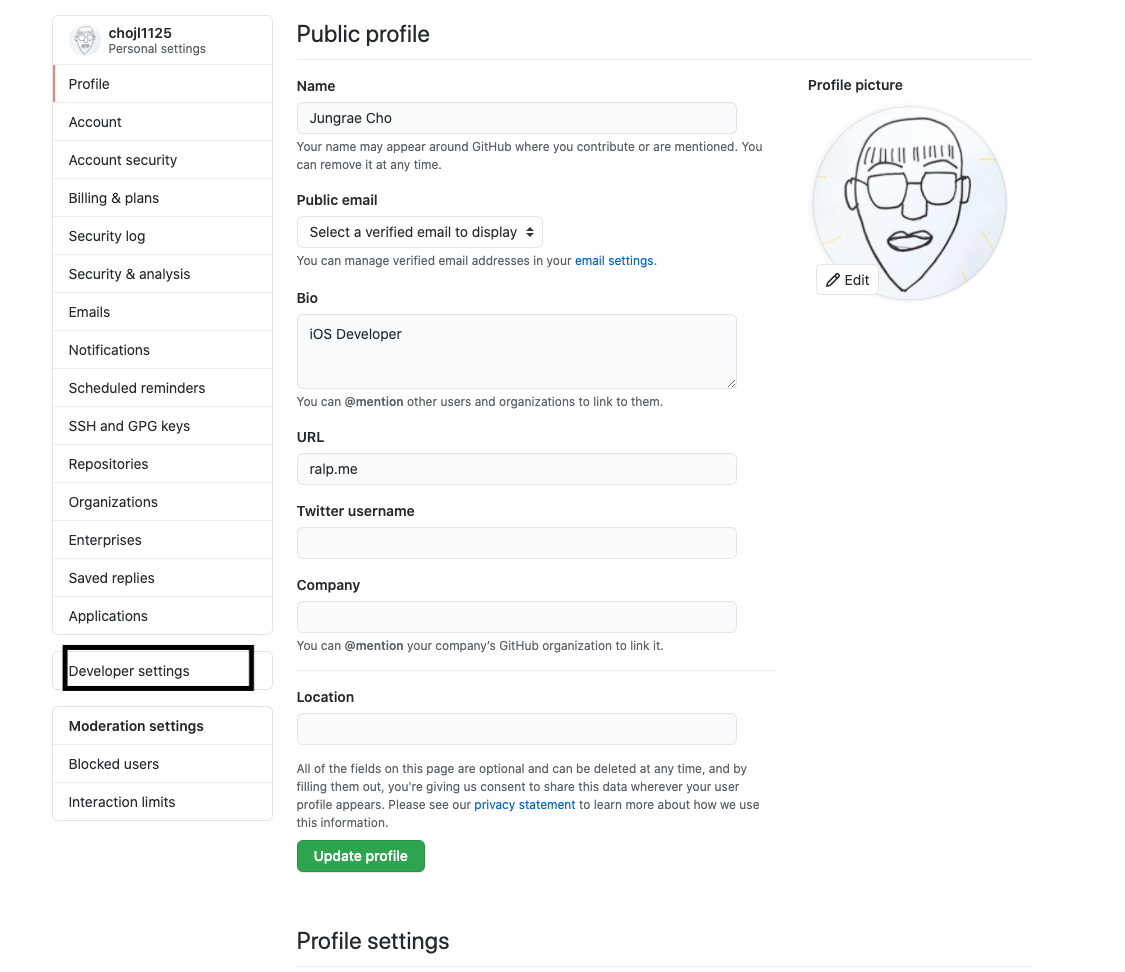
-
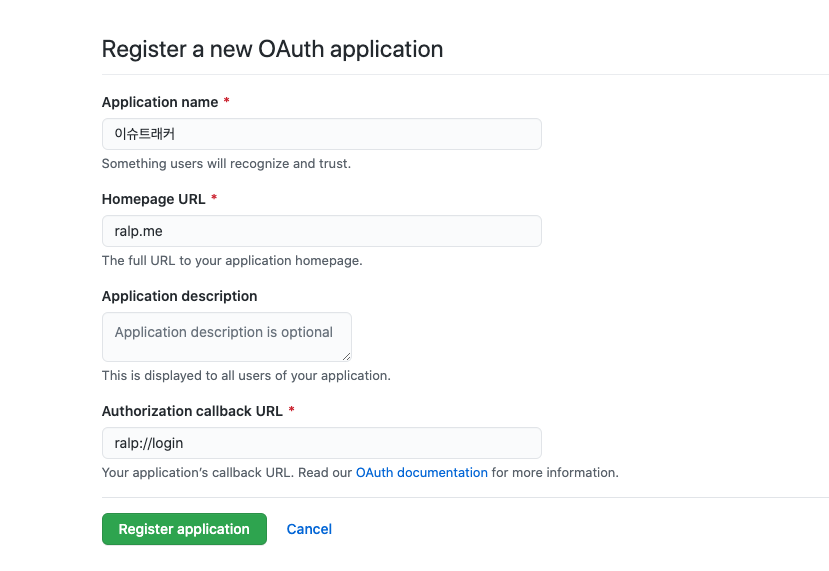
Application name: 말 그대로 적절한 이름의 어플리케이션 이름을 정해주면 된다. -
Homepage URL: iOS앱 클라이언트에서 인증할 예정이기 때문에 아무 url 이나 입력해주면 된다. -
Authorization callback URL: 나의 깃허브 계정을 앱에서 사용하겠다는 인증등록에 대한 허가의 증거를 반환해 줄 URL이다. OAuth Access Token 을 앱에서 직접 받으려면 어플리케이션 Scheme으로 직접 연결을 해주어야 한다.
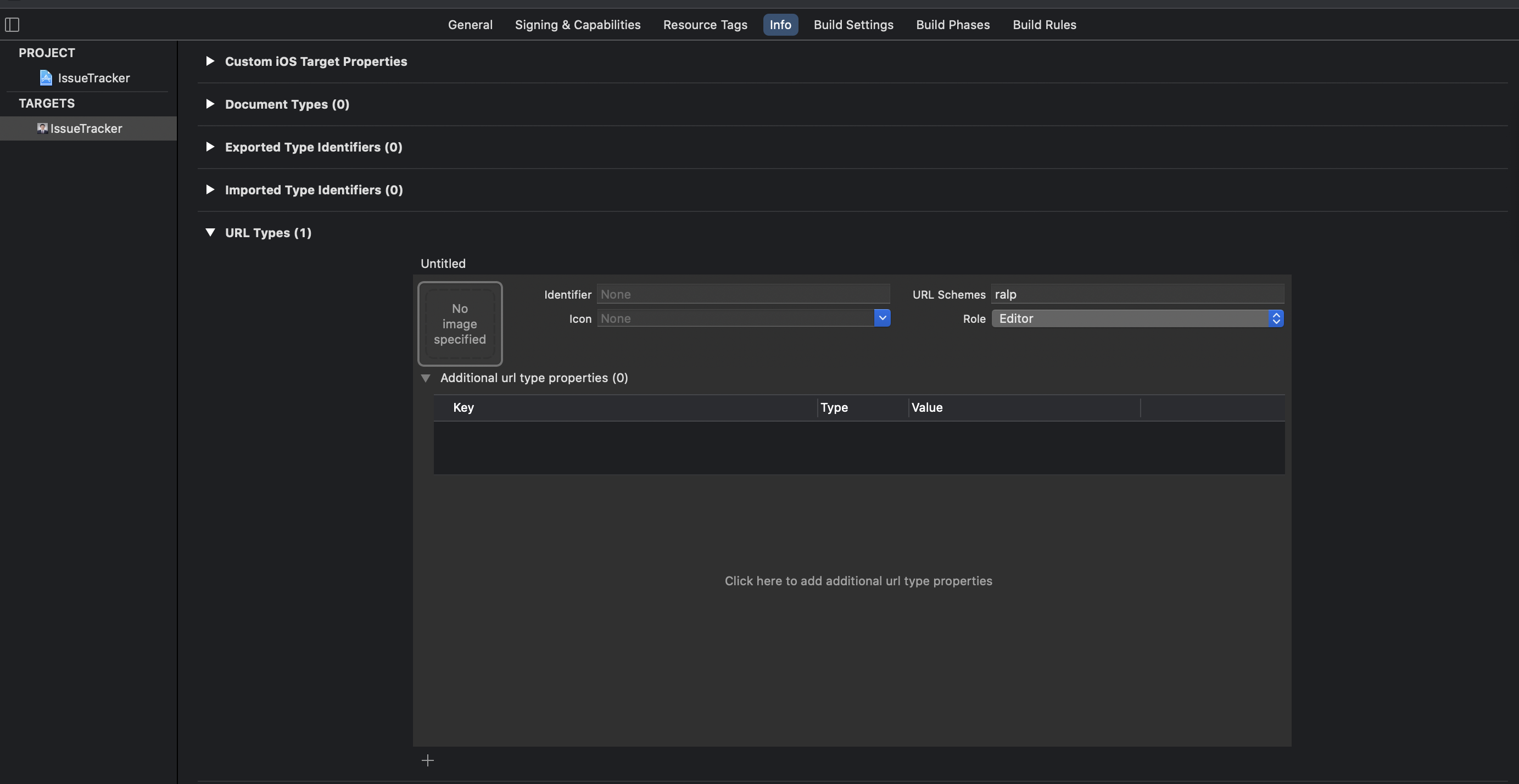
Xcode 에서 다음과 같이 URL Scheme 을 설정해 두어서 앱을 통해 Token을 받고, 인증 절차가 끝나면 브라우저에서 앱으로 되돌아올 수 있도록 하자.
다음과 같은 URL에 요청을 한다.
GET https://github.com/login/oauth/authorize
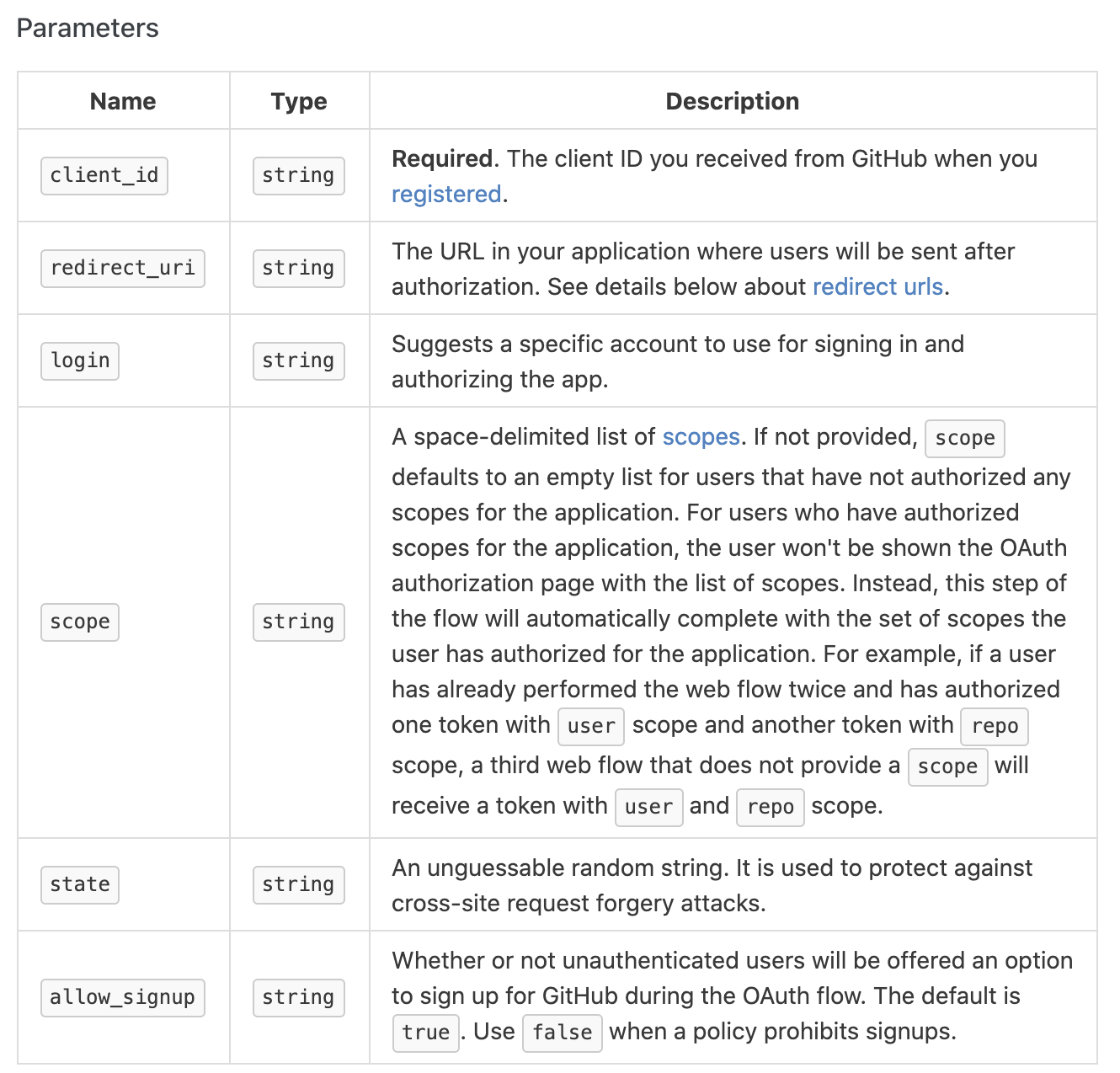
파라미터의 경우 client_id 는 필수이고 나머지는 선택사항이다. redirect_uri는 기본값이 OAuth 등록할 때 사용했던 값이고, scope는 받을 정보에 대한 범위를 설정하는 값이다.
class LoginManager {
  func requestCode() {
      let scope = "repo,user"
      let urlString = "https://github.com/login/oauth/authorize?client_id=\(client_id)&scope=\(scope)"
      if let url = URL(string: urlString), UIApplication.shared.canOpenURL(url) {
         UIApplication.shared.open(url)
      }
  }
}
다음과 같이 액션 메서드에 호출해주면 된다.
    @IBAction func touchedSignInWithGithub(_ sender: Any) {
        LoginManager.shared.requestCode()
    }
이후 사용자가 로그인 버튼을 누르게 되면 브라우저를 통해 Github 인증을 거치게 되고 이후 redirect 를 해준다.
SceneDelegate(_:openURLContexts:) 를 통해 들어온다.
   func scene(_ scene: UIScene, openURLContexts URLContexts: Set<UIOpenURLContext>) {
        if let url = URLContexts.first?.url {
            print(url)
            // ralp://login?code=[code]
        }
    }
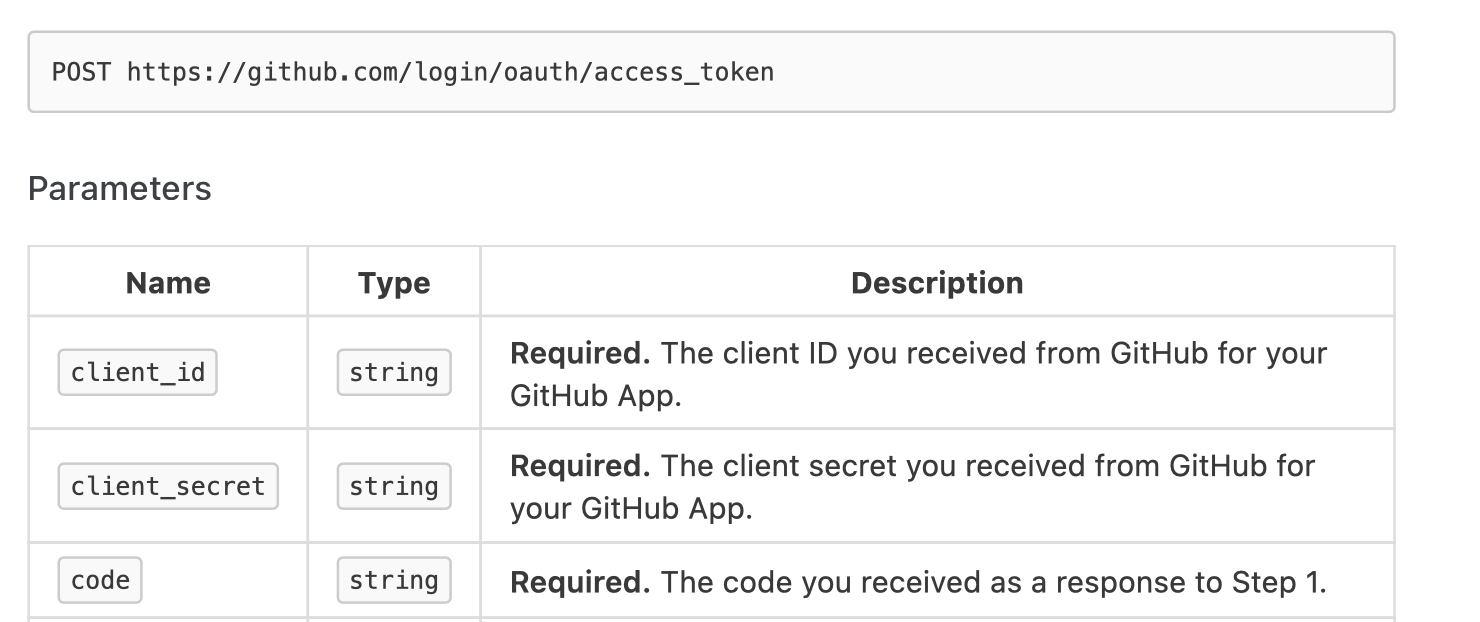
Access Token 을 얻기 위해서는 이 코드를 통해 한번 더 github에 요청을 해야한다.
POST https://github.com/login/oauth/access_token
    func requestAccessToken(with code: String) {
        let url = "https://github.com/login/oauth/access_token"

        let parameters = ["client_id": client_id,
                          "client_secret": client_secret,
                          "code": code]

        let headers: HTTPHeaders = ["Accept": "application/json"]

        AF.request(url, method: .post, parameters: parameters, headers: headers).responseJSON { (response) in
            switch response.result {
            case let .success(json):
                if let dic = json as? [String: String] {
                    let accessToken = dic["access_token"] ?? ""
                    KeychainSwift().set(accessToken, forKey: "accessToken")
                    print(dic)
                    if let token = dic["access_token"] {
                        self.requestJWT(acccess_token: token) // api 서버에 access token 을 보내고 jwt를 받는 api
                    }
                }

            case let .failure(error):
                print(error)
            }
        }
    }
func scene(_ scene: UIScene, openURLContexts URLContexts: Set<UIOpenURLContext>) {
if let url = URLContexts.first?.url {
if url.absoluteString.starts(with: "ralp://") {
if let code = url.absoluteString.split(separator: "=").last.map({ String($0) }) {
LoginManager.shared.requestAccessToken(with: code)
}
}
print(url)
}
}최종적으로 사용자는 JWT 를 받게 되고 이를 헤더에 싣어 보냄으로서 요청에 대한 유효성을 검증 받을 수 있다.