Repository navigation
Releases: bozdemir/JeTTY
Release list
v0.30.0

JeTTY v0.30.0
The rest of the whole-codebase scan: Wayland that summons, a terminal that
stays quick while another tab floods, and about 170 smaller fixes across every
part of JeTTY.
- Wayland works. F9 /
jetty --togglebring JeTTY back after a hide
(hiding now closes the window while every tab keeps running), tiling
compositors hide it too, paste reads what native Wayland apps copied, and
docks show JeTTY's icon.summon_hotkey = "none"turns the built-in grab off
so you can bindjetty --toggleyourself. - Typing stays instant while another tab floods: keypress-to-frame drops
from about 47 ms to about 3 ms; throughput is unchanged. - Search keeps up with streaming output (a refresh at 100k lines: ~220 ms →
0.2 ms), the match you jumped to stays current, and copy-mode / hint mode hold
the view still while output arrives. - Text: bold and italic reach NFD names and fallback glyphs, flags draw as
one emoji, every glyph stays on its cell, and characters no installed font
has no longer freeze the window. - Images start at the cursor, keep their rows through resizes, fullscreen
and font zoom, and survivempv --vo=kitty; Kitty images ended by BEL work. - One overlay order: help, search, hints, copy mode and the palette no
longer open under each other; palette rows show their live shortcut, and
"Help: keyboard shortcuts" is a palette search away. - Safer output: control and bidi characters can't spoof titles or
notifications, the link preview leads with the real host, hidden text is
never run, and afile://link to another machine isn't opened locally. - Summon and windows: a WM-minimized window stops rendering (X11), Dropdown
docks below panels and the macOS menu bar, Center gets its size back after
Dropdown, andssh -X/ a second X session start their own JeTTY. - Shell integration: a new opt-in line that starts no process per shell
(and works on macOS's bash 3.2); Ctrl+C interrupts a huge paste; auto-summon
works with notifications off.
The full list is in the CHANGELOG.
Install
curl -fsSL https://raw.githubusercontent.com/bozdemir/JeTTY/main/install.sh | shOr a .deb / AppImage from the assets below (the installer verifies
SHA256SUMS.txt). Build from source: cargo build --release.
Every file carries a signed build provenance:
gh attestation verify <file> --repo bozdemir/JeTTY.
Artifacts
| File | What |
|---|---|
jetty-0.30.0-x86_64-linux.tar.gz |
Portable Linux binary + assets |
jetty_0.30.0_amd64.deb |
Debian / Ubuntu package |
JeTTY-0.30.0-x86_64.AppImage |
Universal Linux AppImage |
JeTTY-0.30.0-x86_64.AppImage.zsync |
Delta-update data for the AppImage |
SHA256SUMS.txt |
Checksums |
v0.29.1
JeTTY v0.29.1
Fixes from a scan of the whole codebase: menus that behave, output that
can't freeze JeTTY, prompt marks that stay put, and GPU resets that no longer
take your shells with them.
- Menus hold the keyboard like native ones (a 0.29.0 regression). Any key
that isn't the menu's closes it and does its usual job, so typing after a
stray Menu press no longer pastes at the first Space. Menus also close on
focus loss, hide and tab switches, and nothing behind an open menu gets
your wheel or clicks. - Program output can't freeze JeTTY or eat its memory any more: Kitty
image re-placements, sixel/PNG/zlib "bombs", gigantic window titles on the
title stack and huge OSC 8 link ids are all bounded now. - Shell-integration marks stay put with powerlevel10k: after resizes and
font zooms, under a right prompt, and around editors that end inside a
synchronized update (Neovim ≥ 0.10). - A GPU reset no longer closes JeTTY and every shell (suspend/resume,
driver resets), and the cursor trail survives it. - Bold stays on the grid in fonts without a bold face (Ubuntu Mono,
Ubuntu Sans Mono, Noto Mono). - Smaller fixes: clicks in fzf's Ctrl+R while scrolled back, a double-click
on "+" no longer starts a rename, the Settings scrollback cycler no longer
wraps from 100k to 1k, a rejected[keys]binding keeps its default, X11
keyboard grabs (a held media key, Alt+Tab) no longer auto-hide the window,
dead key + Space types the accent on Wayland, and on macOS hiding returns
the keyboard to your previous app, the Dock icon brings JeTTY back, and
shells get a UTF-8 locale.scripts/make-macos-app.shbuilds again (#7).
The full list is in the CHANGELOG.
Install
curl -fsSL https://raw.githubusercontent.com/bozdemir/JeTTY/main/install.sh | shOr a .deb / AppImage from the assets below (the installer verifies
SHA256SUMS.txt). Build from source: cargo build --release.
Artifacts
| File | What |
|---|---|
jetty-0.29.1-x86_64-linux.tar.gz |
Portable Linux binary + assets |
jetty_0.29.1_amd64.deb |
Debian / Ubuntu package |
JeTTY-0.29.1-x86_64.AppImage |
Universal Linux AppImage |
JeTTY-0.29.1-x86_64.AppImage.zsync |
Delta-update data for the AppImage |
SHA256SUMS.txt |
Checksums |
v0.29.0
JeTTY v0.29.0
Menus from the keyboard, and an AppImage that updates itself.
- Every menu works from the keyboard. In the right-click menu, a tab's
menu (and its Color list) and a detached window's menu, the arrows (or
Home/End) move,EnterorSpacepicks,→/←open and leave a
tab's Color list, andEsccloses. - The Menu key opens the right-click menu at the text cursor
([keys] context_menu), above the prompt when there's no room below. It's
also in the command palette as "Open context menu", for keyboards without a
Menu key. - The AppImage updates in place. It carries update information, and this
release publishesJeTTY-0.29.0-x86_64.AppImage.zsyncnext to it, so
AppImageUpdate (or
AppImageLauncher) downloads only what changed. - A failed command's notification no longer sticks. It was sent as
"critical", which notification daemons keep on screen until dismissed (and
which breaks through Do Not Disturb); it now expires like any other.
Everything in v0.28.0
and v0.28.1 applies.
Install
curl -fsSL https://raw.githubusercontent.com/bozdemir/JeTTY/main/install.sh | shOr a .deb / AppImage from the assets below (the installer verifies
SHA256SUMS.txt). Build from source: cargo build --release.
Artifacts
| File | What |
|---|---|
jetty-0.29.0-x86_64-linux.tar.gz |
Portable Linux binary + assets |
jetty_0.29.0_amd64.deb |
Debian / Ubuntu package |
JeTTY-0.29.0-x86_64.AppImage |
Universal Linux AppImage |
JeTTY-0.29.0-x86_64.AppImage.zsync |
Delta-update data for the AppImage |
SHA256SUMS.txt |
Checksums |
v0.28.1
JeTTY v0.28.1
The AppImage starts on minimal systems.
JeTTY loads its X11, keyboard and cursor libraries at run time, so the
packaging tools never saw them: the AppImage carried none, and on a system
without libxkbcommon-x11 — the AppImage catalog's test machine — it stopped
at once ("Library libxkbcommon-x11.so could not be loaded"). The AppImage now
carries libxkbcommon, libxkbcommon-x11, libXcursor and libXi (X11, xcb and
OpenGL/EGL stay the system's), and the .deb depends on everything JeTTY
loads. No change to JeTTY itself — everything in
v0.28.0 applies.
Install
curl -fsSL https://raw.githubusercontent.com/bozdemir/JeTTY/main/install.sh | shOr a .deb / AppImage from the assets below (the installer verifies
SHA256SUMS.txt). Build from source: cargo build --release.
Artifacts
| File | What |
|---|---|
jetty-0.28.1-x86_64-linux.tar.gz |
Portable Linux binary + assets |
jetty_0.28.1_amd64.deb |
Debian / Ubuntu package |
JeTTY-0.28.1-x86_64.AppImage |
Universal Linux AppImage |
SHA256SUMS.txt |
Checksums |
v0.28.0
JeTTY v0.28.0
The fix-and-polish release: about sixty bugs fixed, JeTTY runs without
Vulkan, F9 is faster and always takes the focus, and every frame costs less
CPU.
Ten parallel reviews went through the whole codebase — renderer, terminal
emulation, shell, input, config, Settings, performance, selection, windows and
the v0.27 visuals. Every fix comes with a test that failed before it.
Highlights
- Runs without Vulkan. On VMs, older GPUs and software rendering JeTTY now
draws through OpenGL 3.3 / OpenGL ES 3.0 on X11 and Wayland — before, it
opened an unpainted window.WGPU_BACKEND=glforces OpenGL. - Faster F9, always focused. The hotkey no longer polls 20 times a second;
hiding takes 3 ms instead of up to 50. Under KWin, F9 could bring JeTTY to the
front while your typing still went to the previous window — fixed. - Faster start, less memory on multi-GPU laptops. JeTTY no longer loads
Vulkan drivers for GPUs it won't use: GPU setup 74 → 20 ms, ~90 MB less
memory, and the NVIDIA GPU is left alone. - Cheaper frames. The terminal snapshot costs half as much and the tab bar
and status bar draw in one pass. - Settings from the keyboard. Tab to any control, arrows to adjust,
Space / Enter to toggle. - Tabs: drag to reorder, wheel over the bar to switch, middle-click to close.
jetty --check-configand a reference for every key,
docs/configuration.md;
typos are reported with the closest valid spelling.
Fixed, among others
- A crash when a program scrolled a region while you were scrolled back
(present in v0.27.0). - Ctrl+; on Turkish-Q (and Ctrl+# on German) sent SIGQUIT to the running
program. - Enter on an empty prompt after a failed command marked the prompt failed
(powerlevel10k, bash). $SHELLinside JeTTY named the login shell instead of the one JeTTY runs.- Changing the display scale and back shrank the window into a corner.
- A new tab from a directory on a dead network mount froze JeTTY.
- Turning CRT off didn't free its GPU memory; animated backdrops redrew on every
keystroke; phone photos showed sideways. - Color queries ignored colors a program had set (neovim, bat, delta picked the
wrong background).
Full list: CHANGELOG.
Install
curl -fsSL https://raw.githubusercontent.com/bozdemir/JeTTY/main/install.sh | shOr a .deb / AppImage from the assets below (the installer verifies
SHA256SUMS.txt). Build from source: cargo build --release.
Artifacts
| File | What |
|---|---|
jetty-0.28.0-x86_64-linux.tar.gz |
Portable Linux binary + assets |
jetty_0.28.0_amd64.deb |
Debian / Ubuntu package |
JeTTY-0.28.0-x86_64.AppImage |
Universal Linux AppImage |
SHA256SUMS.txt |
Checksums |
v0.27.0
JeTTY v0.27.0
Visuals v2 — one-click Looks, 46 themes, backdrops, cursor styles, new summon
reveals, tab styles and a rebuilt Settings window. Just as fast.
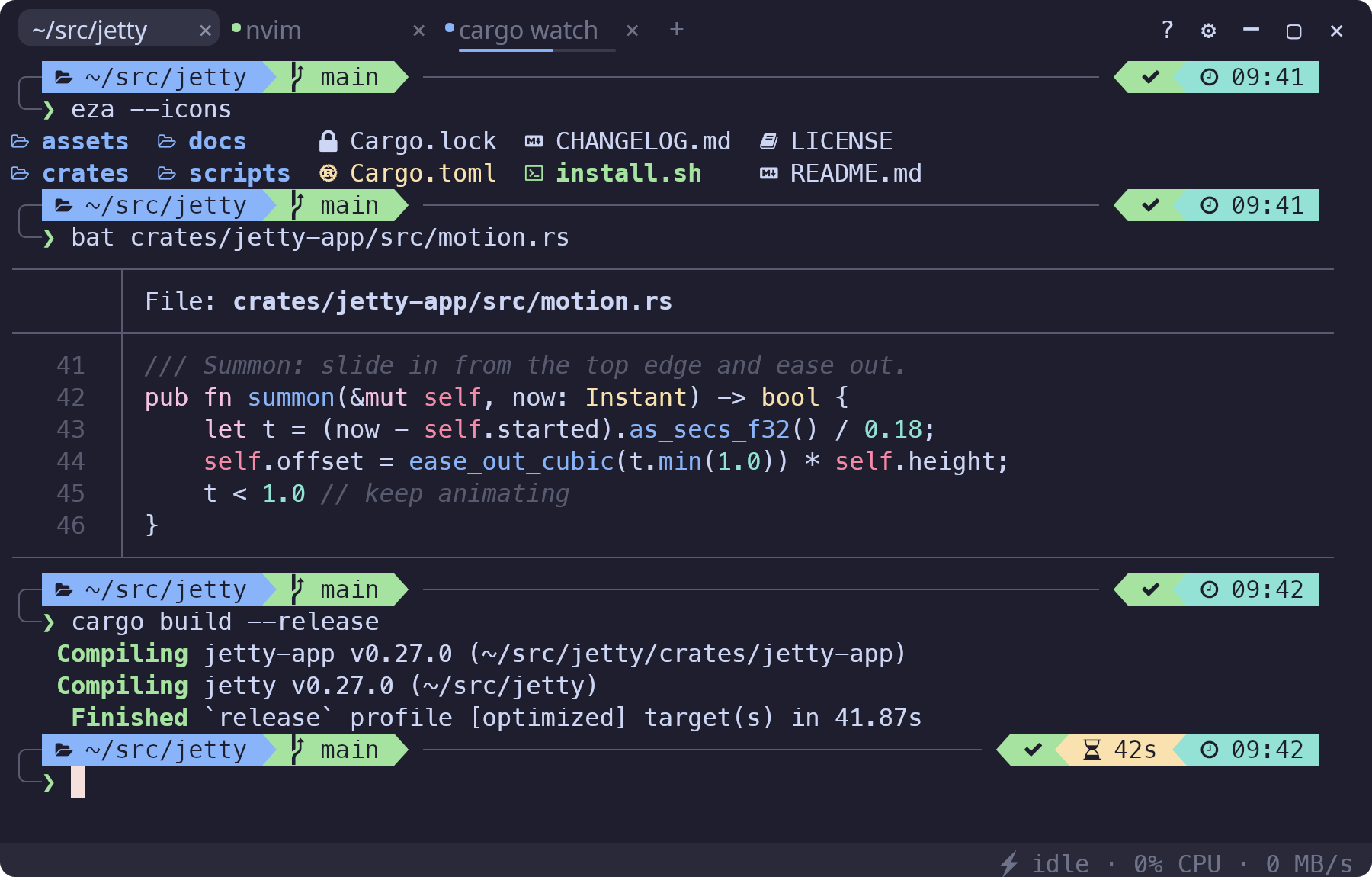
Looks
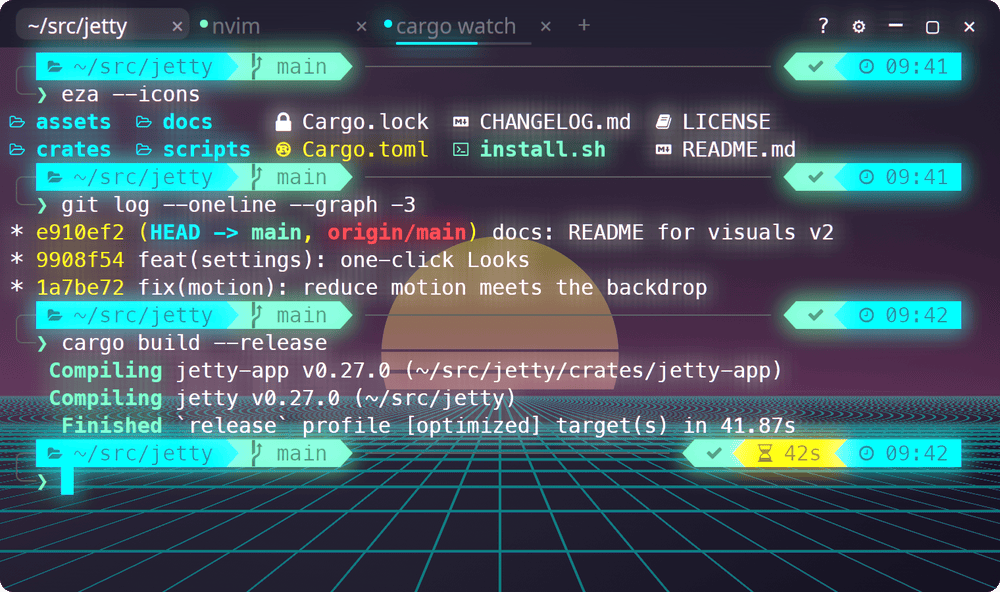
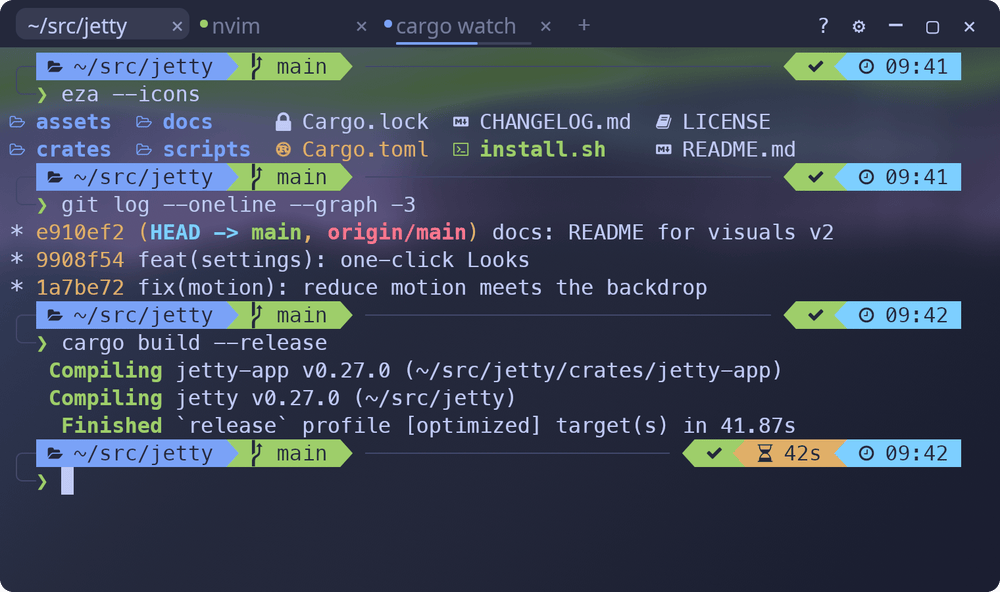
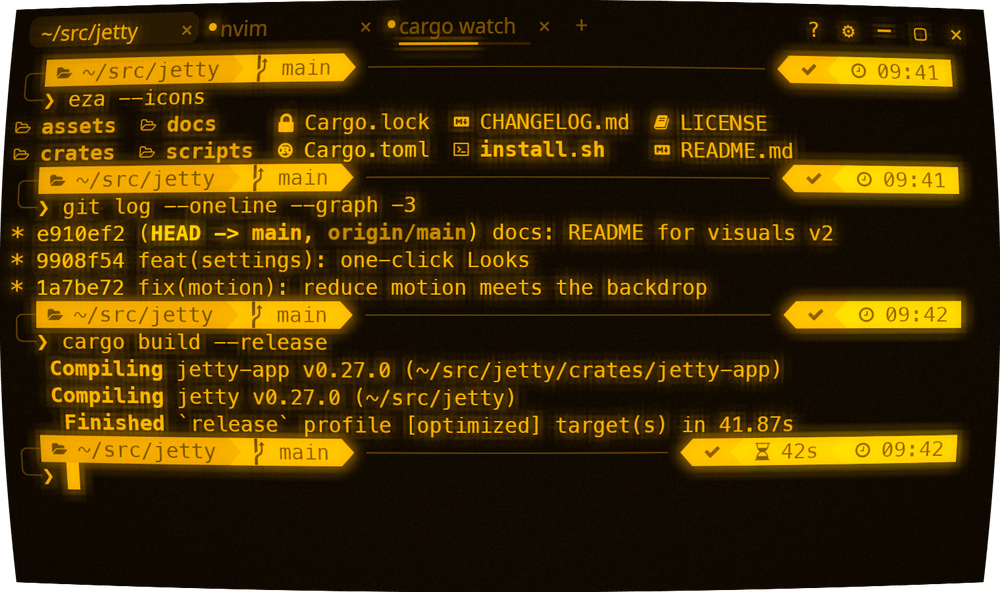
Settings › Look opens with a row of looks. One click sets a theme, an effects
preset, a backdrop, the summon reveal and the cursor together:
| Look | |
|---|---|
| Amber VT | Amber phosphor CRT, block cursor |
| P1 Green | Green phosphor CRT, block cursor |
| Trinitron | Tokyo Night through a color CRT, Focus reveal |
| Neon Night | Synthwave '84 with a neon glow over a synthwave grid, Pop reveal, cursor trail |
| Aurora | Tokyo Night Storm over an aurora, Glide reveal, cursor trail |
| Paper | Flexoki Light with paper grain, Fade reveal |
| Clean | The defaults — keeps your theme |
They're in the command palette as well (Look: …). Change anything afterwards
and the row reads "Custom".
What's new
- 46 themes, 11 of them light — 24 new, with exact upstream palettes, and
a theme gallery in Settings that previews as you arrow through it.
Follow the system light/dark setting (follow_system_theme,
light_theme), andminimum_contrastlifts unreadable text. - Backdrop — a subtle per-theme look, gradients, your own image (frosted
if you like, no compositor needed) or a pattern: stars, aurora, grid,
synthwave. Baked once, then a copy per frame (~0.2–0.4 ms GPU at 1440p). - Effects — presets (Retro CRT, Amber, Green Phosphor, Neon, Paper,
E-ink), phosphor colors, film grain, a bloom radius, an optional glitch on a
failed command. The CRT pass itself is ~45% faster. - Cursor — five shapes, thickness, a faint row guide, and a trail that
smears when the cursor jumps (never while you type). - Summon reveals — Pop, Glide and Fade join Phosphor, Bayer, Liquid and
Focus; the Dropdown strip now slides in with its real edge and corners. - Motion —
reduce_motion(off / on / follow the desktop) calms every
animation; a visual bell (flash or rim) and a glow along the window edge
when a command fails. - Tabs — five styles, per-tab colors, finished/failed/bell badges, and
progress bars from programs that report it (OSC 9;4: Claude Code, cargo). - Built-in glyphs — box drawing, blocks, Powerline separators, braille
and sextants are drawn by JeTTY, cell-exact: no seams in powerlevel10k
prompts, tmux borders or btop graphs (and a btop-like screen renders 2×
faster). - Settings rebuilt — every tab scrolls, sections fold, Reset tab, and
every control is a palette search away ("bloom" → Settings › Effects ›
Bloom).
Changed by default
- Inner padding (8 px at the sides, 4 px top and bottom) — text no longer
touches the window edge.padding_x = 0/padding_y = 0brings back the
old layout. - Built-in glyphs are on —
builtin_glyphs = falsegoes back to the
font's. - Faint text blends toward the background, underlines sit at the font's
underline position, and menus, pills and the scrollbar read on every theme.
Everything else new is off until you turn it on — or pick a Look.
Fixed
- The default Phosphor reveal had played upside down since v0.1.0; it
reveals top-down again. - With CRT on, the Focus and Liquid reveals dropped the CRT look until they
ended. - The caret flash made the cursor vanish on light themes.
- Text drifted off the grid at fractional font sizes; bold box-drawing
characters showed as empty boxes; the scrollbar was mis-sized on 2×
displays; the launch splash covered a two-line prompt.
Speed
Typing and scrolling frames cost the same as v0.26.1 (0.49 ms CPU at 240×70),
throughput is unchanged, and an idle JeTTY still uses 0% CPU. Effects you
don't use are never built. Measured as a round-robin of v0.26.1, nine merge
points and this release — docs/perf-budget.md.
Full list: CHANGELOG.
Install
curl -fsSL https://raw.githubusercontent.com/bozdemir/JeTTY/main/install.sh | shOr a .deb / AppImage from the assets below (the installer verifies
SHA256SUMS.txt). Build from source: cargo build --release.
Artifacts
| File | What |
|---|---|
jetty-0.27.0-x86_64-linux.tar.gz |
Portable Linux binary + assets |
jetty_0.27.0_amd64.deb |
Debian / Ubuntu package |
JeTTY-0.27.0-x86_64.AppImage |
Universal Linux AppImage |
SHA256SUMS.txt |
Checksums |
v0.26.1
JeTTY v0.26.1
F9 brings a window that sat behind others to the front — on the first press.
v0.26.0 taught F9 to bring back a JeTTY window that is open but covered by
other windows, instead of hiding it. On KWin (KDE Plasma) the window manager's
focus-stealing prevention refused the request: the first press did nothing and
the second one hid the window. Running v0.26.0 for real under KWin 6.6 showed
it; this release fixes it, verified the same way:
| JeTTY is… | F9 |
|---|---|
| in front | hides it |
| hidden | brings it up |
| open but behind other windows | brings it to the front |
| minimized | restores it |
On X11 a raise the user asked for — F9, jetty --show, a command typed in a
detached window that acts on the main one — is now the standard EWMH
activation request a taskbar click sends, which every EWMH window manager
honors. Nothing desktop-specific; Wayland and macOS are unchanged.
Checked in a live window
The rest of v0.26.0 was exercised in a real window as well — real zsh with
oh-my-zsh and powerlevel10k, a Turkish-Q keyboard, KWin as the window manager:
Home/End at the prompt, Shift+Enter over the kitty keyboard protocol (and a
plain Enter once a program that left the mode on has exited), Ctrl++ zoom,
the block cursor's character, double/triple-click into PRIMARY and
middle-click paste, the pastejacking guard, PageUp to the shell and
Shift+PageUp to the scrollback, right-click and Esc around mouse-tracking
programs, focus reporting, search/palette/hints/copy mode in a detached
window, every Settings tab, 0% CPU when idle (shown and hidden), and Ctrl+C
during a yes flood (21 ms).
Install
curl -fsSL https://raw.githubusercontent.com/bozdemir/JeTTY/main/install.sh | shOr a .deb / AppImage from the assets below (the installer verifies
SHA256SUMS.txt). Build from source: cargo build --release.
Artifacts
| File | What |
|---|---|
jetty-0.26.1-x86_64-linux.tar.gz |
Portable Linux binary + assets |
jetty_0.26.1_amd64.deb |
Debian / Ubuntu package |
JeTTY-0.26.1-x86_64.AppImage |
Universal Linux AppImage |
SHA256SUMS.txt |
Checksums |
v0.26.0
JeTTY v0.26.0
The audit release. A full review of the codebase turned up ~90 issues —
bugs, a few security holes, slow paths and missing basics. This release fixes
them. It is the biggest change to JeTTY since the first version, so the
behavior changes come first.
Read this first — behavior changes
| What | Before | Now | Want the old way? |
|---|---|---|---|
| Plain PageUp / PageDown | scrolled JeTTY's scrollback | go to the program (zsh history, fzf, less…) | [keys] scroll_page_up = ["Shift+PageUp", "PageUp"] (and _down) |
| Shift+PageUp / PageDown | scrolled | still scroll — on every screen | — |
| Transparency | Ctrl+Shift+= / Ctrl+Shift+- | Ctrl+Alt+= / Ctrl+Alt+- | [keys] opacity_up / opacity_down |
| Ctrl++ (zoom in) | changed transparency on Turkish-Q and similar layouts | zooms on every layout | — |
| Ctrl+Shift+- | changed transparency | sends Ctrl+_ again (readline/emacs undo) | — |
| Selecting text | overwrote the clipboard | fills the PRIMARY selection (middle-click pastes it); the clipboard is untouched | copy_on_select = "clipboard" (or "both", "off") |
| Right / middle click over tmux, nvim, mc… | always JeTTY's menu / paste | go to the program when it tracks the mouse | Shift+right-click opens JeTTY's menu (a selection does too) |
| Kitty keyboard protocol | off | on — Shift+Enter is a newline in Claude Code; nvim/fish/helix get unambiguous keys. If a program dies with the mode on, the next prompt undoes it | kitty_keyboard = false; palette → Reset keyboard & mouse modes |
| Settings saves | rewrote config.toml from scratch |
edit it in place: your comments, formatting and unknown keys survive | — |
Fixed
Things you could hit every day
- A hidden window could keep one CPU core at 100% (perf HUD on, hidden within
0.7 s of the last frame). - Home / End did nothing at oh-my-zsh prompts (they ignored the
application-cursor mode the prompt turns on). - The block cursor hid the character under it; the character is now drawn
on top of the block in a contrasting color. - F9 hid a window that was open but behind others — it now brings it to
the front (and still hides a focused window on the first press). - Run & Notify, prompt jumps, failed-command markers and inline images
stopped working in a tab once its scrollback filled up (10,000 lines by
default) — they now keep working for the tab's whole life. - Resizing a bash tab erased its output and scrollback (JeTTY's own bash
integration). Startup banners (motd, fastfetch) survive a resize too. Bash
now reports command start, so Run & Notify gets real durations there. clearleft a stale red failed-command marker or image behind.- A typo in a theme file such as
cursor = "#aç"crashed JeTTY with every
tab. - One wrong value in
config.toml(opacity = "0.9") reset every setting;
now only that key falls back, with a visible notice. A broken user theme no
longer replaces your theme choice for good.
Found in the final review
- Esc pressed to close JeTTY's right-click or tab menu went to the program
(and interrupted a running Claude Code turn) — it now only closes the menu. - Ctrl+L in a tab with a full scrollback dropped every prompt mark and image.
- nvim yanks over OSC 52 (
clipboard=unnamed,unnamedplus) reached only the
PRIMARY selection; both selections get them now. - A typo in
config.toml(or a table-style[keys]entry) could reset every
setting and remove your "Launch at login" entry — neither can happen now. - A program that pushed the kitty keyboard mode 4,097 times crashed JeTTY.
- Bash prompts are never erased by a resize (multi-line prompts included).
Security
- Pastejacking: pasted text containing
^C/^Z/^\could make the shell
run the following lines immediately. Every paste now strips control
characters. - JeTTY's own notices could be steered by a crafted directory name (escape
sequences); they are neutralized now. - An endless escape sequence could grow memory without bound; every OSC is
capped at 1 MiB, and the cap is checked against the parser byte for byte. - Notification bodies are markup-escaped; stacked combining marks ("Zalgo")
are capped.
Pictures and text
- Sixel and Kitty images now show on the alternate screen (yazi, image.nvim,
ranger previews) instead of being acknowledged and dropped. - Animated images no longer pile up hundreds of hidden layers.
- Combining marks are drawn: decomposed
é, macOS file names with ç ş ğ ö ü İ,
ZWJ sequences.
macOS
- Option+key on non-US layouts typed an escape sequence instead of the
character (Option+Q@on a Turkish Mac). Newmacos_option_as_altfor
people who want Option as Meta. - Shells start as login shells (Homebrew/rustup PATH from
~/.zprofile). - Launch at login works (a LaunchAgent); the global hotkey lives on the main
thread as macOS requires.
Detached windows (Ctrl+Shift+D) now have everything the main window has:
search, help, the command palette, hint mode and copy mode, the Shift-drag
hint, the perf HUD, correct sizing when detached from fullscreen.
Floods (cat of a huge log, yes): memory stays bounded and Ctrl+C
quiets the screen in about 50 ms (it used to take seconds).
New
- Double-click selects a word, triple-click a line; dragging past the edge
scrolls. - Full mouse reporting: right/middle/back/forward buttons with
Shift/Alt/Ctrl, all encodings (SGR, UTF-8, urxvt). - Focus reporting (nvim
FocusGained, tmuxfocus-events). - Drag & drop a file to paste its quoted path.
- IME composition is drawn at the cursor and the candidate window follows it.
--backgroundstarts JeTTY hidden (used by "Launch at login");
$JETTY_CONFIG_DIRselects another config directory.- The UI scales cleanly at large UI fonts and on HiDPI (Retina / 200%), and
works with proportional UI fonts.
Faster
| Frame (CPU) | v0.25.2 | v0.26.0 |
|---|---|---|
| 240×70, typing | 4.40 ms | 0.49 ms |
| 240×70, scrolling | 4.36 ms | 0.48 ms |
| 120×40, typing | 1.06 ms | 0.26 ms |
| cursor / caret only | 0.28 ms | 0.11 ms |
- Idle is truly idle: the 100 ms background wake-up is gone.
- A keystroke no longer renders a frame before the shell's echo arrives, and
the swapchain queues one frame instead of two. - Opening Settings or detaching a tab no longer stalls for ~100 ms (one GPU
device and one font database for every window).
Install
curl -fsSL https://raw.githubusercontent.com/bozdemir/JeTTY/main/install.sh | shOr a .deb / AppImage from the assets below (the installer verifies
SHA256SUMS.txt). Build from source: cargo build --release.
Artifacts
| File | What |
|---|---|
jetty-0.26.0-x86_64-linux.tar.gz |
Portable Linux binary + assets |
jetty_0.26.0_amd64.deb |
Debian / Ubuntu package |
JeTTY-0.26.0-x86_64.AppImage |
Universal Linux AppImage |
SHA256SUMS.txt |
Checksums |
v0.25.2
JeTTY v0.25.2
Prebuilt packages run on older distros again. No code changes — this is a
build fix.
The fix
The AppImage, .deb and tarball refused to start on anything older than
Ubuntu 24.04:
/lib/x86_64-linux-gnu/libc.so.6: version `GLIBC_2.39' not found
Releases were built on ubuntu-latest (24.04, glibc 2.39). There, Rust std
weak-links two optional functions (pidfd_spawnp, pidfd_getpid) with a
GLIBC_2.39 version tag — and the loader enforces that tag even though the
functions are optional. The .deb also declared libc6 (>= 2.39). The
AppImage catalog's test, which runs on Ubuntu
22.04, caught it.
Releases are now built on Ubuntu 22.04, and the workflow refuses to publish a
binary that needs a newer glibc. All three packages run on glibc 2.35+:
| Distro | glibc | v0.25.1 | v0.25.2 |
|---|---|---|---|
| Ubuntu 24.04+ | 2.39+ | ✅ | ✅ |
| Debian 12 | 2.36 | ❌ | ✅ |
| Ubuntu 22.04 | 2.35 | ❌ | ✅ |
If you're already running v0.25.1 happily, there's nothing new here for you.
Install
curl -fsSL https://raw.githubusercontent.com/bozdemir/JeTTY/main/install.sh | shOr a .deb / AppImage from the assets below (the installer verifies
SHA256SUMS.txt). Build from source: cargo build --release.
Artifacts
| File | What |
|---|---|
jetty-0.25.2-x86_64-linux.tar.gz |
Portable Linux binary + assets |
jetty_0.25.2_amd64.deb |
Debian / Ubuntu package |
JeTTY-0.25.2-x86_64.AppImage |
Universal Linux AppImage |
SHA256SUMS.txt |
Checksums |
v0.25.1
JeTTY v0.25.1
Run-selection, now usable where you actually live: inside Claude Code.
v0.25.0's "select a command, run it in a new tab" assumed a plain-shell screen;
selecting from a mouse-grabbing TUI (Claude Code, vim, htop) hit two walls in a
row. This release removes both.
The fixes
-
You couldn't select at all. A mouse-grabbing app swallows the left-drag,
so no JeTTY selection existed and the right-click menu's Copy / Run in New Tab
sat dimmed with no explanation. The escape has always been Shift+drag —
now JeTTY teaches it at the exact moment of failure: right-clicking over a
mouse-grabbing app with no selection shows the "Hold Shift while dragging to
select text" pill alongside the menu. -
What you selected carried the frame. Claude-Code-style bordered output
drags its│edges (and doc-style$/❯prompt markers) into the
selection, so the "command" arrived as garbage. Uniform decorations are now
stripped automatically — strictly conservative, each rule firing only when it
holds on every line of the selection:You select What runs │ $ cargo build │cargo build$ cmd1⏎$ cmd2cmd1⏎cmd2(staged, multi-line)echo $PATHecho $PATH— untouchedmixed lines ( │ a⏎b)untouched, byte-for-byte Stripping runs after sanitization and only ever shrinks the text; the
paste-protection guarantees of v0.25.0 are unchanged.
So the flow inside Claude Code is now: Shift+drag the command →
right-click → Run in New Tab (or Ctrl+Shift+Enter) — it opens a tab in
the same directory and runs, borders and prompt markers stripped.
Install
curl -fsSL https://raw.githubusercontent.com/bozdemir/JeTTY/main/install.sh | shOr a .deb / AppImage from the assets below (the installer verifies
SHA256SUMS.txt). Build from source: cargo build --release.
Artifacts
| File | What |
|---|---|
jetty-0.25.1-x86_64-linux.tar.gz |
Portable Linux binary + assets |
jetty_0.25.1_amd64.deb |
Debian / Ubuntu package |
JeTTY-0.25.1-x86_64.AppImage |
Universal Linux AppImage |
SHA256SUMS.txt |
Checksums |