
Smart Context Core v3.3
[!NOTE] What's new in
v3.3.1
Updated: Smart Environment
Build context by sight, not by guesswork
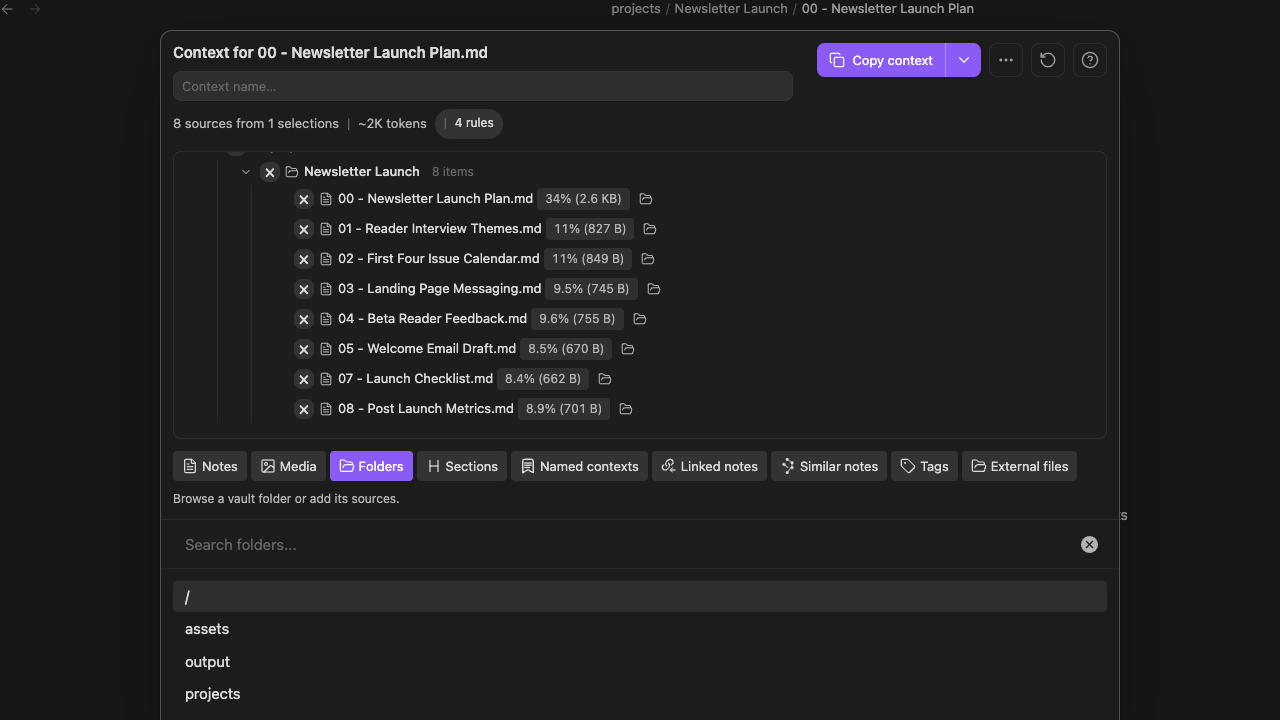
Before context leaves Obsidian, you should be able to answer four questions: What is included? Where did it come from? How large is it? What rules changed the result?
The redesigned Context Builder puts those answers in one place. Assemble sources from across the vault, inspect the actual tree, remove what does not belong, and copy or save only when the package looks right.
Update all installed Smart Plugins together, then restart Obsidian. Smart Context Core v3.3 requires Smart Environment v3.
The Builder is now the workflow
The top of the Builder shows the source count, number of selections, estimated token size, and active rules. The tree shows how the package expands, how much each source contributes, and which items came from a folder, section, or saved Context.
That makes Context useful before the copy action. You can see an overgrown folder, a source that dominates the payload, or a nested section that should be removed while the structure is still easy to change.
Add from the vault without flattening the source
Start with the current note, one block, a folder, linked notes, similar notes, a saved Context, or selected Lookup results. Drag supported items into the Builder or start typing from most places to search for the next source.
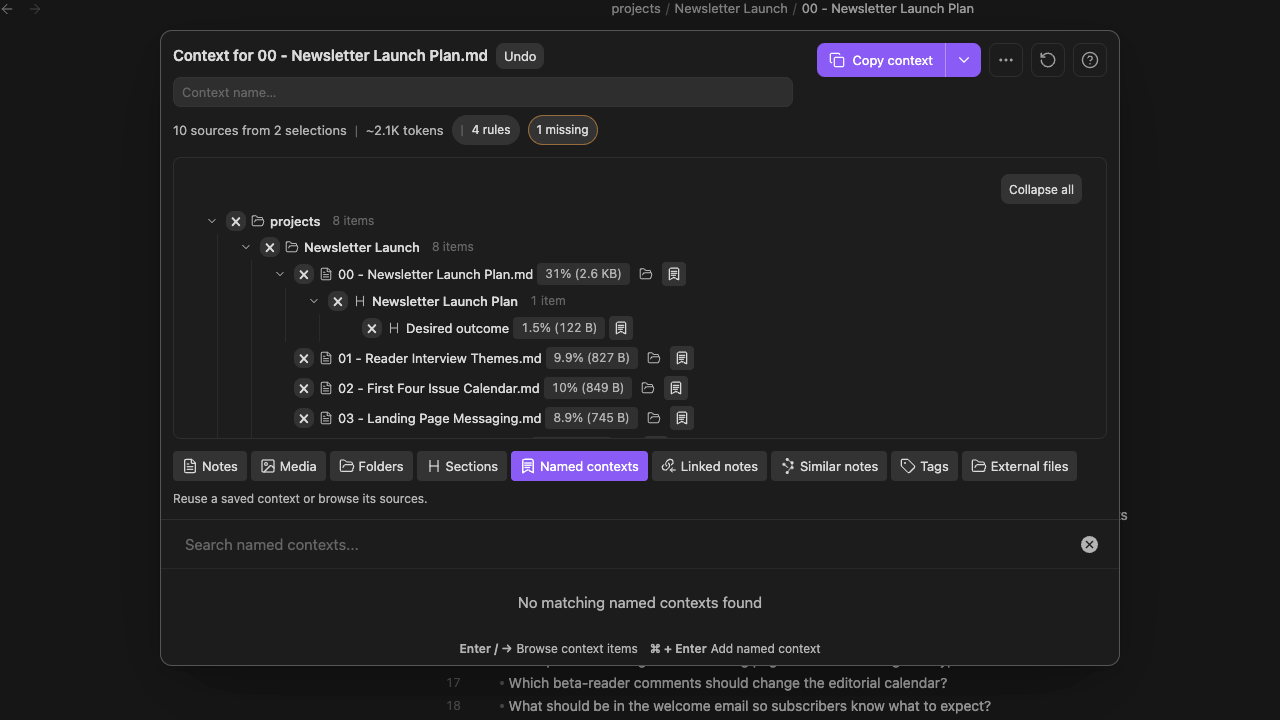
The tree keeps the origin visible. A section remains nested under its note. A named Context remains recognizable as a reusable source. The current note is easier to spot, and section or embedded-item detail stays attached when you add it.
Problems surface before the handoff
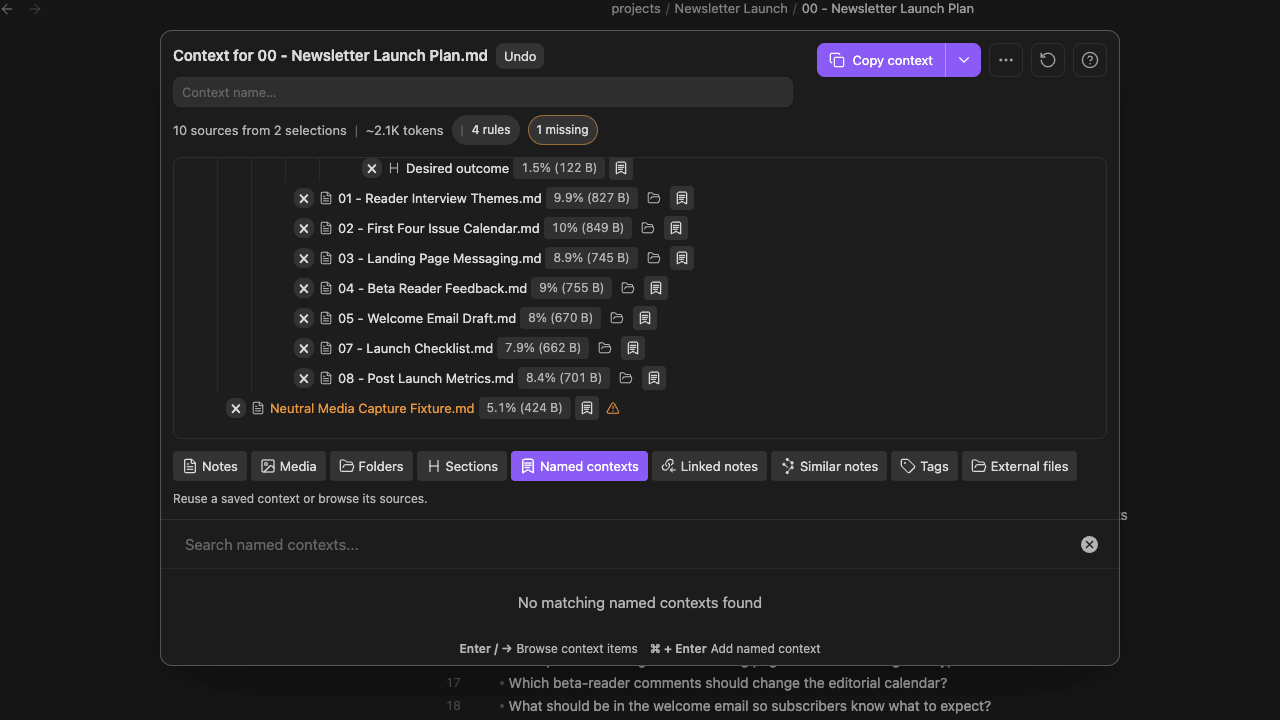
Missing items are now counted and highlighted instead of disappearing quietly. When a note moved or was deleted, the Builder gives you a direct removal path. You can clean up several broken references in succession without waiting for a complete background rerender after every click.
Include and exclude rules remain visible beside the package they shape. Expand or collapse the tree, inspect the source menu on any leaf, and understand why an item is present before it becomes part of a prompt.
Copy only when it looks right
When the source set is ready, choose the output that matches the next step:
- Copy the compiled text for a one-off prompt.
- Copy a Markdown link tree when the destination needs the source structure.
- Save the reviewed package as a named Context when the same evidence will support later work.
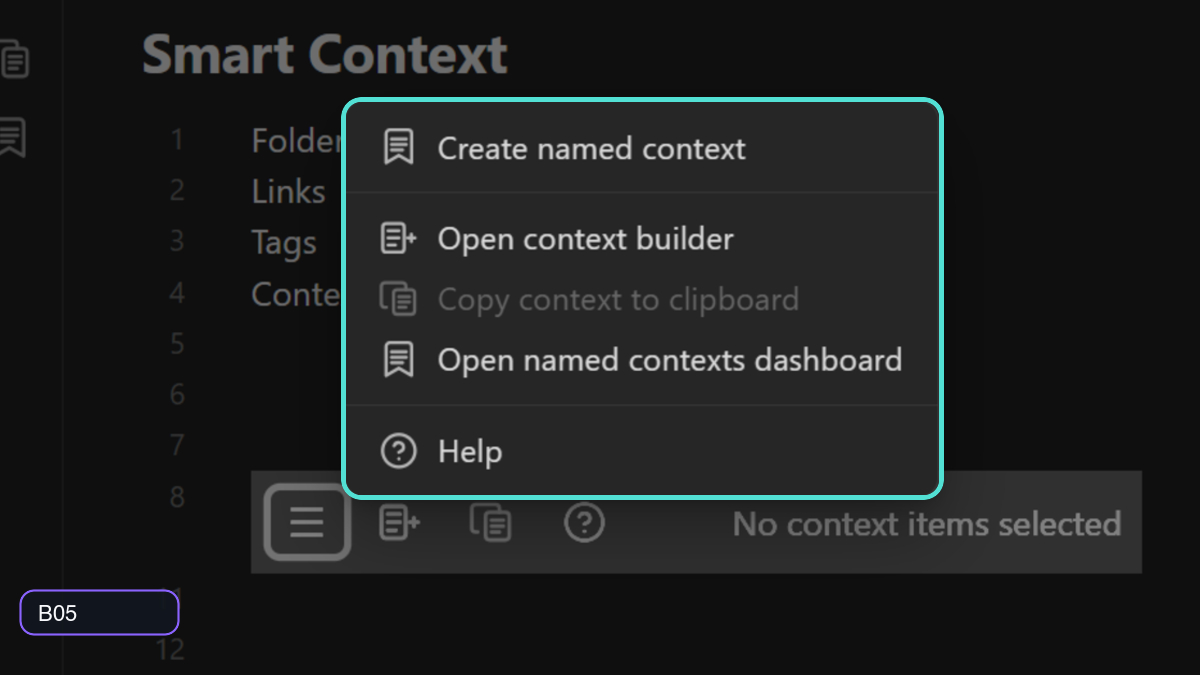
The copy menu, source menus, file menus, commands, and ribbon actions now use the same Smart Environment action system, so the handoff feels less like a collection of plugin-specific shortcuts.
Smart Environment v3 makes the Builder part of the suite
The redesigned Builder sits on the same v3 foundation as Connections, Lookup, Chat, and Graph. Startup is faster, drag-and-drop preserves the source you moved, and shared menus make it easier to continue from the note or result set already in front of you.
The broader built-in embedding-model catalog and non-destructive model switching improve the semantic workflows that feed Context, while the new Environment Stats and source inspector help explain when a note was skipped, is stale, or is not embedded as expected.
Learn more about the release of Smart Environment v3.
Before / After
| Before | With the redesigned Context Builder |
|---|---|
| Context assembly and review felt like separate steps. | Add, inspect, remove, copy, and save from one visible workspace. |
| A large package was difficult to explain at a glance. | Source counts, token estimates, rules, contribution sizes, and the tree show what is actually present. |
| Nested sources could lose the reason they were included. | Notes, sections, folders, and named Contexts keep their visible origin. |
| Missing sources could fail quietly or require cleanup elsewhere. | Missing items are highlighted with a direct removal path. |
| Reusing a source set meant remembering how it was assembled. | Save the reviewed result as a named Context and use it again. |
Supporting improvements
- Direct handoff from Smart Lookup results into the Builder.
- Identity-preserving drag and drop for supported Context and Obsidian items.
- Clearer context-management, source, file, command, ribbon, and codeblock actions.
- More consistent named-context identity across Smart Plugin workflows.
- Queued source re-imports complete before direct context copying when needed.
Learn more
Updated: 2026-08-05