Security and Maintenance
Every three months, for security purposes, we must rotate the keys for the deployer service account.
- the
deployerSA is used by Jenkins during a release to deploy Import Service to App Engine.
The steps below describe the process for rotating keys.
You should do these steps anywhere between 75 and 90 days since the key was last rotated. Before 75 days, Terraform will not rotate the key.
Create a new PR in https://github.com/broadinstitute/terraform-ap-deployments targeting import service. You can do this by:
- changing something trivial and inconsequential in the import-service/ Terraform code, such as this description, or
- explicitly telling
atlantis planwhich Terraform project to look at, using the-pflag (see https://www.runatlantis.io/docs/using-atlantis.html#options)
Run atlantis plan in your PR against the import-service projects. The plan output should show that Terraform will rotate the key for the deployer SA.
Have someone approve your PR so that it is mergable before running atlantis apply.
Run atlantis apply in your PR against the import-service projects. This will perform the key rotation and save the new key to Vault.
Merge the PR. Make sure you have run atlantis apply before merging the PR.
-
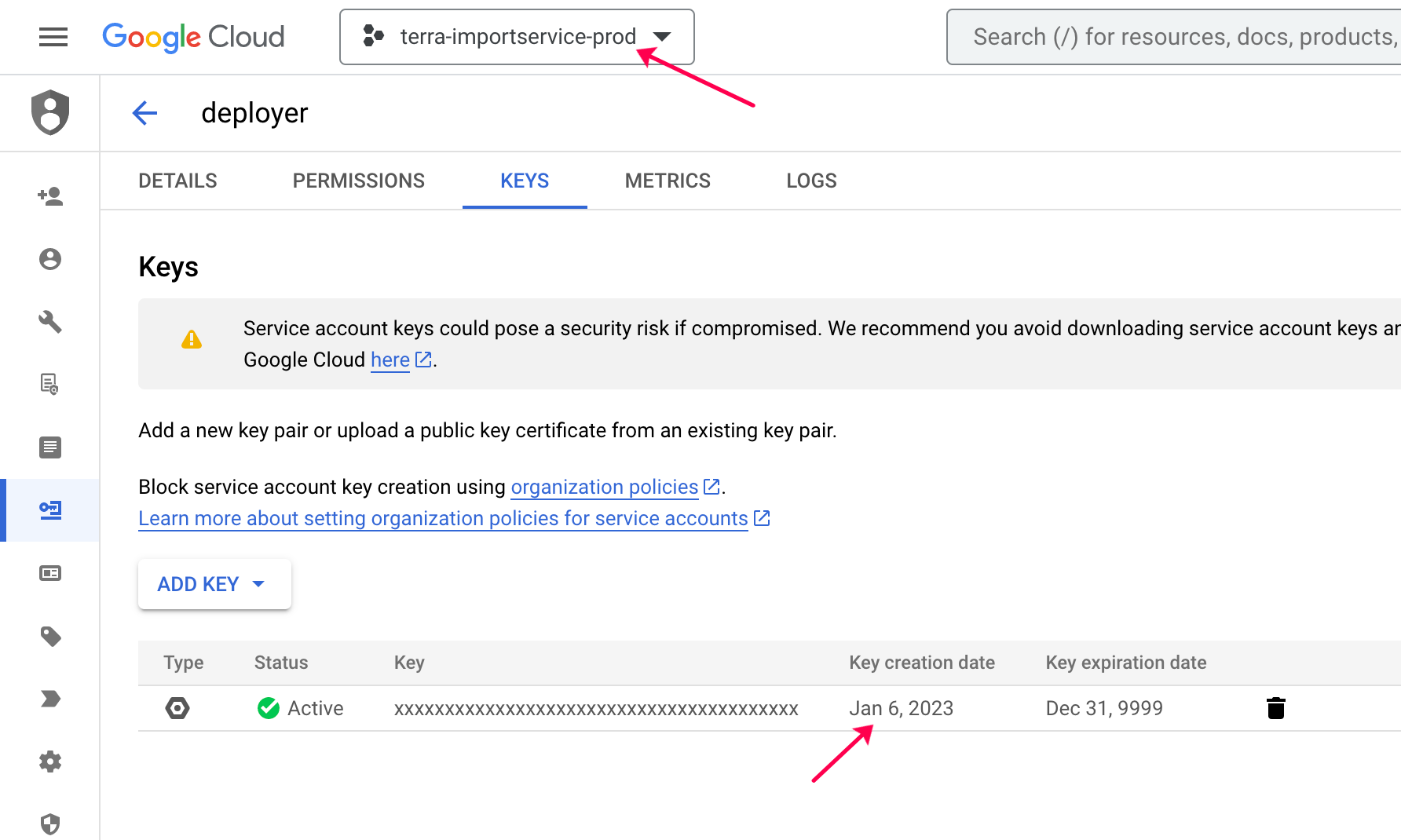
To verify the key was rotated, visit the IAM & Admin > Service Accounts page for
terra-importservice-prodin Google Cloud Console.- Click on the
deployer@terra-importservice-prod.iam.gserviceaccount.comservice account, then the "KEYS" tab. - There should be one key listed, and its Key creation date should be today.
- Click on the
-
To verify the new
deployerkey, manually trigger a deployment of Import Service to production by running theimport-service-manual-deployjob in prod Jenkins. If the deployment succeeds, thedeployerkey rotation worked.- Clicking "Rebuild" on the last-successful Jenkins deploy job will re-deploy the same code that is currently in production; this is a simple route to smoke-testing deploys.
- Since this deployed a new GAE version of Import Service, also smoke test Terra prod by uploading a large/async TSV and seeing it succeed. The
deployerkey is not involved at all in runtime operation of Import Service; however, we need to verify that the act of redeploying/restarting did not break anything.
- Set a Slack reminder on
#dsp-analysis-journeyschannel for the next rotation by typing something like/remind #dsp-analysis-journeys :alert_red_light: Reminder to rotate the service account key for Import Service by following [these instructions](https://github.com/broadinstitute/import-service/wiki/Security-and-Maintenance) in 76 days.