Repository navigation
Releases: bropines/birdsocks
Releases · bropines/birdsocks
Release list
BirdSocks v0.3.0

Added
- Support the project: a link to Boosty in About and in Settings → About.
- A native VPN engine, now the default: the tunnel takes the device's NetBird address, so apps reach peers as the phone itself, ping works, and peers reach apps on the phone with their own address (KDE Connect and the like). The engine through the SOCKS5 proxy stays as a choice.
BirdSocks v0.2.0
Added
- Updates from GitHub: checked on launch (a switch in Settings → About) and on demand; the APK for the device's ABI, verified against SHA256SUMS, goes to Android's installer.
- About from the Info button on the main screen: versions, the update, what's new, links, credits and licenses; Settings → About opens it too.
- A dashboard button on the main screen opens the active account's NetBird dashboard.
BirdSocks v0.1.0 — the first release
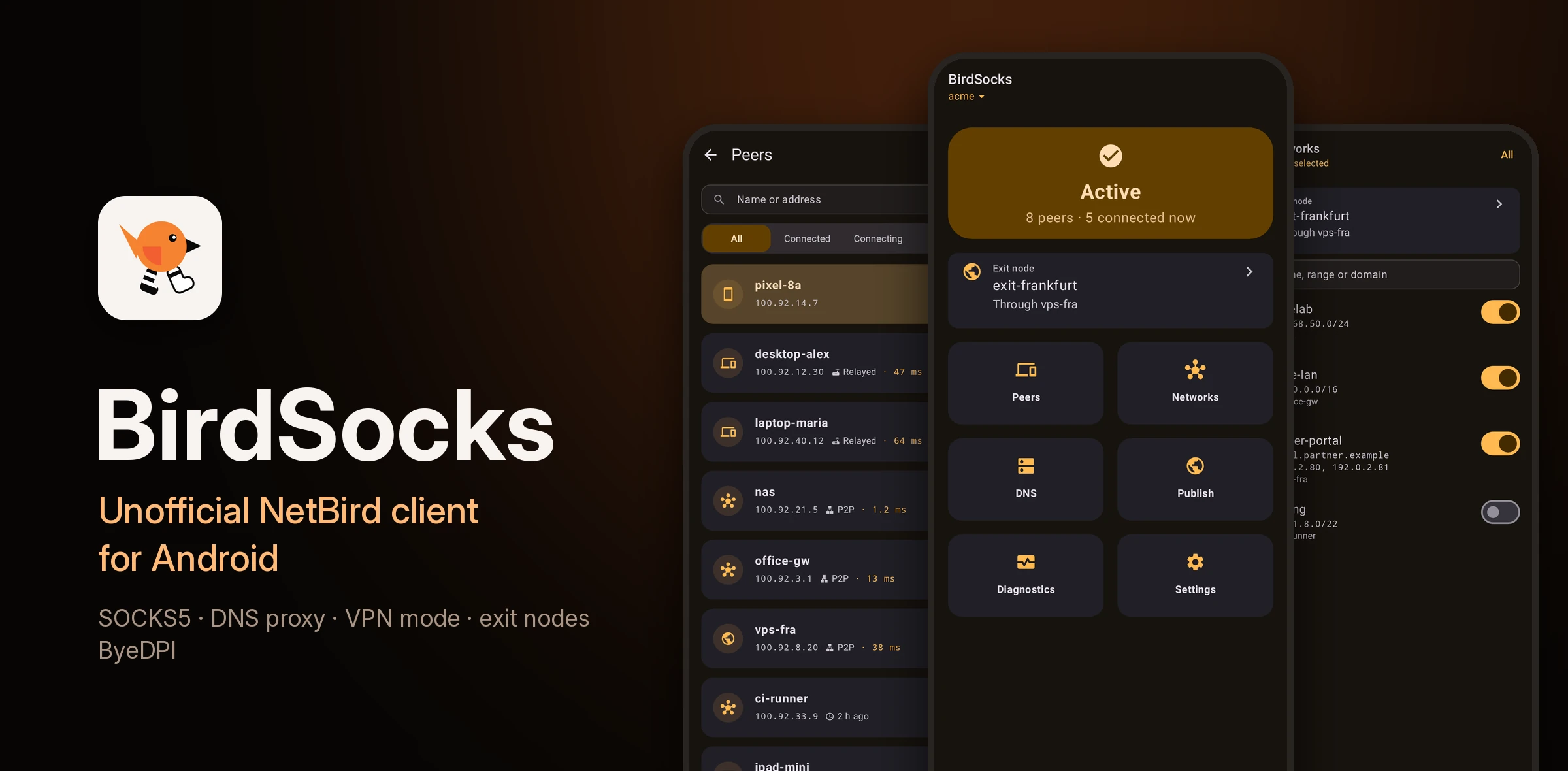
🐦 The first release
BirdSocks is an unofficial NetBird client for Android. It runs the real NetBird daemon on the phone as a userspace node and gives its network to apps in three ways:
- a SOCKS5 proxy (
127.0.0.1:48125), which needs no VPN permission and works next to another VPN, an ad-blocker or a proxy client such as Throne; - a DNS proxy (
127.0.0.1:48153) that answers NetBird names; - a VPN mode for apps that cannot use a proxy.
It also brings:
- peers, networks and exit nodes, with each peer's path (P2P or relay);
- several accounts, on NetBird Cloud or your own server;
- the server connection through your own proxy or the built-in ByeDPI, where NetBird's server is blocked;
- diagnostics, automation, backups, and 40 app icons.
Which APK: most phones need arm64-v8a. If unsure, take universal. Android 7.0 or newer.
Setup with AdGuard or Throne, VPN mode and troubleshooting are in the user guide (на русском).
🇷🇺 Коротко по-русски
Первый релиз BirdSocks — неофициального клиента NetBird для Android. Он запускает настоящий демон NetBird на телефоне и отдаёт сеть приложениям тремя способами:
- через SOCKS5-прокси, без VPN-слота, рядом с любым другим VPN;
- через DNS-прокси с именами NetBird;
- через VPN-режим для приложений без настроек прокси.
Ещё в нём есть выходные узлы, несколько аккаунтов, подключение к серверу через прокси или встроенный ByeDPI, диагностика, автоматизация и резервные копии. Большинству телефонов нужен arm64-v8a; если не уверены, берите universal.
What's in 0.1.0
Added
- NetBird v0.80.0 as a userspace node with a local SOCKS5 proxy, without the VPN slot.
- Sign-in to NetBird Cloud or an own server, with a setup key or through the browser.
- A main screen with the status, the exit node and six tiles — Peers, Networks, DNS, Publish, Diagnostics, Settings.
- Peers: this device first with its addresses, key and session; peer details swipe from one peer to the next; filters swipe.
- Settings as a hub of sections; accounts switched, renamed and removed in one sheet.
- Diagnostics: connection and events on swiped pages, with logs, access check, packet capture and the debug bundle.
- A DNS screen: the DNS proxy's test, lookups, NetBird's DNS and its servers.
- Networks with the exit node on top; chip rows follow a dragged finger everywhere.
- Settings: device name, logout, proxy port, credentials and LAN sharing, NetBird's profile switches, force relay, log level.
- Quick Settings tile, start on boot,
birdsocks://links to screens. - The proxy listens on 127.0.0.1:48125 and asks for a username and password when they are set.
- Names resolve through NetBird's DNS; destinations no peer routes go out directly.
- The dashboard shows the device as Android with its model and version.
- Interfaces are listed the way Android 11+ allows, so direct connections can form.
- The proxy comes back after a reconnect or a profile switch.
- A DNS proxy on 127.0.0.1:48153: NetBird names first, everything else through the network's resolvers.
- A network switch or loss reaches the daemon, so its connections redial at once.
- Several accounts: switch from the title on the main screen, rename and remove in Settings.
- UDP through the proxy (UDP ASSOCIATE), to peers and to the internet; the relay answers only the client that asked.
- The DNS proxy can send what NetBird does not answer to another resolver, such as another DNS proxy on the phone.
- The daemon restarts by itself after a crash, up to three times in five minutes.
- Peer counts read as peers and active connections, with lazy connections explained.
- The management server row in Settings opens its dashboard.
- Short names resolve through NetBird's search domains, in the proxy and the DNS proxy.
- The proxy and DNS proxy take any 127.x.x.x address, with a dice for a random one.
- Session expiry on the main screen, a notice ten minutes before, extension in the browser without reconnecting.
- Sign-in opens in a Custom Tab; an unreachable server is reported before the browser opens.
- The relay speaks WebSocket only; QUIC is a switch in Settings.
- Settings: pre-shared key, routing for other peers, remote jobs, MTU, lazy connections (server, on, off).
- Debug bundle from Logs: anonymized, saved as a zip or uploaded to NetBird.
- Peers filter for connecting peers; search in Networks; a no-network state on the main screen.
- Accounts can be switched while BirdSocks is stopped.
- About: NetBird docs, source code and licenses.
- Access to the phone: peers reach its own services (adb over Wi-Fi, Termux's sshd, a web server) by its NetBird address; BirdSocks' proxies stay closed to them.
- Publish: a local port gets a public address through the server's NetBird reverse proxy, with a PIN, a password or SSO groups.
- Events: NetBird's network, DNS, sign-in and connection events in a list; warnings arrive as notifications.
- The DNS proxy asks its fallbacks at once, skips a NetBird resolver that stalls for 30 s, and never sends a NetBird name to a public server.
- A new account takes its server and setup key at once; a pasted dashboard link is cut to the server, and the name comes from its domain.
- Backup: a settings file, or a password-protected full backup with NetBird's profiles; restore asks whether to take everything.
- Automation for Tasker and adb: connect, disconnect, toggle, restart, status, exit node, account, VPN mode and server connection, behind a token.
- Action links (
birdsocks://connect,exit-node,account,tun) ask before they act;birdsocks://add-accountopens the new-account dialog filled in, an invite an admin can send. - Launcher shortcuts: On / Off, Peers, DNS, Diagnostics.
- BirdSocks' own icon, a bird in socks, with 40 variants to pick from in Appearance, in BirdSocks' colours and NetBird's.
- Server connection in Settings: management, signal and the relay through a SOCKS5 or HTTP proxy, or through the built-in ByeDPI against DPI.
- The DNS screen lists the records the server gave this device, the peers' zone and admins' zones, with a filter.
- VPN mode (TUN): every app through BirdSocks over Android's VPN, NetBird's ranges by default, all traffic with an exit node or a domain route; DNS from a resolver inside the proxy; excluded apps; the tile asks for the permission.
- Access check: what NetBird's firewall does with a packet to or from a peer, and which rule decides.
- Packet capture from Logs into a .pcap file.
- Connection: management, signal, relays with their transport, NetBird's DNS servers and this device's details.
- Extra DNS names for the device, and a way out when the server refuses them.
- The email of the SSO sign-in shows beside the account.
- The exit node row checks the internet through the proxy and offers to turn off a node that forwards nothing.
Fixed
- Stopping and at once starting BirdSocks could crash it: the stop held the main thread while Android waited for the start.
- A management server given as http:// is not reported unreachable before sign-in.
- The Server row opened NetBird Cloud's dashboard for a self-hosted server.
- Domain networks never named the peer that routes them.
- The log level changes without restarting NetBird.
- The events list survives the app's restart; extra DNS names and the sign-in email are kept per account.
- An exit node no longer takes the local network's own addresses.
- A name just added to a domain route goes through it at once.
- Connecting often took 40 s or more: on Android a kernel-WireGuard probe closed the Signal or relay socket a moment later.
- A DNS answer lost on weak Wi-Fi no longer costs 5 s: the daemon asks all the network's resolvers at once.
- A Signal stream left unanswered is redialed after 6 s, not 40; a stuck connection attempt after 10 s, not 20.
- A site the proxy reaches directly falls back to its other addresses when the first does not answer in 0.75 s.
- In VPN mode NetBird lost its servers: Android named BirdSocks' own VPN as the app's network, so the daemon was told the network had changed and was handed the VPN's resolver, which it cannot reach.
- A folded description no longer takes a row's taps: the row acts, the ⓘ or a long press unfolds it.
- The SOCKS5 and DNS proxies stay up while NetBird reconnects or is signed out: a request waits a moment for the engine, then goes straight to the internet.