


Damp moss, warm parchment, and the kind of light that makes you want to stay.
Palette · Installation · Accessibility

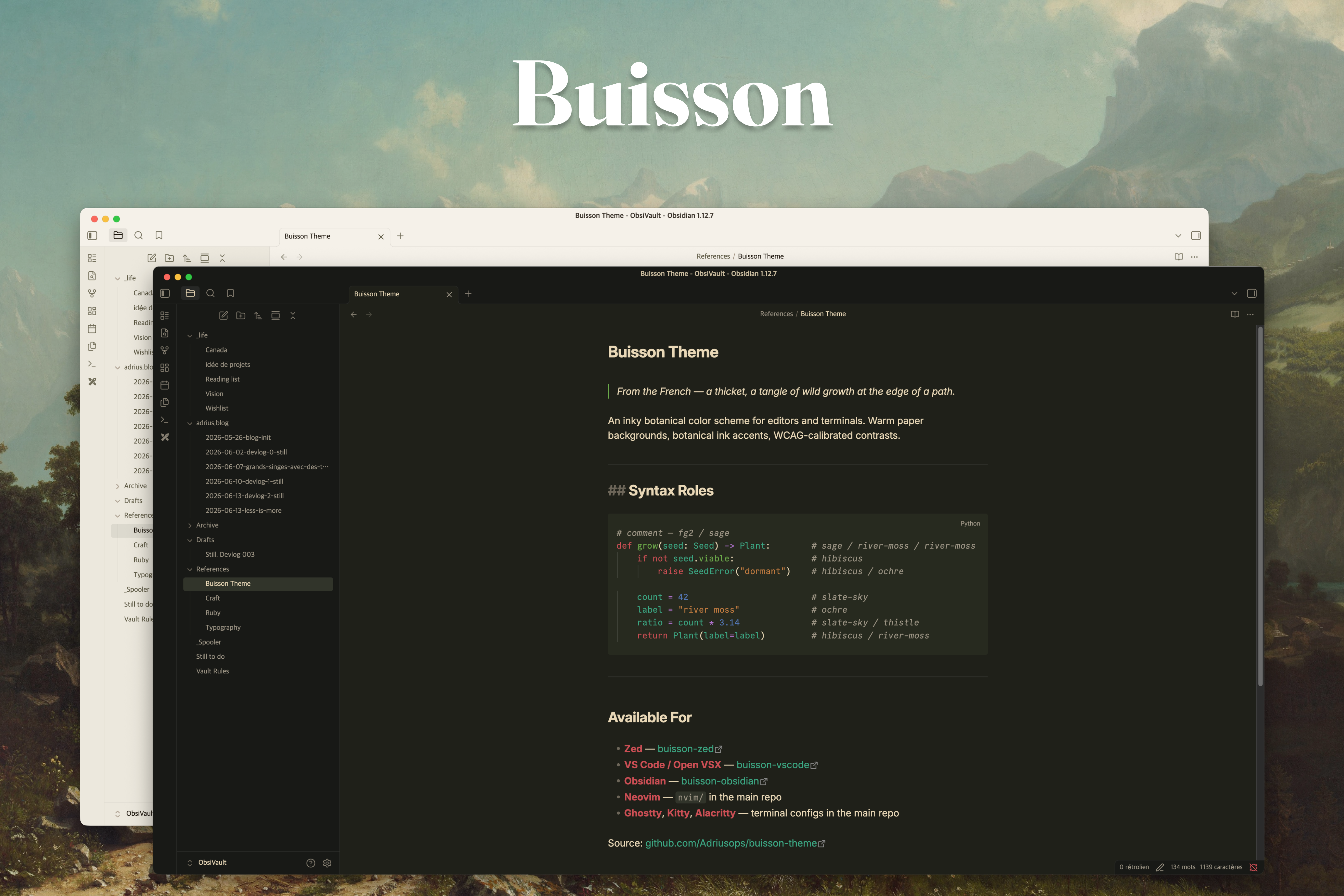
Via Obsidian theme store
- Open Obsidian
- Go to Settings → Appearance → Themes → Manage
- Search for "Buisson"
- Click Install and use
To toggle dark/light: Settings → Appearance → Base color scheme
Or install directly: obsidian://show-theme?name=Buisson
Manuellement
git clone https://github.com/buisson-theme/buisson-obsidian.git
mkdir -p path/to/vault/.obsidian/themes/Buisson
cp buisson-obsidian/theme.css path/to/vault/.obsidian/themes/Buisson/theme.css
Then reload Obsidian and select Buisson under Settings → Appearance → Themes.
| Color | Dark | Light | Usage |
|---|---|---|---|
 hibiscus hibiscus |
#d04550 |
#c02040 |
Headings · callout titles |
 sage sage |
#6aaa44 |
#387008 |
Checked items · success states |
 river-moss river-moss |
#2ea882 |
#096868 |
Tags · links |
 slate-sky slate-sky |
#4878ba |
#1860a8 |
Callout borders · notes |
 thistle thistle |
#b070d0 |
#6028a8 |
Operators · special syntax |
 ochre ochre |
#c87838 |
#a04810 |
Inline code · emphasis |
- Dark and light variants
- Works out of the box, no Style Settings plugin required
- WCAG AA on all accents
- Primary text: 11.55:1 AAA (dark) · 15.15:1 AAA (light)
- All 6 accents: WCAG AA or above
MIT · buisson-theme