Repository navigation
Export from ChatGPT
-
Sign in to ChatGPT on the web. Open your profile menu and choose Settings.
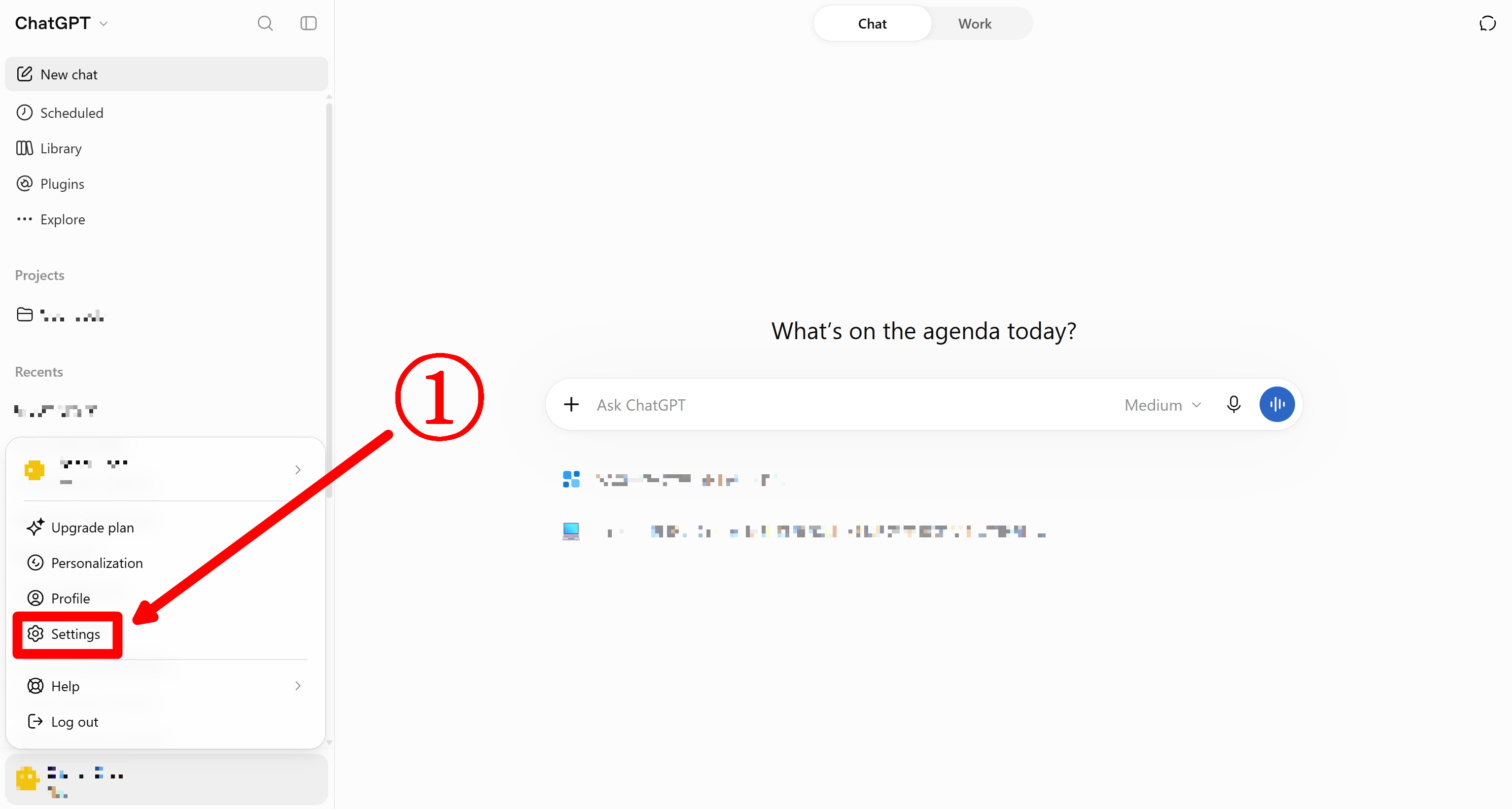
-
Select Data controls.
-
Find Export data and select Export, then choose Confirm export in the confirmation window.
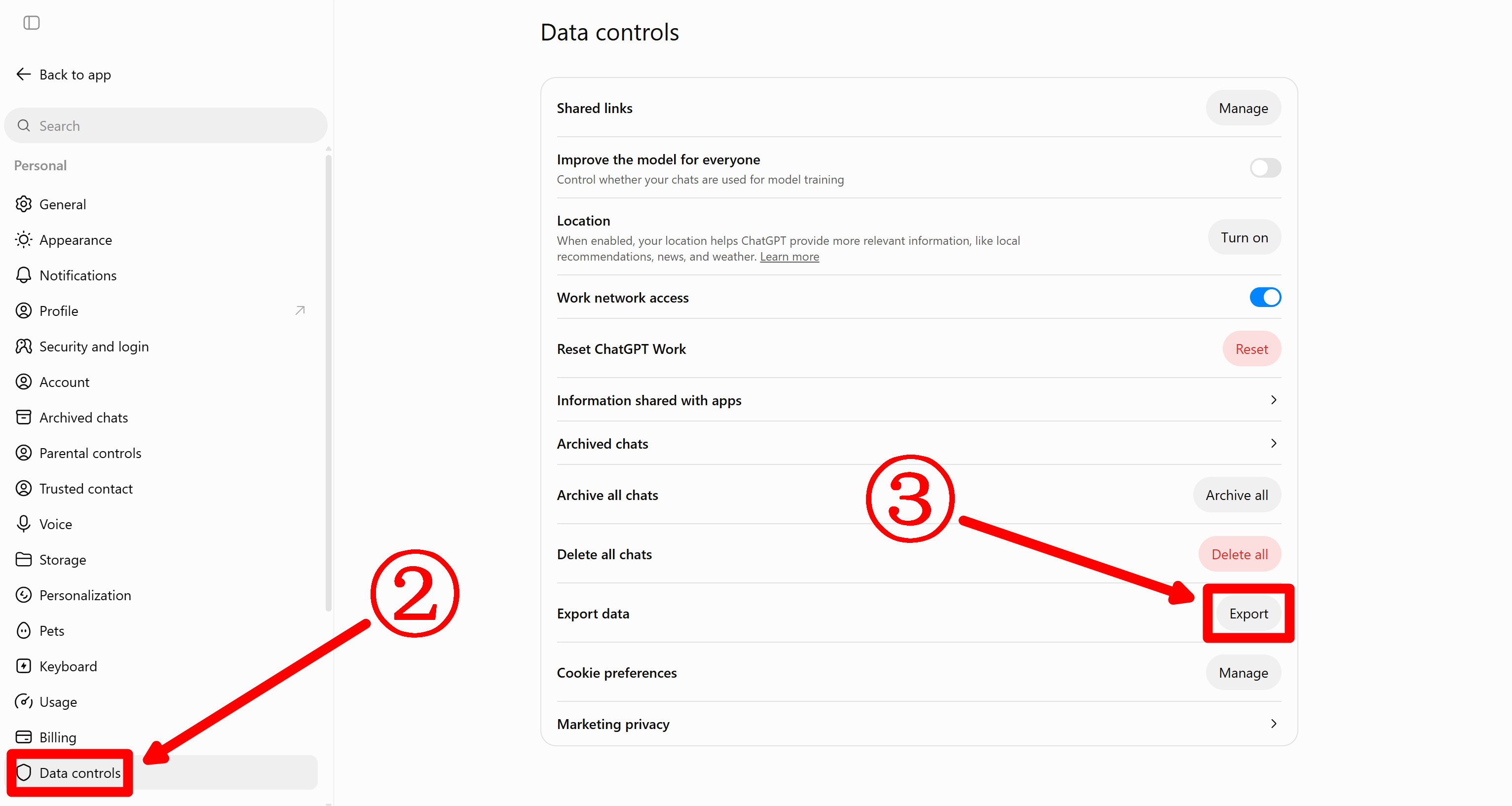
- You may first receive an email acknowledging that the export has started. Keep waiting for the separate message that says the export is ready.
- When the export is ready, open the new email and click Download data export. If your account uses only a phone number, check your SMS messages. Download while signed in to the account that requested the export.
- Download within 24 hours of receiving the ready message. The link expires after that. Delivery can take up to seven days. If you do not see the message, check spam and promotions.
The link downloads a ZIP containing your chat history and other account data. Keep it private. Open it directly in GPT Notebook or extract it and open the folder. Next: open the ZIP · OpenAI export help and account eligibility