Repository navigation
Saving and History
A fresh ChatGPT export opens in Browse mode. Turn on Edit mode to modify chats, reorder them, add stars, import, or use incremental history. Save to retain the enabled state with that archive.
Turning Edit mode off asks for confirmation, saves the current chats, and clears stars, manual ordering and history. The .viewer-state and .viewer-backups folders are removed after a successful save. If you cancel or saving fails, the draft remains available in Edit mode.
| Action | What happens |
|---|---|
| Stage edits | Updates the draft in this window |
| Save | Writes a checkpoint to the current source when supported |
| Save as folder / ZIP | Writes a copy to the destination you choose |
| Export | Creates output from the draft; does not save the source |
| Restore a version | Loads history into the draft; save afterward to keep it |
While a save is writing, you can keep editing. The checkpoint chosen at the start is written; later edits remain unsaved. Cancelled or failed writes are not successful saves. Some environments use a download-and-confirm flow instead of direct writing.
Open Backups → Incremental backup management, or click the history icon beside a conversation. Each row shows the kind of change and an excerpt. Expand View details to compare a historical state with the following retained saved state. Full historical content is available on demand.
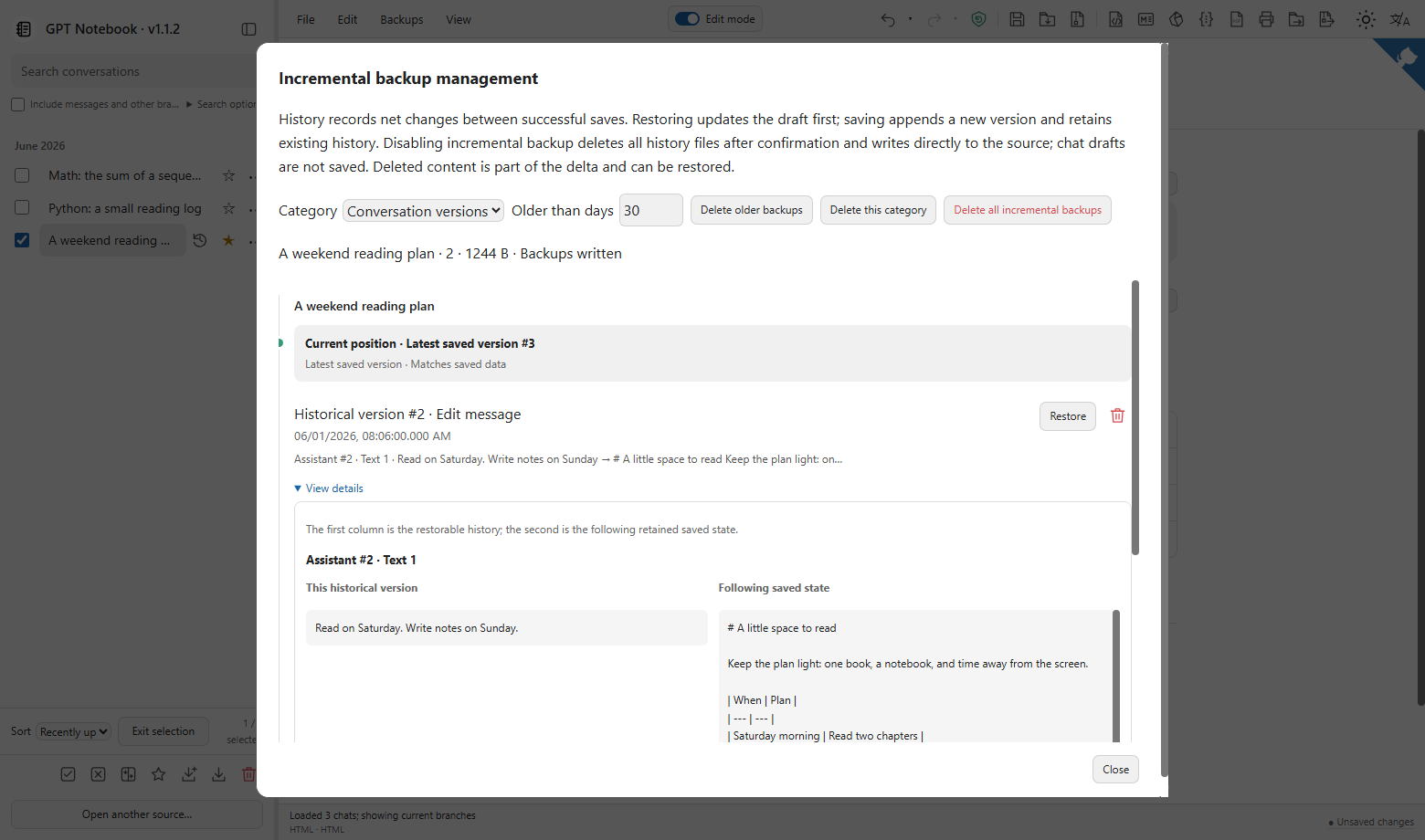
History records net changes between successful saves, rather than every keystroke. Previews use saved states and do not include your current unsaved draft. Deleting history is permanent through the app; restoring and deleting are different operations.
| Location | Purpose |
|---|---|
| Export JSON and attachments | Current saved conversations and media |
.viewer-state/ |
Edit mode, stars, manual ordering and incremental-history index |
.viewer-backups/segments/ |
Incremental records needed for restoration |
| Browser local storage | Language, theme, reading position and last-opened chat |
Copy both sidecar directories with an archive if you want to keep its history. Use the app to clean history, rather than deleting one side by hand. A leading dot does not automatically hide a folder on Windows. Browser preferences do not travel with the archive.
Folder saves span multiple files and are not power-loss-atomic. Keep an independent copy of important exports.