
QuickAdd 2.24.0
This release is about two things you do all the time: writing about a day that isn't today, and answering the same handful of questions before a note appears. {{DATE}} can now point at any day, so the one Daily note choice you already have opens yesterday's or last Friday's note with the right heading and neighbors. Macros collect their Template and Capture questions on a single form, with [[ link autocomplete and Peek. Images can be dropped into prompts, and pasted images can take the note's name instead of a timestamp.
One daily note choice, any day
You already have a Daily note template that creates Daily/{{DATE}}.md with a heading, prev/next links, and a "written at" stamp. It works for today. It never worked for the Tuesday you skipped: {{DATE}} always meant today, so the workaround was a second template with {{VDATE}} in the file name, no +1/-1 for the neighbors, and a heading that still claimed today.
Now a choice has a Which day setting. Every {{DATE}} in the run, in the file name, the body, and the folder, uses that day. Formats, +N offsets, and |startof:week snaps all follow it. {{TIME}} stays the clock on the wall, so "Written at 21:45" is still true on a note about last Thursday.
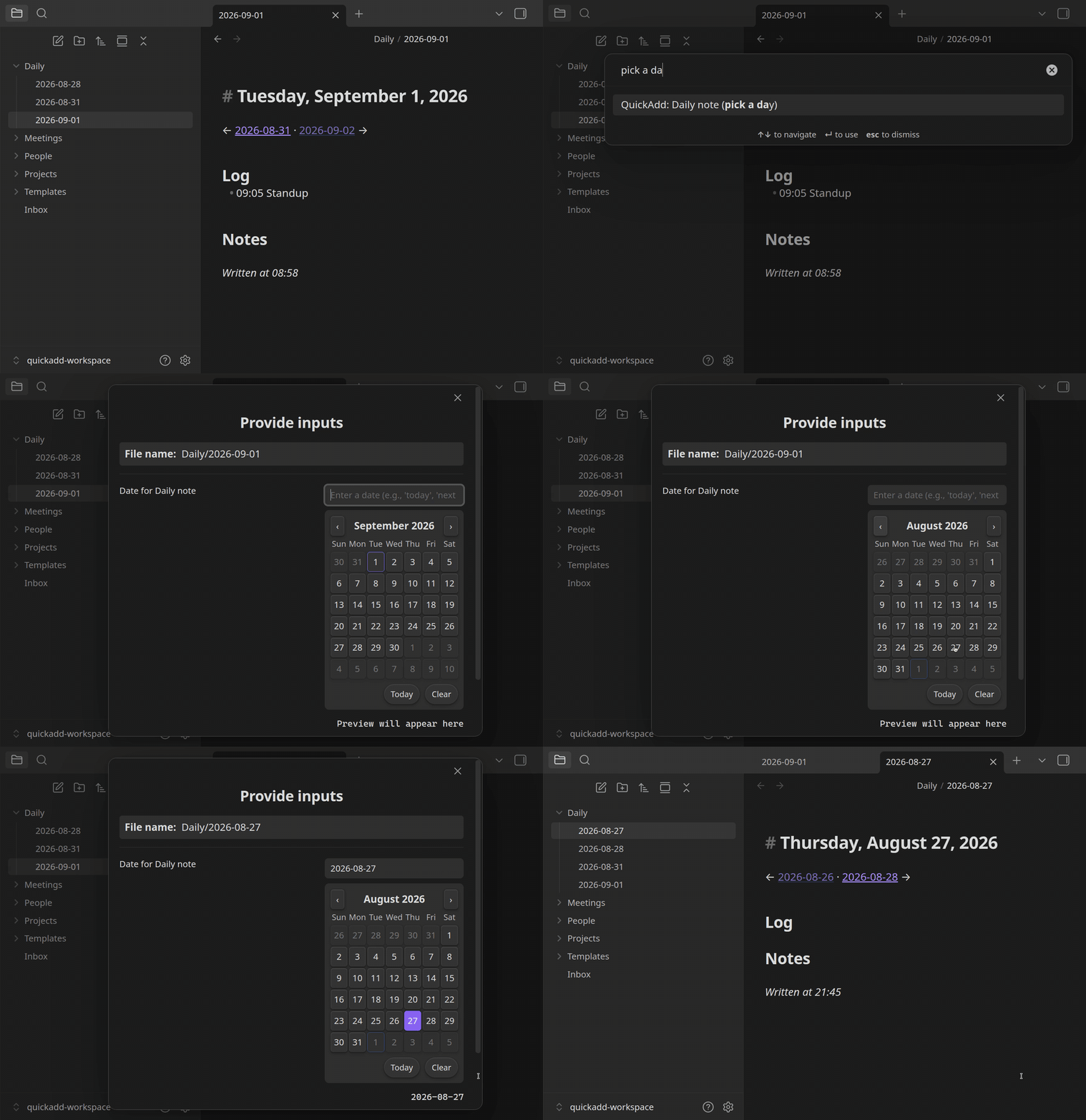
The template did not change:
# {{DATE:dddd, MMMM D, YYYY}}

← [[{{DATE+-1}}]] · [[{{DATE+1}}]] →

## Log

## Notes

*Written at {{TIME}}*
Which day lives on Template, Capture, and Macro choices. Today is the default, and existing choices keep behaving exactly as before.
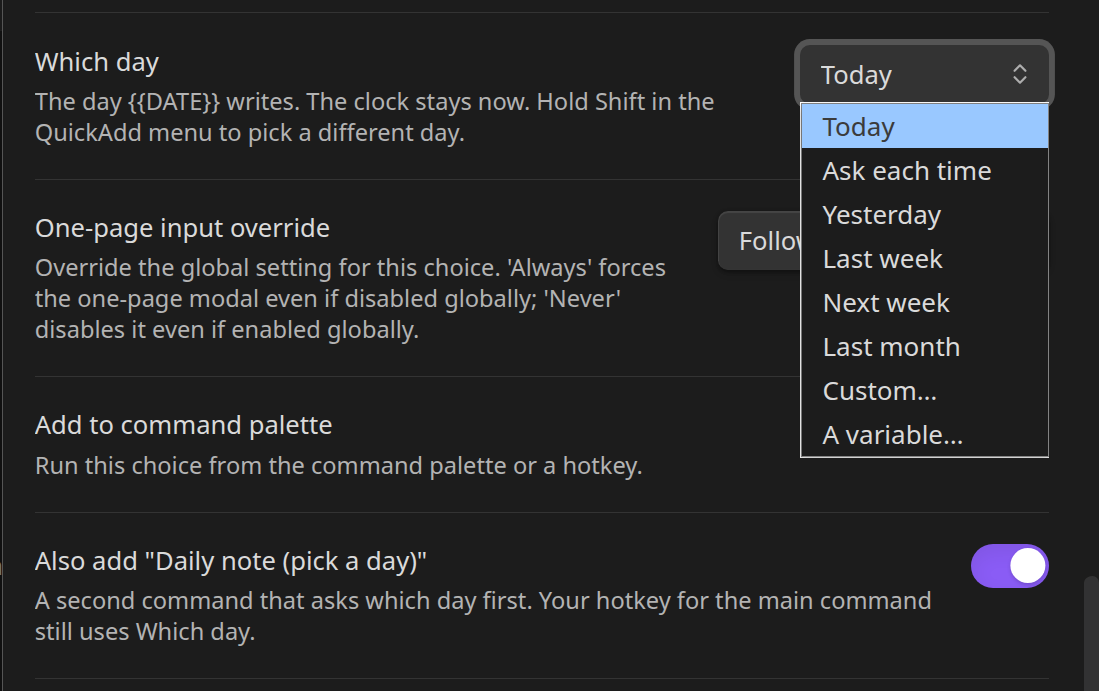
- Ask each time opens the date picker. Type
yesterday,last friday,2026-08-27, or click a day. Picker starts on is only the first value in the picker. - Yesterday, Last week, Next week, and Last month are the usual jobs. A weekly review with
{{DATE:GGGG-[W]WW}}set to Last week lands in last week's file. - Custom… is any other jump from today. A variable… takes the day from a
{{VDATE}}or a script that already has it. - On a Macro, the child Templates and Captures inherit the day, so a "weekly pack" asks once and writes every note for the same week.
Most people will leave Which day on Today and reach for another day only sometimes. Three ways to do that without touching the setting:
-
Shift in the QuickAdd menu. Hold Shift while you pick the choice (Shift+Enter or Shift-click) and the same choice asks for the day first.
-
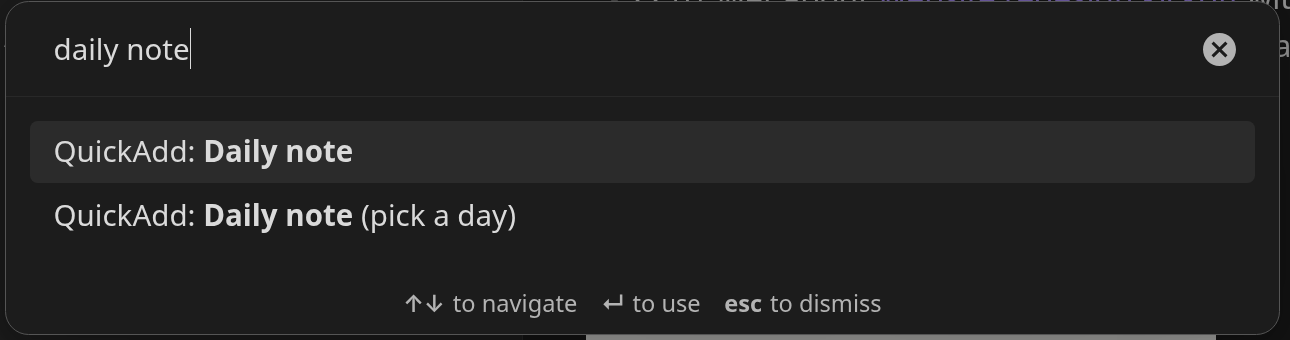
A second command. Once Add to command palette is on, a new toggle appears: Also add "Name (pick a day)". It registers a second command that asks for the day before it runs. Your existing hotkey keeps using Which day, so today's daily stays one keypress.
-
From a script, the CLI, or a URI.
executeChoice("Weekly review", {}, { date: "last week" }),quickadd:run choice="Weekly review" date=lw, ordate=on anobsidian://quickaddURI. Passaskto open the picker instead.
Captures get the useful split for free: a capture into Daily/{{DATE}}.md aimed at yesterday appends to yesterday's note, while the - {{TIME}} bought milk line keeps the time you actually wrote it. Note that {{DATE:HH:mm}} only prints the clock, so it looks like {{TIME}}; write {{DATE:YYYY-MM-DD HH:mm}} if you want both.
Docs: Which day {{DATE}} is about, Run it from a hotkey, executeChoice. (#1708, #1723)
Macros ask everything on one form
A "Log a meeting" macro that creates a meeting note and then appends a line to today's daily log used to be a parade of prompts: topic, project, attendees, then the capture's questions one at a time. Now the Templates and Captures inside a Macro share one form, and a variable used by both steps (here, Topic) is asked once.
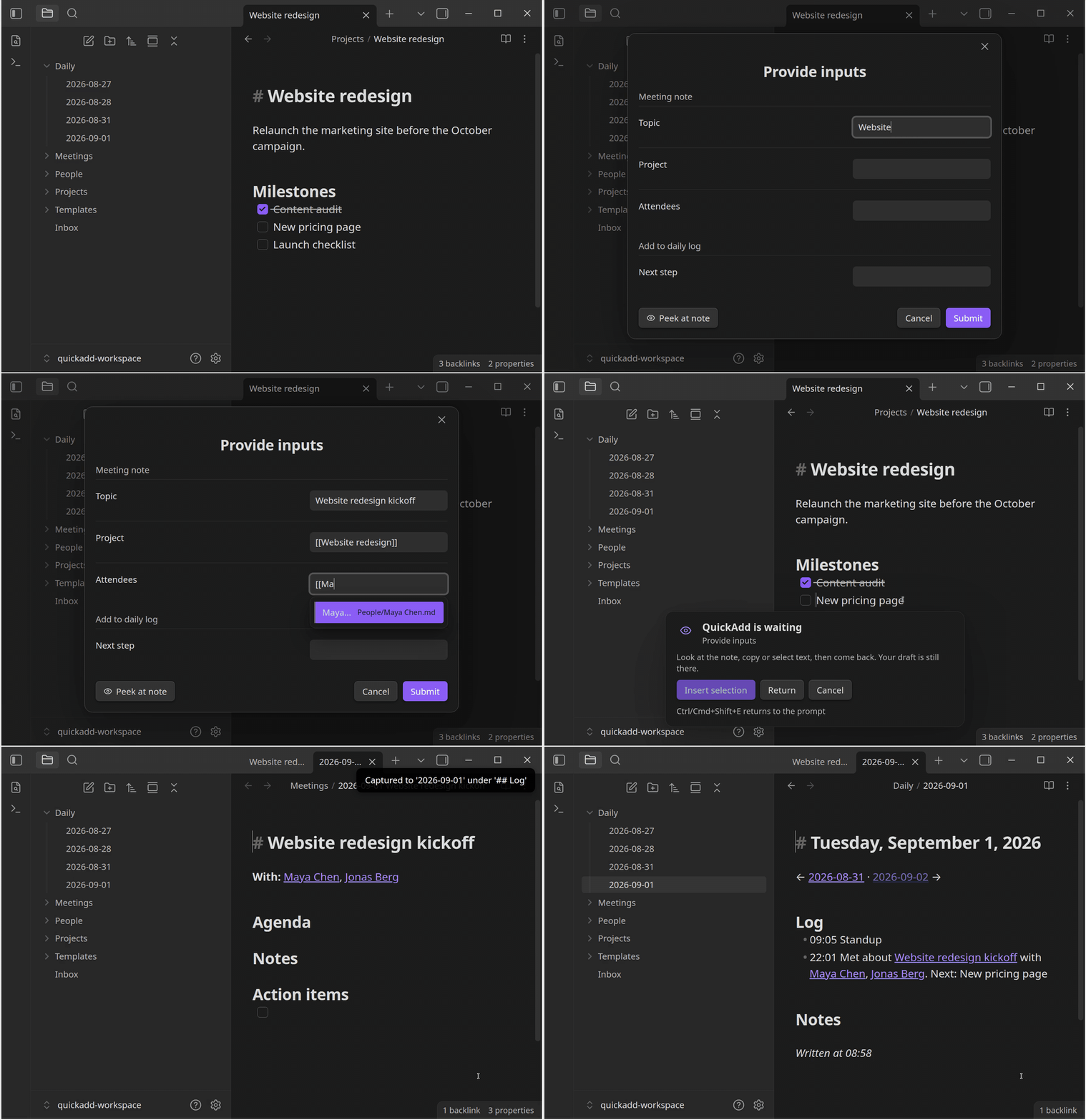
Two things that were missing from the one-page form arrived with it:
[[and#autocomplete in text and multi-line fields, the same suggestions you get in sequential prompts. Type[[Ma, pick Maya Chen, keep going.- Peek at note on the form. The whole form hides while you read or select text in the note underneath, and Insert selection drops the selection into the last text field you focused (or the first one, if you have not focused any).
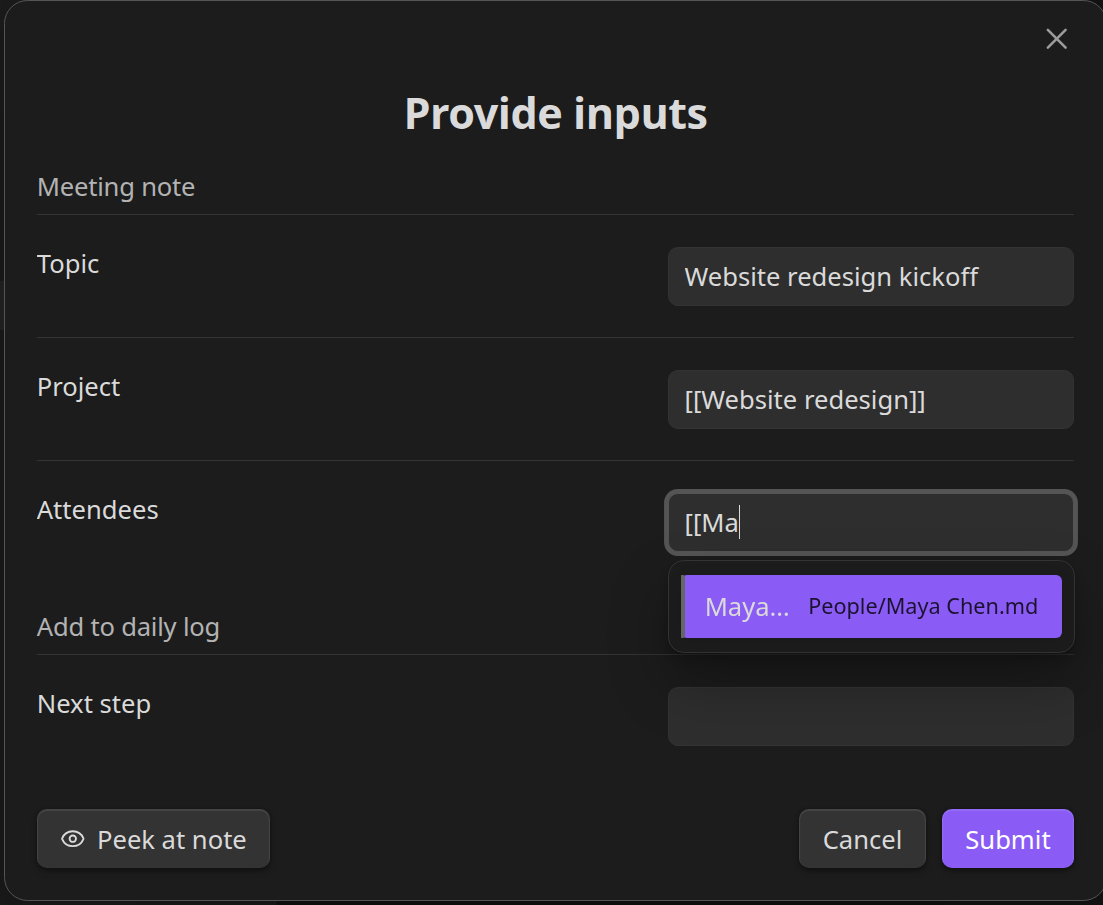
The recipe in the demo is two choices in a macro. The Template creates Meetings/{{DATE}} {{VALUE:Topic}}:
---
date: {{DATE}}
project: "[[{{VALUE:Project}}]]"
---
# {{VALUE:Topic}}

**With:** {{VALUE:Attendees}}

## Agenda
The Capture appends to Daily/{{DATE}}.md under ## Log:
- {{TIME}} Met about [[{{DATE}} {{VALUE:Topic}}|{{VALUE:Topic}}]] with {{VALUE:Attendees}}. Next: {{VALUE:Next step}}
The form stops at the first step that might fill in or skip later answers: a nested Macro, a Multi, a Conditional, a user script, or an AI command. Anything after that is asked when it runs, and a nested Macro gets its own form. Inputs a user script declares still join the form as before. To keep one Template or Capture off the form, set its One-page input override to Never.
Docs: One-page inputs, Peek at the note. Thanks to @Stumbling-epiphany for both requests (#1698, #1702).
Drop images into a prompt, and name them after the note
Pasting a screenshot into a prompt has worked for a while. Now you can also drag an image from a file manager into any prompt whose answer lands in note content. QuickAdd saves it through Obsidian's attachment settings and inserts the embed at the caret. Dropped files keep their (sanitized) original name, and dropping an image that is already in your vault embeds that file instead of copying it. Mix text and images freely, and add more than one.
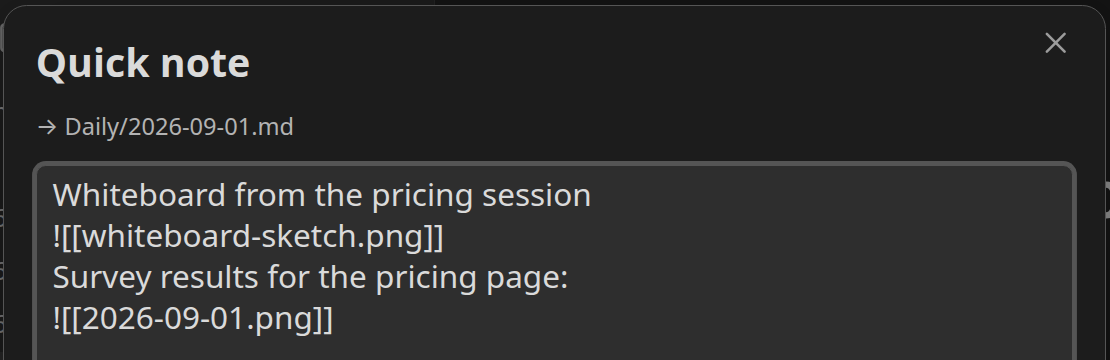
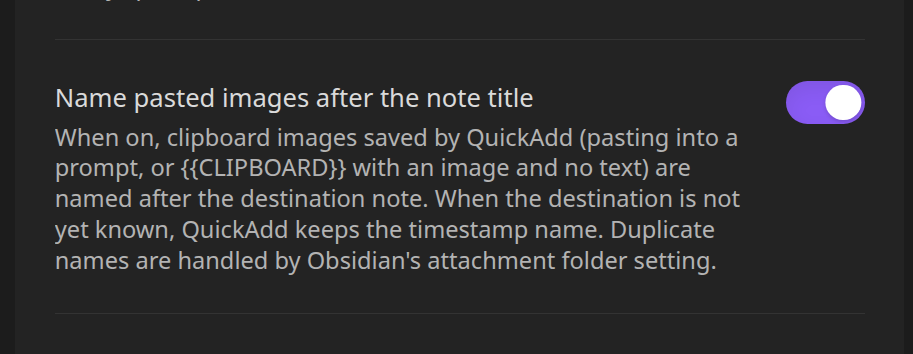
That second embed, 2026-09-01.png, is the other half of this. A new setting, Name pasted images after the note title, names clipboard images after the note they are going into, so a screenshot pasted into today's daily becomes 2026-09-01.png instead of Clipboard image 2026-09-01 22.08.13.png. It kicks in when QuickAdd already knows the destination at paste time (a fixed capture target like Daily/{{DATE}}.md, or the {{CLIPBOARD}} image fallback); otherwise the timestamp name stays. Duplicate names follow Obsidian's attachment folder setting. It is off by default.
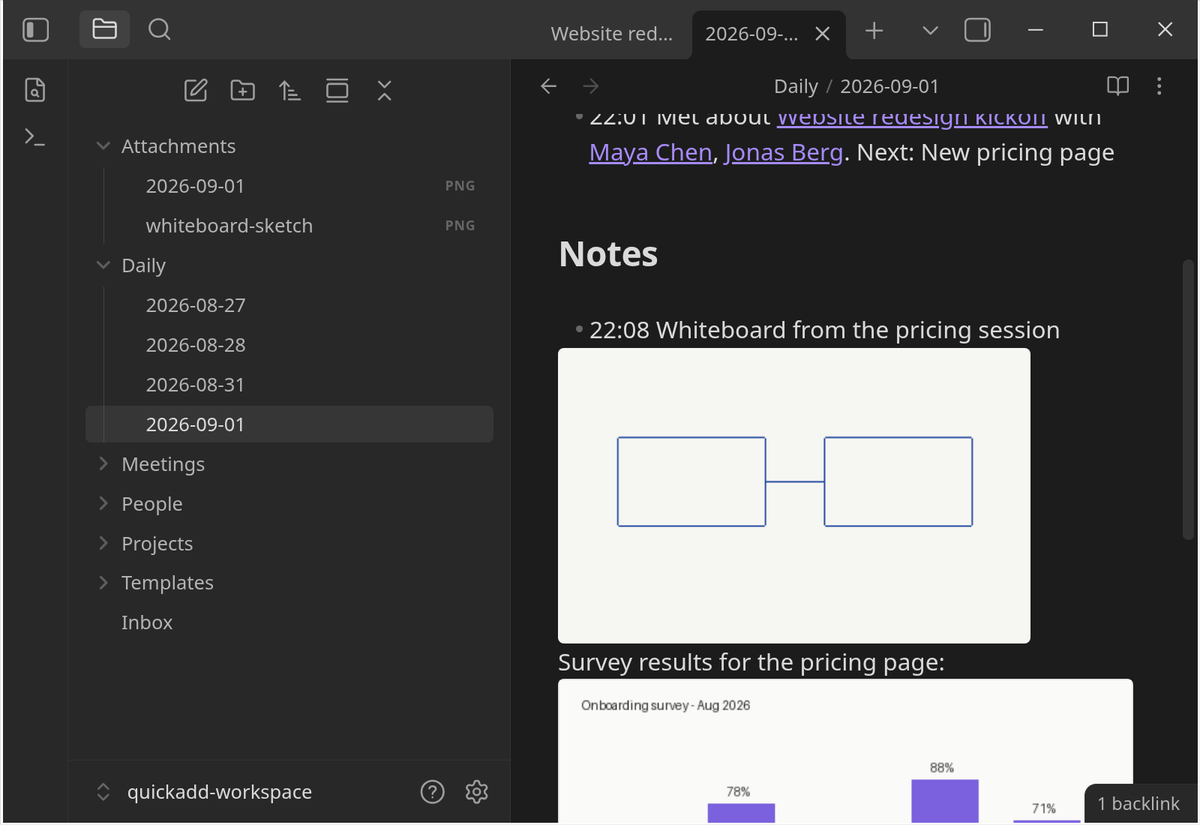
As before, file name, folder, and capture-target prompts never accept images, since an embed link would break the path. Prompts opened through the API take images too via options.imagePaste, and CLI users get quickadd:save-clipboard-image to test attachment naming without a modal.
Docs: Paste images straight into the prompt, Settings. Thanks to @SublimePeace for the drag-and-drop request (#1700) and @Stumbling-epiphany for the naming request (#1703).
|format:spaced for readable multi-select output
|format:inline stays compact (Alpha,Beta). If you want a space after each comma, ask for it:
{{VALUE:option a, option b|multi|format:spaced}}
becomes option a, option b. It works on VALUE, FIELD, and FILE, and composes with |link like the other formats. Docs: Pick several. Thanks to @Stumbling-epiphany (#1701).
New example: Capture to Inbox with GPS
A ready-to-import package for capture on the go. It asks for a quick note, looks up your device location in the background at the same time (Obsidian mobile 1.11+), and appends one line to Inbox.md:
- 2026-08-31 15:42 Saw the trail marker at the ridge (55.676098, 12.568337)Voice-to-text in the prompt, GPS while you talk, no waiting for a satellite lock before you can type. Desktop saves the line without coordinates. Docs: Macro: Capture to Inbox with GPS.
Fixes
A single destination folder no longer opens the folder picker
A Template choice with exactly one destination folder and Include subfolders off could still show the folder chooser when the active note lived in a subfolder of that destination. The chooser now only appears when your settings actually leave a decision open. Thanks to @BaccanoMob for the report (#1705, #1706).
Full changelog: 2.23.0...2.24.0


