Repository navigation
2.33.0

QuickAdd 2.33.0
Property Capture can keep a list sorted, and a Template choice can skip opening a note that already exists. Each choice in a macro now uses its own Which day. QuickAdd's input window no longer gets stuck behind another plugin's window, and QuickAdd: Run opens right away with Iconic installed. Other plugins can now let you pick a QuickAdd choice and keep running it after you rename it.
To update, open Settings → Community plugins, click Check for updates, and then Update next to QuickAdd.
Keep a list property sorted
Property Capture added items to a list in a note's properties, and new items went below the existing ones. That's fine for today's date, but when you log a day you missed, it lands at the end, out of order. Property Capture now has a Sort list setting: Keep order (the default, as before), Ascending, or Descending.
Say you track a habit in a note called Habits/Stretch.md, with these properties:
---
complete_instances:
  - 2026-10-20
  - 2026-10-23
---
To log a day, including one you missed:
-
Open Settings → QuickAdd, click New choice, and choose Capture. In Name, enter
Log stretch. -
In Capture to, enter
Habits/Stretch.md. -
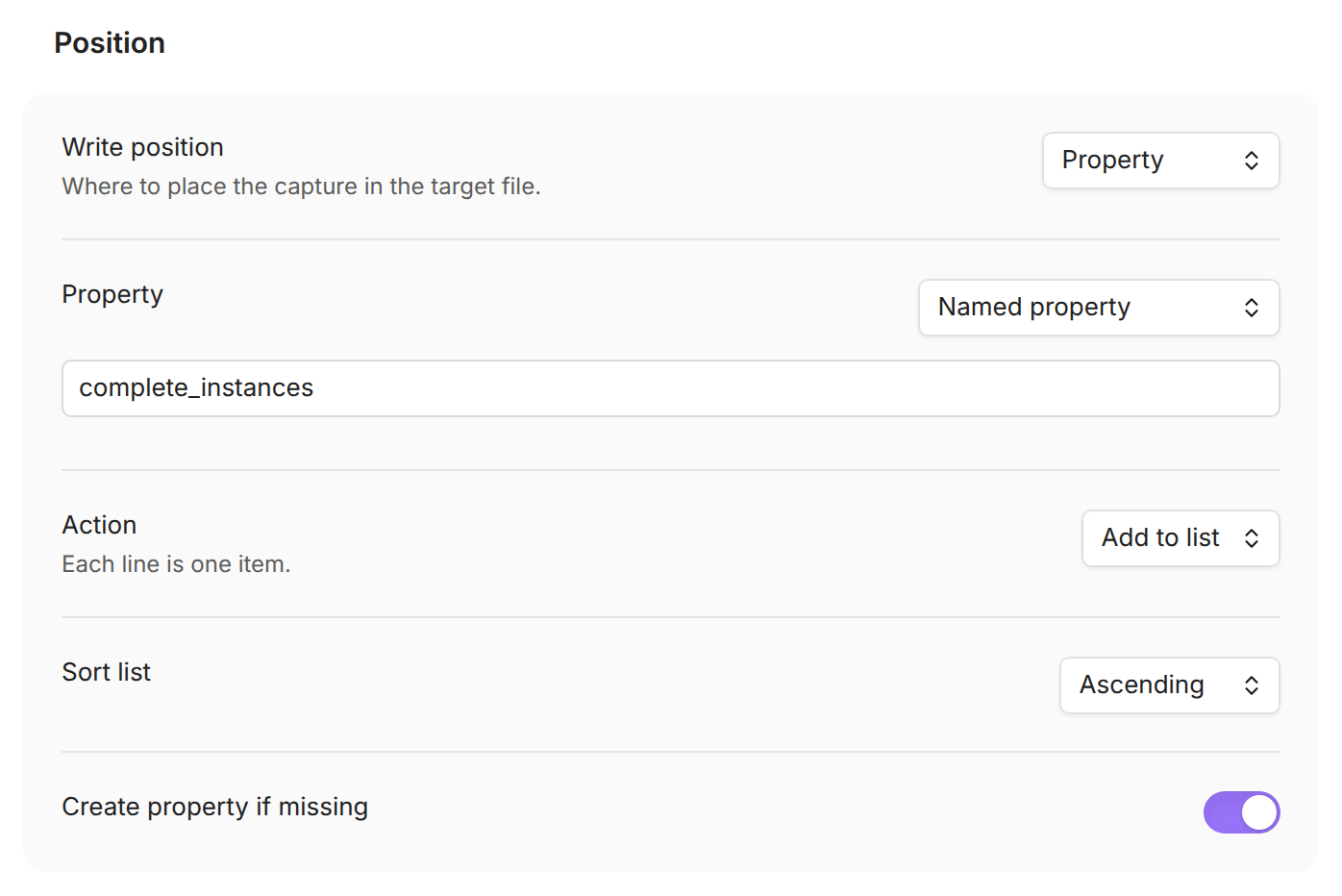
Set Write position to Property.
-
Leave Property on Named property and enter
complete_instances. -
Set Action to Add to list and Sort list to Ascending.
-
In Capture format, enter:
{{VDATE:date,YYYY-MM-DD}} -
Turn on Add to command palette and click the back arrow at the top.
Run QuickAdd: Log stretch and type 2026-10-21. The new day goes in its place:
---
complete_instances:
  - 2026-10-20
  - 2026-10-21
  - 2026-10-23
---
Logging the same day again leaves the note as it is. You can also type a phrase such as yesterday or last friday.
A few things to know:
- Sorting runs on the whole list, after the new items are added and duplicates are removed. It works the same for Set value on a list and for formats that use
{{PROPERTY}}. - Items sort in natural text order, so
YYYY-MM-DDdates sort by date anditem 2comes beforeitem 10. Dates written another way, such as10/21/2026, sort by their first number, so different years get mixed. - Your existing Property Captures stay on Keep order.
Docs: Capture into a property. Thanks to @TyceHerrman for #2236 (#2237).
Leave an existing note closed
A Template choice with If the target file already exists set to Keep existing file opened the existing note, even with Open turned off. So a choice you run to make sure today's note exists pulled that note up every time after the first. Keep existing file now has a Keep action:
- Open existing file is how it worked before. It opens the note, even when Open is off.
- Do nothing leaves the note alone, and opens it only when Open is on.
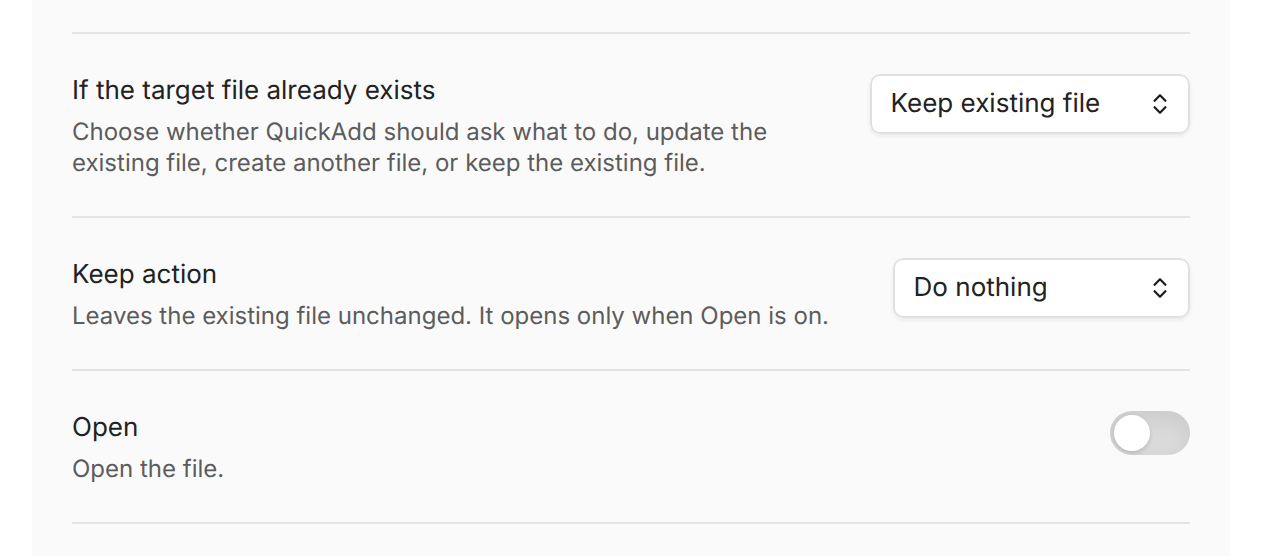
With Do nothing and Open off, the first run creates the note and the next run leaves it closed. So the run doesn't look like it did nothing, QuickAdd shows a notice such as 'Standup 2026-10-24' already exists., unless the choice links to the note or copies a link to it.
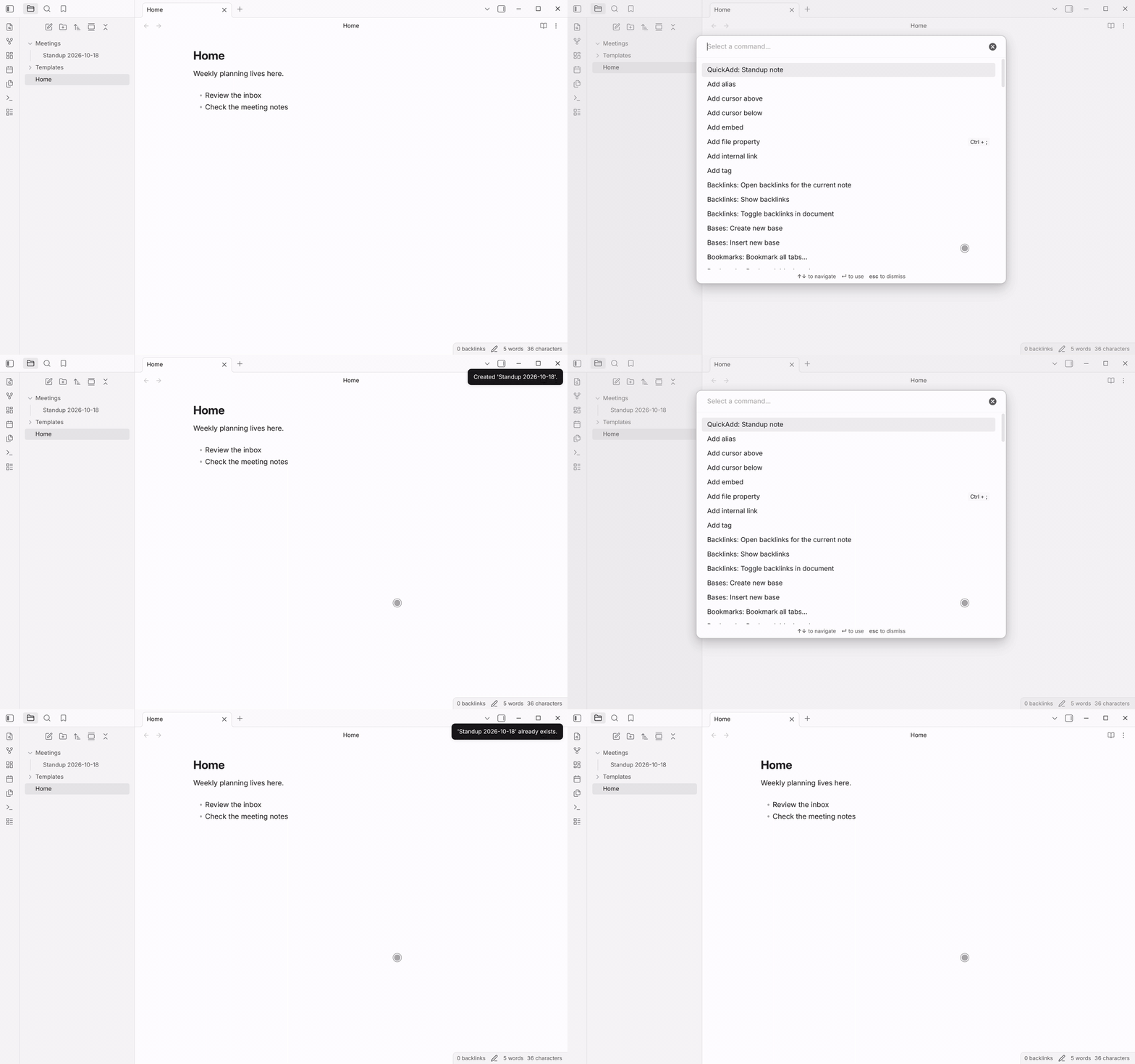
Your existing choices keep opening the note, because they're set to Open existing file. When If the target file already exists is set to Ask every time, the last item of the list it shows is now called Open existing file. It does the same as before. To leave the note alone from there, press Escape.
Docs: Keep the existing note. Thanks to @aarontcannon for #2244 (#2245).
A choice's day stays with that choice
Template, Capture, and Macro choices have a Which day setting that decides which day {{DATE}} is about. In a macro, the first day any step picked stuck for the rest of the run. So in a macro that runs two Templates, one set to Yesterday and one to Next week, both used yesterday, and you got one file instead of two. Scripts had the same problem: after one executeChoice() call with a date, later calls kept that date.
Now a choice's Which day applies only to that choice and to what it runs itself. A Macro's own Which day still applies to every choice inside it. In a script, executeChoice(name, variables, { date }) uses that date for that one call.
One thing works differently: in a Macro whose own Which day is Today, two choices set to Ask each time now each ask for a date. Before, the second one reused the first answer. To be asked once for the whole macro, set the Macro's Which day to Ask each time.
Docs: Which day. Thanks to @aarontcannon for #2242 (#2243).
The input window stays on top of other plugins' windows
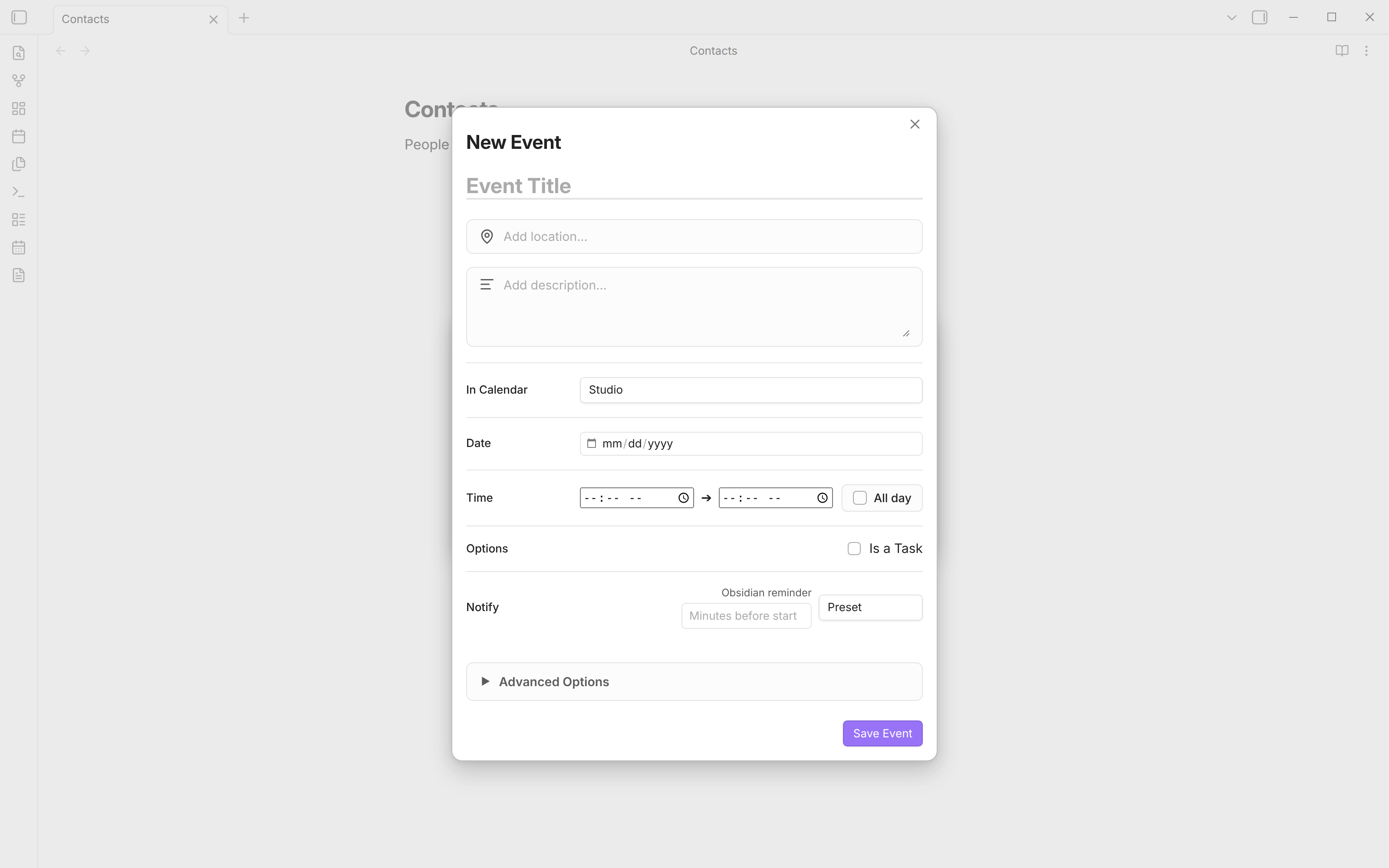
Peek at note (or Ctrl/Cmd+Shift+E) hides QuickAdd's input window so you can look at your note. If you opened another plugin's window during the peek, such as Full Calendar's New Event, and then clicked Return, QuickAdd's window came back behind it. You couldn't see it, but it still got your typing, and Escape cancelled the QuickAdd run. Now it comes back on top:
| Before | After |
|---|---|
 |
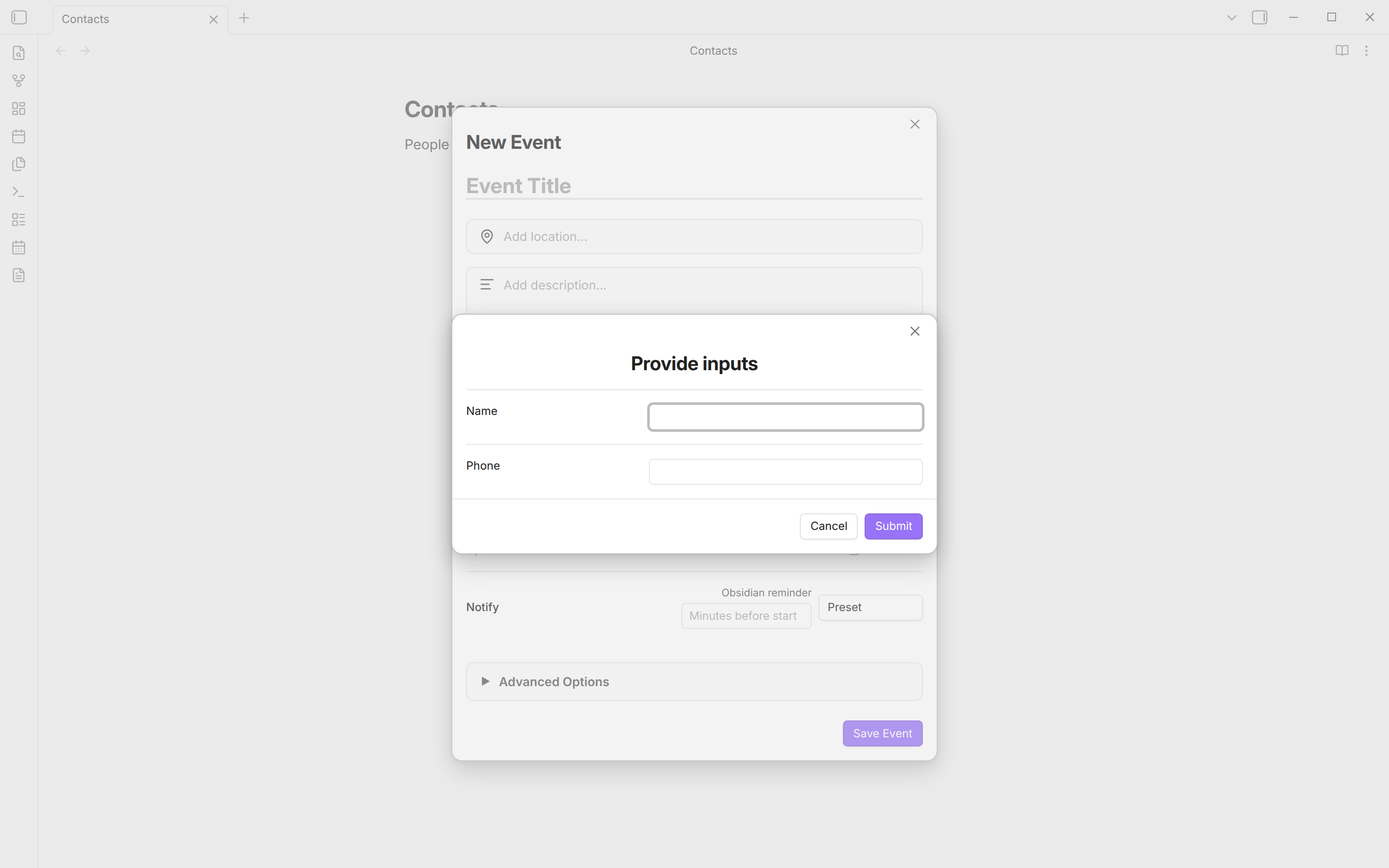 |
When QuickAdd opens its input window on top of another plugin's window, it no longer offers Peek at note, and the shortcut does nothing there. The note is behind that other window, so a peek showed that window instead and left QuickAdd waiting. Over a note, Peek works as before.
Thanks to @SissiDieJungeKaiserin for #2234 and #2235 (#2238, #2239).
QuickAdd: Run opens right away with Iconic
With the Iconic plugin on, QuickAdd: Run took about a second to open in a large vault, and so did QuickAdd's settings. QuickAdd drew each choice's name as Markdown, and Iconic looks through every tag in your vault each time something is drawn as Markdown. In a vault with 28,000 tagged notes, the picker took about 900 ms to open. Now it takes under 10 ms.
QuickAdd now writes a plain name, such as Log stretch or Add task (work), as text. A name with Markdown, such as **Inbox** or :tada:, is still drawn as Markdown, and with Iconic on, it still costs a little time. Iconic is tracking its side in gfxholo/iconic#279.
Thanks to @jonathan-fang for #2251 (#2252).
For plugins that run QuickAdd choices
A plugin that runs a QuickAdd choice had to ask you to type the choice's name, and renaming the choice broke it. The QuickAdd API has three new functions for that, and executeChoice now also takes an id:
pickChoice()opens the QuickAdd: Run picker and returns the choice you pick, with its id, without running it. If you close the picker, the promise rejects.getChoice()looks up a choice by name or id.executeChoice({ id })runs a choice by id, so it keeps working after you rename the choice. Running by name works as before.importPackage()installs a QuickAdd package that the plugin ships, such as a ready-made capture choice. It only adds what your vault doesn't have, and it refuses a package that can run code, such as a script, or that runs a choice when Obsidian starts. You review those yourself with Import package… in QuickAdd's settings.
const quickAddApi = app.plugins.plugins.quickadd.api;
const choice = await quickAddApi.pickChoice({ placeholder: "Choose a capture choice" });
settings.choiceId = choice.id;

// Later, even after a rename:
await quickAddApi.executeChoice({ id: settings.choiceId }, { value: "12:34" });
Docs: Choice execution, Packages (#2247, #2257).
Also in this release
New in the docs
- The Raycast extension is in the Raycast Store, so you can install it from there and get updates through Raycast (#2233).
For contributors: linting now runs on Oxlint, and type checks run on native TypeScript 7, with strict Svelte checks (#2224, #2225, #2227, #2228, #2229). A security sweep updated every dependency, moved to pnpm 11, and installs only releases that are at least 7 days old. It also closed the open Dependabot alerts, and QuickAdd no longer bundles zustand (#2241, #2253). Releases now run on version 5 of the shared release workflows (#2254, #2255, #2256).
Full changelog: 2.32.1...2.33.0


