

✅ Sign up
- Before you start using our tools, you'll need to create an account on DataStax Astra

- You'll then be directed to the home page. Locate the button
Add Database

✅ Use the form to create new database
- Define the free plan and and pick a region close to you

- Fill the databases parameters.

✅ View your Database and connect
View your database. It may take 2-3 minutes for your database to spin up. You will receive an email at that point.
👁️ Expected output
Initializing

Database is ready, notice how the status changed from pending to Active and now you now have the connect button enabled.*
- ✅ Get the secure cloud bundle
Display the summary screen and locate the connect button.

On the connect screen pick drivers
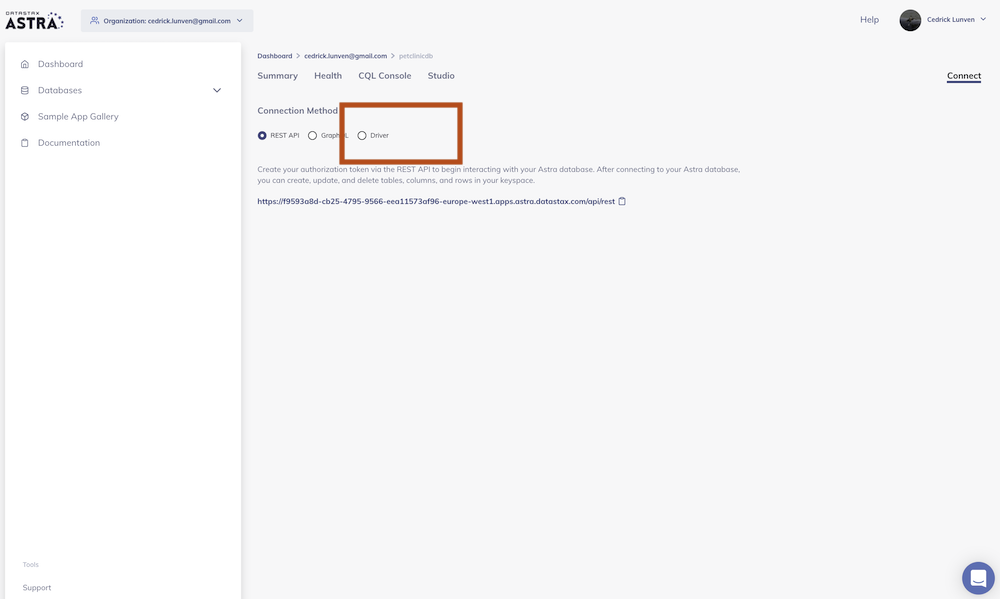
Finally click the download secure bundle button to download the zip of right-click to the button to get the url
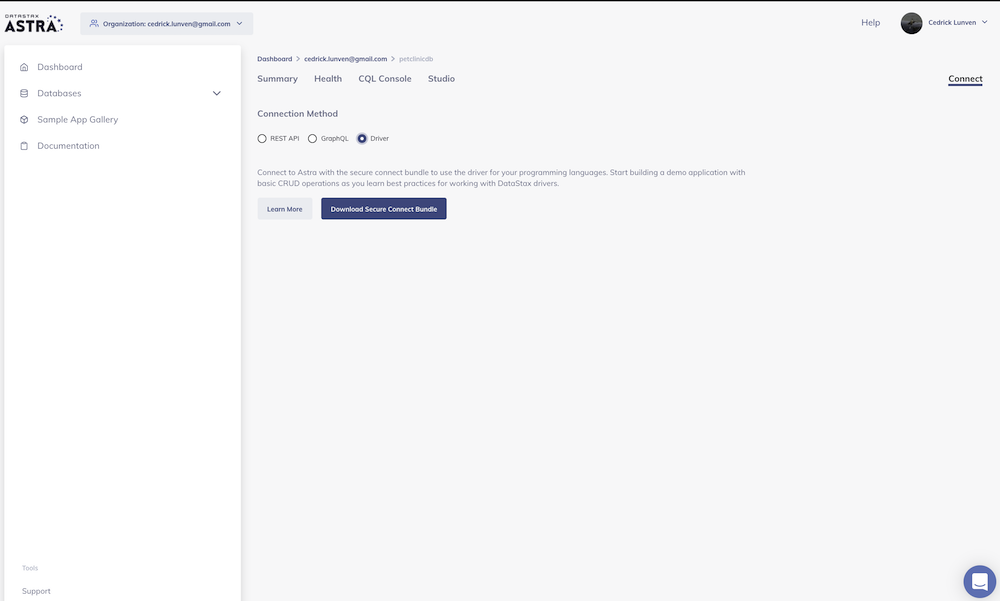
- After, click on the link to "Download secure connect bundle" and save the zip file to the cassandra.api/astra.credentials directory of this project.
It's best to go through this project in the following order so you do not get confused.
Second, setup an API so that you can communicate with your Astra database. We have 2 APIs for you to use:
Cassandra.API Documentation Walkthrough
Cassandra.API Blog Post: Part 1
Cassandra.API Blog Post: Part 2
Building a REST API with DataStax Astra using Node & Python: Part 1
Building a REST API with DataStax Astra using Node & Python: Part 2
Cassandra.API Live Workshop w/DataStax