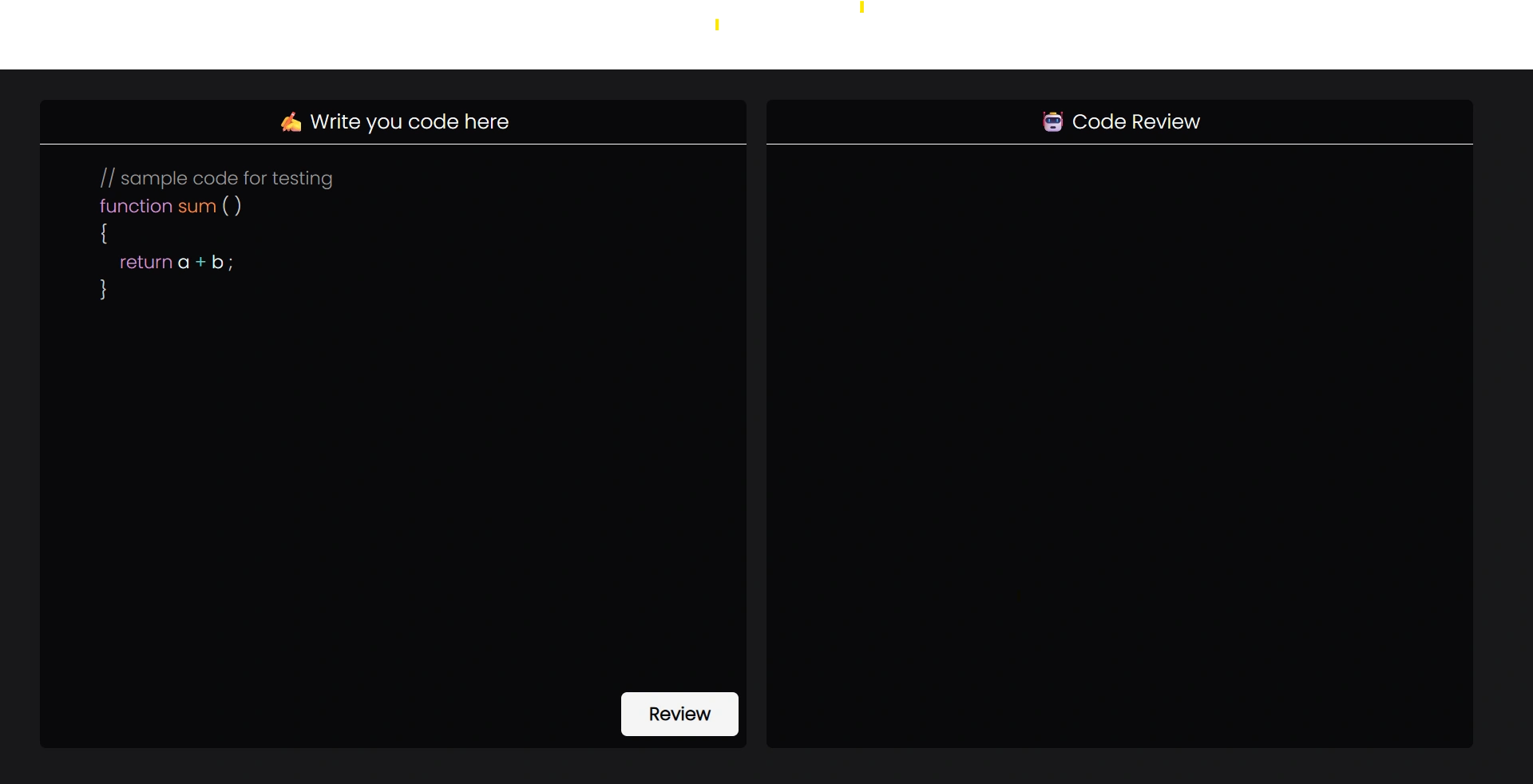
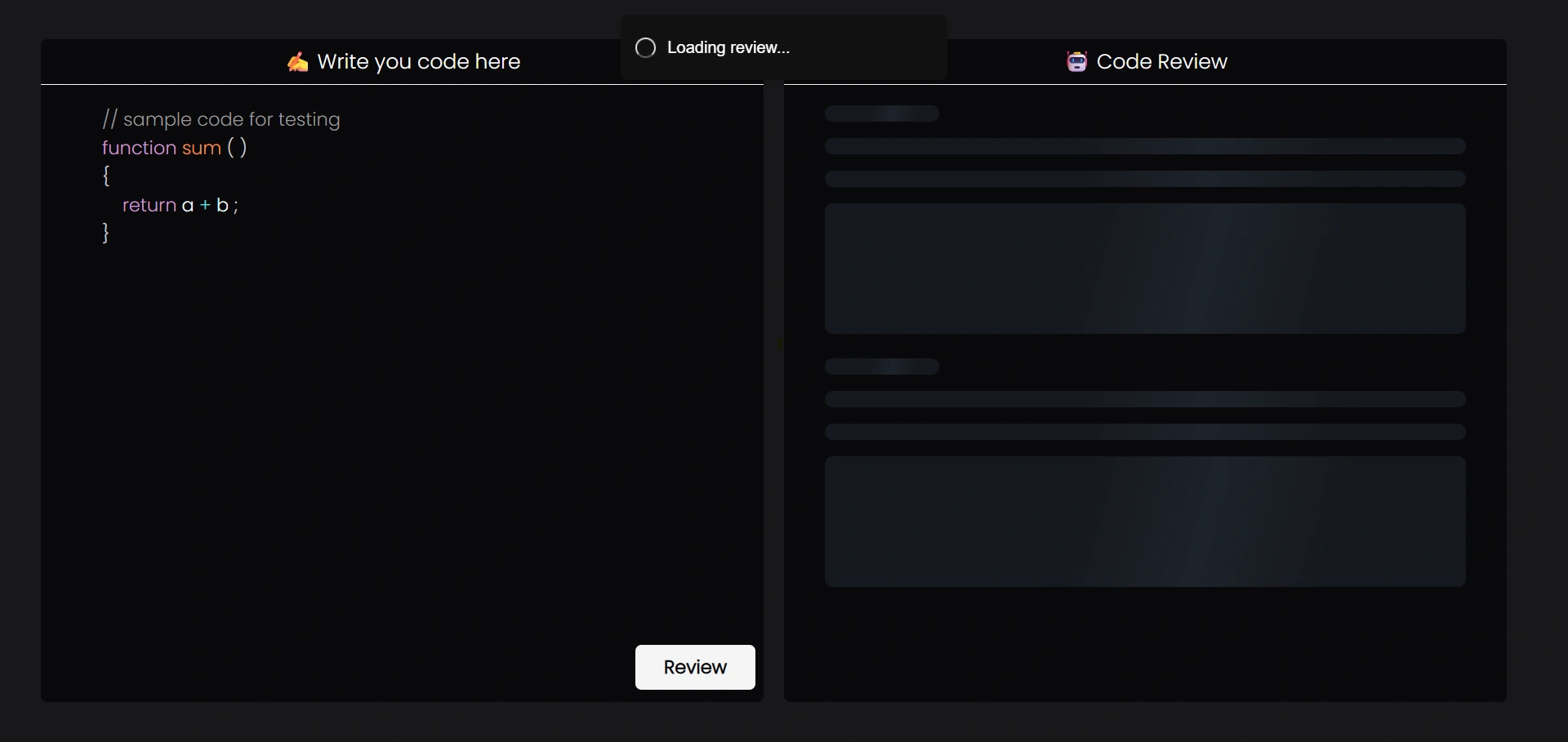
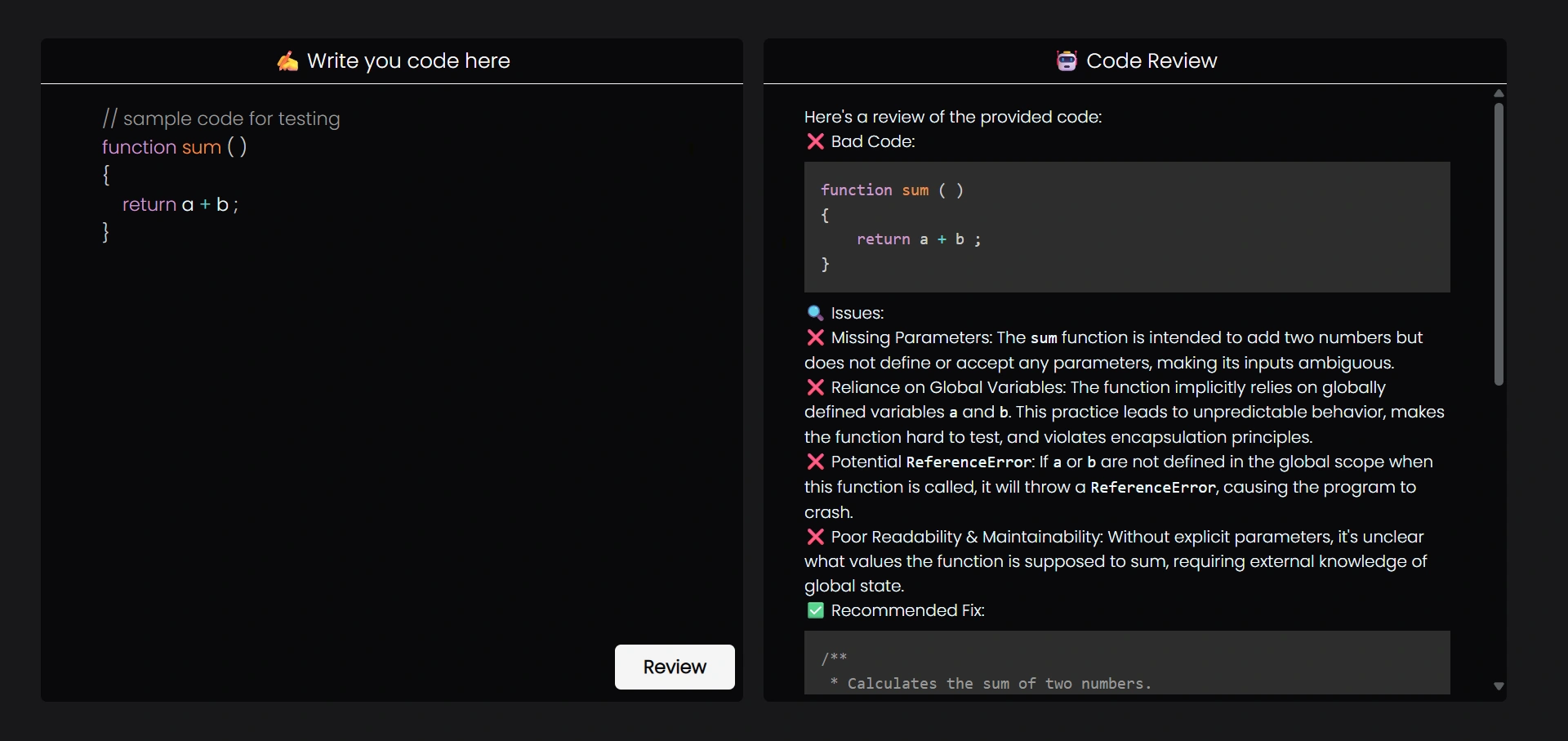
CodeSence is an AI-driven code review tool that analyzes user-submitted source code and provides refined, optimized, and corrected suggestions. It helps developers improve code quality, readability, and performance using generative AI.
- 🧠 AI-powered code analysis and review
- 🛠 Suggests optimized and corrected code
- 🧹 Improves readability, structure, and best practices
- 🎨 Syntax-highlighted code editor
- 📄 Markdown-rendered AI responses
- 🔔 User-friendly notifications and error handling
- React 19
- Vite
- Tailwind CSS + DaisyUI
- Zustand (state management)
- PrismJS / rehype-highlight (syntax highlighting)
- react-simple-code-editor
- react-markdown
- Axios
- @google/generative-ai (Gemini API for code analysis)
- Node.js
- Express.js
- MongoDB + Mongoose
- JWT (Authentication)
- bcrypt (Password hashing)
- dotenv (Environment variables)
- CORS
CodeSence/
├── frontend/
│   ├── src/
│   │   ├── components/
│   │   ├── store/
│   │   ├── services/
│   │   ├── pages/
│   │   └── main.jsx
│   ├── public/
│   ├── package.json
│   └── vite.config.js
│
├── backend/
│   ├── server.js
│   ├── routes/
│   ├── controllers/
│   ├── models/
│   ├── middleware/
│   ├── package.json
│   └── .env
└── README.md
### Prerequisites
- Node.js (v18 or later recommended)
- npm or yarn
- MongoDB (local or cloud – Atlas)

### Clone Repository

```bash
git clone https://github.com/codewithmanohar/CodeSence.git
cd CodeSence
cd backend
npm install
Create a .env file inside the backend folder:
PORT=8000
GEMINI_KEY=your_google_gemini_api_key
MONGODB_URI=your_mongodb_connection_string
NODE_ENV=development
Start backend server:
npm run devcd ../frontend
npm install
npm run dev
```bash
# Clone the repository
git clone https://github.com/codewithmanohar/CodeSence.git
# Navigate to frontend
cd frontend
# Install dependencies
npm install
# Start development server
npm run devPORT=8000
GEMINI_KEY=your_google_gemini_api_key
MONGODB_URI=your_mongodb_connection_string
NODE_ENV=developmentVITE_API_BASE_URL=http://localhost:8000
⚠️ Keep environment variables secure. Do not expose secrets in client-side code.
-
User writes or pastes code in the frontend editor
-
Frontend sends code to the backend API
-
Backend securely communicates with the Gemini AI API
-
AI analyzes the code for:
- Bugs and errors
- Optimization opportunities
- Best practices and readability
-
Backend returns refined suggestions
-
Frontend displays results with syntax highlighting
-
Diff view (original vs optimized code)
-
Support for multiple programming languages
-
User authentication & review history
-
Role-based access (admin / user)
-
Export reviewed code as file
-
Rate limiting & API usage tracking
-
Docker support
-
Diff view (original vs optimized code)
-
Support for multiple programming languages
-
Authentication & user history
-
Export reviewed code
-
Backend-based secure AI requests
Contributions are welcome!
- Fork the project
- Create your feature branch (
git checkout -b feature-name) - Commit your changes
- Push to the branch
- Open a Pull Request
Manohar Kumar B.Tech CSE | Full Stack Dev | AI Enthusiast
If you like this project, don’t forget to ⭐ the repository!