Releases: crmne/omarchy-rescue
Release list
Omarchy Rescue v2026.10.01


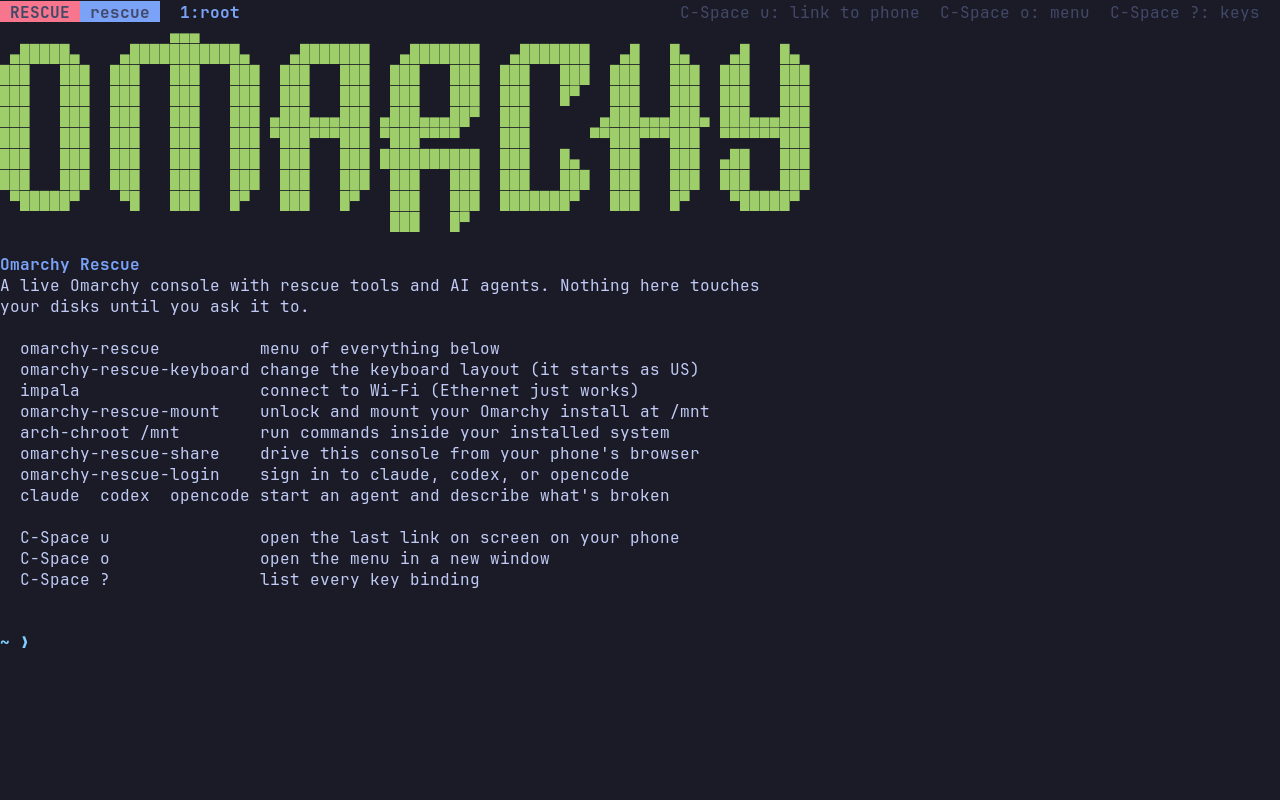
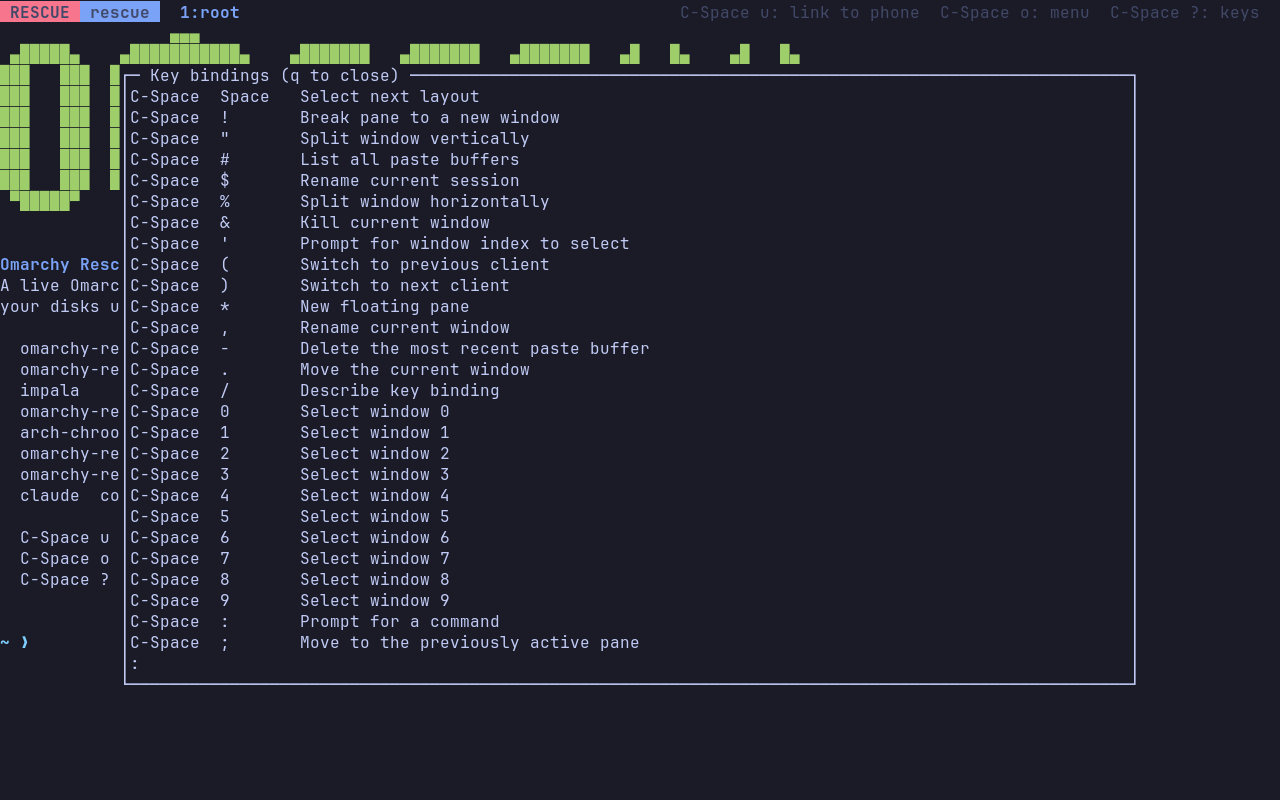
Omarchy Rescue now runs on a real laptop, not just in virtual machines. This release makes the console easier to find your way around: change the keyboard layout in one command, and see every key binding on C-Space ?.
Download omarchy-rescue-2026.10.01-x86_64.iso below and write it to a USB stick. With Caligula, which also checks the download:
caligula burn omarchy-rescue-2026.10.01-x86_64.iso -s "$(cut -d' ' -f1 omarchy-rescue-2026.10.01-x86_64.iso.sha256)"On macOS or Windows, see Put it on a USB stick.
omarchy-rescue-launch.mp4
New
- Change the keyboard layout. The console starts with a US layout.
omarchy-rescue-keyboardlets you pick another from a list, or takes one by name (omarchy-rescue-keyboard de), and switches the console without losing your session. It's on the welcome screen and in theomarchy-rescuemenu. By @crmne.
Fixed
-
C-Space ? lists the key bindings. It showed an empty list. It now shows every binding, Omarchy's and the rescue ones, and the welcome screen and status bar point to it. By @crmne.
Known limitations
- Codex needs device code sign-in turned on in your ChatGPT security settings, or its sign-in page refuses the code.
- The phone has to be on the same network as the rescue machine. Offline, the QR code falls back to the link itself.
- Wi-Fi is not joined automatically: run
impalaand enter the password. omarchy-rescue-shareserves a root shell over plain HTTP on the local network, behind a random address. Stop it withomarchy-rescue-share stopwhen done.- x86_64 only.
Thanks
- @thomasboom for asking for a license: Omarchy Rescue is now MIT licensed (#2).
- @crmne
Full changelog: v2026.09.30.1...v2026.10.01
Contributors

Assets 4
Omarchy Rescue v2026.09.30.1
Codex and OpenCode now work from the rescue stick: all three agents sign in from your phone and have each repaired the same broken machine. The sign-in shows the short code you need, where you need it.
Download omarchy-rescue-2026.09.30-x86_64.iso below, check it with sha256sum -c omarchy-rescue-2026.09.30-x86_64.iso.sha256, and write it to a USB stick.
omarchy-rescue-launch.mp4
The launch film in full quality: omarchy-rescue-launch.mp4. Music: "Enthusiast" by Tours, CC BY 3.0.
New
- The code you need is on the QR screen. Codex shows a one-time code to enter on its sign-in page, and OpenCode's sign-in page shows a code to approve. Both now appear under the QR code and on the phone page, so you can type the first and check the second before you approve. The QR code closes by itself once the agent is signed in. By @crmne.
Fixed
- Codex starts after signing in. It used to stop with "this CLI has no complete local package". By @crmne.
- Codex no longer asks before every command. Its sandbox was missing from the stick, so it asked even to list the disks. It now asks only when it needs to leave the sandbox. By @crmne.
- OpenCode signs in.
omarchy-rescue-login opencodeasked for an API key that OpenCode no longer issues to personal accounts. It now uses the sign-in for an OpenCode account, which needs only an approval on your phone. For another provider's API key, runopencode auth login. By @crmne.
Known limitations
- Codex needs device code sign-in turned on in your ChatGPT security settings, or its sign-in page refuses the code.
- The phone has to be on the same network as the rescue machine. Offline, the QR code falls back to the link itself.
- Wi-Fi is not joined automatically: run
impalaand enter the password. omarchy-rescue-shareserves a root shell over plain HTTP on the local network, behind a random address. Stop it withomarchy-rescue-share stopwhen done.- The console keyboard layout is US.
- x86_64 only.
Thanks
Full changelog: v2026.09.30...v2026.09.30.1
Contributors
Assets 5
Omarchy Rescue v2026.09.30
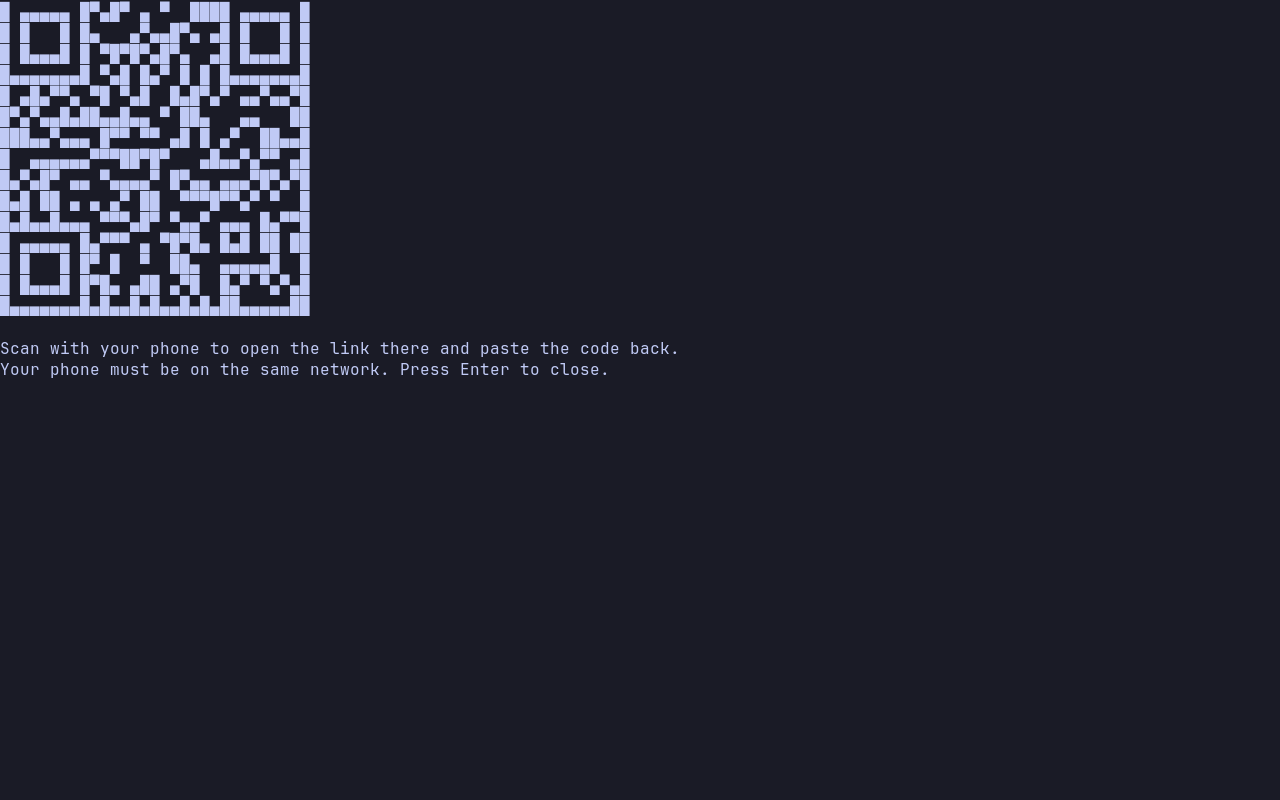
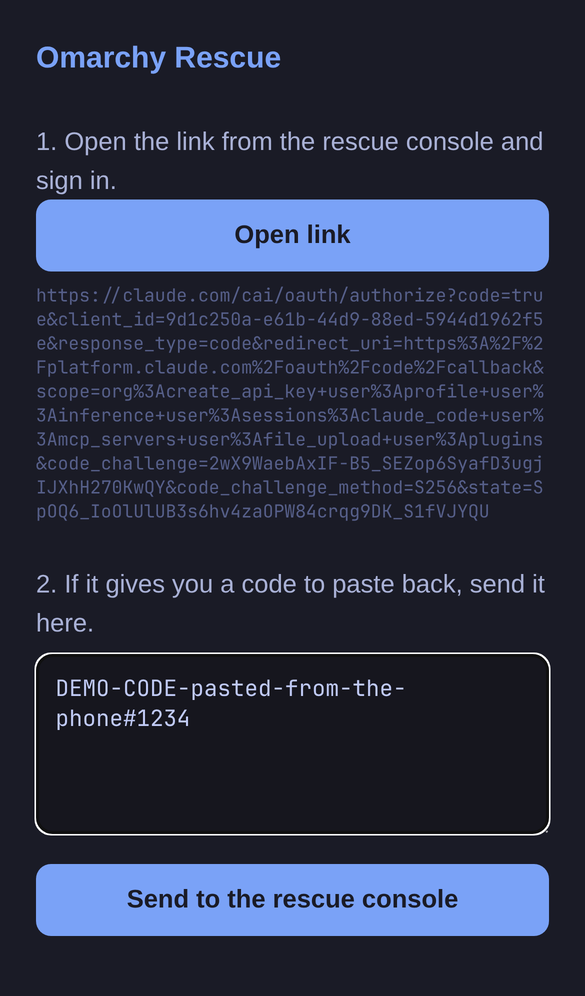
Signing in to an agent from the rescue console now happens on your phone: a QR code pops up by itself, the page it opens takes you to the sign-in, and the code goes back to the console without typing it.
Download omarchy-rescue-2026.09.30-x86_64.iso below, check it with sha256sum -c omarchy-rescue-2026.09.30-x86_64.iso.sha256, and write it to a USB stick.
| The QR code pops up by itself | The page it opens on your phone |
|---|---|
 |
 |
New
- Sign in from your phone, both ways. As soon as an agent prints its sign-in link,
omarchy-rescue-loginshows a QR code. Scan it and your phone opens a page that takes you to the sign-in and has a box for the code the agent wants back. Send it, and the code is typed at the console's prompt; press Enter there to use it. The page lives on the rescue machine, on your local network, behind a random address, and stops after one paste. C-Space u does the same for any link on screen. By @crmne.
Fixed
- Claude Code signs in once. The sign-in helper had you sign in twice, and the second link never reached the phone. It now starts Claude Code directly and hands the link from its first run to the phone. By @crmne.
- Claude Code's sign-in link fits a QR code on any screen. The QR code now carries the short address of the handoff page, not the long link itself. By @crmne.
Known limitations
- The phone has to be on the same network as the rescue machine. Offline, the QR code falls back to the link itself.
omarchy-rescue-shareserves a root shell over plain HTTP on the local network, behind a random address. Stop it withomarchy-rescue-share stopwhen done.- The console keyboard layout is US.
- Tested in QEMU virtual machines, not yet on real hardware. x86_64 only.
Thanks
Full changelog: v2026.09.29...v2026.09.30
Contributors
Assets 4
Omarchy Rescue v2026.09.29
The first release of Omarchy Rescue: a USB stick that boots a live Omarchy console with the rescue tools you'd reach for from SystemRescue, and Claude Code, Codex, and OpenCode ready to help you diagnose and fix a machine that won't boot. No desktop needed: it all runs on a proper console with Omarchy's fonts and colors.
Download omarchy-rescue-2026.09.29-x86_64.iso below, check it with sha256sum -c omarchy-rescue-2026.09.29-x86_64.iso.sha256, and write it to a USB stick.
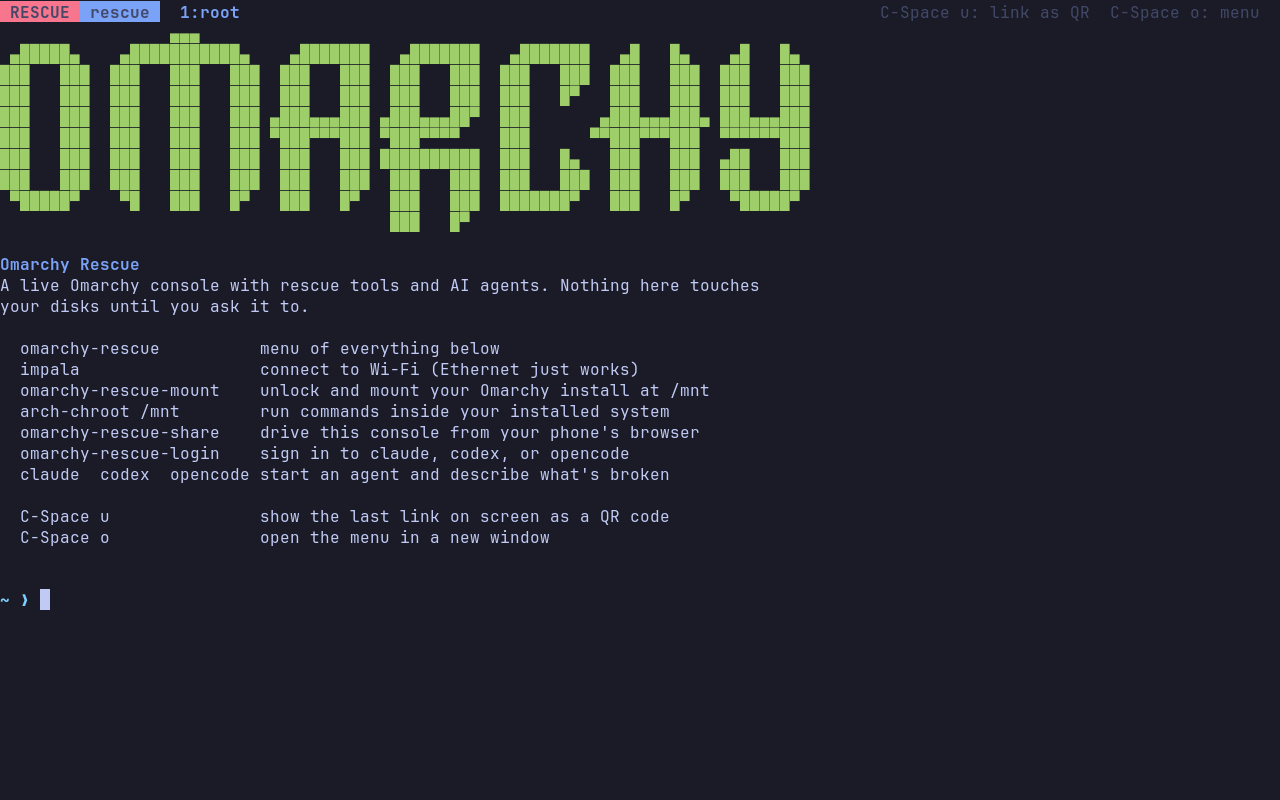
New
-
AI agents on a rescue stick. Claude Code, Codex, and OpenCode are installed and know where they are: how an Omarchy install is laid out (LUKS, Btrfs subvolumes, Limine, snapper), how to read its journal and chroot into it, and to diagnose read-only first and never run anything destructive without a clear yes. By @crmne.
-
Your install, mounted in one command.
omarchy-rescue-mountunlocks an encrypted Omarchy disk and mounts the whole system at/mntfrom its own fstab, ready forarch-chroot /mnt.--unmountputs it all away again. By @crmne.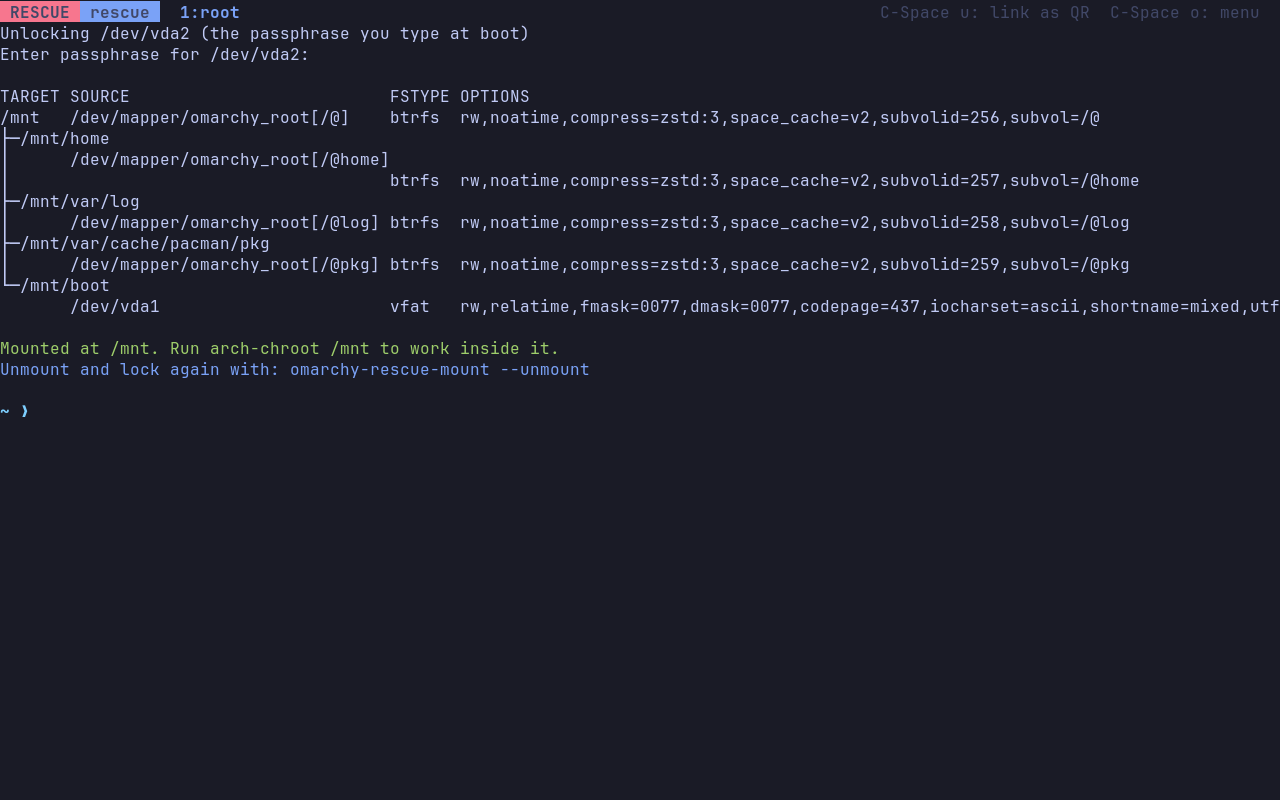
-
A real console without a desktop. kmscon on tty1 with JetBrains Mono, truecolor, and the Tokyo Night palette, inside Omarchy's tmux and shell setup. A basic console boot entry covers graphics cards kmscon can't drive. By @crmne.
-
Sign in from your phone.
omarchy-rescue-loginstarts each agent's browserless sign-in;C-Space ushows the last link on screen as a QR code, andomarchy-rescue-shareputs the whole console in your phone's browser so you can paste sign-in codes back. By @crmne. -
The rescue toolbox. Everything in Arch's live ISO (ddrescue, testdisk and photorec, smartmontools, nvme-cli, partclone, fsarchiver, clonezilla, and more) plus chntpw, sbctl, limine, os-prober, memtester, stress-ng, lshw, hwinfo, rclone, restic, borg, and network diagnosis tools. pacman points at the online repos, so anything else is one install away. By @crmne.
Known limitations
- Claude Code's sign-in link is too long for a QR code on smaller screens; use
omarchy-rescue-shareto finish on your phone. omarchy-rescue-shareserves a root shell over plain HTTP on the local network, behind a random address. Stop it withomarchy-rescue-share stopwhen done.- The console keyboard layout is US.
- Tested in QEMU virtual machines, not yet on real hardware. x86_64 only.
Thanks
Full changelog: https://github.com/crmne/omarchy-rescue/commits/v2026.09.29