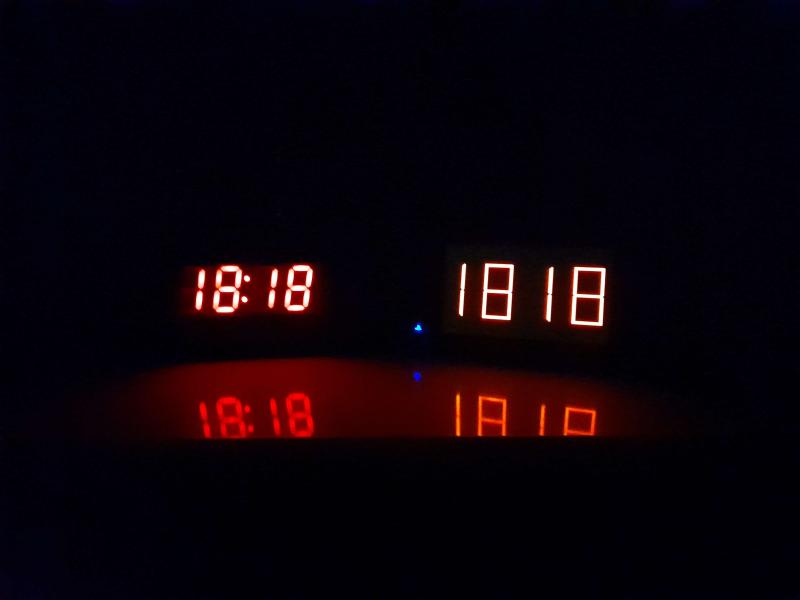
Releases: daniemun/DigitalClock-PSP
Release list
v2.2

Changelog
v2.2
- Added a MP3 Music Player, play your favorite songs from
ms0:/MUSIC! - Started using VFPU. (Performance might be improved)
- CPU Clock is now limited to 133 mHz (for battery life improvement)
- Added a better version control in-code.
- Slight code improvement...
Full Changelog: v2.1...v2.2
v2.1
Changelog
v2.1
- Add Date
- Add Battery Indicator
- Added and organized textures
- Added battery.c
- Fixed Error Screen not showing on PSP
- Improved Texture System
- Now Left / Right change colors, instead of L / R
- Improved code
v2.0.1
- Switched to newest PSPSDK (pspTime -> ScePspDateTime)
- Improved binary size by cutting JPEG support.
- Organized the code better
- Fixed drawing the first 0 when not needed
- Added more colors
- File exists func improved
Digital Clock v2.0
Digital Clock PSP v2.0


A simple digital clock for your PlayStation Portable.
Made with gLib2D by Geecko.
Installation
Download the latest release from releases. Unpack the .zip file and follow the installation instructions on the README.md inside it.
How to use
- Press
 or
or  to change the clock color.
 - Press
 to change between different brightness modes.
 - Press
 to exit the app.


Error diagnosing
Note
If you follow all the installation instructions correctly (which are very few), no errors should popup on the app.
| Error | Code | Description | More info. |
|---|---|---|---|
ERROR_SETUP_CALLBACKS |
0x80000000 |
Something went wrong while configuring the Exit Callback. | Something is likely very wrong with your firmware? |
ERROR_TEXTURES_NOT_FOUND |
0x80000001 |
Textures are missing from 'assets/textures/' ! Make sure all PNGs are in the correct directory. | The most common, make sure the texture files (0.png, 1.png...) are in their correct directory (assets/textures/). |
ERROR_ALLOCATING_TEXTURES |
0x80000002 |
Unable to allocate memory for textures. | Probably you're out of RAM, try enabling High Memory Layout in your CFW settings if that option is avaliable. Also, disabling all plugins should help too. |
ERROR_GETTING_TIME_RTC |
0x80000003 |
sceRtcGetCurrentClockLocalTime() failed to provide time. | Something is likely very wrong with your firmware? Either this or something is patching the function. Disabling all plugins might help? |
ERROR_UNKNOWN |
0x7FFFFFFF |
Something unknown went very wrong. | This error shouldn't appear at all... |
Running / Compiling
Dependencies
You'll need PSPSDK to compile this homebrew. I used this version.
Compiling
- Clone the repository, either by using
git clone https://github.com/danssmnt/Digital-Clock-PSP, or by going to "Code" -> "Download ZIP" and extracting it on your PC.
Important
(Optional) Set the assets/xmb/CUST_PARAM.SFO file to Read-Only. (To prevent make clean from replacing it).
- Go inside the cloned repository and, inside a terminal, write
make, it should compile without any errors / warnings. - Run the created
EBOOT.PBPon PPSSPP, or directly on your PSP.
Replacing Textures
If you want / need, you can replace all textures inside assets/textures for your own ones.
Keep in mind you should preserve the original aspect ratios of them (1:2 for 0.png -> 9.png and 9:80 for colon.png), otherwise they'll look stretched (unless you modify the code too). Also, textures can't have more than 512 of width or height, because of PSP hardware limitations.
To Do
- Organize the code better
- Make a single texture for all sprites
- Save clock settings
- XMB icon animation (
ICON1.PMF) - More Colors
- Battery indicator
- Make a minimal fork of glib2d
- Show date
- Timer and chronometer
- Alarm
- Play music / sounds?
...
Changelog
v2.0
- Remade the whole app from scratch.
- Fixed issue #1 (Timezones fix).
- Updated, optimized and improved textures for digital numbers.
- Added colors.
- Added brightness modes.
- Added error messages for diagnosing problems.
- Improved / Optimized code (a lot).
v1.0
- Created the app.
- A simple digital clock with minimal features.
Acknowledgements
- @mizabmdgg - Found issue #1 and even made their own fork to solve it.
Digital Clock v1.0
Digital Clock for PSP v1.0 | Made by MicSuit
Have you ever thought of a PSP like a digital clock? Well, I sure have! So here it is, a digital clock for your PSP!
To install it, simply grab the Digital Clock folder paste it on ms0:/PSP/GAME!
It may take a while to start the clock, that's because of all numbers' textures that are being loaded, just wait patiently.
Have fun!