Update 25-02-2022 15:22:
Describe the bug/issue
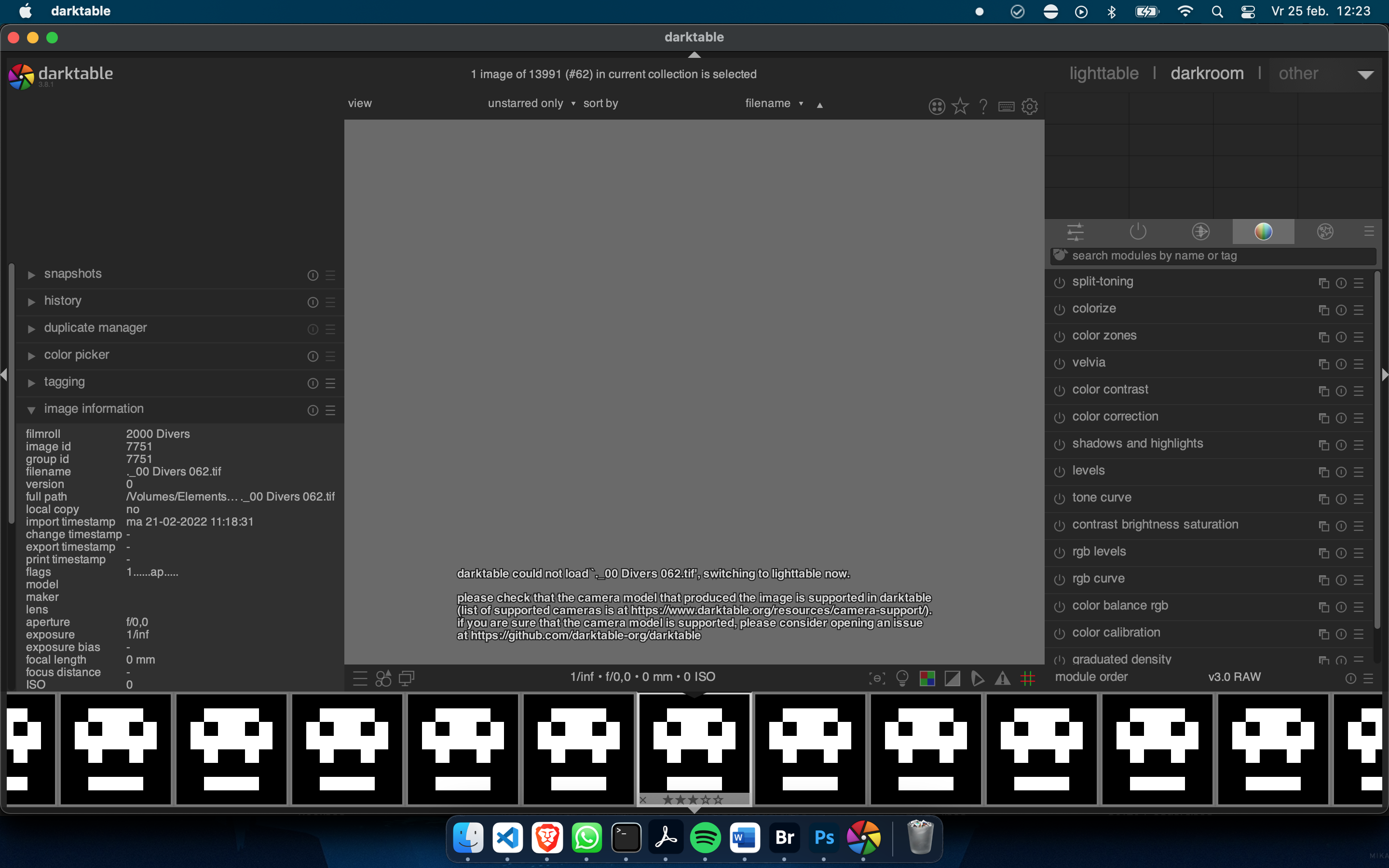
MacOS filesystem metadata files are included on import. These files start with ._. Because the files end with the original file's extension, Darktable sees them as images and imports them. However, in Darktable they can't be opened and give an error.
Original report:
Describe the bug/issue
TIF files created by Epson Stylus SX420W/SX425 cannot be displayed in Darktable. Photos do work in macOS file explorer.
Magick: Not a TIFF or MDI file, bad magic number 1280 (0x500). (/Volumes/Elements_02/Foto/2000 Divers/._00 Divers 062.tif).
[GraphicsMagick_open] image `._00 Divers 062.tif' not found
[dt_imageio_export_with_flags] mipmap allocation for `unused' failed
[dt_imageio_export_with_flags] mipmap allocation for `unused' failed
[dt_imageio_export_with_flags] mipmap allocation for `unused' failed
[rawspeed] (._00 Divers 062.tif) virtual std::unique_ptr<RawDecoder> rawspeed::RawParser::getDecoder(const rawspeed::CameraMetaData *), line 91: No decoder found. Sorry.
To Reproduce
Import the attached image.
Expected behavior
Show the image.
Screenshots
Platform
- darktable version : 3.8.1
- MacBook Pro (15, retina, 2015)
- OS : MacOS Monetery 12.1
- Memory : 16GB
- Graphics card : Intel Iris Pro 1536 MB
Additional context
Example image that can't be shown: 00 Divers 062.tif.zip

Update 25-02-2022 15:22:
Describe the bug/issue
MacOS filesystem metadata files are included on import. These files start with
._. Because the files end with the original file's extension, Darktable sees them as images and imports them. However, in Darktable they can't be opened and give an error.Original report:
Describe the bug/issue
TIF files created by Epson Stylus SX420W/SX425 cannot be displayed in Darktable. Photos do work in macOS file explorer.
To Reproduce
Import the attached image.
Expected behavior
Show the image.
Screenshots

Platform
Additional context
Example image that can't be shown: 00 Divers 062.tif.zip