
a8373a4  darrenburns
Darren Burns
darrenburns
Darren Burns
Here's a selection of some of the changes in Posting v2.11.0:
Request and response history
Posting now remembers recent requests and responses in a new History tab beside Requests. Pick an exchange and press Enter to load both panes, including the original request body, headers, options, and script references. Loading doesn't send anything or run scripts, so you can inspect an old response, tweak the request, and send it when you're ready.
History stays on your machine, separately for each collection, and survives restarting Posting. It keeps up to 100 exchanges within a 50 MiB limit. You can delete individual entries, clear the list, or turn recording off with history.enabled: false.
If you're using jump mode, ctrl+o, then 3 takes you to Requests, 4 to History, and h jumps into a visible History list.
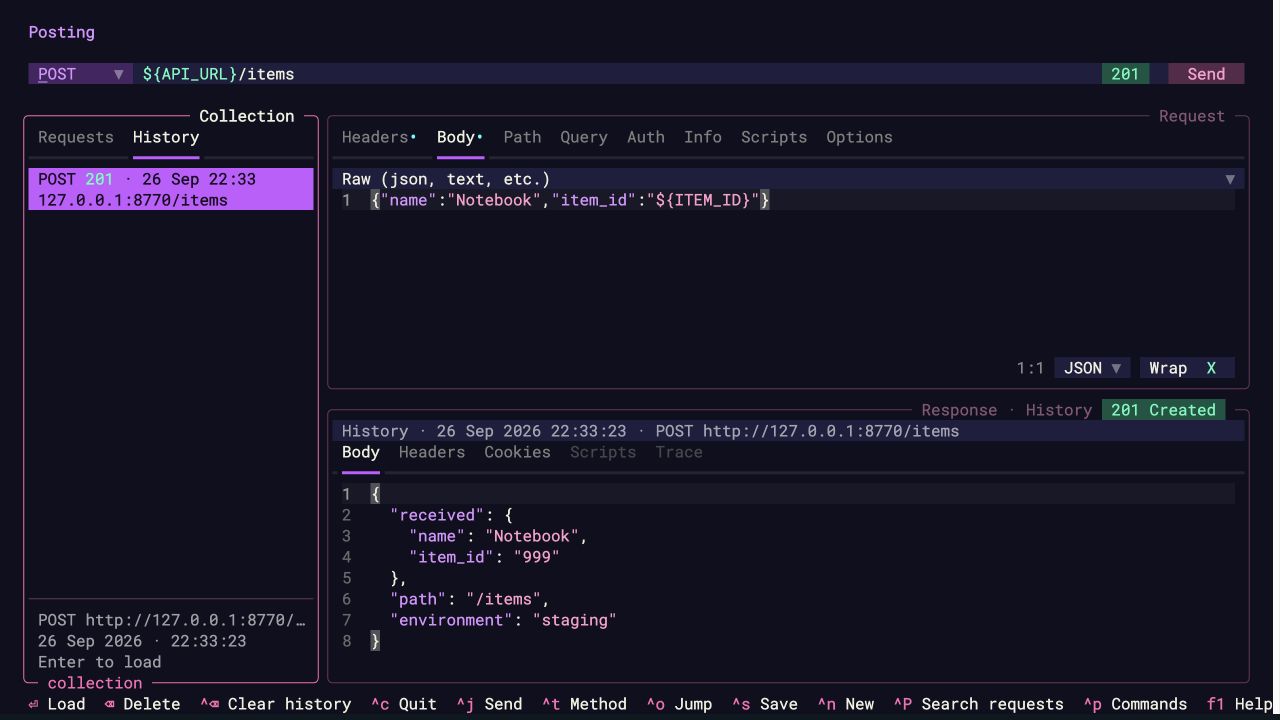
History can contain credentials and other request/response data, and isn't encrypted. It saves variable expressions and script paths; future sends use your current variables and scripts.
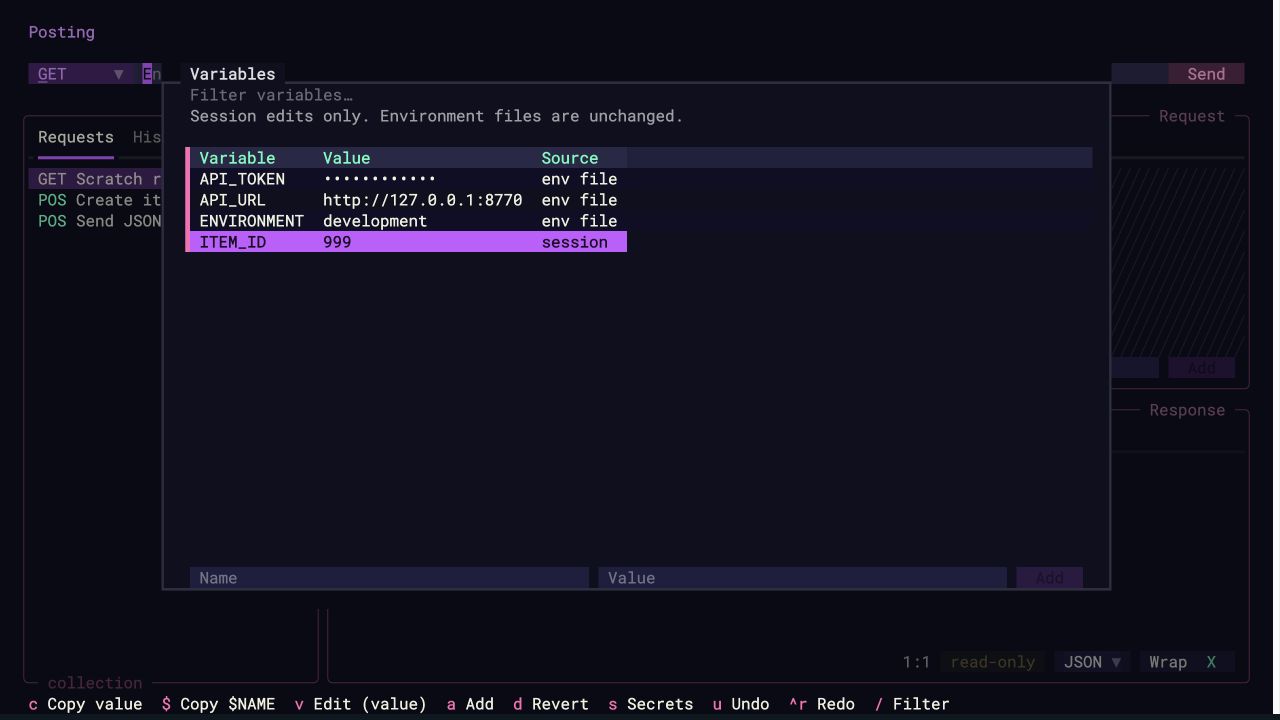
See and edit your variables
There's a new variables screen for those moments when you're wondering where a value came from, or why it hasn't changed. Open variables: Show variables in the command palette, or press ctrl+shift+v where your terminal supports it.
You can filter the list, add or edit session values, copy values or $NAME references, and undo or redo changes. Session overrides are labelled, and token/password-like names are masked by default. Your .env files aren't modified.
Thanks to @andreisuslov for the original variables-screen contribution, which this builds on!
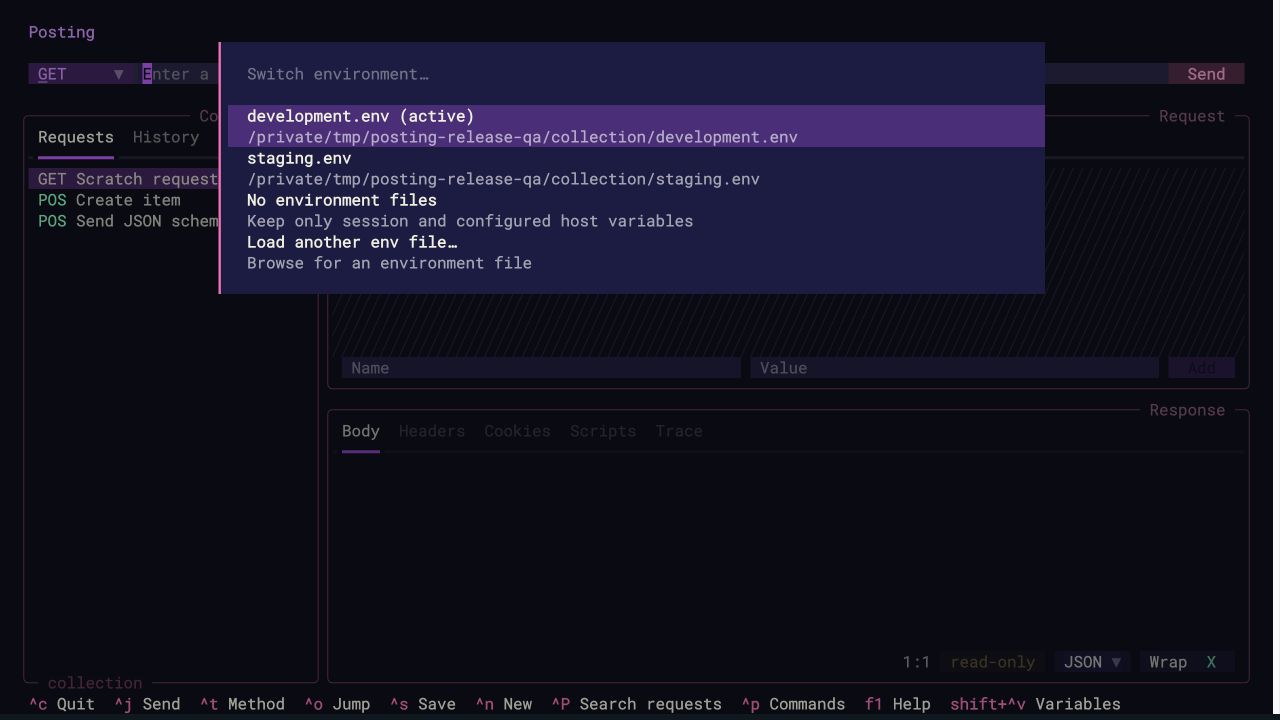
Switch environments without restarting
The command palette now has an environment: Switch environment submenu. Pick a discovered .env file, return to a previously loaded environment, clear the loaded files, or browse for another file. Session overrides stay in place when you switch.
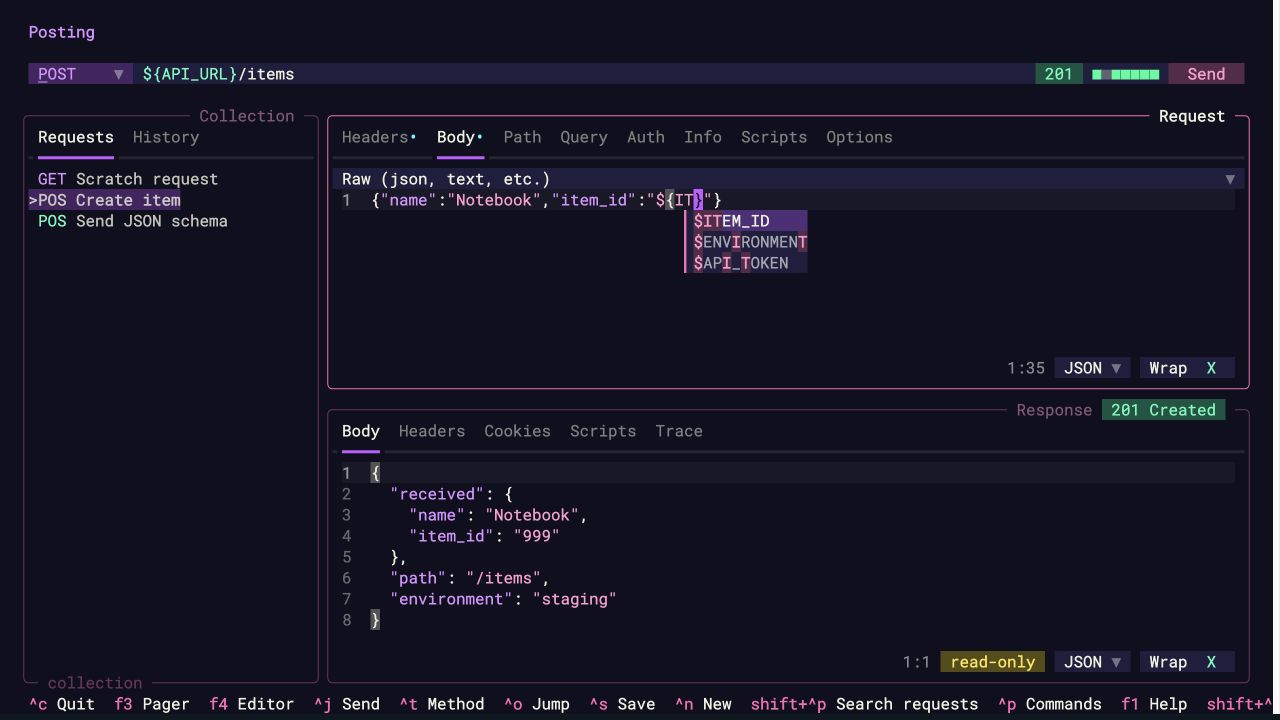
Complete variables in request text
Variable completion now works in request bodies and descriptions too. Type $ or ${, use the arrow keys to choose a variable, and press Enter or Tab to insert it. Escape dismisses the suggestions.
Sometimes a dollar sign is just a dollar sign
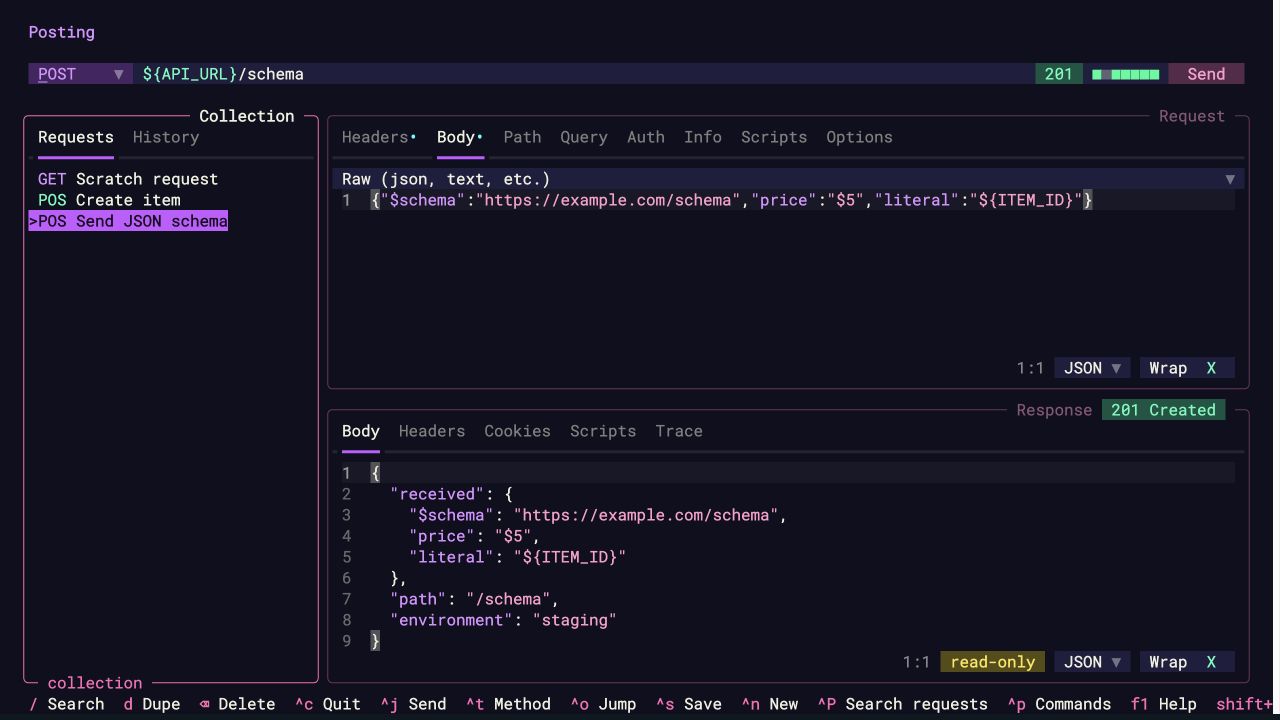
JSON schemas use $schema. Other APIs have fields like $filter, and sometimes you just want to send $5.
There's now a per-request Substitute body variables option in the Options tab. Turn it off to send raw or form bodies literally, including ${name} and $$. Variables in URLs, headers, and authentication continue to work as usual. Existing requests keep substitution enabled.
Body substitution is on by default, so choosing a variable from the dropdown means it will resolve when you send. If you turn substitution off, variable suggestions in raw and form bodies are hidden too.
A few more improvements
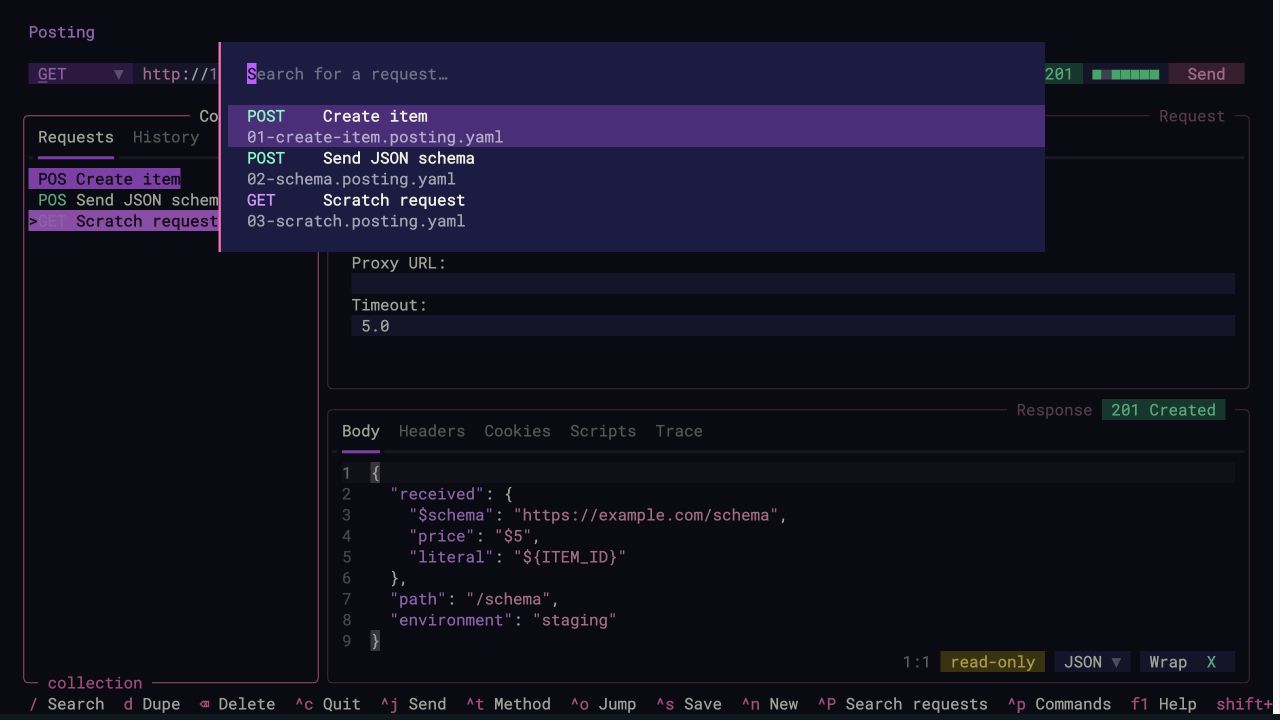
- Requests in the search palette now have coloured HTTP method tags. Thanks @vinitpayal!
- Query parameters in the URL and Query tab stay in sync, including duplicates and disabled rows. Thanks @DSeaStar for the original contribution.
- Importing curl commands with cookie, redirect, or proxy flags before the URL now keeps the correct URL. Thanks @kimjune01!
- Copying falls back to the terminal clipboard when a native clipboard isn't available. Thanks @PeeraphatN!
- Saving an open request after deleting its file now puts it back in the request tree without a restart. Repeated saves won't add duplicates.
What's Changed
- Terminal clipboard fallback
- HTTP method tags in request search
- URL and query parameter synchronization
- Curl import flag handling
- Variable completion in request text areas
- Environment switching submenu
- Local request and response history
- Session variable editing
- Literal dollar signs in request bodies
- Re-saving deleted open requests
Full Changelog: 2.10.0...2.11.0


