3.3 Server
(Author: Patrick Pogscheba, date: 12/2023)
Again we begin with a brief introduction how to setup the server:
The server-side backend service uses the PuzzleCubesBase package and uses similar techniques described in the cubes backend service and adds some more features necessary for usage:
- Fabric: This is a remote management module for python to easily execute SSH commands or other things like file management on remote machines.
- Dependency Injection (file): As in the cube backend everything is initialized in this file, e.g. ports, folders, mqtt topics and the objects which are used on the server backend
- App management (module): This module parses the app registry directory for valid cubeApp.json files which holds the apps configuration. The apps are stored in an array (AppRepository) which can be reactively observed.
-
CubeControl (module): Using Fabric every command used for cube management is managed here and executed if needed as group command (all cubes) or single cube command:
- restart cube
- shutdown cube
- start app
- stop app
- set cubes volume
- update sensorboard
- update cube service
- Neighbourhood processing (module): Here all the single neighbourhood events from the cubes are processed and synchronized and stored in the Neighbourhood repository as whole neighbourhood information. The repository can be observed reactivley.Communication:
- Positional processing/ Ubitrack_manager.py (module): For getting positional data from a tracking backend a module have to be implemented which translates data to cube system format and distribute it. for the Ubitrack system a manager is implemented which connects to the Ubitrack MQTT broker and listens to positional data. For this the cubes are tagged with cubeId in the Ubitrack system. The manager gets all Members of Ubitrack and builds up a mapper from TaId to CubeId. The positions are stored in a Location Repository which is monitored by The pose processingmodule. This module gathers temporary pose data from cubes (mainly orientation) and merge them together with the positions into a Pose stored in the PoseRepository.
-
App (module): The main communication entrypoint is the Server app module. It implements the app class from the base package and handles MQTT communication as well as the web server configuration which is stored as a file.
-
Webserver: the webserver is set up and started here. Initially handlers are added for the management app with a REST API for neighbourhood configurations.
-
*MQTT: *When the AppRepository array is changed it is serialized and sent out to MQTT for usage in the webfrontend. For each app a handler is added to the webserver to serve the gamemaster app deployed in the app registry folder.
When the neighbourhoodRepository changes it is sent out by MQTT to the gamemaster app for further processing and validation/verification. The Pose repository is monitored as well and is sent out together 10 times per second.
-
In the main.py file all components are started and the reactive elements are wired up.
Based on the vue.js base package this application offers interfaces for app and cube control together with some entrypoints (links) to the peripheral services.
- Store: the pinia store adds methods and storage for data handling. The methods are mainly used for sending out MQTT messages
-
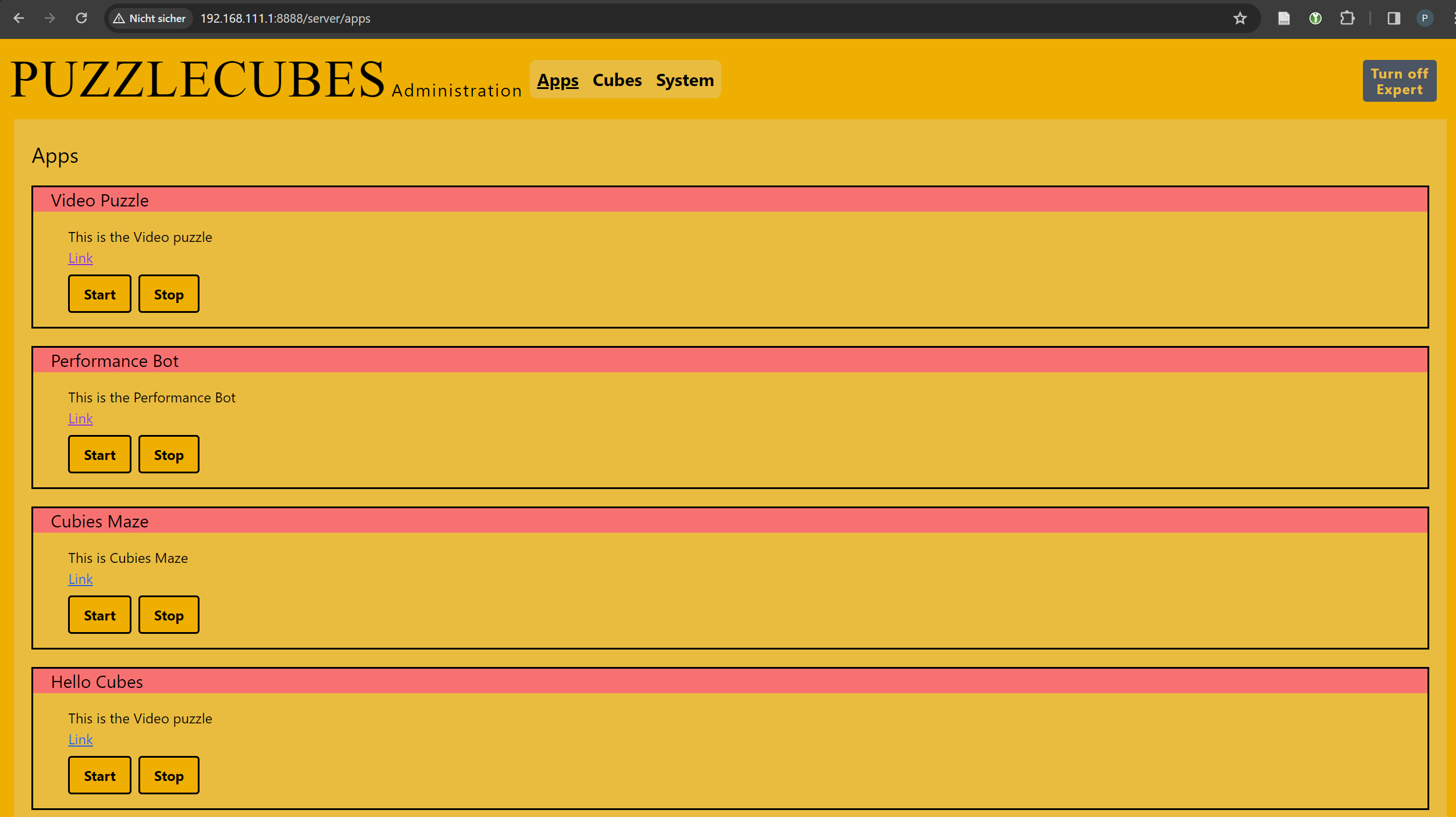
App view: This view hosts a list of apps with their description and buttons to start or stop the app. If an app is started the gamemaster app opens in a new window and a MQTT command is sent out (for the backend app control module)
-
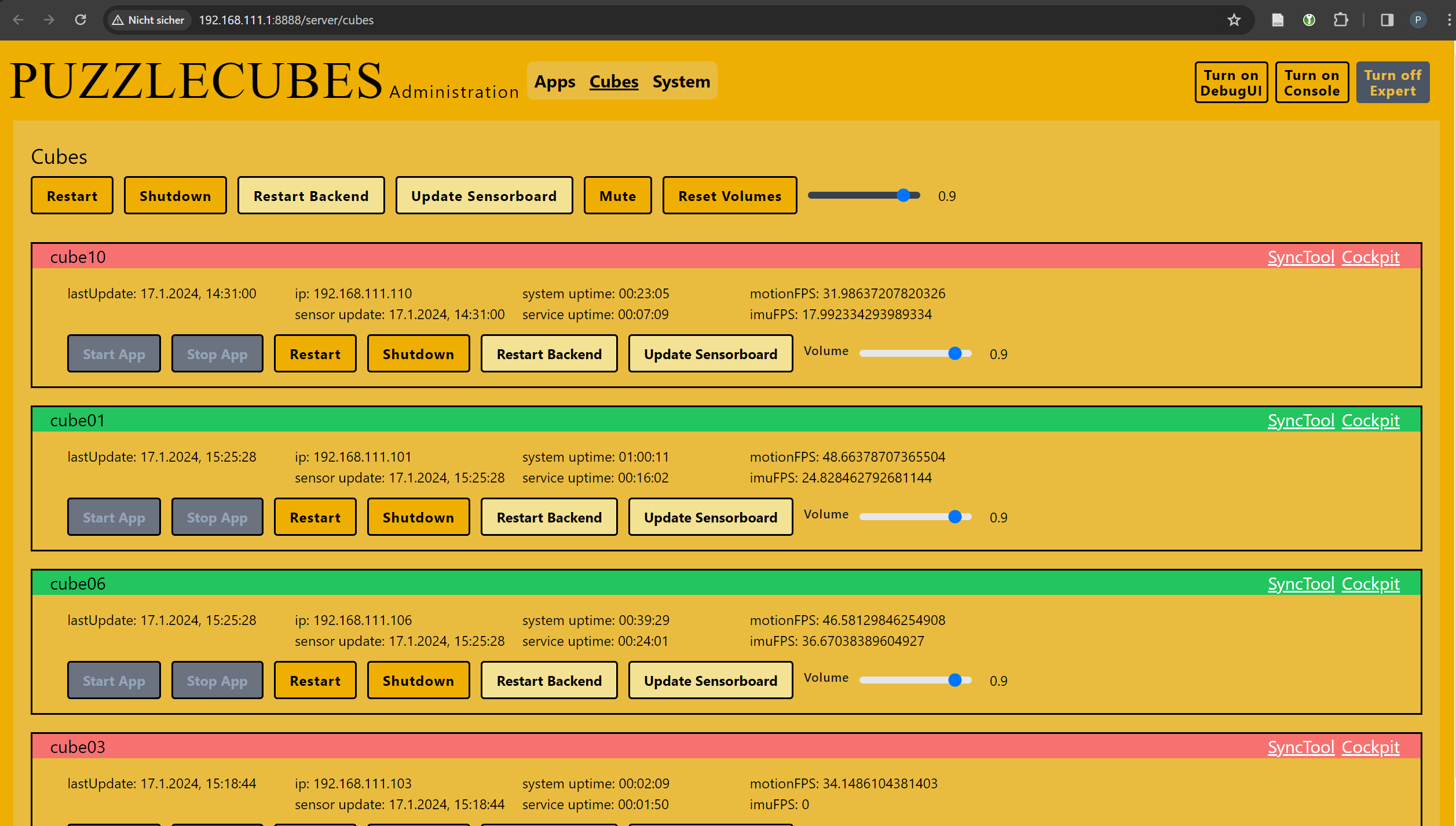
Cubes view: In this view each active cube (a cube state no older than 560s) is listed together with controls for cube management. An Expert view allows to see more cube state (sensor info, runtime info). A global control is shown for sending messages to all cubes.
-
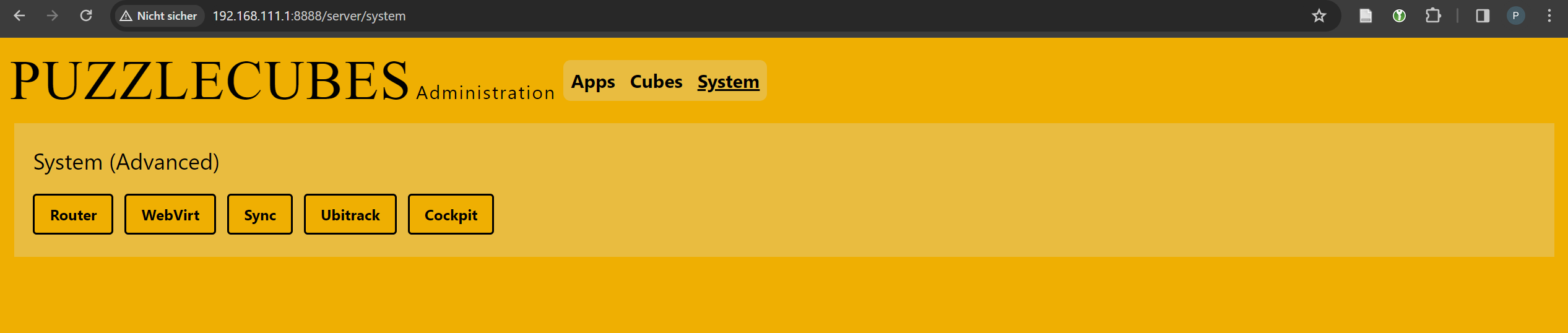
System view: This view just shows some links to the peripheral services.
The app registry is just a filesystem directory with some conventions for app storage. Each app has its own folder. Inside this folder a file name cubeApp.json should reside to be scanned by the backend service. In the folder there should be one directory for the cube App executable and one directory for the built gamemaster web app. There could be a resource directory which can be served by the webserver. the folder can hold source codes as well for building on the server which is explained next.
For an easy deployment mechanic there were implemented some tools and helpers. This is not a continuous integration & deployment piepline as there was no time left to implement this feature. Some manual actions are involved.
- Apps: If the deployed apps have their sourcecode included they can be build on the server. For the gamemaster apps npm is installed. Just run the build so the app gets deployed in a directory. For cubeApps we have aunity build script which should do all the work if no errors exist.
- Cubes: for the cube backend service and the sensorboard program we have implemented docker-compose builder. Just update the source codes and run docker-compose build together with a push to our local registry. An update on the cubes can be triggered by the management app which involves a stop, pull and start of the service..
The MQTT broker is started as a docker compose service. It is configured to listen on webspockets as well.
The docker registry for holding the cubes services and programs is started as a docker compose service together with a UI.
Syncthing is configured with a folder for the apps and one folder for cube data (sensorboard and backend services).
To run the ubitrack tracking system a VM is neded which can be hosted on KVM after some Work. It gets a hardware network device which is wired to the network infrastructure for the Ubitrack system.
This tracking system runs from a VM and offers a web interface for configuraion and a MQTT broker for getting positions othe tags added to each cube. Each cube is added as a member named by the cubeId and mapped to a tagId.
This service is deployed by a systemD-Service on the server machine.