Releases: davidrusu/cactus-releases
Release list
1.7.5

Cactus 1.7.5
This release adds the ability to change the sampling frequency in settings.
Install Instructions:
Mac:
Download the Cactus-1.7.5.dmg file below, once downloaded open the .dmg and drag the Cactus.app into your Applications folder
Windows:
Download the Cactus-Setup-1.7.5.exe below and double click to install.
Linux:
Download the Cactus-1.7.5.AppImage below, mark it as executable, then execute it.
1.7.4
Cactus 1.7.4
This release adds support for auto-starting on log-in.
Install Instructions:
Mac:
Download the Cactus-1.7.4.dmg file below, once downloaded open the .dmg and drag the Cactus.app into your Applications folder
Windows:
Download the Cactus-Setup-1.7.4.exe below and double click to install.
Linux:
Download the Cactus-1.7.4.AppImage below, mark it as executable, then execute it.
1.7.3
Cactus 1.7.3
This release adds a new build for our friends running linux
Install Instructions:
Mac:
Download the Cactus-1.7.3.dmg file below, once downloaded open the .dmg and drag the Cactus.app into your Applications folder
Windows:
Download the Cactus-Setup-1.7.3.exe below and double click to install.
Linux:
Download the Cactus-1.7.3.AppImage below, mark it as executable, then execute it.
1.7.2
Cactus 1.7.2
The focus of this release was on less intrusive sampling and gracefully returning your focus to previous programs.
Changelog:
- Cactus no longer steals input focus when sampling
- Focus is returned to your previous application after sampling is done.
- Added a button to manually trigger a sample.
Install Instructions:
Mac:
Download the Cactus-1.7.2.dmg file below, once downloaded open the .dmg and drag the Cactus.app into your Applications folder
Windows:
Download the Cactus-Setup-1.7.2.exe below and double click to install.
1.7.1
Cactus 1.7.1
Changelog:
- Some minor bug fixes.
- Remove the icon from dock in macOS.
Install Instructions:
Mac:
Download the Cactus-1.7.1.dmg file below, once downloaded open the .dmg and drag the Cactus.app into your Applications folder
Windows:
Download the Cactus-Setup-1.7.1.exe below and double click to install.
1.7.0
Cactus 1.7.0 🎉
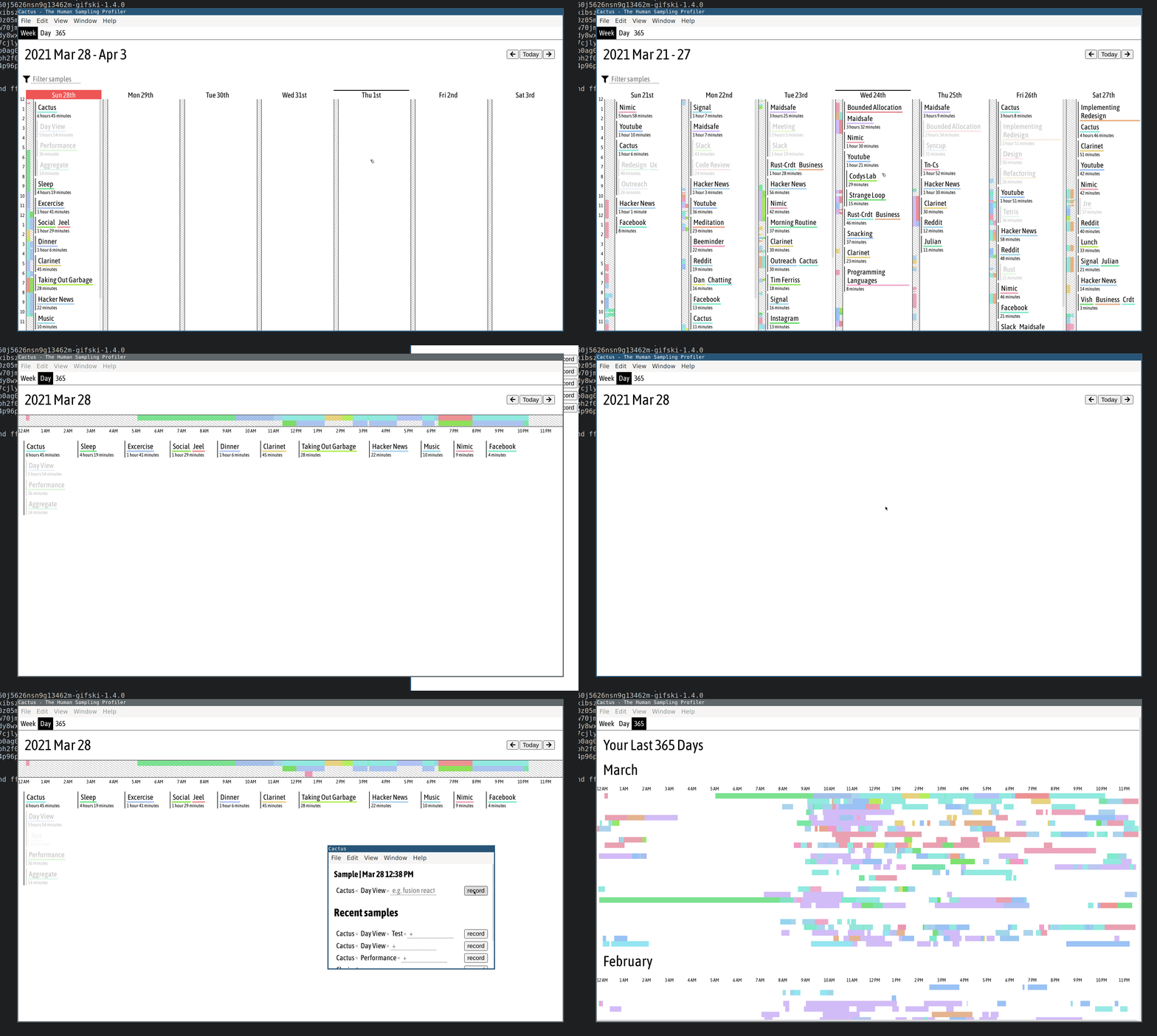
Changelog:
- Redesigned UX for a more consistent visual feel.
- Dedicated Day view, allows easy editing of the timeilne, as well as give you a better understanding of how time was spent in your day.
- Week view no longer competes with the timeline and aggregate view.
- 365 Day birds eye view! See your last 365 days as a stacked timeline. Pick out long term changes in your behaviour such as a gradual change in wake up times or longer lunch breaks.
Install Instructions:
Mac:
Download the Cactus-1.7.0.dmg file below, once downloaded open the .dmg and drag the Cactus.app into your Applications folder
Windows:
Download the Cactus-Setup-1.7.0.exe below and double click to install.
1.6.5
Changelog:
Bug fix: 1.6.4 had mistakenly set the median sampling frequency to 1hr, this reverts to 15 minutes.
Install instructions:
Mac:
Download the Cactus-1.6.5.dmg file below, once downloaded open the .dmg and drag the Cactus.app into your Applications folder
Windows:
Download the Cactus-Setup-1.6.5.exe below and double click to install.
1.6.4
Changelog:
- Sub-tags have reduced visibility.
- UX improvements on Day view
Install instructions:
Mac: Download the Cactus .dmg file below, once downloaded open the .dmg and drag the Cactus.app into your Applications folder
Windows: Download the Cactus.exe below and double click to install.
1.6.3
Changelog:
- Windows builds!
- Day view now has consistent widths for each day of the week.
- Day view is now a bit taller.
Install instructions:
Mac: Download the Cactus .dmg file below, once downloaded open the .dmg and drag the Cactus.app into your Applications folder
Windows: Download the Cactus.exe below and double click to install.