Quick start with AI Assistance
Note: This feature is available in Enterprise and AWS editions only.
- Start in the SQL Editor
- Generate directly in the editor with @ai
- Understand what the query is doing
- Fix an error when the query fails
- Describe a database object when you need context
Work through a typical flow in the SQL editor using AI assistant - from writing a query, to fixing an error, to understanding objects.
To get started, activate AI Assistant, open Settings -> Administration -> AI Settings, choose a provider, and paste your API token.
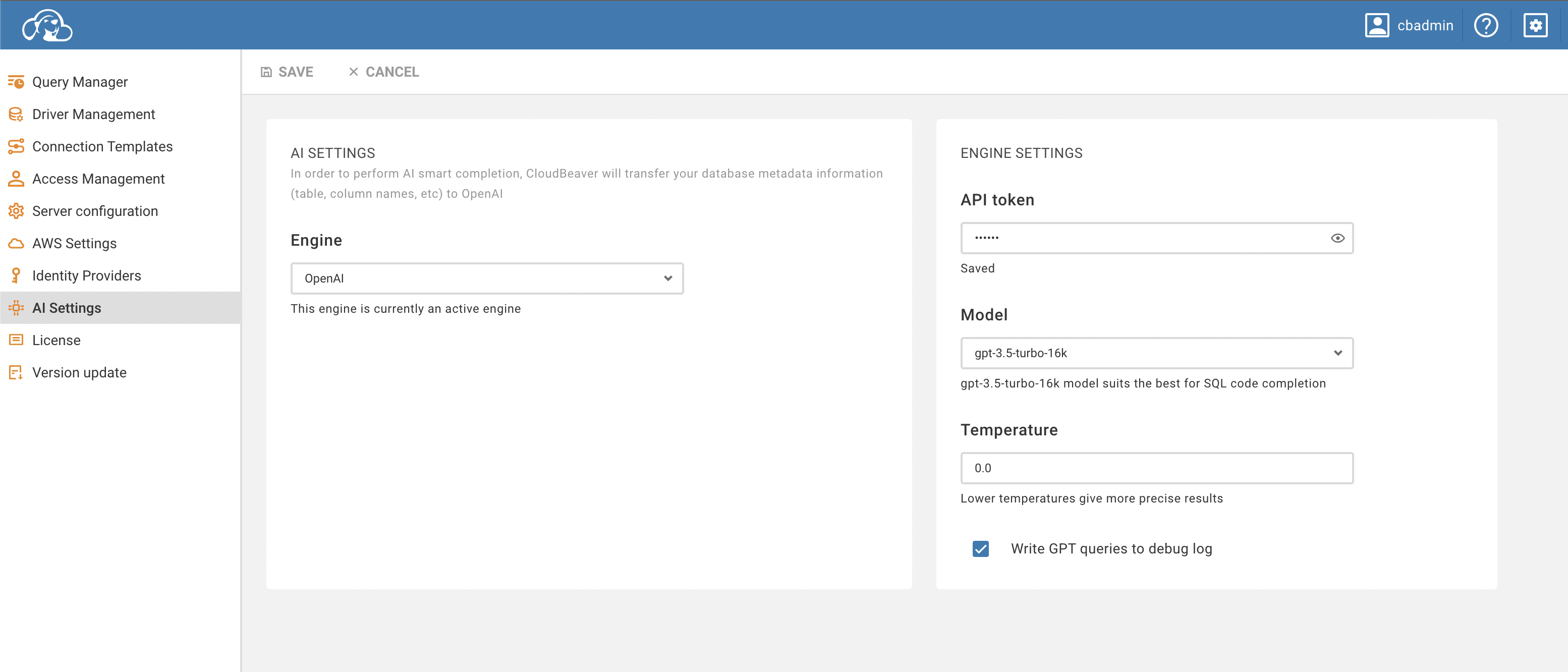
Tip: Different vendors have different limits, models, and regions. Pick what fits your data policy and budget.
-
Open the SQL editor.
-
Select Tools -> AI Chat from the top toolbar.
-
Pick a connection.
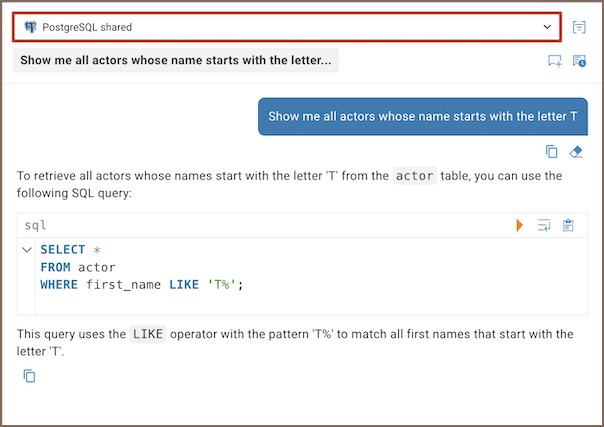
Optionally set a scope to improve accuracy on large instances.
-
Type what you need in AI chat.
-
Execute or refine.
For details, see AI chat.
Want to stay focused in the SQL editor? Use @ai when you don’t need the full chat flow.
- In the SQL editor, enter
@ai your request... - Execute the command. The results will appear in the Result panel.
For details, see AI command.
Need a clear explanation, risks, or edge cases?
-
Select the SQL
-
Click Explain Query with AI icon (
 ) located in the left toolbar of the SQL Editor.
 -
Read the explanation in AI chat, and ask follow-ups
For details, see Explain query using AI.
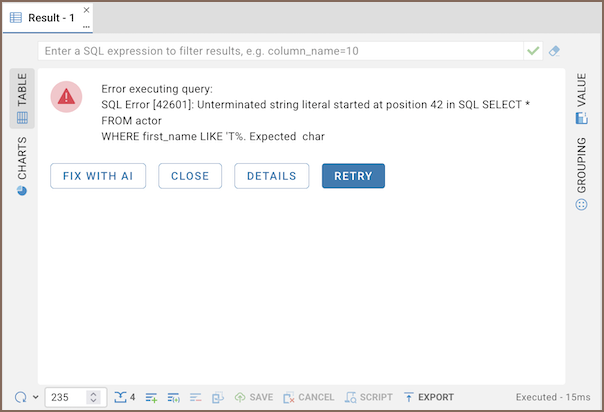
If the SQL fails, use AI to explain and repair it in one pass.
-
Click Explain and Fix
-
Apply the fix

For the flow, see AI error explanation.
Ask AI to describe a table, view, or other object in plain language. The result opens in AI chat.
-
Open Database Navigator or Properties editor
-
Click the cell context menu (three-bar icon)
-
Select Describe object with AI from the context menu.
-
Review the description in AI chat, and ask follow-ups
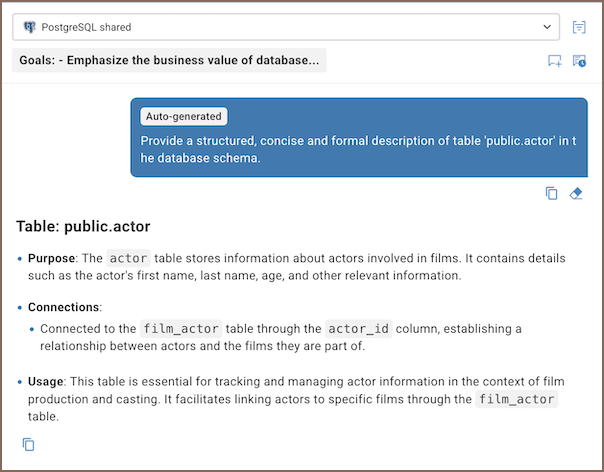
For supported objects and flow, see Describe database object.
- Getting started
- Create connection
- Connection network options
- Supported databases
-
Drivers management

- Database authentication methods
- Database navigator
- Properties editor
- Data editor
- SQL editor
-
Entity relation diagrams
- Cloud services
- Data transfer
- General user guide
- Administration
- Server configuration
-
Server security and access configuration
- Authentication methods
- Access management
- Proxy configuration
-
Secret management
- Logs
-
Query manager
- Workspace location
- Command line parameters
-
Session manager
- Deployment options
- CloudBeaver Editions
- FAQ
- Development