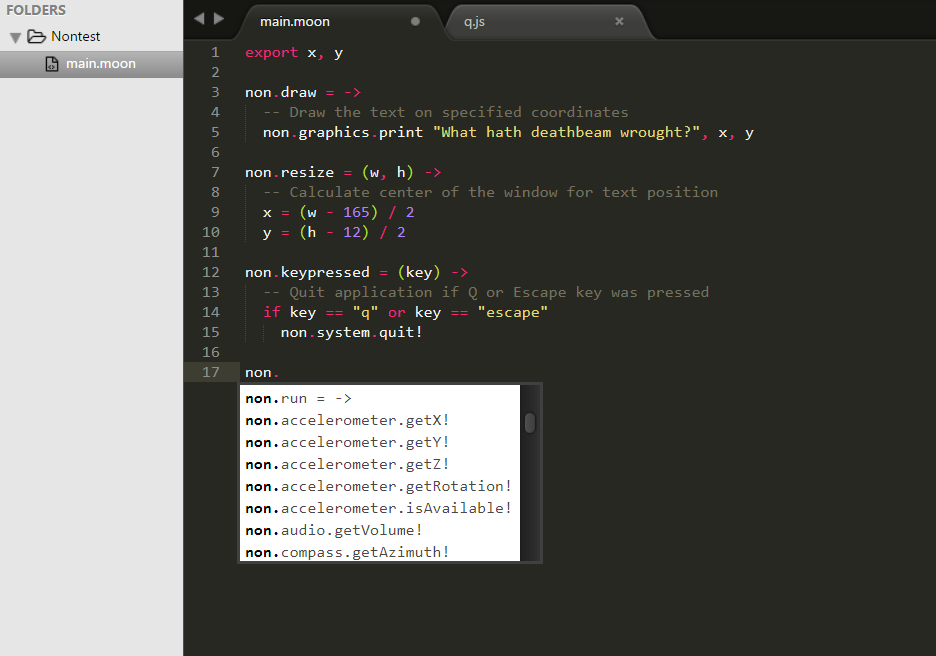
In this guide we will learn how to install official Yae plugin for Sublime Text. By enabling this plugin, you will get access to following features:
- Build system with support for
- Desktop, Android and iOS packaging
- Desktop, Android and iOS running
- Autocompletion for entire NON API
First, navigate to your Sublime Text Packages directory. Now, run this command to install MoonScript support:
git clone https://github.com/leafo/moonscript-tmbundle.git MoonScript
Now, run similar command again to install Yae plugin:
git clone https://github.com/yaedev/yae-sublime Yae
Now, if it is not working, restart Sublime. Enjoy 😄