Repository navigation
Measurements and Analysers
A default set-up shows six measurements in the strip. The Measure menu adds others and turns on statistics. In Measure > Add item a tap adds a measurement, and from 0.1.6 a second tap removes it again.
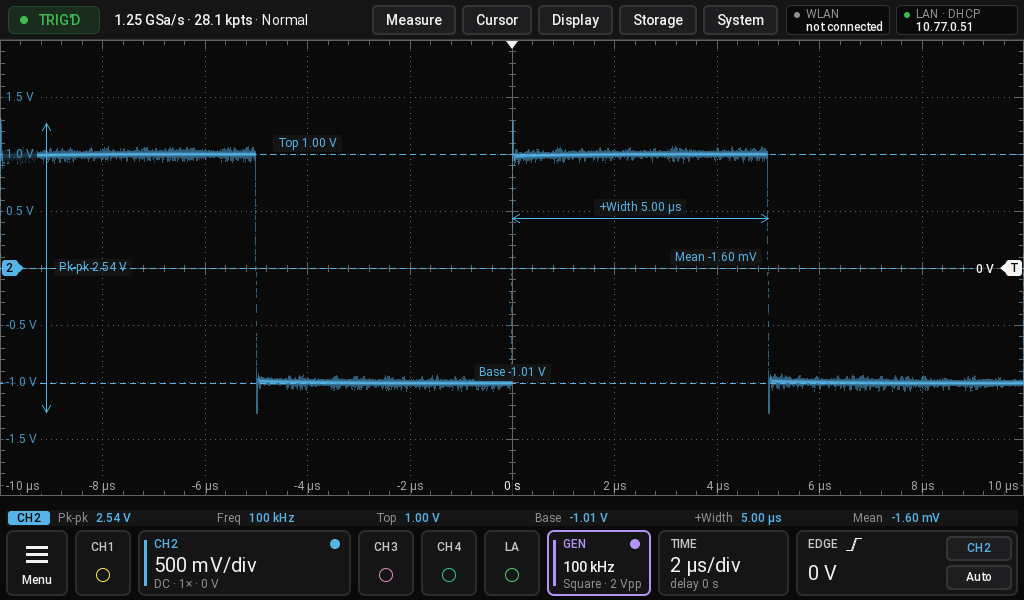
Labels on trace in the Measure menu draws what each measurement means, with level lines and arrows:
Measure > DVM / counter (also Menu > Instruments): Counter on, Count source a channel that is on, Count mode Frequency, Period or Totalize, Digits 3 to 6. From 0.1.9 the scope counts in hardware: a reciprocal counter in the FPGA, so 6 digits hold at any frequency, from below 1 Hz to tens of MHz. More digits take longer: 0.25 s for 3, 0.5 s for 4, 1 s for 5 and 6. Over SCPI: :COUNter:CURRent?.
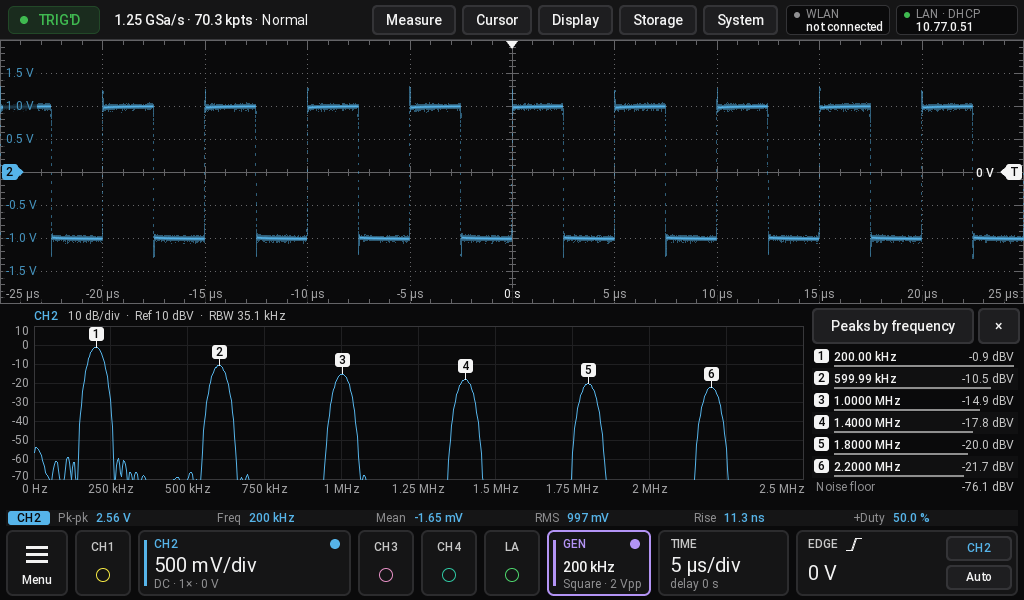
Display > Pane puts a second view under the waveform. The x closes it.
Spectrum: the spectrum with numbered peaks and a peak list. The span follows the signal. Tap the title for its settings, the button above the list to sort by frequency or level.
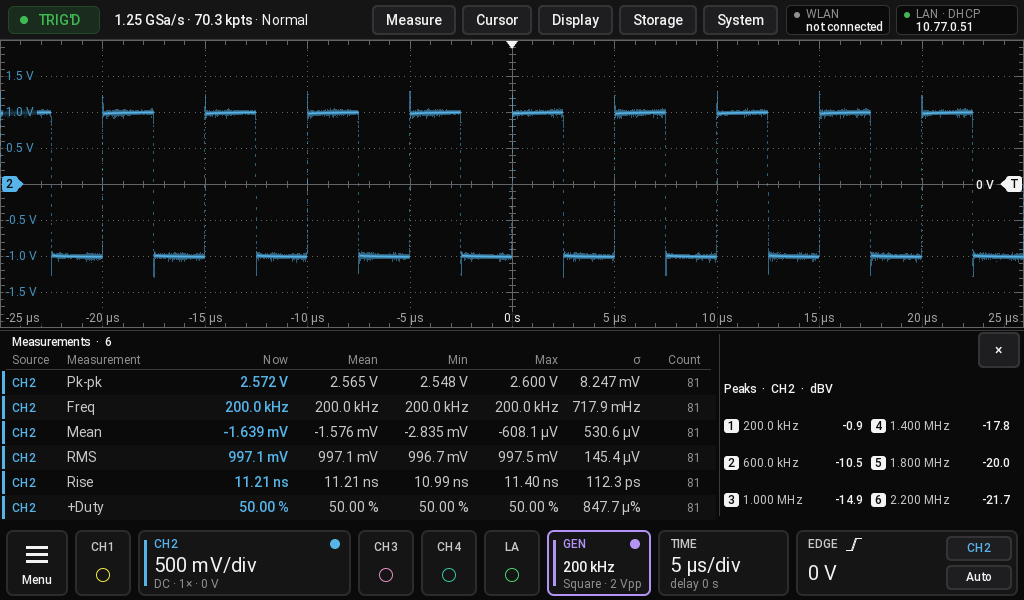
Results: every measurement with mean, min, max, sigma and count, with cursors and peaks beside it.
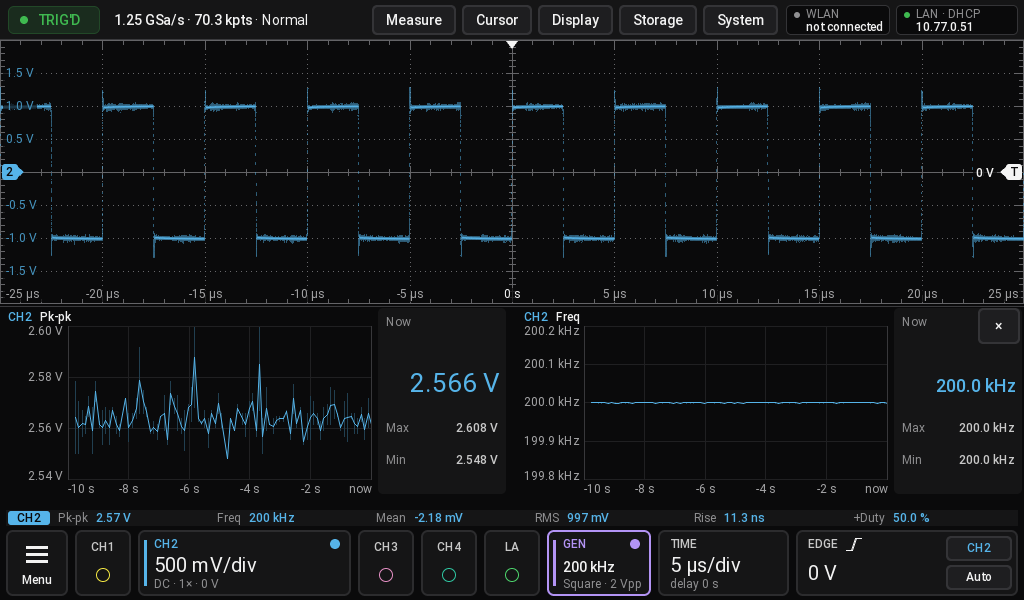
Trend: two measurements over time. Tap a chart to change its measurement.
Events: what the decoders found, with time and decoder. From 0.1.6 the DCC decoder lists one command per row ("Loco 5 Fwd 50/128", "Turnout 3 Left").
Bus view (from 0.1.6): a protocol's own picture of what it decoded. The DCC decoder for model railways shows the layout it controls, collected over the records until Clear: locomotives with direction, speed and functions, turnouts, signals, and the track status, green while the track is live and red after an emergency stop. On a track, measure the two rails with two probes as a pair (Decode > B line (A-B)) with a threshold of 0 V.
Menu > Analysers holds Spectrum, Eye / jitter, Power analysis, Bode and the bandwidth test. They replace the waveform. The three dots at the top right lead to Exit, Settings and what fits the view, for example Clear eye.
If the source of an analyser is switched off, choose another one in its Settings. From 0.1.1 on it takes the first channel that is on by itself.
From 0.1.11, please test and report. A generator the scope controls can also be on the scope's USB-A port instead of the network: Analysers > Bode, Generator = Rigol DG, Siglent SDG, SCPI or UNI-T UTG900 (UTG932, UTG962), then Connection = USB. OOS talks to the first USBTMC instrument on the port, without a PC, and shows its *IDN? answer, or why there is none (no device, a device that is not USBTMC). The UNI-T commands come from UNI-T's programming manual. So far this is tested with a simulated device only. SCPI: :BODE:GENerator "usb".
Experimental, from 0.1.9, please test and report. For a generator that sweeps on its own and marks the start of each sweep on a sync output (for example a UTG932). Wire the generator to the device under test and to CH1, the device's output to CH2, the sync output to CH4. Analysers > Bode, Generator = Free-running sweep; set the same start and stop frequency, sweep time and Lin/Log as on the generator, and the sync channel's edge and level. Start the Bode, then the sweep on the generator. The plot shows the gain over frequency, and the phase where an input channel is set. Sweeps longer than about 0.9 s run in scan mode, gain only. It has only been tested with simulated sweeps so far: results from a real generator are very welcome in the forum thread or as a GitHub issue.
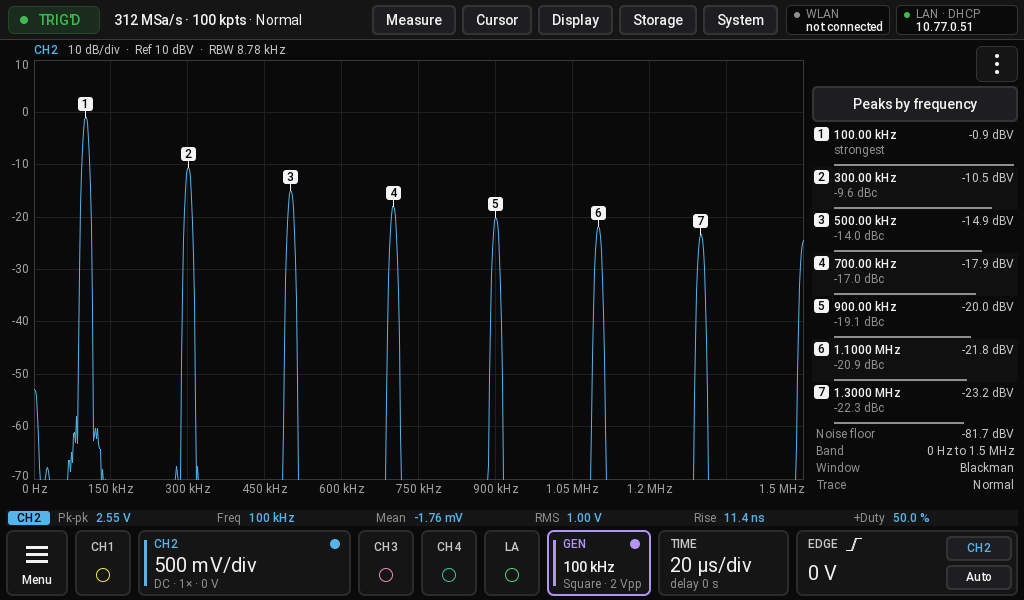
Harmonics in the Spectrum menu sets how far the view follows the signal, All shows the whole band. For exact amplitudes choose the Flattop window. The default Blackman window resolves more.
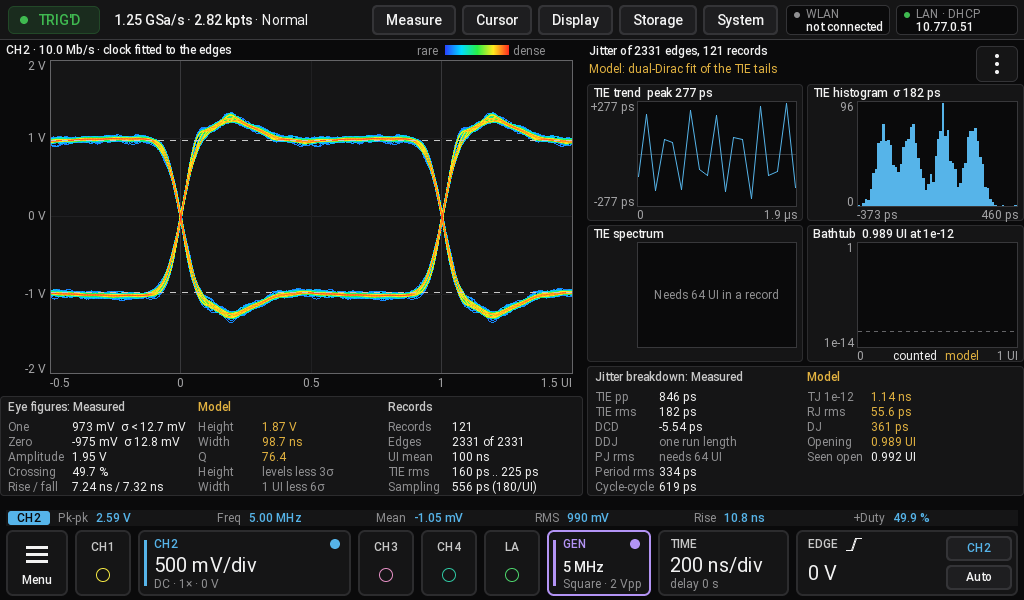
White figures are measured, amber ones come from a model. Where data is missing the page says what it needs.
Acquire > High res averages the samples behind each screen point. It lowers the noise only where the record holds more samples than the screen has points, so use a deeper memory.
System > Overclock sets the sample clock from the next power-on. It is an experiment: above 1.25 GHz the noise rises, 2 GHz gives wrong samples. Measured values are in docs/models.md.