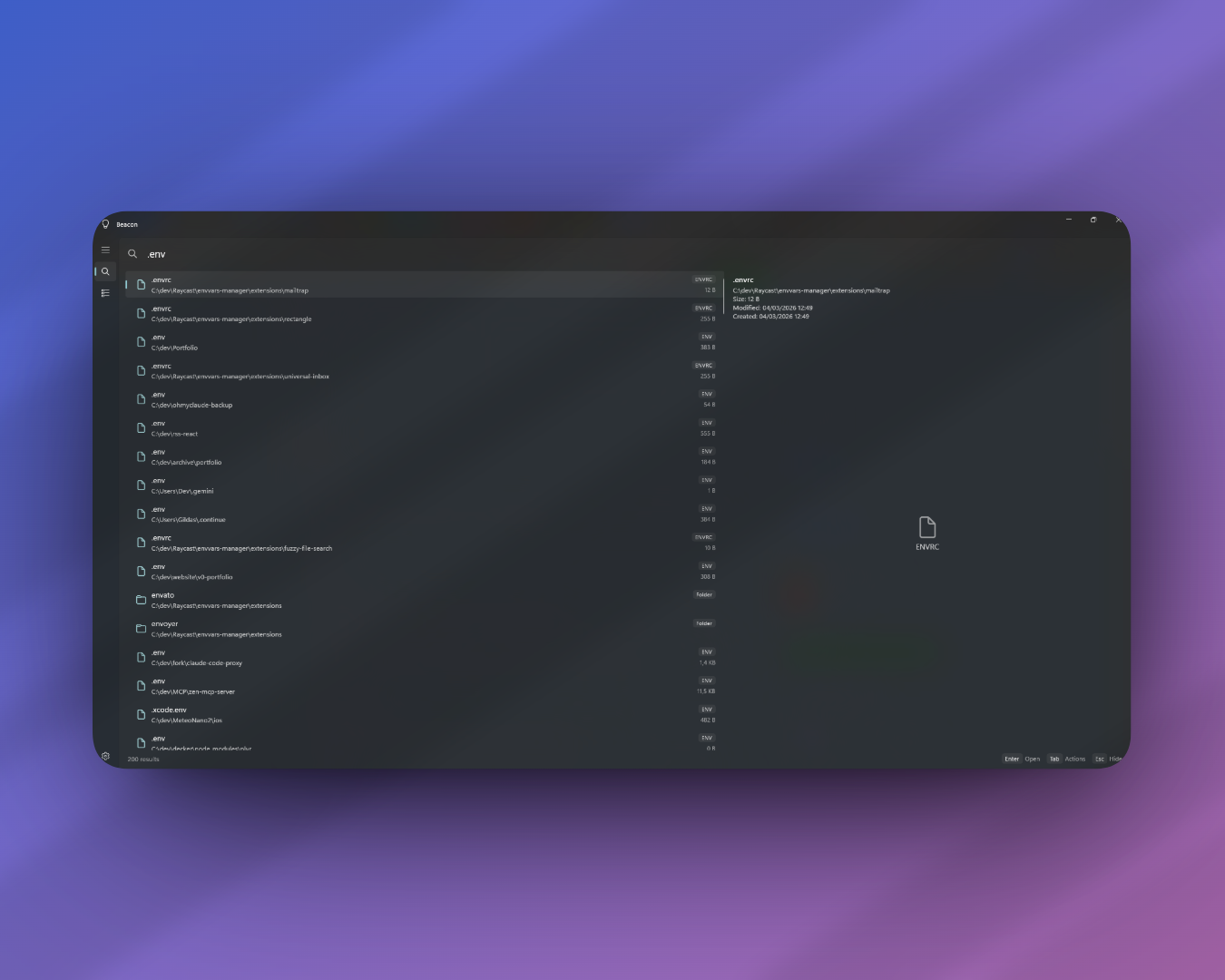
A fast file search and launcher for Windows 11, built with WinUI 3. Beacon indexes your NTFS drives using the MFT (Master File Table) for near-instant full-text search across millions of files.
- Instant search with 50ms debounce and FTS5 full-text matching
- File preview panel — images, source code, and metadata with file size, dates, and attributes
- Raycast-style action menu (Tab or right-click) — Open, Reveal in Explorer, Copy Path, Copy Name, Open in Terminal
- Usage-based ranking — frequently opened files appear higher in results (60% relevance + 40% usage score)
- Keyboard-driven — Arrow keys to navigate, Enter to open, Ctrl+Enter to reveal, Esc to hide
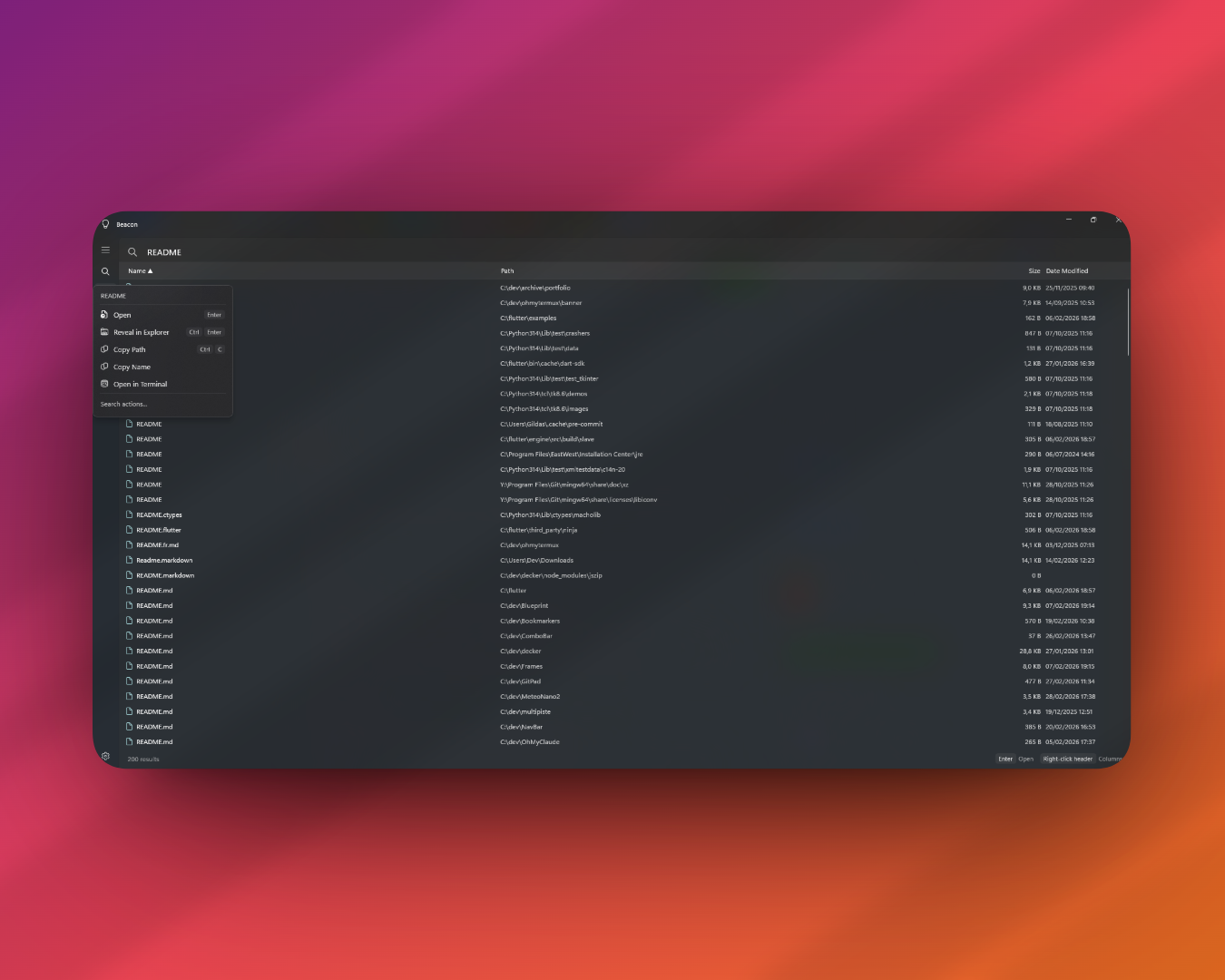
- Multi-column table view inspired by Everything — Name, Path, Size, Date Modified
- Sortable columns — click any header to sort ascending/descending
- Toggleable columns — right-click the header to show/hide: Extension, Type, Date Created, Date Accessed, Attributes
- Same action menu as Quick Search on right-click
- NTFS MFT enumeration via
FSCTL_ENUM_USN_DATAfor fast initial indexing (requires admin) - Fallback directory scan using
Directory.EnumerateFileSystemEntrieswhen MFT access is unavailable - Real-time file watching with
FileSystemWatcherto keep the index up to date - Multi-volume support — select which drives to index in Settings
- Global hotkey (default: Alt+Space) to toggle the window from anywhere
- System tray with quick actions: Show, Reindex, Settings, Quit
- Start with Windows option via registry
- Minimize to tray — closing the window hides it instead of quitting
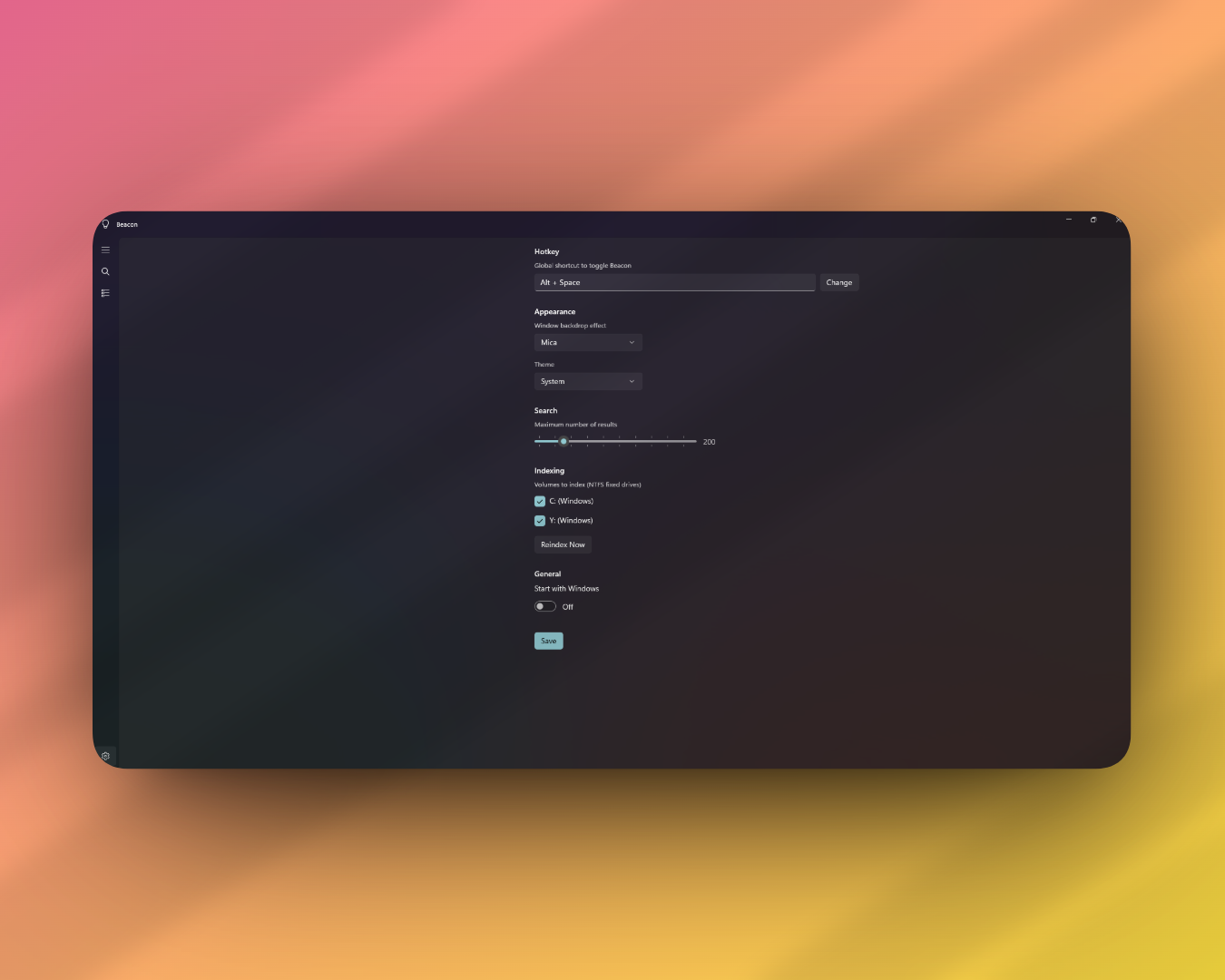
- Hotkey — customizable global shortcut with modifier key support
- Appearance — Mica, Acrylic, or None backdrop (applied live) + Light/Dark/System theme
- Max results — configurable between 50 and 1000
- Indexed volumes — choose which fixed NTFS drives to index
- Start with Windows toggle
| Component | Technology |
|---|---|
| UI Framework | WinUI 3 (Windows App SDK 1.8) |
| Runtime | .NET 8 |
| Database | SQLite with FTS5 via Microsoft.Data.Sqlite |
| Logging | Serilog (rolling file logs) |
| Deployment | Unpackaged, self-contained |
Beacon/
├── App.xaml.cs              # App entry, logging, static service references
├── MainWindow.xaml.cs       # Window management, hotkey, tray, navigation
├── Pages/
│   ├── SearchPage           # Quick search with preview panel
│   ├── AdvancedSearchPage   # Multi-column table search
│   └── SettingsPage         # All configurable options
├── Services/
│   ├── DatabaseService      # SQLite FTS5 schema, search, CRUD
│   ├── NtfsIndexingService  # MFT scan, fallback scan, file watcher
│   ├── SearchService        # Search orchestration with filters
│   └── SettingsService      # JSON settings persistence
├── Models/
│   ├── FileEntry            # Database record model
│   ├── SearchResult         # Search result with scoring
│   ├── AdvancedSearchRow    # Table view row with live FileInfo
│   └── AppSettings          # Persisted configuration
└── Helpers/
    ├── Win32                # P/Invoke declarations
    ├── ActionPanel          # Raycast-style flyout builder
    └── FileIconHelper       # Extension-to-icon mapping
Prerequisites:
- Windows 10/11 (build 19041+)
- .NET 8 SDK
- Visual Studio 2022 with Windows App SDK workload, or just the .NET CLI
dotnet build src/Beacon/Beacon.csprojThe output binary is at src/Beacon/bin/Debug/net8.0-windows10.0.19041.0/win-x64/Beacon.exe.
All data is stored in %LOCALAPPDATA%\Beacon\:
beacon.db— SQLite database with file index and usage historysettings.json— user preferenceslogs/— rolling log files (7-day retention)
All rights reserved.