v1.2.0 — AGPL relicense, dev-server fix, new README

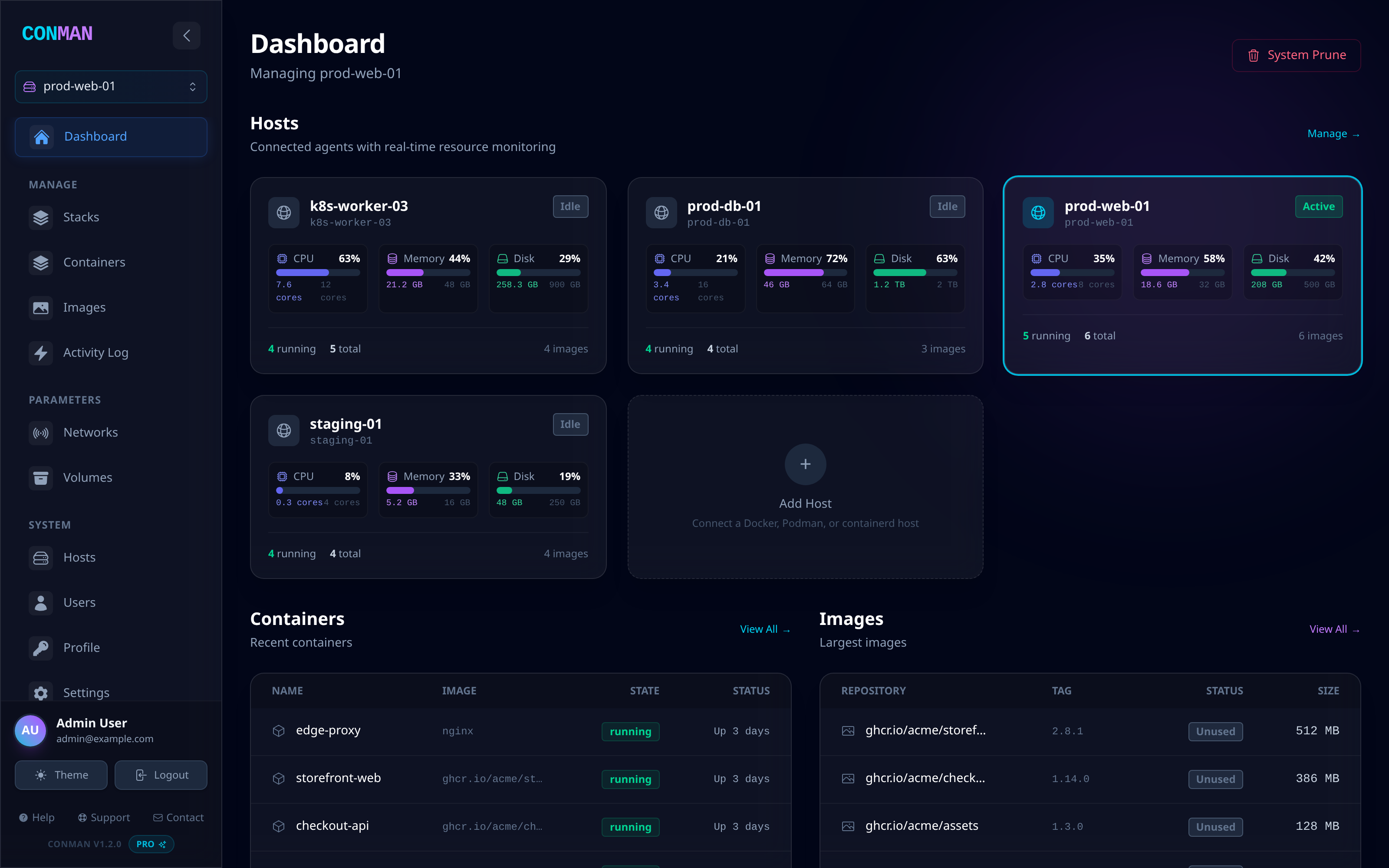
Conman is a self-hosted dashboard for managing containers across many hosts — Docker, Podman, and containerd, from one web UI.
Highlights
Relicensed under AGPL-3.0-or-later
Conman was previously declared MIT in the README, with no LICENSE file backing it. This release ships the full GNU Affero General Public License v3.0 text and updates the license field in both .deb/.rpm package definitions.
The network clause applies: if you run a modified Conman and let others use it over a network, you must offer them the source of your modified version.
Fixed: the frontend did not boot in dev mode
verbatimModuleSyntax is enabled, so a type-only specifier written as a value import (import { ReactNode } from 'react') is emitted as a real runtime import. Vite could not resolve those, and npm run dev rendered a blank page:
SyntaxError: The requested module '/src/types/license.ts'
does not provide an export named 'LicenseInfo'
All 20 affected imports now use the type modifier.
Rewritten README
The README now leads with what Conman is for and who it is not for, and includes a feature table, dashboard/containers/hosts screenshots, an edition comparison, and collapsible production install paths.
Known issue: the CI type check is a no-op
The root tsconfig.json is solution-style ("files": [] plus references). tsc --noEmit does not follow project references, so both the CI "Type check" step and npm run build (tsc && vite build) pass unconditionally — which is how the type-import breakage above reached main.
Use npx tsc -b locally. It currently reports 132 remaining errors (77 unused-local warnings under noUnusedLocals, plus roughly 13 genuine type errors). Switching CI over is deferred until those are cleared.
Install
git clone https://github.com/deziss/conman.git
cd conman

export SECRET_KEY=$(openssl rand -hex 32)
export MASTER_API_KEY=$(openssl rand -hex 32)

docker compose -f docker-compose.simple.yml up -d --build
Dashboard on http://localhost:5173, sign in with admin@example.com / admin, and change the password before exposing it to a network.
Building .deb and .rpm packages from source is documented in the README.
Full changelog: https://github.com/deziss/conman/blob/v1.2.0/CHANGELOG.md