A tiny, zero-dependency meme generator for coding agents and CI. No API
key, no signup, stdlib-only — it wraps the free
memegen.link API and hands back a public image URL you
can embed anywhere with .

Give your coding agent a meme button. Two commands, then just ask:
uv tool install makememe          # or: pipx install makememe  /  pip install makememe
meme --install-skill              # installs the bundled Claude Code skill
Restart Claude Code and talk to it normally:
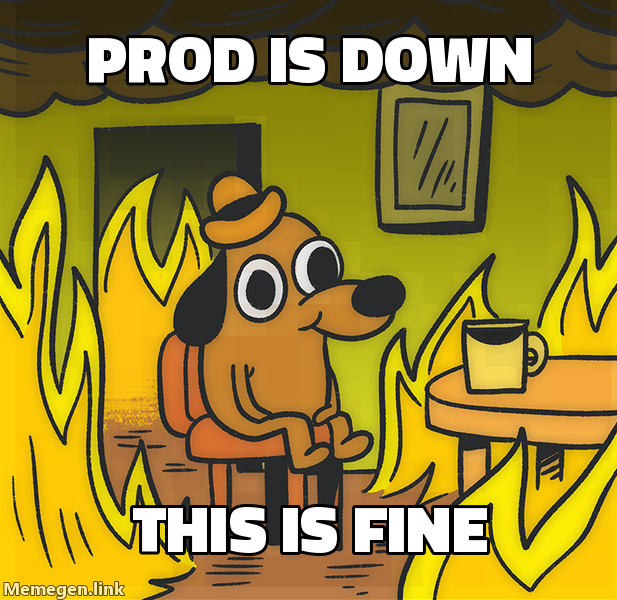
you:   make a "this is fine" meme about prod being down
Claude: → https://api.memegen.link/images/fine/prod_is_down/this_is_fine.png
The skill teaches the agent to pick the template that fits the joke (not just
drake), write the caption, and keep any names you mention — then hand back a URL
that renders inline in a PR, Slack, or anywhere. (Codex and other agents work
out of the box via meme --help / meme --list — no skill needed.)
Prefer to drive it yourself? It's a normal CLI too.

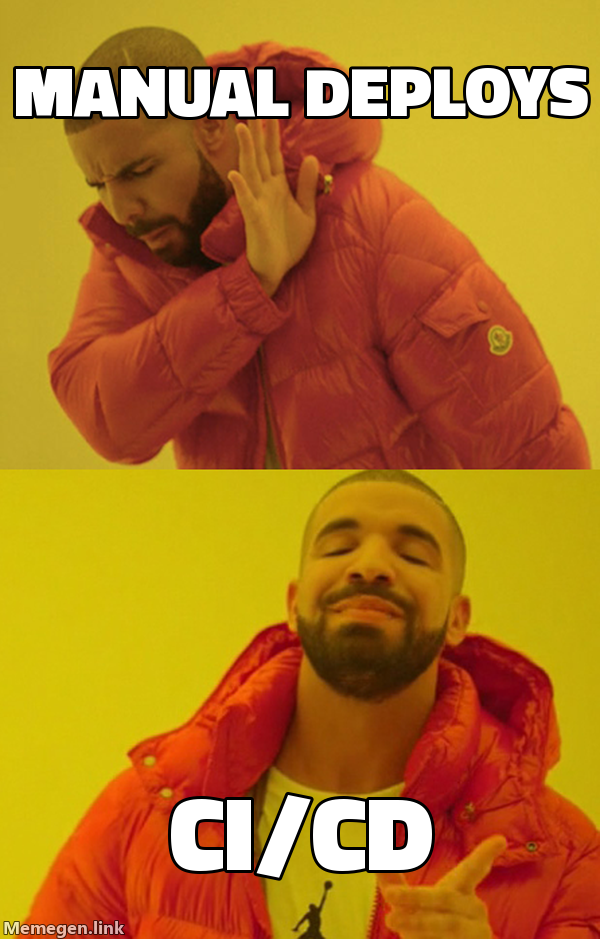
meme drake "manual deploys" "ci/cd"                       # saves a PNG to a temp folder
meme -t fine "prod is down" "this is fine" --print-url    # or just print a shareable URL
meme --list                                               # browse all template ids
No install needed to try it: uvx --from makememe meme drake "a" "b".
Next: meme your CI on every PR with a copy-paste GitHub Action.
# install (pick one)
uv tool install makememe          # recommended — isolated, puts `meme` on PATH
pipx install makememe
python3 -m pip install makememe

# install the bundled Claude Code skill, then restart Claude Code
meme --install-skill              # ~/.claude/skills/meme/ (all projects)
meme --install-skill --project    # ./.claude/skills/meme/ (this repo only)
Upgrading:
uv tool upgrade makememe          # pipx: pipx upgrade makememe | pip: pip install -U makememe
meme --install-skill              # ⚠️ re-run this so the skill updates too
⚠️ Upgrading the package does not refresh the skill already copied into~/.claude/skills/meme/. Re-runmeme --install-skillafter every upgrade (then restart Claude Code), or the agent keeps using the old skill.
Verify:
meme --version                    # CLI version
meme --list | head                # CLI runs and reaches templates
ls ~/.claude/skills/meme/SKILL.md # skill is installedmeme <template> "top line" "bottom line" [-o out.png]| Flag | Meaning |
|---|---|
-t, --template |
template id as a flag (alternative to the positional). Agents should use this so a single permission approval covers every template |
-o, --out |
output file (default: a unique file in a temp folder, so it never writes into your current directory) |
--bg URL |
use a custom background image instead of a template |
--ext |
png (default), jpg, webp, or gif |
--style / --font |
template style variant / font override |
--open |
open the finished image in your default viewer |
--print-url |
print the image URL, don't download |
--json |
machine-readable output (for scripts/agents) |
--list |
list available template ids |
meme drake "manual deploys" "ci/cd"
meme same "after I sold" "if I held" "same picture"
meme --bg https://example.com/pic.png "_" "DODGED"
meme regret "SOLD @ 620" "NOW 780 (+26%)" --print-url
meme --list
meme --list --jsonFor sharing (CI, chat, comments) you usually want the public URL, not a
local file — --print-url returns a permanent memegen.link URL you can embed
anywhere with . No download, no image hosting.
Drop this in .github/workflows/pr-meme.yml, change the one test line to your
command, and every PR gets a success / "this is fine" meme based on whether
tests passed. That's the whole setup — no secrets (GITHUB_TOKEN is built in):
name: pr-meme
on: pull_request
permissions:
pull-requests: write # to post the comment
jobs:
meme:
runs-on: ubuntu-latest
steps:
- uses: actions/checkout@v4
- name: Run tests
id: tests
run: echo "replace this with your test command (e.g. pytest, npm test)"
- name: Comment a meme with the result
if: always() # run even when tests fail
run: |
pip install --quiet makememe
if [ "${{ steps.tests.outcome }}" = "success" ]; then
url=$(meme -t success "tests" "passed" --print-url)
else
url=$(meme -t fine "tests failed" "this is fine" --print-url)
fi
gh pr comment "${{ github.event.pull_request.number }}" --body ""
env:
GH_TOKEN: ${{ secrets.GITHUB_TOKEN }}(Also saved at examples/pr-meme.yml.)
Celebrate a tag with a meme in the release notes or a Slack announcement — just feed it the version:
ver=$(git describe --tags --abbrev=0)
url=$(meme -t success "shipped" "$ver" --print-url)
# drop $url into your GitHub Release body, changelog, or a Slack post
Or just ask your agent: "create a meme about this release" — it reads the version/changelog and picks a fitting template.
Slack/Discord: post a --print-url URL to a channel; it auto-unfurls into a
preview.
url=$(meme -t success "build" "passed" --print-url) # -> public URL, embed it anywhereIf a caption line begins with - (e.g. "-26%"), put -- before your lines so
it isn't parsed as a flag:
meme regret --json -- "-26%" "WHY"(Put flags like --json/-o before the --.)
The tool is designed to be parsed:
-
Plain mode prints only the output path to stdout (status goes to stderr), so
path=$(meme drake "a" "b")just works. -
--jsonmode prints a single JSON object:{ "path": "/tmp/makememe/meme-ab12cd.png", "bytes": 12345, "url": "https://api.memegen.link/..." }--list --jsonreturns the template catalog as JSON;--print-url --jsonreturns{"url": "..."}; failures return{"error": "...", "url": "..."}with a non-zero exit code.
Typical agent flow:
meme --list --json                       # discover template ids
meme drake "old way" "new way" --json # generate, capture the pathThe package bundles a Claude Code skill. After installing, run one command to make Claude Code auto-discover the tool:
meme --install-skill              # installs into ~/.claude/skills/meme/ (all projects)
meme --install-skill --project    # or into ./.claude/skills/meme/ (this repo only)
Restart Claude Code, then just talk to it. You don't name templates or flags — the skill picks the template that fits the joke, writes the caption, and keeps any names you mention. Things you can say:
| You say… | What Claude does |
|---|---|
| "make a 'this is fine' meme about prod being down" | fine template → returns a shareable URL |
| "drake meme: manual deploys vs CI/CD" | drake (reject A / prefer B) |
| "a meme about choosing between fixing the bug and shipping the feature" | picks ds (two-buttons dilemma) on its own |
| "meme about my plan to refactor that keeps breaking tests" | picks gru (plan backfires) |
| "make a meme ragging on Raj for force-pushing to main" | keeps the name Raj in the caption |
| "a 'change my mind' meme that tabs beat spaces" | cmm one-liner |
| "meme that staging and prod are the same picture" | same template |
| "make me a success-kid meme for fixing the flaky test, and save it as a png" | success → downloads a file with --open |
| "drop a meme on this PR based on whether CI passed" | wires up --print-url + gh pr comment |
| "create a meme about this release" | reads the version/changelog → picks a fitting template |
It's conversational — "funnier", "use the two-buttons template instead", or "now make the bottom line shorter" all work as follow-ups.
(Other agents like Codex don't use this skill format — they discover everything
through meme --help and meme --list, which already works out of the box.)
The CLI is built to fail gracefully, never with a raw traceback:
- Network errors, dead hosts, bad template ids (404), oversized text (414), and non-image backgrounds (415) all exit non-zero with a one-line message — and no partial/garbage file is written.
Ctrl-Cexits cleanly (code 130); piping intoheadetc. won't spew aBrokenPipeError.- Arbitrary text — emoji, CJK,
% # & / ? " \, tabs, control chars, 10k-char lines — is escaped safely.
Run the test suite (stdlib only, no network needed):
python -m unittest discover -s testsIt builds a memegen.link URL from your template + text (handling all the fiddly
path-segment escaping — spaces, _, -, ?, /, %, etc.), downloads the
image, and saves it. That's the whole trick.
MIT