Node Red Dosing Pumps Calibration
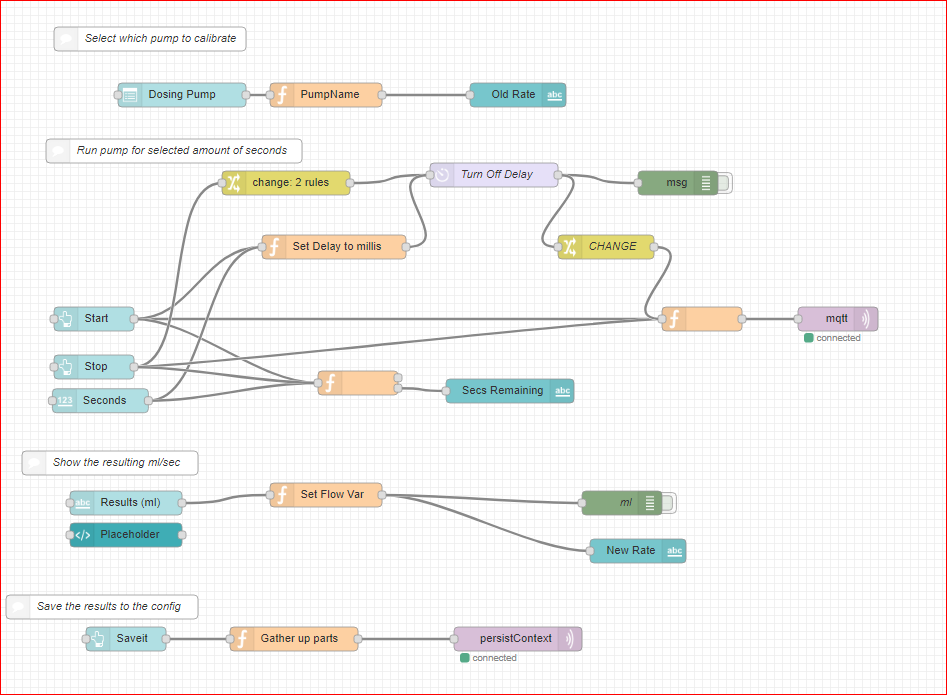
- When running calibration, use the same material that will be dosed and place the catch container up on the tank where it will going into the tank to keep the same relative head pressure. Be certain the catch container will hold whatever amount the pump will do in 30 secs. You can see from the screenshots below that they pump about 5 ml/sec from the floor to the edge of a 75g tank sitting on a cabinet.
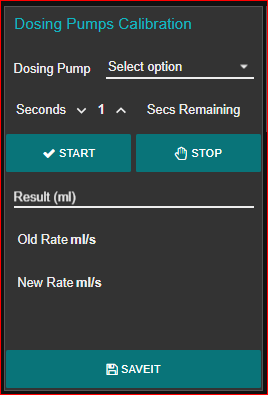
- Select the pump to calibrate from dropdown
- Select number of seconds to pump (30 secs is good)
- Press Start and wait for countdown to go to zero
- Measure the resulting liquid pumped
- Enter the results in ml
- The rate will be calculated
- Press SAVEIT to store the values in the settings
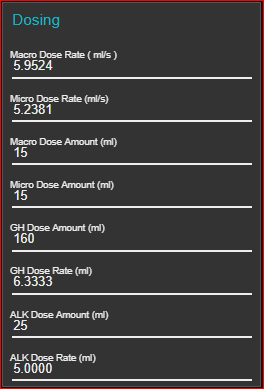
- The rate (set by calibration and/or adjusted manually) and the amount to be dosed are set on this screen
- Each pump has a dose rate in ml/sec and a dose amount in ml