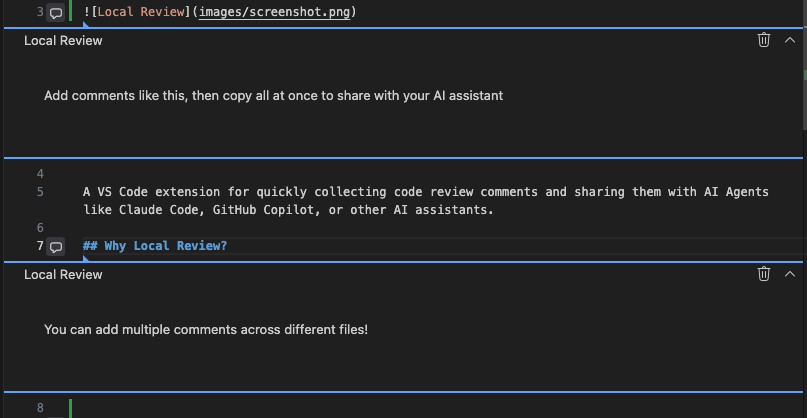
A VS Code extension for quickly collecting code review comments and sharing them with AI Agents like Claude Code, GitHub Copilot, or other AI assistants.
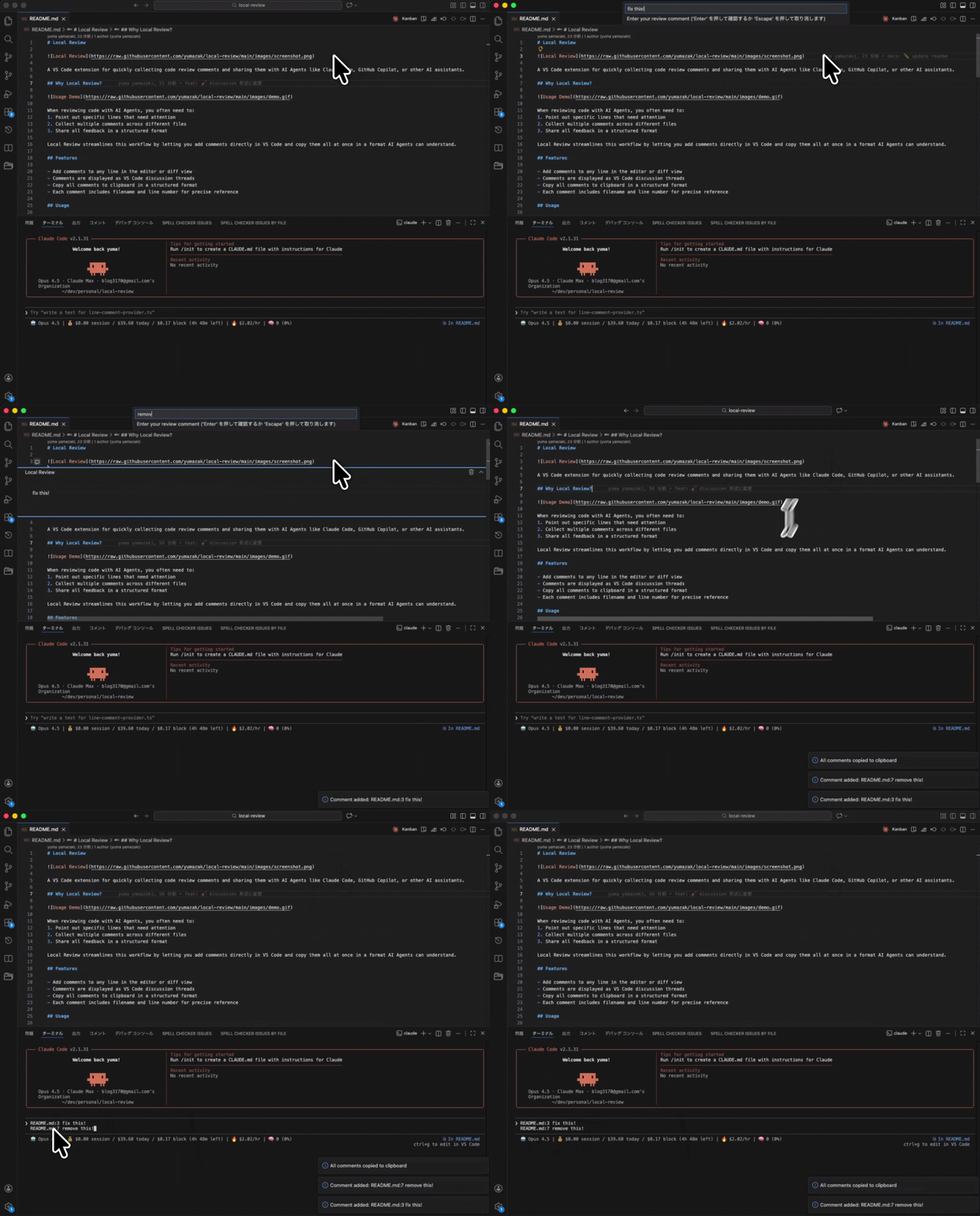
When reviewing code with AI Agents, you often need to:
- Point out specific lines that need attention
- Collect multiple comments across different files
- Share all feedback in a structured format
Local Review streamlines this workflow by letting you add comments directly in VS Code and copy them all at once in a format AI Agents can understand.
- Add comments to any line in the editor or diff view
- Comments are displayed as VS Code discussion threads
- Copy all comments to clipboard in a structured format
- Each comment includes filename and line number for precise reference
- Place cursor on the line you want to comment
- Press
Cmd+Shift+C(macOS) orCtrl+Shift+C(Windows/Linux) - Enter your comment and press Enter
- The comment appears as a discussion thread on that line
- Press
Cmd+Shift+Enter(macOS) orCtrl+Shift+Enter(Windows/Linux) - All comments are copied to clipboard and cleared
Click the trash icon on the comment thread to delete it.
Comments are formatted for easy parsing by AI Agents:
src/extension.ts:42 check the initialization
src/utils/parser.ts:15 this logic seems duplicated
- Open a diff view of changes you want to review
- Add comments to lines that need attention
- Copy all comments with
Cmd+Shift+Enter - Paste into Claude Code with your review request
- Browse through code and mark areas for improvement
- Add comments describing what should be changed
- Share the collected comments with your AI assistant
| Command | Shortcut | Description |
|---|---|---|
| Local Review: Add Comment to Current Line | Cmd+Shift+C |
Add a comment to the current line |
| Local Review: Copy All Comments | Cmd+Shift+Enter |
Copy all comments and clear |
| Setting | Default | Description |
|---|---|---|
localReview.useAbsolutePath |
false |
Use absolute file paths instead of relative paths in comments |
localReview.copyOnComment |
true |
Automatically copy comment to clipboard when adding a new comment |
// .vscode/settings.json
{
  "localReview.useAbsolutePath": true,
  "localReview.copyOnComment": false
}- Visual Studio Code 1.108.0 or higher
pnpm install
pnpm run compile
pnpm test