Repository navigation
README
This file defines authoring standards for all GSBS wiki pages. Every page in docs/wiki/ must follow these conventions before it is published via the sync-wiki.yml workflow.
Every wiki page uses this structure:
# Page Title

> One-line summary of what this page covers.

---

## Section heading

Content here.

### Sub-section (optional)

### Related pages

- [Page Name](Page-Filename)
- [Page Name](Page-Filename)
Required elements on every page:
-
# Page Title— exact title matching the wiki filename (spaces replaced by hyphens). - A brief summary or lead paragraph immediately after the title.
-
---horizontal rule before the first major section (for visual separation). -
## Related pagesblock at the bottom of every page with 2–5 relevant cross-links.
| Wiki page title | Filename in docs/wiki/
|
|---|---|
| Home | Home.md |
| Installation | Installation.md |
| Client Setup & Usage | Client-Setup-and-Usage.md |
| Server Configuration | Server-Configuration.md |
| How It Works (Architecture) | How-It-Works.md |
| Troubleshooting | Troubleshooting.md |
| Upgrading | Upgrading.md |
| API Reference | API-Reference.md |
| Changelog | Changelog.md |
| FAQ | FAQ.md |
| Contributing / Development | Contributing.md |
| Level | Use for |
|---|---|
# |
Page title only (one per page) |
## |
Major sections |
### |
Sub-sections within a major section |
#### |
Rarely — only for very granular sub-topics |
Do not skip heading levels.
Use blockquotes to standardize callout styling:
> **Note:** General information worth highlighting.

> **Warning:** Something that may cause data loss or service interruption.

> **Version note (vX.Y.Z):** Behavior that changed in a specific release.

> **Migration note:** Action required when upgrading.Always specify a language for fenced code blocks:
```bash
docker compose pull && docker compose up -d
Use `bash` for shell, `json` for JSON, `yaml` for YAML, `go` for Go, `text` for plain output.

---

## Tables

All tables use pipe-style Markdown:

```markdown
| Column A | Column B | Column C |
|----------|----------|----------|
| value    | value    | value    |
Align column widths for readability in source.
Use standard Markdown links targeting the wiki page filename without the .md extension (the sync script rewrites these for the GitHub wiki):
[Upgrading](Upgrading)
[Server Configuration](Server-Configuration)
[FAQ](FAQ)
Do not embed links to docs/*.md repo files in wiki pages — convert them to wiki links or full GitHub blob URLs.
Images are referenced by GitHub URL (the sync script inserts the base URL):
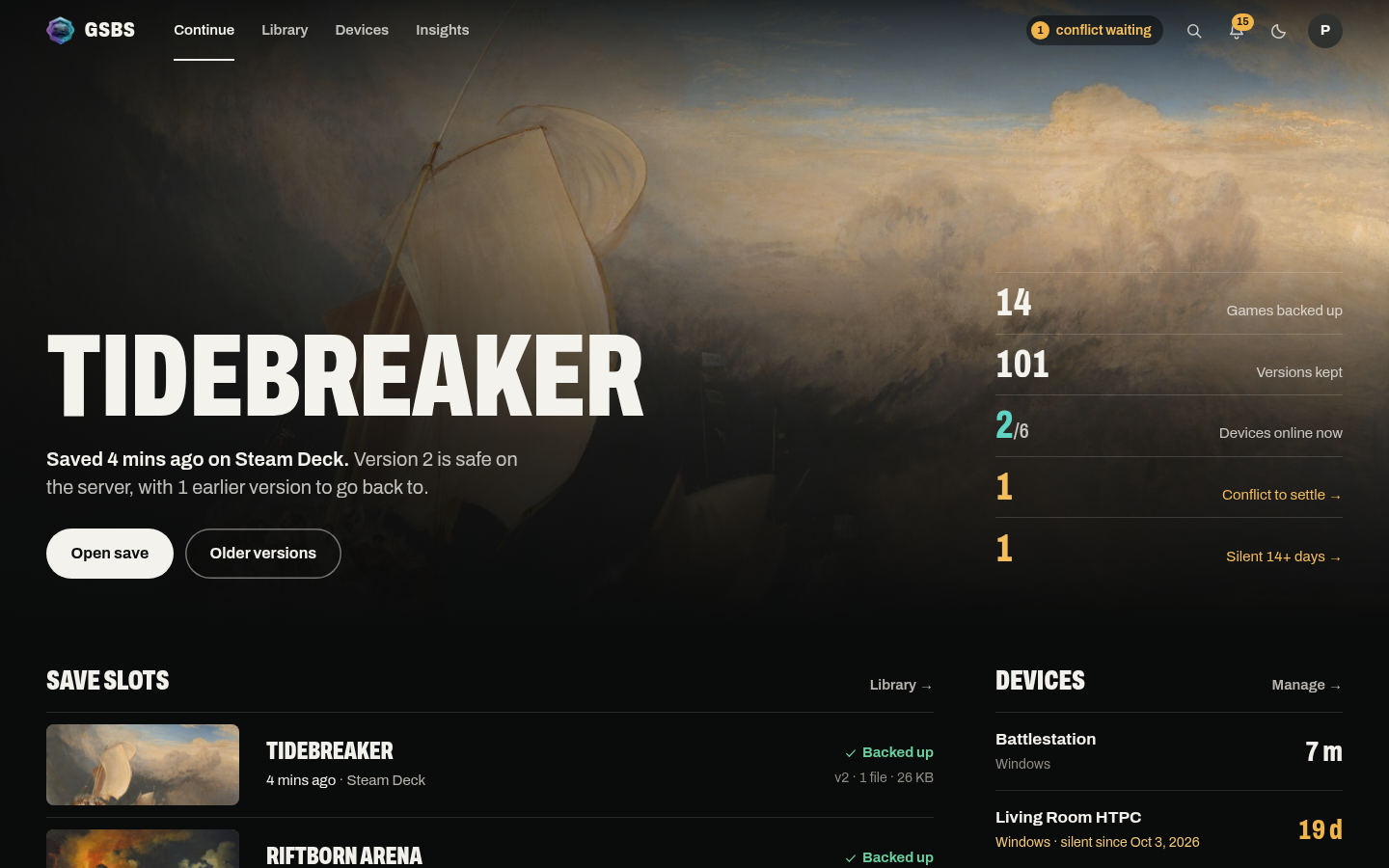Available screenshots in docs/images/screenshots/:
dashboard.pngtray-menu.pngadmin-overview.pngsetup-wizard.png- Full page set:
- Server WebUI:
example-webui-*.png - Client local pages:
example-client-*.png
- Server WebUI:
Logo: docs/images/gsbs-logo-sm.png
All upgrade procedures must live in Upgrading. Other pages may link to Upgrading for specific sections but must not duplicate step-by-step procedures. Use an anchor link for precision:
See [Upgrading → Server](Upgrading#server) for the full procedure.- Page title matches the filename table above.
- Lead paragraph immediately follows the title.
-
---before first section. - All callouts use the blockquote convention.
- All code blocks have a language specifier.
- Internal links use wiki-style filenames.
- Images use full GitHub raw URLs.
- No duplicate upgrade procedures (link to
Upgradinginstead). -
## Related pagesblock at the bottom.
Getting started
Reference
Help
Contributing