Hi there.
First of all: good job on v4.4 lately compared to version 3. We recently updated to v4 within our company and the v4.4 has a lot of new things and improvements. Unfortunately we came across some issues we really wonder why they're even documented because they do not seem to work.
We use this module heavily within our company for one of our clients so we are getting the most out of it and we had to debug a lot in the core back then with v3 (also with v4 already) and within docx its XML files to see what was wrong. Below you'll find our feedback.
Some background information
- We use this module in NodeJS.
- We personally test using the latest version of LibreOffice on OS X. We also test on Microsoft Word 2007+ if a functionality is complete and finished for LibreOffice.
Bugs
Numbered lists
They seem to render almost correctly in the XML but it needs.. something. We're not sure what, but the problem is that the numbers do not show. However, bullets render correctly.
If I am using the jsfiddle provided in the README and adjust the code to be the code from this demo and use v4.4.1 it gives me this when I open it in libreoffice:
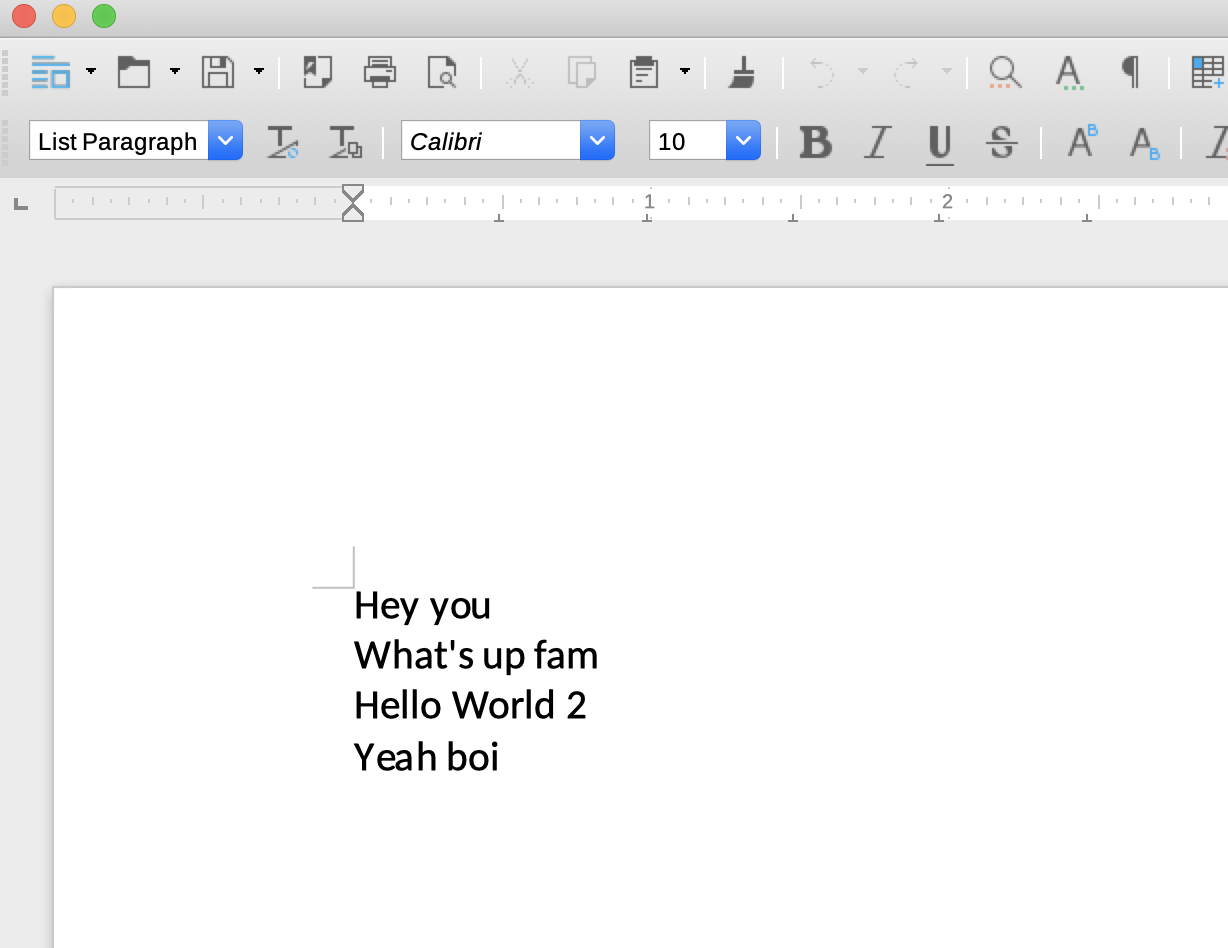
So the demo isn't working already, hence the fact it doesn't work for us. If this could be fixed that would be great.
Table of Contents
This was a huge add-on that we loved to see, unfortunately it doesn't work as well. Even when copying demos into the jsfiddle again, it still doesn't work. My colleague did the hard debugging for this one and mentioned that the XML doesn't generate the hyperlinking properly. Also, a related problem is that my document is not even recognizing the .heading1() as an actual heading. When I am looking in my overview of my document it says it has 0 headings, while it has multiple headings defined. This is probably the main reason for the Table of Contents not being able to work.
Lists
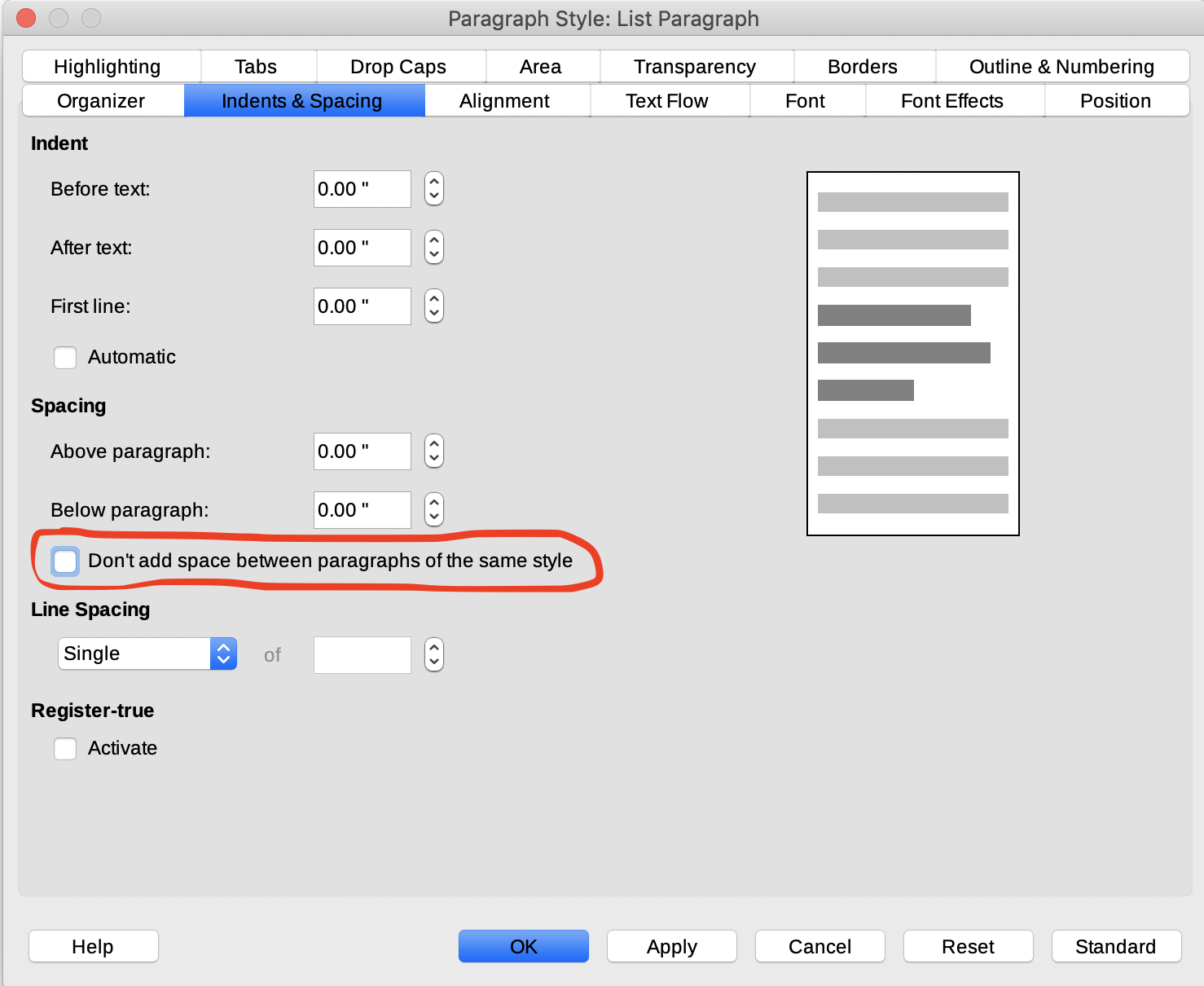
A thing we would like to adjust ourselves is the option "Don't add space between paragraphs of the same style" in a "List Paragraph". I am seeing that this issue #222 is already marked as a "Feature request" so I hope this will be implemented as well.
I have found the actual XML issue that causes this. The list items have in the xml xml:space="preserve" and this attribute will be removed when "Don't add space between paragraphs of the same style" is checked. If you guys are able to implement this for "ListParagraphs" that would be great!
Images
I do not believe this can be seen as a bug, but I do wonder whether this was done on purpose: I noticed images are being inserted with a default width/height of 100. We built our own custom wrapper function internally that uses the width/height of the image itself initially and also makes sure the image does not overlap the document by applying a scale-to-fit calculation when the image overlaps the document width (for now this is a constant variable and not taken from the document itself. If you do know how to get the width/height of the document, please comment down below. I would love to know this).
I really wonder what the reason is you guys don't use the image its width/height as default values. If those are not valid, then you can still go with the default value of 100, but it should have the image dimensions set correctly by default.
You can see our result below including source code (image 1 is twice the document size but nicely preserved and scaled down if it expands the document width, image 2 is smaller than the document width and thus rendered in its original size):
Scroll further to check the source code
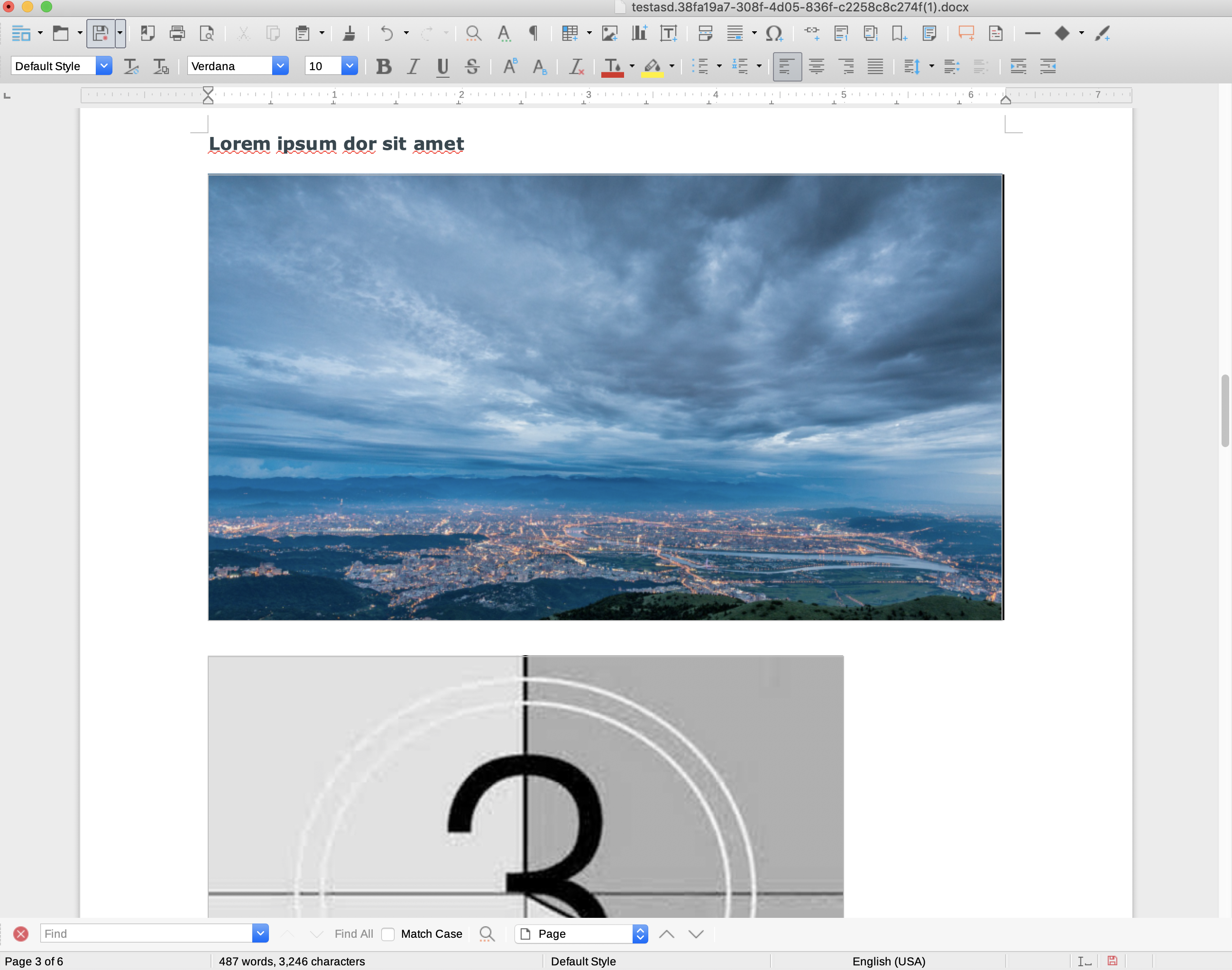
This is how we calculate the image size (feel free to implement this)
const getImageSize = require('image-size');
const fs = require('fs');
const docx = require('docx');

/**
 * createResponsiveImage
 *
 * @description
 *   A wrapper function for the `docx.createImage()` function where we pass in
 *   the correct width/height params and prevent it from overlapping the
 *   document.
 *
 * @param {object} doc - The reference to the docx.Document() instance.
 * @param {string} imagePath
 * @return void
 */
function createResponsiveImage(doc, imagePath) {
  const docWidth = 600; // Any idea how to get this from the doc instance?
  const dimensions = getImageSize(imagePath);
  const width = parseInt(dimensions.width);
  const height = parseInt(dimensions.height);

  // Do a scale-to-fit calculation when the image is overlapping.
  const scale = width / docWidth;
  if (scale > 1) {
    doc.createImage(fs.readFileSync(imagePath), (width / scale), (height / scale));
  } else {
    doc.createImage(fs.readFileSync(imagePath), width, height);
  }
};

const doc = new docx.Document({
  title: '...',
  description: '...',
});

doc.createResponsiveImage = (imagePath) => createResponsiveImage(doc, imagePath);

// Usage
doc.createResponsiveImage('./path/to/image.png');
Feature requests
These are some things we think would be really nice to have:
- Jump lists
- Allow spacing for images (this is not possible, even when I am inserting it with a Paragraph coming from this demo)
I hope you can read all of the above and I would appreciate it if you could answer all my burning questions and give your opinion on all the bugs and its reasons + the future requests and whether these are doable or planned for in the future. We're planning to do some contributions based on your answer on this issue, but since we're really busy as well, we can't provide everything at once so help from you guys would be appreciated as well!
Thank you guys a lot for the hard work for this project! 🥇 👍
Hi there.
First of all: good job on v4.4 lately compared to version 3. We recently updated to v4 within our company and the v4.4 has a lot of new things and improvements. Unfortunately we came across some issues we really wonder why they're even documented because they do not seem to work.
We use this module heavily within our company for one of our clients so we are getting the most out of it and we had to debug a lot in the core back then with v3 (also with v4 already) and within docx its XML files to see what was wrong. Below you'll find our feedback.
Some background information
Bugs
Numbered lists
They seem to render almost correctly in the XML but it needs.. something. We're not sure what, but the problem is that the numbers do not show. However, bullets render correctly.
If I am using the jsfiddle provided in the README and adjust the code to be the code from this demo and use v4.4.1 it gives me this when I open it in libreoffice:
So the demo isn't working already, hence the fact it doesn't work for us. If this could be fixed that would be great.
Table of Contents
This was a huge add-on that we loved to see, unfortunately it doesn't work as well. Even when copying demos into the jsfiddle again, it still doesn't work. My colleague did the hard debugging for this one and mentioned that the XML doesn't generate the hyperlinking properly. Also, a related problem is that my document is not even recognizing the
.heading1()as an actual heading. When I am looking in my overview of my document it says it has 0 headings, while it has multiple headings defined. This is probably the main reason for the Table of Contents not being able to work.Lists
A thing we would like to adjust ourselves is the option "Don't add space between paragraphs of the same style" in a "List Paragraph". I am seeing that this issue #222 is already marked as a "Feature request" so I hope this will be implemented as well.
I have found the actual XML issue that causes this. The list items have in the xml
xml:space="preserve"and this attribute will be removed when "Don't add space between paragraphs of the same style" is checked. If you guys are able to implement this for "ListParagraphs" that would be great!Images
I do not believe this can be seen as a bug, but I do wonder whether this was done on purpose: I noticed images are being inserted with a default width/height of 100. We built our own custom wrapper function internally that uses the width/height of the image itself initially and also makes sure the image does not overlap the document by applying a scale-to-fit calculation when the image overlaps the document width (for now this is a constant variable and not taken from the document itself. If you do know how to get the width/height of the document, please comment down below. I would love to know this).
I really wonder what the reason is you guys don't use the image its width/height as default values. If those are not valid, then you can still go with the default value of 100, but it should have the image dimensions set correctly by default.
You can see our result below including source code (image 1 is twice the document size but nicely preserved and scaled down if it expands the document width, image 2 is smaller than the document width and thus rendered in its original size):
Scroll further to check the source code
This is how we calculate the image size (feel free to implement this)
Feature requests
These are some things we think would be really nice to have:
I hope you can read all of the above and I would appreciate it if you could answer all my burning questions and give your opinion on all the bugs and its reasons + the future requests and whether these are doable or planned for in the future. We're planning to do some contributions based on your answer on this issue, but since we're really busy as well, we can't provide everything at once so help from you guys would be appreciated as well!
Thank you guys a lot for the hard work for this project! 🥇 👍