Ansible playbooks for installing OpenStack Icehouse on Debian jessie.
These playbooks have been written in the hope of using them in a real deployment with physical servers, but thay can be used too to deploy a OpenStack test environment with vagrant inside a computer.
This is still a work in progress
- Debian GNU/Linux: jessie (amd64). At this moment jessie is in frozen state and is expected to be released in April 2015
- Linux kernel: 3.16.0-4-amd64
- Open vSwitch: 2.3.0
- OpenStack: Icehouse (2014.1)
- Ansible: 1.7.2
- Vagrant: 1.6.5
- VirtualBox: 4.3.14
Keystone, Glance, Nova, Neutron and Cinder
Per tenant router with private networks
Tested using the debian jessie vagrant box available at:
https://vagrantcloud.com/albertomolina/boxes/debian-jessie-amd64
You can download and install it locally with:
vagrant box add --name albertomolina/debian-jessie-amd64 https://vagrantcloud.com/albertomolina/boxes/debian-jessie-amd64
If you are going to use these playbooks with physical serves, ignore the Vagranfile and configure ansible.cfg properly.
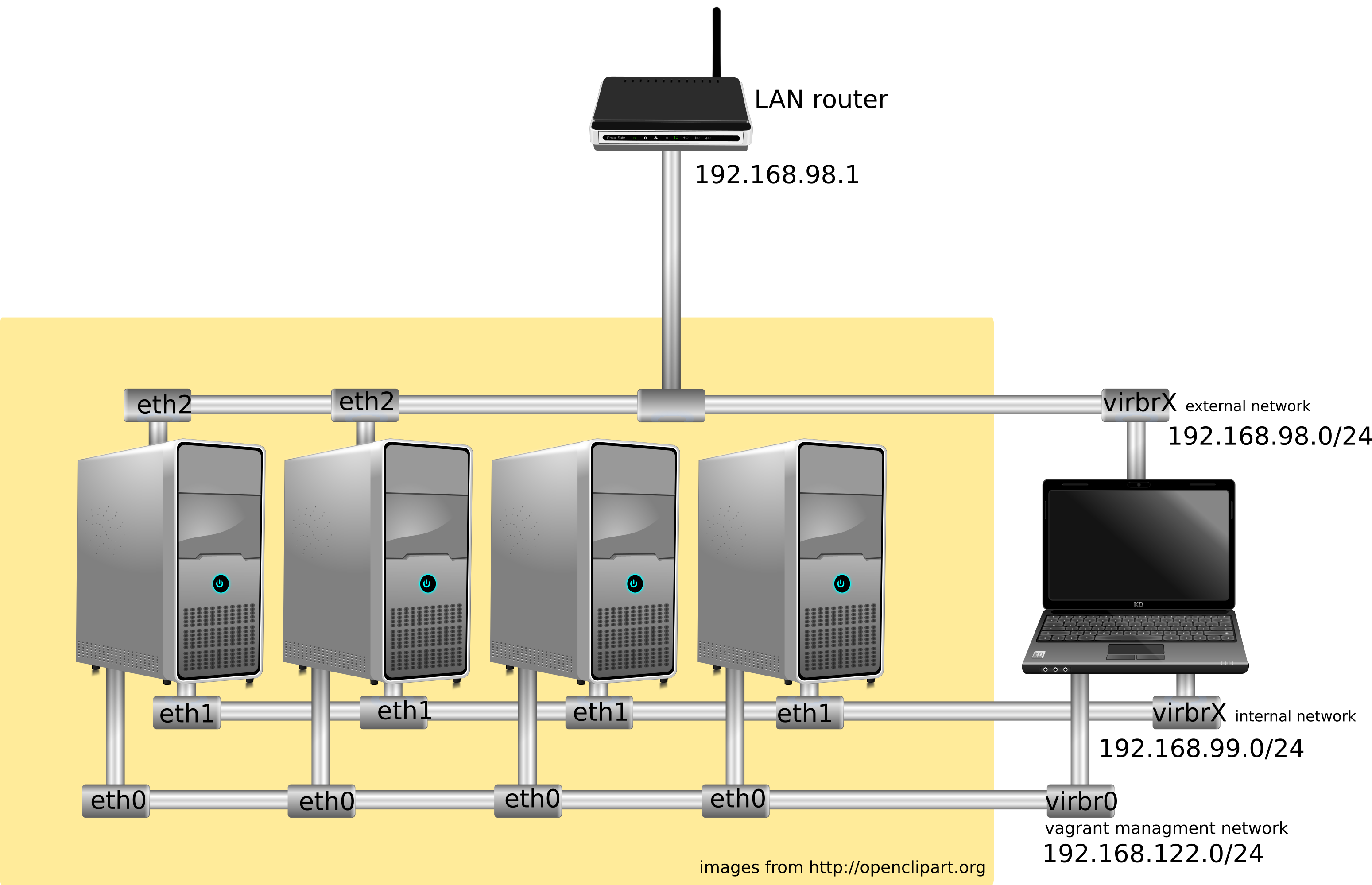
At this moment the playbooks are tested only in an "AllinOneNode" schema.
The file groups_var/all contains all variables needed by ansible playbooks and they can be customized if needed. It's mandatory to define the following variables according to your LAN:
controller_external_ip: 192.168.1.101
storage_external_ip: 192.168.1.101
network_node_external_ip: 192.168.1.101
network_node_external_netmask: 255.255.255.0
network_node_external_CIDR: 24
external_gateway: 192.168.1.1
The Vagranfile must be modified too:
controller.vm.network :public_network, bridge: "wlan0" ,ip: "192.168.1.101" # eth2 external
chmod 400 vagrant_private_key
vagrant up
ansible-playbook site.yml --sudo
Open your browser and type in the notification bar http://192.168.1.101 or the corresponding external IP chosen.