
Replies: 15 comments 28 replies

|
Oh …, yes, that is right. I checked now and even the Wahoo Snap doesn’t have cadence. Will definitely add this then. The thing is I’ll need to implement the bluetooth speed and cadence spec as well, but maybe a basic version will be possible in a couple of days. I’ll push a development version and notify you here. If you can help with testing it, this will speed time to production. |

|
Sure. I can test it. Thank you so much |
|
@dvmarinoff The cadence sensor display as below video. |
|
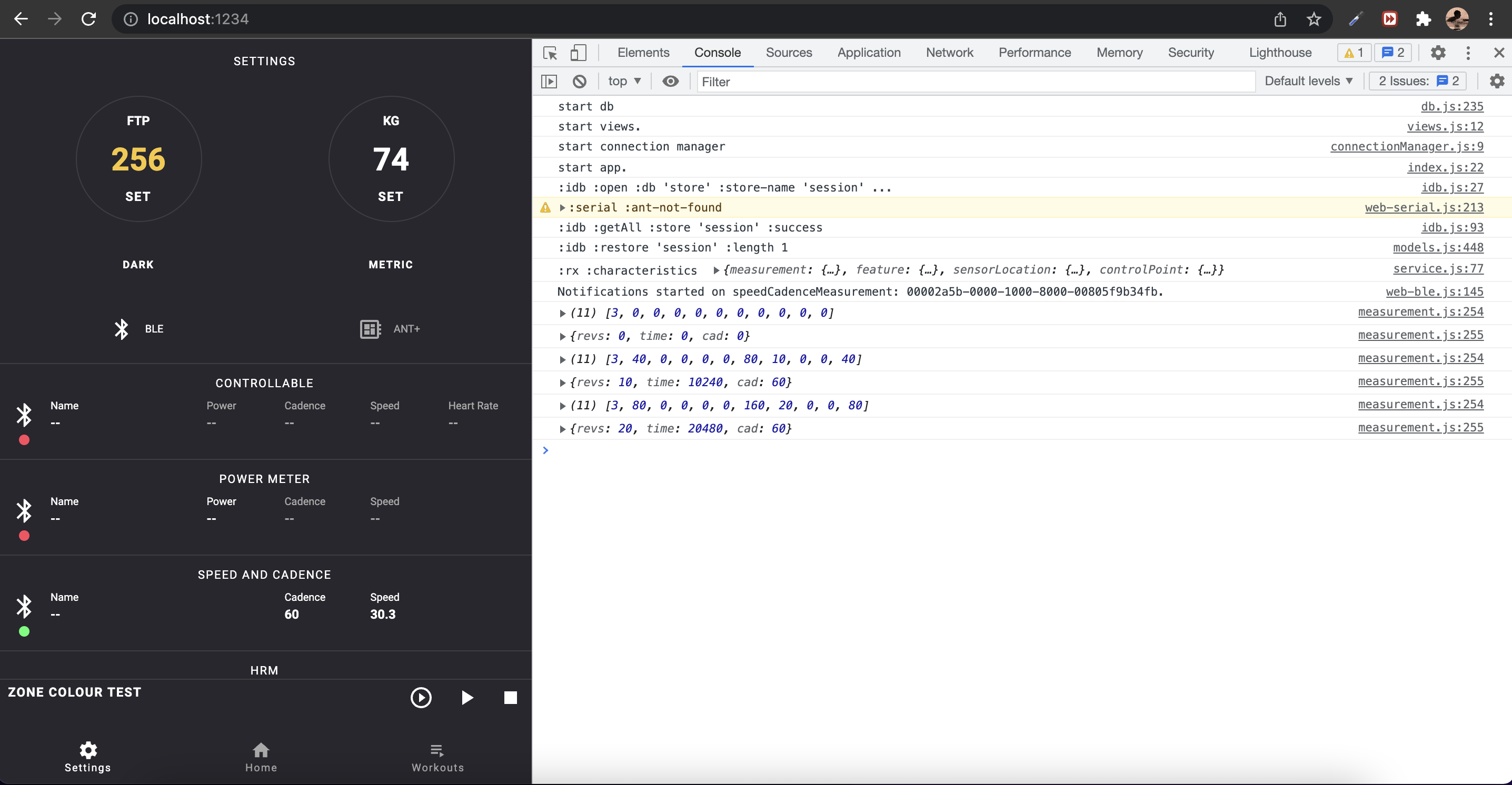
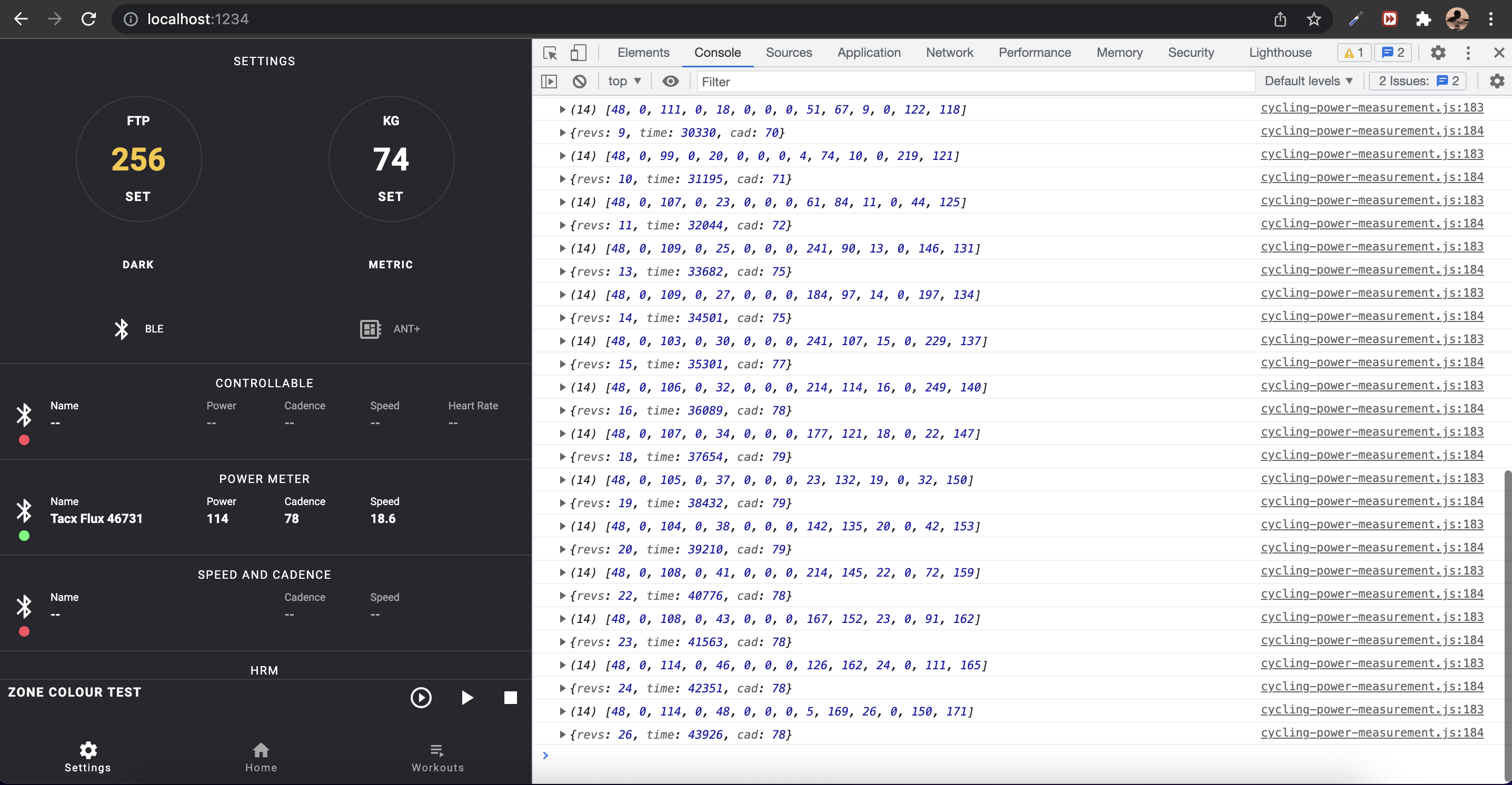
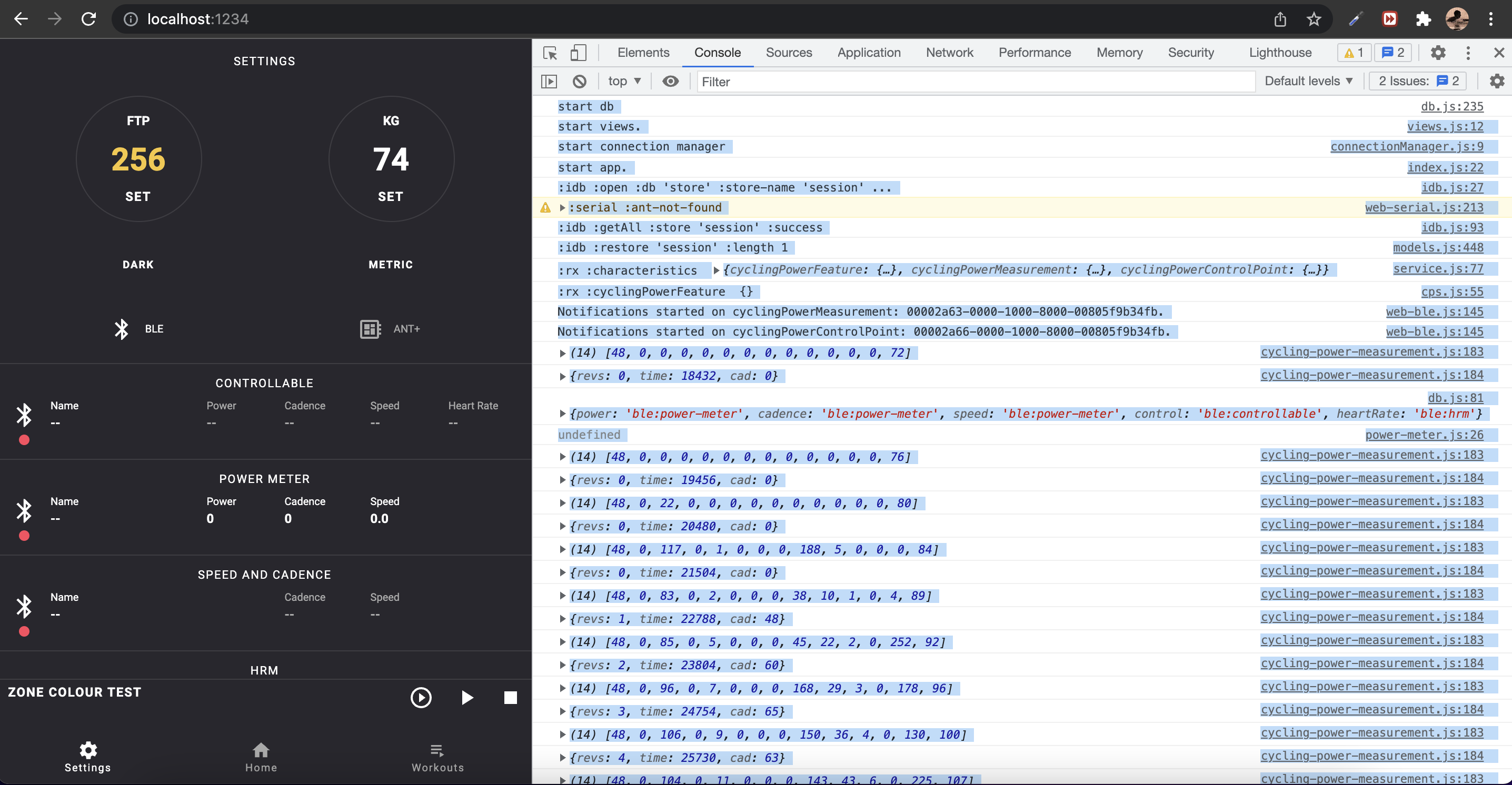
Hi @TClin76, just letting you know I pushed a new development version 0.1.2. Having some data logs from a real cadence sensor would really help me find the error. Here are some instructions if you can help with that. I haven't gotten yet to implementing a proper logger so the approach is a bit crude:
Here is an example of how it looks: This is with my test data: I don't have a dedicated cadence sensor, and I am using the cadence from a power meter service on my trainer, by spec it works the exact same way and your log should be more like this one, but connected to a proper cadence sensor: And maybe you can drag select it, like this: |
|
Hi @dvmarinoff , Please find below log for your reference. EDIT: allowed my self to edit the comment in order to put the log inside a file to make it easy for future readers. |

|
Thanks, that helped a lot, now I might have an idea on how to solve this. |
|
It turns out cadence sensors are implemented in slightly different ways. For example yours is repeating the the same message 3 times and below certain wattages its 4 times, while my trainer is often sending messages with just 1 ms difference. Main keeps the time event counter running all the time for cadence, but not speed, and yours updates time events only when revolutions update. Just pushed a new version 0.1.22. Hope this one works for you. |
|
Thank you for the update version. However it still occasionally appears "0", but much less frequently. (refer to the video) 2021-12-31.4.04.03.mov |
|
Thanks for the feedback! |

|
Magene GEMINI 200 |
|
According to the log, can we simply make an assumption that if there is a continuous "0" received more than 4 times, then that is a real case of Cad=0? (As a temporary workaround) |
|
Since the count starts from 0 and not 1 we have room for up to 4 repeated messages. The count will also reset after every legit update. would become: Since there is a trade off between speed of updates especially time to show 0, and this repeated message filter, the plan is to keep the 4 counts for the general code, they should be enough, GoldenCheetah is using just 2 counts and instead try and detect the magene gemini sensor and put the counts at 10 or 12 max just for this device. |
|
This test shows how the code is supposed to work when receiving a different count of the same message: And here is the test and data for the log that recreates the Magene Gemini sensor: The data log: |
|
Understand! Thanks for sharing the detail information. |
|
I test Cadence with latest develop version. Does that mean the max counts should be dynamic adjusted? when cad is low, the max counts need to be higher? |

|
This link - Flux/test/ble/cscs.test.js Is where I finally found your cadence code. |
|
Just leaving a link to GoldenCheetah's implementation. Will examine their approach later. |
|
this code for CrankStaleness is to determine if there are signal drop offs from the sensor. |
|
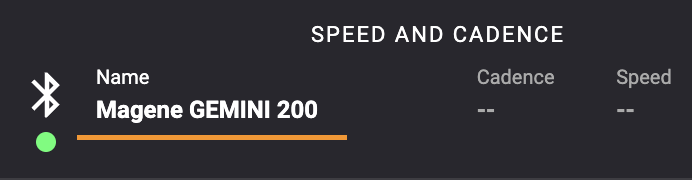
Latest version 0.1.23 attempts to detect if the Cadence sensor is Magene Gemini and if so, it sets the max allowed repeated messages to 10 which has room for 11 messages, but the expected tradeoff is really slow time to show 0 when stop pedaling. If it still doesn't work I'd have to ask for another log from the browser console and also the device name that is shown on the Settings page for connected Speed and Cadence sensor:
I have a meeting with my Running/Tri group tomorrow hope they are back already (from the long holidays) and somebody has a cadence sensor available. |
|
Yes, this is true, cadence sensor implementations differ in behaviour, and this makes the task a bit tricky to achieve. Here are a couple of logs from the trainer: |
|
Here is the log from Magene. |
|
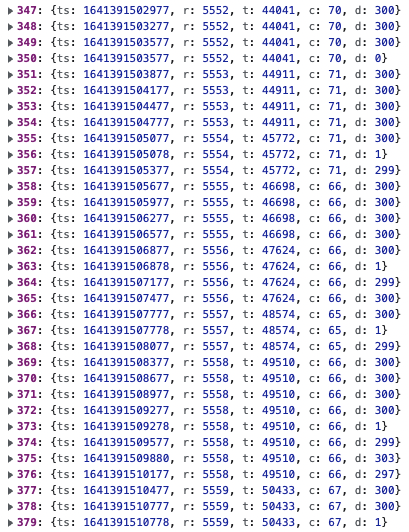
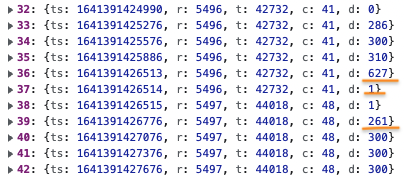
In theory cadence under 60 rpm will need over a full second to register one full revolution. At the same time the sensor is transmitting at about 300ms but tries to average 4 message per second. In the log the average difference between timestamps is 249ms, but there is a very regular pattern of 300 ms repeating i groups of 3, 4, 5, or 6 with an occasional 0 ms to average the rate at 4 per second.
Under low rpm this gets a little bit disrupted: But in general the sensor is keeping good rhythm. |
|
It is clear now! Your trainer transmits in every 1008ms (avg.) and Magene in every 300ms. |
|
Went trough the bluetooth Cycling Speed and Cadence Service and Profile specifications and the only thing that mentions transmission rate is this:
Meaning 1 second is recommended but not required. Meanwhile the ANT+ corresponding specification defines 250 ms as the default rate (the way the Magine Gemini sensor transmits). And also the bluetooth spec doesn't define a way to read the transmission rate from the Sensor. So maybe a more general approach would be to measure the transmission rate in the first seconds after connection, take the average value and set the rate so that it allows at least 3 seconds room for measurement of a crank revolution, which by my calculations would cover cadence values down to 20 rpm, and below that it would start reading zeros. |

|
As I calculated before, I thought setting max counts to 10 can cover the cases for RPM > 24 in Magene's sensor. [Revolution 5506]
There are 20 repeating messages for the revolution 5506, and the timestamp difference is 5.1 sec. Anyway, self-adjusting max counts setting is indeed a good idea. |
|
At 42 rpm the crank needs about 1.4 seconds to make a full revolution, so in this case the crank did about 3.5 revolutions of which the sensor detected 1. I'll keep that case in mind, maybe I'll think of some sort of solution, but I am not sure if this can be improved. Thanks for the data! |

|
I viewed your code, from this but perhaps this is no the correct link for the 0.1.2 version? I also checked on https://github.com/dvmarinoff/Flux/blob/91c4b830b563a1d7d0ea3388c5792d1ef4f046ff/src/ble/common.js but again, most likely I do not know how to properly decipher npm code. How are you handling the time rollover?
This is my swift code to handle rollover and to get cadence. this is how I call it p = passed |
|
Thanks for sharing your code! I was looking all over GitHub for alternative solutions. The 65535 leads me to think it is a roll over thing maybe? Else I am calculating speed and cadence in the State function module (something similar to a Struct in Swift) located in Since the general algorithm for speed and cadence is the same, it is abstracted in this State module. By configuring the It takes care of rollovers for comulative time and events in |
|
ah.... your these 2 lines handles the rollover. It handles situations where the I too handle the staleness (but in a separate code from that function. So it seems that you're handling all the things. |
|
Well except for the big differences in transmission rate between devices. My trainer sends messages about 1 second on average, while some speed and cadence sensors send them every 250ms on average, which results in the trainer at 1s needing 4 times lower staleness value than the sensor at 250ms. I am thinking something in the lines of a self adjusting staleness value based on the current transmission rate, as calculated from timestamped last 30 or 60 messages, might help. |
|
My test on implementing CSC was basically using a Wahoo RPM so a staleness of like 2 was adequate for me. |
|
Thanks, that would be valuable! |
|
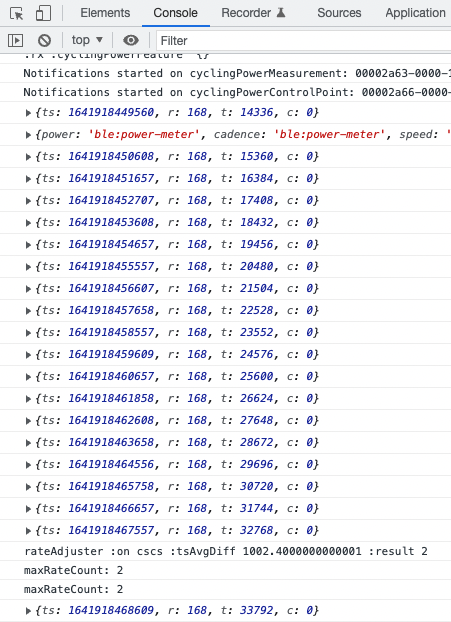
First version of the self adjusting max rate count (staleness counter) is available on development version 0.1.24.
|
|
sorry for the late reply.. Just found my Magene Gemini 200 after digging around for something else. However, It does seems like the new code works, I don't see dropouts on the Web-App. However, In my own testing, seems like the data that's coming out from the sensor is much difference from this of this post #82 (comment)
Here you see it's c:42 (is that raw data from the sensor or the resultant cad after accounting for max rate?) {ts: 1641391445076, r: 5506, t: 55641, c: 100} where only the 1st data would have a cadence and the other messages would be 0 |
|
|


Uh oh!
There was an error while loading. Please reload this page.
some smart trainers have no build-in cadence sensor.
Is it possible to add separated cadence sensor in system pairing page?
Thanks
All reactions