Object Bond
Object bonds simulate how two objects can be put together (assembled, attached, glued) into a single rigid object. For example, screwing a bolt into a nut, or building structures using Lego-like pieces.
Each object can define, using XML, a number of bond points, each of which is a local location on the object that can be attached to another bond point on a different object. When two objects are attached, they act like a single rigid object in physics simulation. A bond point is either a host or a guest. A host bond point can only be attached to one guest bond point and vice versa. Moreover, a host bond point can define a number of tightness levels. The image below illustrates an example containing a bolt and a nut. The host bond point is defined at the top of the nut, and three tightness levels are defined beneath the host bond point. Each tightness level specifies a relative position at which the guest bond point should be placed when the two objects are attached.
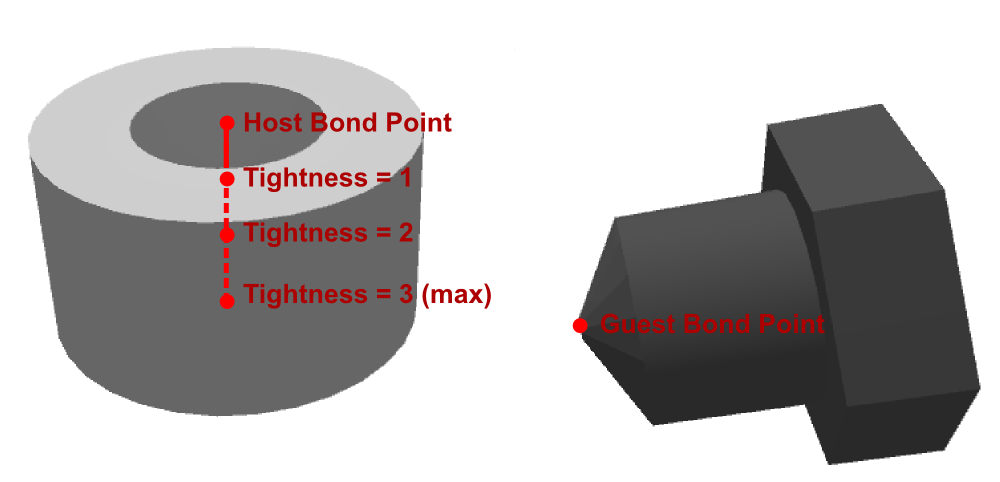
In this example, the three tightness levels specify that, when a demonstrator tightens the bolt, the tip of the bolt (guest bond point) should go progressively deeper into the center of the nut. The image below shows the relative positions of the two objects at tightness levels 0 (detached), 1, 2, and 3 (from left to right). Note that there must be at least one tightness level.
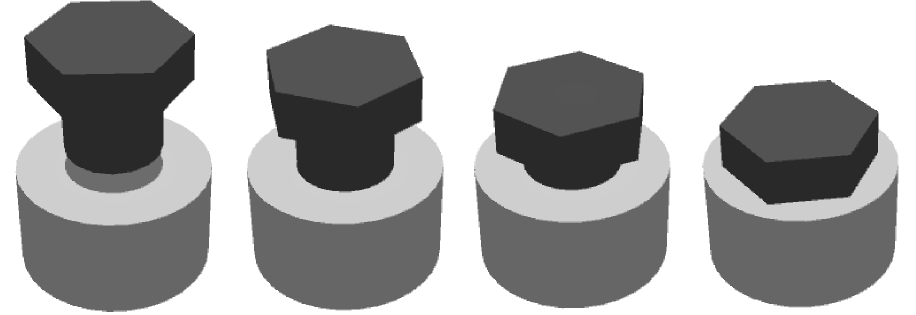
Two XML elements are introduced under <composite/> to define host and guest bond points: <hostBondPoint/> and <guestBondPoint/>, each containing the following common attributes:
-
id: a unique identifier. Default value: system-generated. -
type: a custom string specifying the type of the bond point. Only bond points of the same type can be attached to one another. This attribute is required. -
location: the local position of the bond point. Default value:"(0, 0, 0)". -
rotation: the local orientation of the bond point. Default value:"(0, 0, 0)".
Additionally, a <guestBondPoint/> element has optional attributes initBondHostId and initBondTightness. They specify the host and the tightness that the guest bond point is initially attached to when the XML file is loaded.
A <hostBondPoint/> must contain at least one <tightness/> element as child. Each <tightness/> element defines a tightness level by providing location and rotation attributes that specify the position and orientation of the guest bond point relative to the host bond point.
Complete XML code for the bolt-and-nut example is given below:
<?xml version="1.0" encoding="UTF-8"?>
<tabletop xmlns="http://synapse.cs.umd.edu/tabletop-xml" xspan="20" yspan="12">
    <composite id="bolt" location="(0, 0, 3)">
        <prism zspan="0.4" radiusTop="0.8" radiusBottom="0.8 " color="darkgray" location="(0, 0, 0.2)" sides="6"/>
        <cylinder yspan="0.8" radius="0.5" color="darkgray" location="(0, 0, -0.4)" rotation="(90, 0, 0)" sides="16"/>
        <prism zspan="0.4" radiusTop="0.5" radiusBottom="0.05" color="darkgray" location="(0, 0, -1)" sides="16"/>
        <guestBondPoint id="boltTip" type="screw" location="(0, 0, -1.2)" initBondHostId="nutTop" initBondTightness="1"/>
    </composite>
    <composite id="nut" location="(0, 0, 0.7)">
        <ring zspan="1.4" radiusOuter="1" radiusInner="0.55" color="gray" location="(0, 0, 0)" sides="32"/>
        <hostBondPoint id="nutTop" type="screw" location="(0, 0, 0.7)" rotation="(0, 0, 0)">
            <tightness location="(0, 0, -0.4)" rotation="(0, 0, 45)"/>
            <tightness location="(0, 0, -0.8)" rotation="(0, 0, 90)"/>
            <tightness location="(0, 0, -1.2)" rotation="(0, 0, 135)"/>
        </hostBondPoint>
    </composite>
</tabletop>
Note that the three tightness levels progressively descent (moving in the negative Z direction) from the host bond point while rotating along the Z axis. This simulates bolt (guest object) rotation while being put in the nut (see the image immediately above).
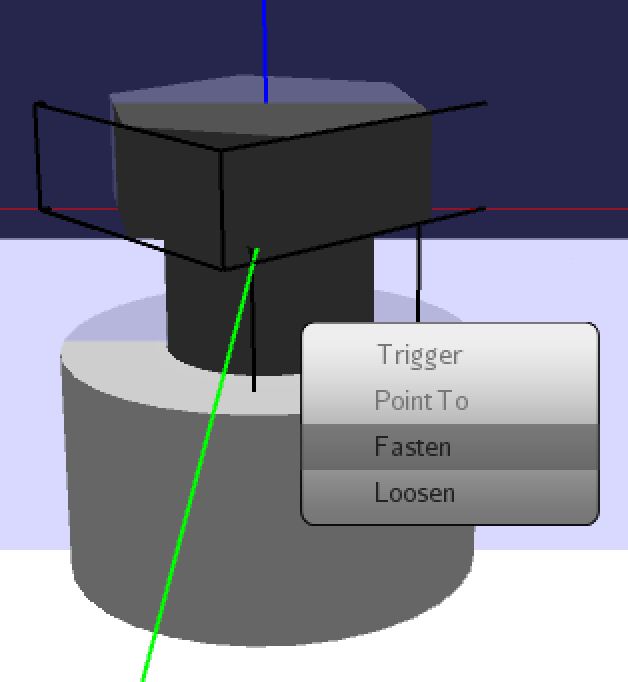
In order to create a bond between two objects, a demonstrator has to bring host and guest bond points close to each other. The demonstrator may then right-click the guest object (the object whose guest bond point is to be attached). A context menu containing the options "fasten" and "loosen" will pop up (see image below). If there is a valid host bond point in the vicinity of the right-clicked guest object, using the "fasten" option will attach the two bond points and set tightness level to 1. If there are multiple guest bond points on the same object, the closest one to the right click location will be used. A valid host bond point satisfies the following conditions: (1) It is not already attached to another guest bond point, (2) its containing object is not connected to the guest object directly or indirectly, and (3) that it is of the same type (a custom string) as the guest bond point. If there has already been a host bond point attached to the right-clicked guest object, the tightness level will increment by one until it reaches the user-defined max value. On the other hand, using the "loosen" option will decrement the tightness level by one until it reaches 0, at which point the guest object will be detached from the host.
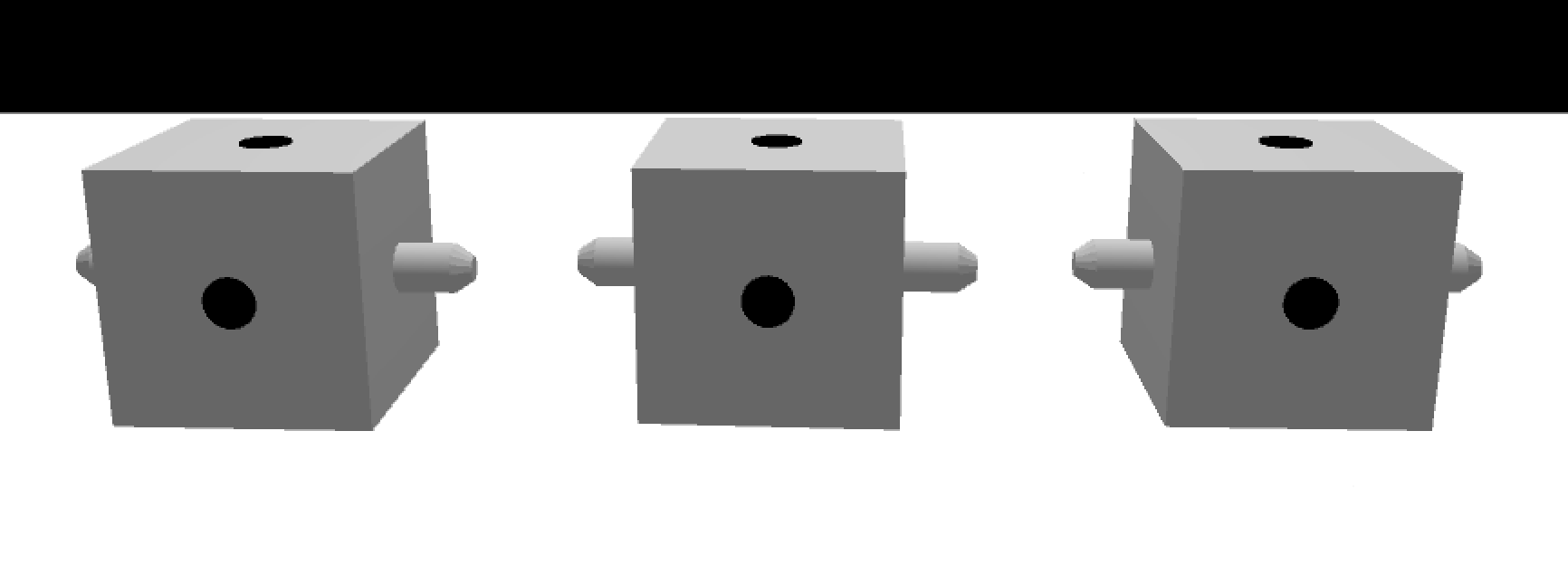
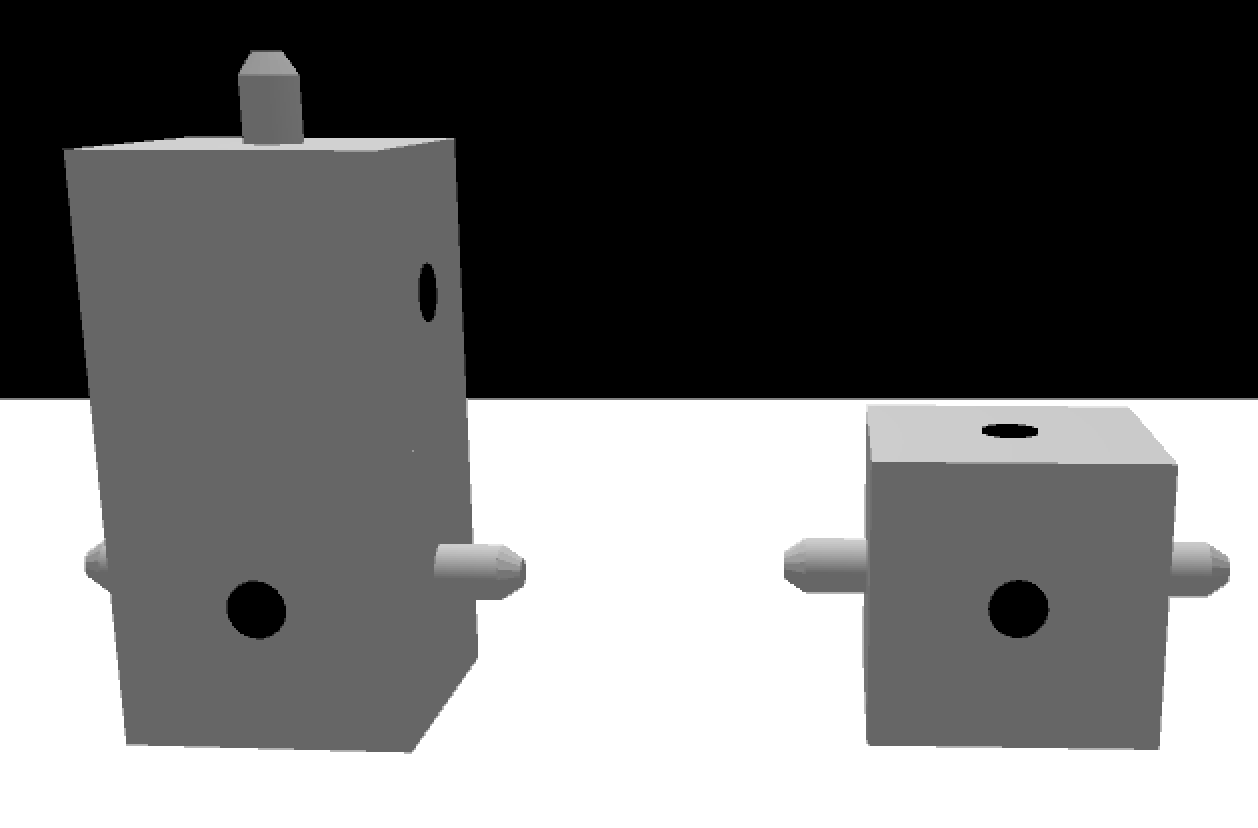
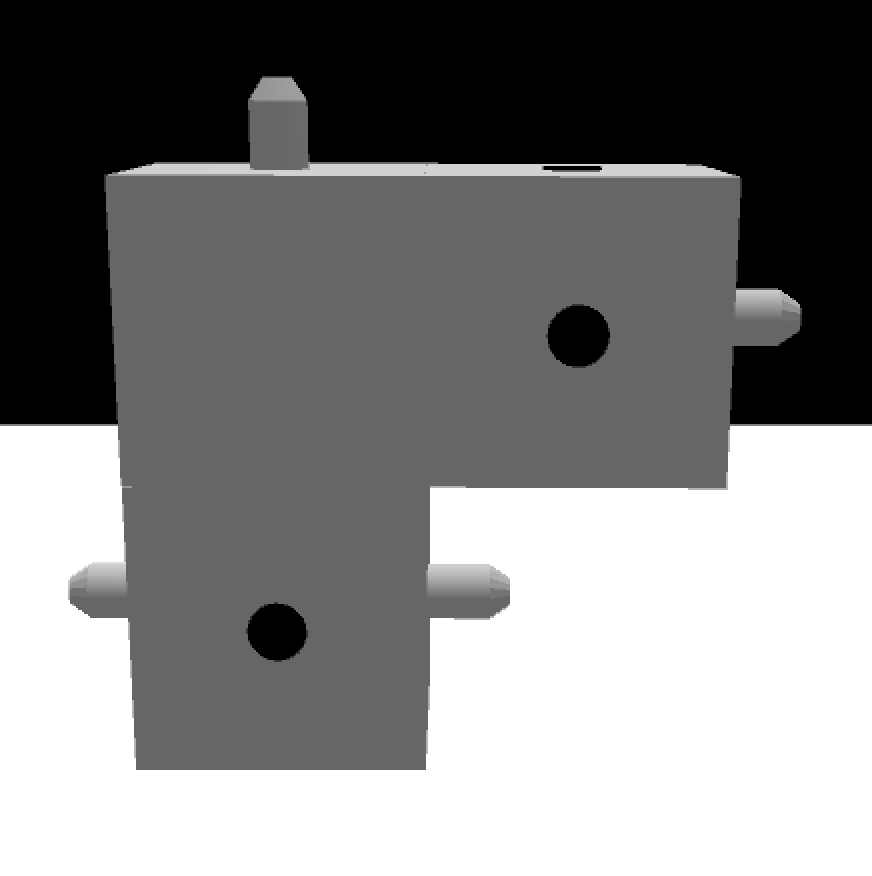
There can be multiple host and guest bond points on each object. Images below showcase an example of screwable cubes, each containing two protruding screws (left and right) as guest bond points as well as two holes (top and front) as host bond points. A demonstrator can assemble the three cubes in a number of different ways. (See def-screw.xml, screw.xml, and screw2.xml in the release zip file v1.1.0 for detailed definitions.)