
JavaScript web components for HDR text and image highlights. Brightpixels uses an extended-range WebGPU canvas and preserves fallback content when rendering is unavailable.
Install from the GitHub repository:
npm install github:echohtp/brightpixelsImport the package once to register <bright-text> and <bright-image>:
import "brightpixels";For a page without a bundler, copy index.js from this repository and load it as a module:
<script type="module" src="./index.js"></script>Wrap a short text fragment:
<h1><bright-text intensity="12">HDR text</bright-text></h1>
<p>An example of <bright-text intensity="8">inline emphasis</bright-text>.</p>
Apply typography with CSS:
h1 {
  font-family: system-ui, sans-serif;
  font-size: clamp(2rem, 8vw, 6rem);
  font-weight: 700;
}
To wrap an existing element's content:
import { brighten } from "brightpixels";

const [heading] = brighten(".headline", { intensity: 12 });
heading.intensity = 8;
Text remains selectable. The current renderer handles plain-text fragments of up to 128 characters on a single line; split longer content into shorter wrappers.
<bright-image> takes an ordinary <img>. It increases the image's brightest pixels, with a stronger multiplier toward white. The original image supplies layout, alternative text, and fallback content.
The previews below link to running comparisons that use the same source image with and without Brightpixels.
| Sunlit water | Reflective metal | Night lights |
|---|---|---|
 |
 |
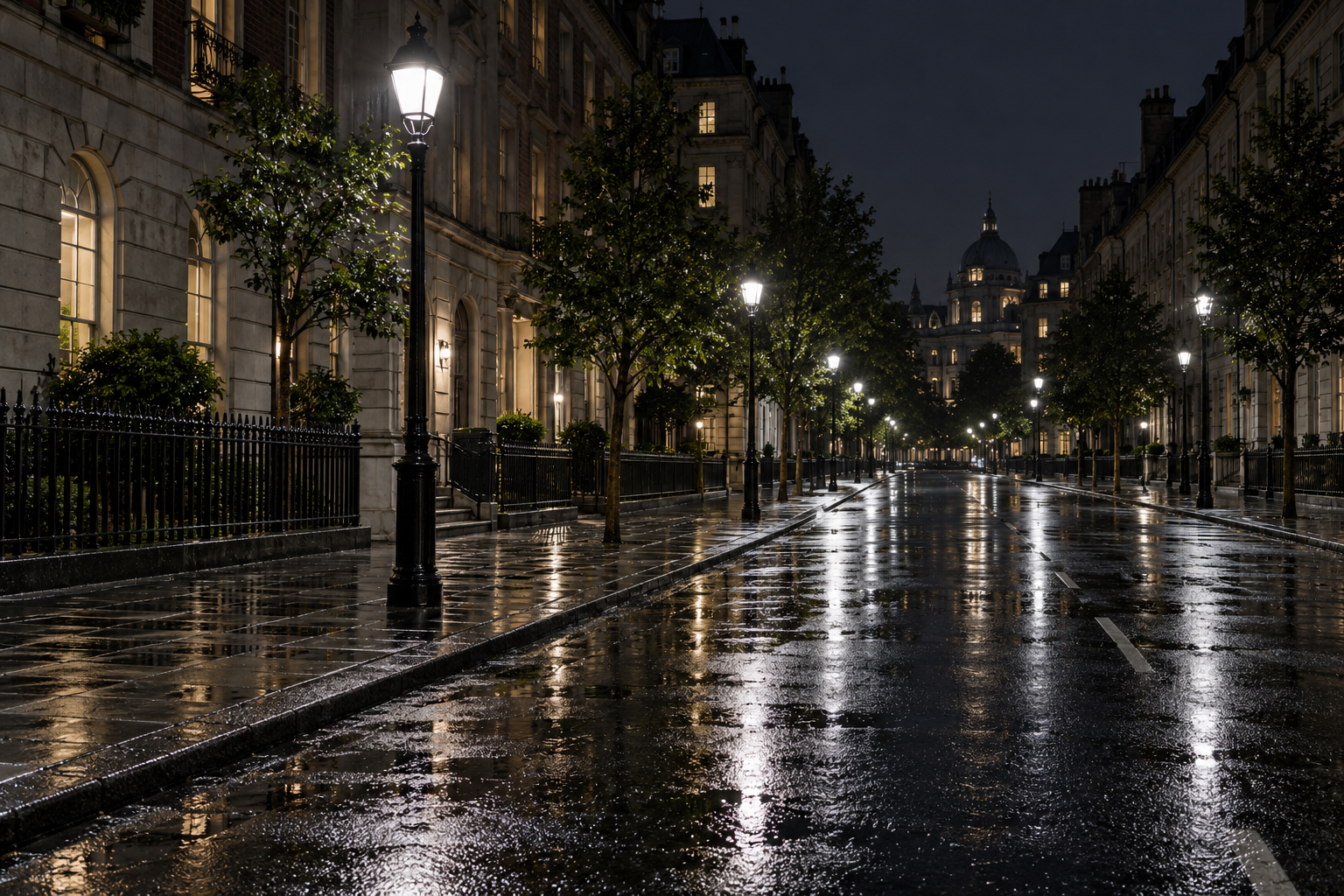 |
intensity="6" |
intensity="8" |
intensity="12" |
Use an image URL from your application. The sample files are in this repository's assets/examples/ directory.
<bright-image intensity="6">
  <img
    src="./assets/examples/ocean.png"
    alt="Sunlight reflected on dark blue water"
    width="1536"
    height="1024"
  />
</bright-image>

<bright-image intensity="8">
  <img src="./assets/examples/chrome.png" alt="Reflective chrome ring" />
</bright-image>

<bright-image intensity="12">
  <img src="./assets/examples/night.png" alt="Streetlights on wet pavement" />
</bright-image>
Preserve the image's aspect ratio in responsive layouts:
bright-image,
bright-image img {
  display: block;
  width: 100%;
}

bright-image img {
  height: auto;
}Wrap matching <img> elements in place:
<img class="hdr-photo" src="./assets/examples/chrome.png" alt="Reflective chrome ring" />import { brightenImages } from "brightpixels";
const [photo] = brightenImages(".hdr-photo", { intensity: 8 });
photo.intensity = 6;Images hosted on another origin need CORS permission to be read by the renderer:
<bright-image intensity="8">
  <img
    crossorigin="anonymous"
    src="https://images.example.com/photo.jpg"
    alt="Image description"
  />
</bright-image>
The image server must send an appropriate Access-Control-Allow-Origin header. Same-origin images need no CORS configuration. If the original image loads but cannot be read by the canvas, it remains visible as the fallback.
The React 19 entry registers the web components and provides TypeScript JSX declarations:
import "brightpixels/react";

export function Example() {
  return (
    <article>
      <h1><bright-text intensity={12}>HDR text</bright-text></h1>
      <bright-image intensity={8}>
        <img src="/photos/chrome.png" alt="Reflective chrome ring" />
      </bright-image>
    </article>
  );
}
brightpixels/react re-exports the package API and has no React runtime dependency. Import it from client-side application code when using a framework with server rendering.
| Export | Description |
|---|---|
brighten(targets, settings?) |
Wraps element contents and returns BrightTextElement[]. |
brightenImages(targets, settings?) |
Wraps images and returns BrightImageElement[]. |
defineBrightpixels() |
Registers the custom elements; registration also runs on browser import. |
version |
Package version string. |
Both helpers accept a CSS selector, an element, or an iterable of elements. Existing Brightpixels wrappers are reused. Imports are safe in environments without a DOM; helpers return empty arrays there.
| Property | Type | Default | Description |
|---|---|---|---|
intensity |
number |
16 |
HDR signal multiplier, clamped to 1–16. Available as an attribute or property. |
mode |
"hdr" | "fallback" | null |
null |
Read-only renderer state. |
image |
HTMLImageElement | null |
null |
Read-only source image on <bright-image>. |
intensity: 1 uses reference white. Higher values request more light; physical screen brightness is determined by the browser, operating system, and display.
Elements dispatch a bubbling brightpixelsready event when their rendering mode changes:
document.addEventListener("brightpixelsready", (event) => {
  const { kind, mode, version } = event.detail;
  console.log(kind, mode, version);
});
kind is "text" or "image"; mode is "hdr" or "fallback". The "hdr" value indicates that the WebGPU renderer initialized. It does not measure the display's brightness.
HDR output requires HTTPS or localhost, WebGPU with extended-range canvas output, and a compatible display and operating system configuration. Standard-range screens may show no brightness difference.
The renderer uploads a text mask or image to WebGPU and renders to an rgba16float canvas with extended tone mapping. Text falls back to ordinary white; images fall back to their original <img>.
Demo assets are kept in the repository and excluded from the runtime package.
See CONTRIBUTING.md for development and maintenance.