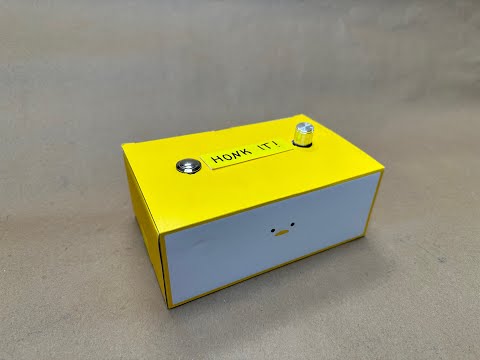
- Button
- Potentiometer
- ESP32
- Breadboard
- Wires
-
Prepare the ESP32:
- Start by soldering pins onto the ESP32 board. These pins will allow you to wire other electrical components to it using a breadboard. Ensure that the soldering iron is hot enough to create clean solder joints.
-
Prepare the Button:
- Solder wires onto the pins of the button and potentiometer to connect them to the breadboard. Use relatively long wires to allow flexibility in placing the button within the enclosure. Insulate the connections with heat shrink tubing to prevent any damage to the circuit.

-
Test Wiring:
- Refer to the wiring diagrams provided on the ESP32 Potentiometer Tutorial and ESP32 Button Debounce Tutorial to wire the button and potentiometer according to the instructions.
- Use a breadboard for testing and ensure proper connections between wires. You may need to try different pins and different areas of the breadboard to find working connections.

-
Flash Arduino Code:
- Flash the combined sample code from ESP32 documentation for reading the button and potentiometer (module2_bopit.ino). The output displays the button state, analog value, and voltage. Once flashed, disconnect from the IDE and any other serial connections you have to the ESP32.
-
Prepare the Enclosure:
- Decide on the placement of components within the enclosure.
- Cut out holes in the enclosure for the cord to connect to the computer, potentiometer, and button. Insert the components into their respective positions and secure them with tape.
- Ensure that all components are securely fastened and that the wiring is neat and organized.

-
Establish Serial Connection:
- To interact with the device using another serial connection (e.g., on the website), ensure that only one serial connection is active at a time.
- Run the website code on the computer to establish the serial connection with the device.
-
Test the Device:
- Test the device to ensure that both the button and potentiometer functionalities are working as expected, and that the device can connect to the computer.
-
Play the Game:
- Connect the device, press any key, and start honking it!


