Repository navigation
Releases
CyanNova update files (not for download)

Velopack update feed for CyanNova 1.4.2. Not for download - CyanNova updates itself from these files.
CyanNova update files (not for download)
Velopack update feed for CyanNova 1.4.1. Not for download - CyanNova updates itself from these files.
Bug Fixes and Performance: QAM Smooth Even at 100 % GPU Load, Smoother Library
🛠️ Mostly bug fixes and performance improvements
- The QAM should now stay smooth even with the GPU at 100 % - presses should register at once, also in demanding games
- The MSI button and controller shortcuts should now work after sleep and hibernate - without opening the Game Bar first
- Claw 8 EX: for some users the QAM did not open properly - this should now be fixed
- Claw A1M: the TDP floor should now be 20 W like in MSI Center M, and the five TDP steps are back (20-35 W and Boost)
- Hardware controller mode: stick and trigger deadzones and limits from your controller profile should now apply in the firmware - one set of values for both controller modes
- Cleaner controller start: leftover firmware settings from other tools (firmware gyro, swapped sticks) should no longer get in the way
- M1 / M2 can now be mapped to Start and Select in hardware controller mode
Library - CyanNova 1.4.2
- Smoother library: covers should stay ready, and switching tabs or returning from a game should no longer rebuild everything
- Epic games with add-ons (such as Fortnite) should no longer be detected more than once
CyanNova 1.4.0 - PS5-ish Theme, Square Icons, IGDB and Your Own Music
Note
We are working on a Microsoft Store release of CyanNova.
Install
- MSI Claw Handheld (A1M, A2VM, EX): run Setup from the ClawTweaks 1.0.4 release. (CyanNova is bundled as optional feature with ClawTweaks)
- Windows PC/other handhelds: scroll down and run
CyanNovaLauncher_1.4.0_Setup.exe. (MS Store Release coming soon) - Already installed: CyanNova updates itself to 1.4.0.
CyanNova 1.4.0
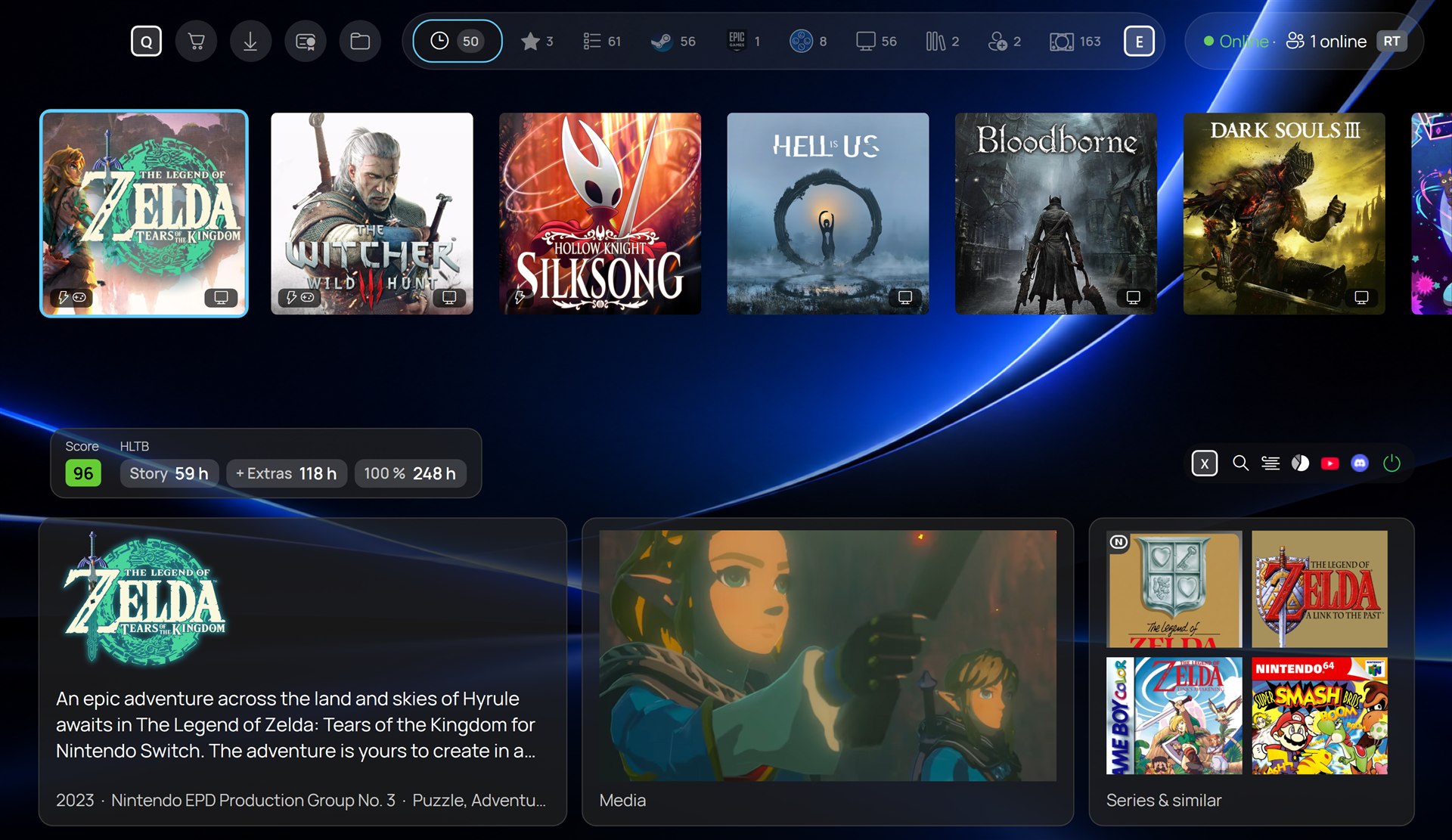
New PS5-ish theme
- New PS5-ish theme (Beta) with similar games, series and Steam news, without leaving the library
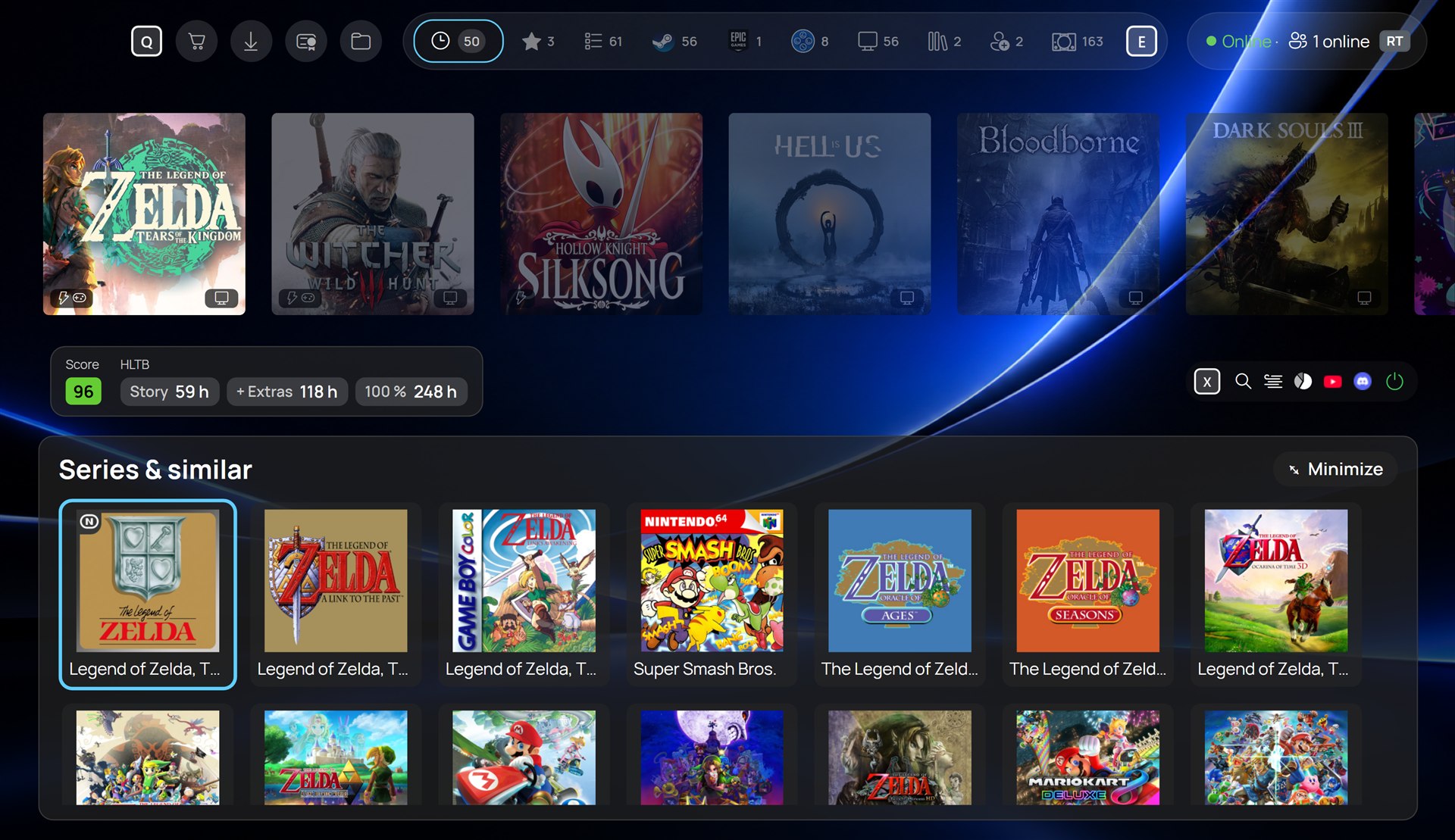
Find similar games in your library
- Square icons and IGDB game info, also for ROMs; new games fetch their info on their own
- Cover format upright or square
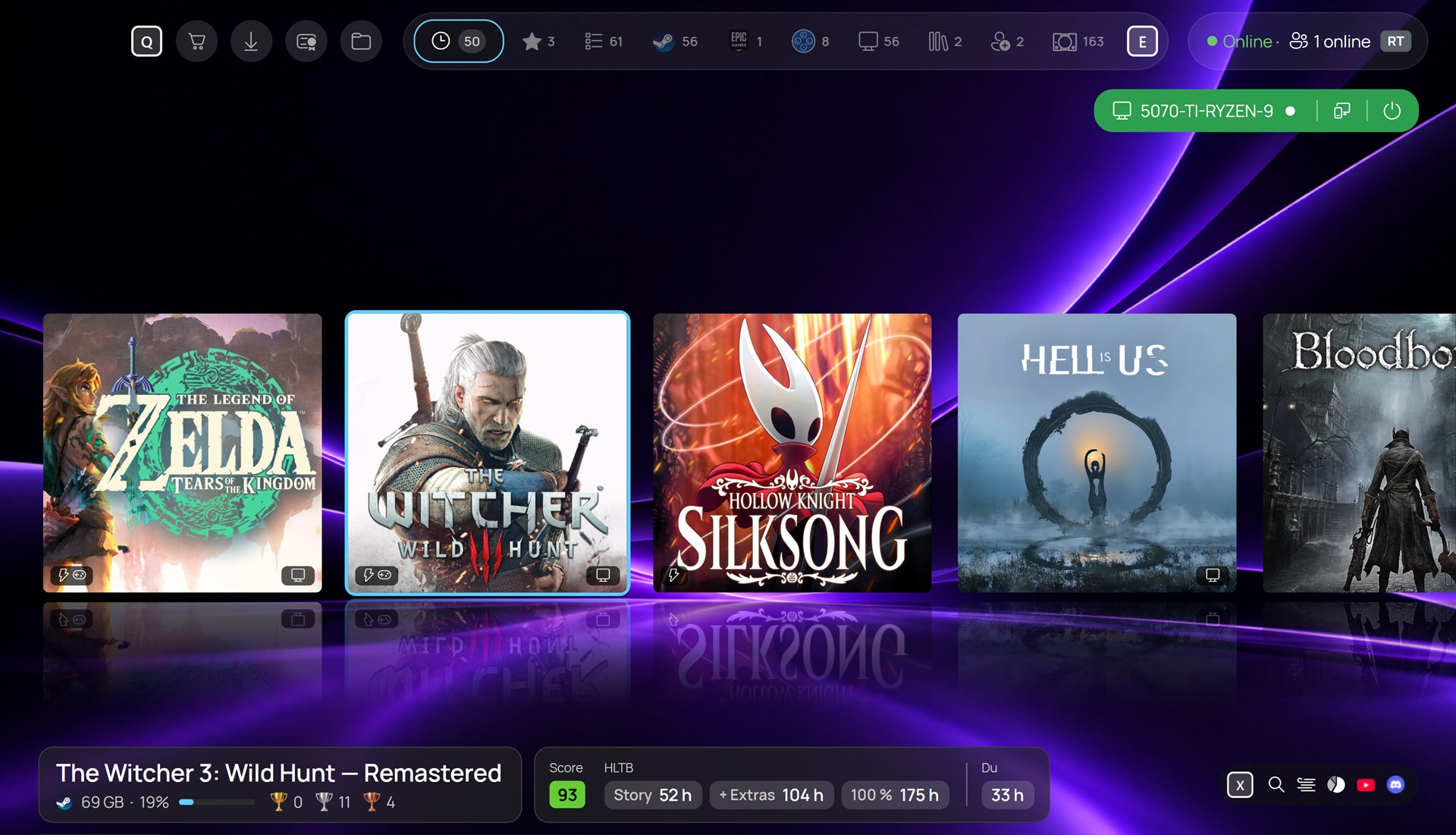
Square icon support for the classic theme
Also new
- Your own music for the library
- Streaming a PC game starts at once; the PC's library takes over and the save follows
- Save sync on by default; games added by hand find their cloud save at the first start
- Notifications can be deleted, one or all
- ROMs from Playnite are taken over and started more universally
- On MSI Claw: comes with the new ClawTweaks 1.0.4 QAM keyboard
CyanNova update files (not for download)
Velopack update feed for CyanNova 1.4.0. Not for download - CyanNova updates itself from these files.
CyanNova update files (not for download)
Files CyanNova uses to update itself. To install CyanNova, use the CyanNova 1.3.5 release.
CyanNova update files (not for download)
Files CyanNova uses to update itself. To install CyanNova, use the CyanNova 1.3.5 release.
QAM with Built in Keyboard and Screenshots, TDP Modes, Library with own Music and Streaming performance Improvements
🚀 The QAM now works with the hardware controller in the Full Screen Experience (Xbox mode)
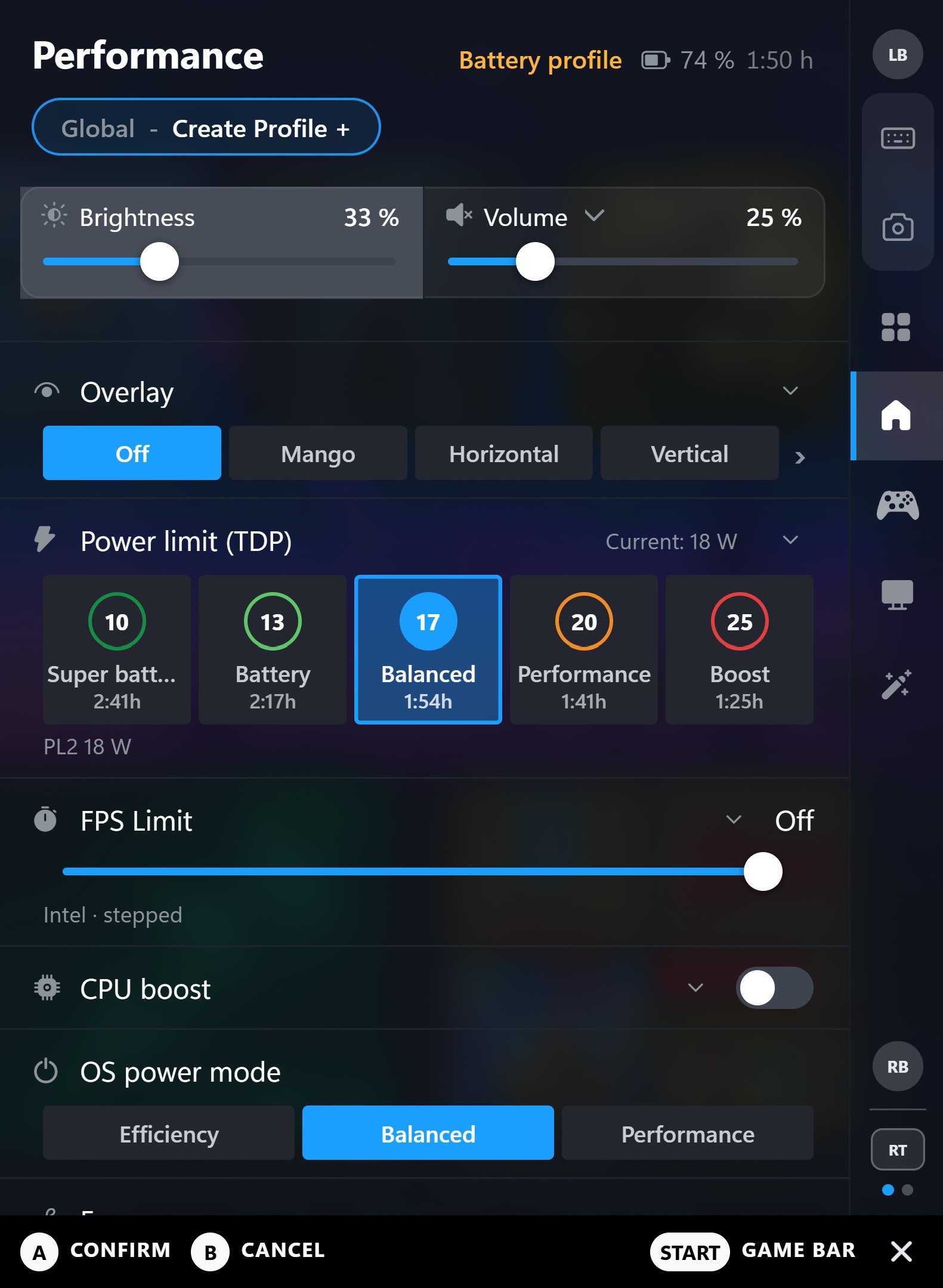
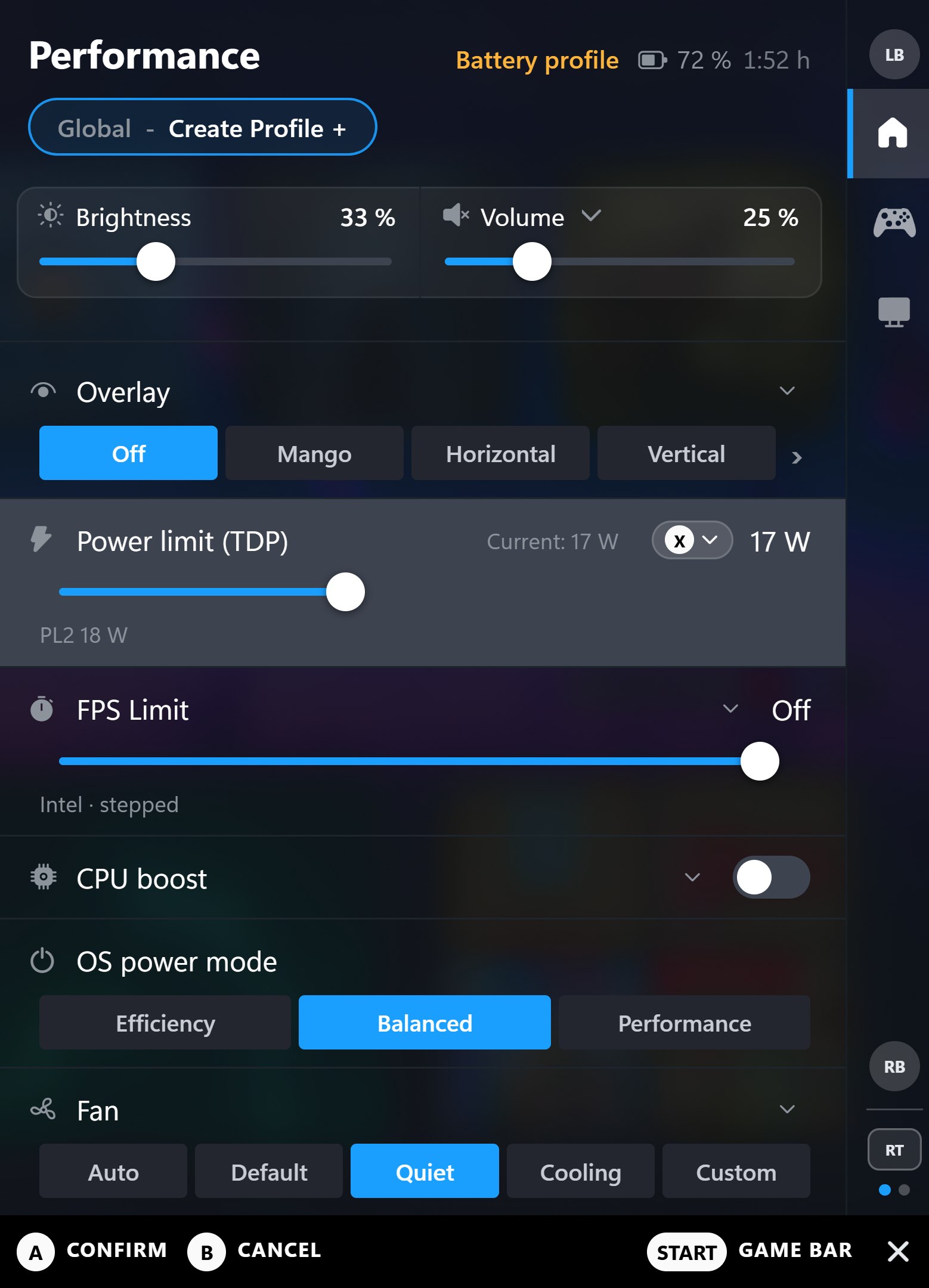
QAM expanded and extended, with new settings to hide what you don't need
- Hide what you don't need: switch off tabs on the first rail, they move to a second rail on RT / LT
- Five TDP steps with their own wattage and the runtime they give you on battery
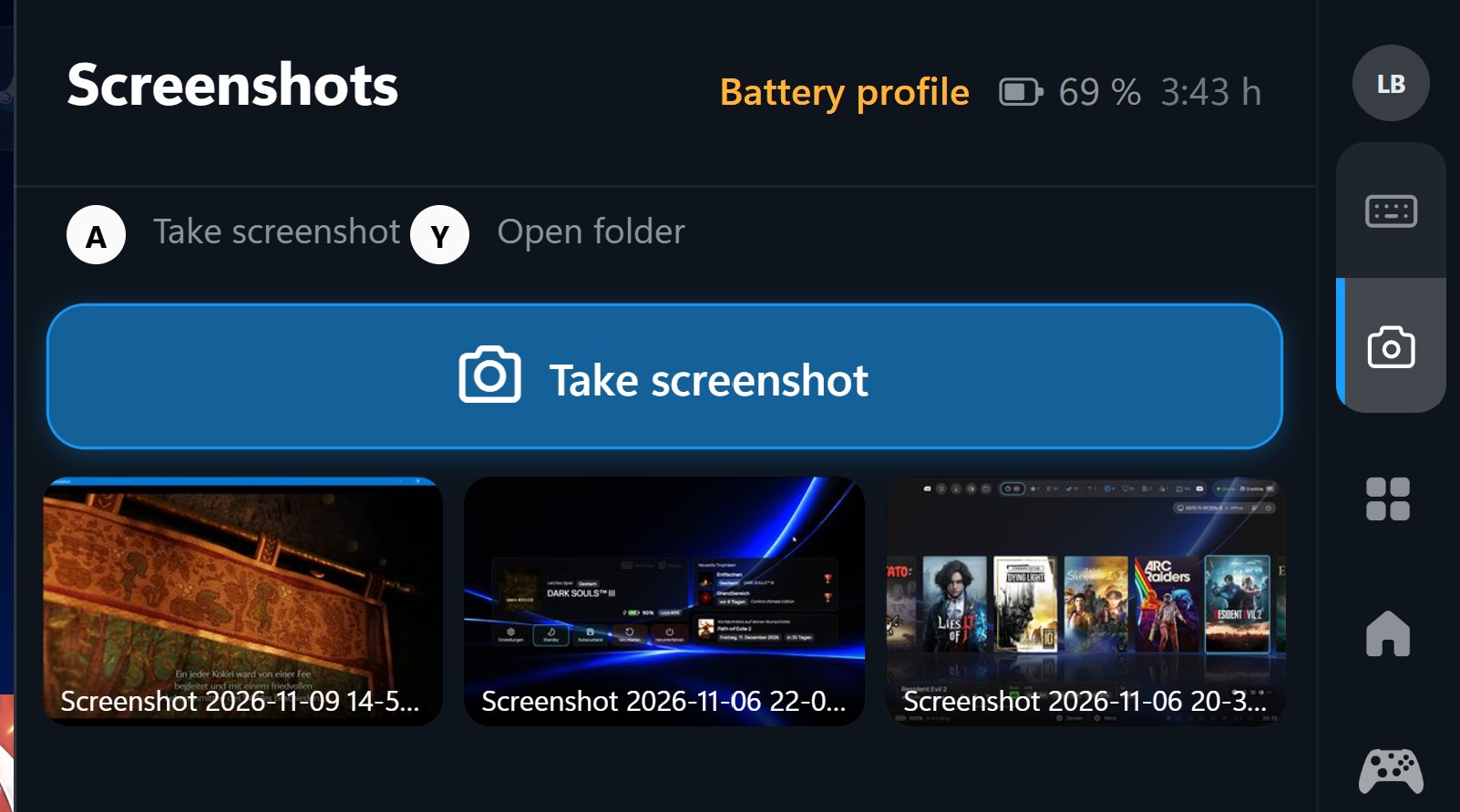
- Screenshots tab: take screenshots and copy them to the clipboard
- Fan curve as bars with live temperature and RPM
- Gyro, deadzone and mouse settings, front-button icons, tile states like in the Game Bar
- Shows when a ClawTweaks update is available
 |
 |
|---|---|
| New TDP modes with own wattage steps | Cleaner look by disabling tabs you don't need |
 |
|
| The QAM takes screenshots and copies them to the clipboard |
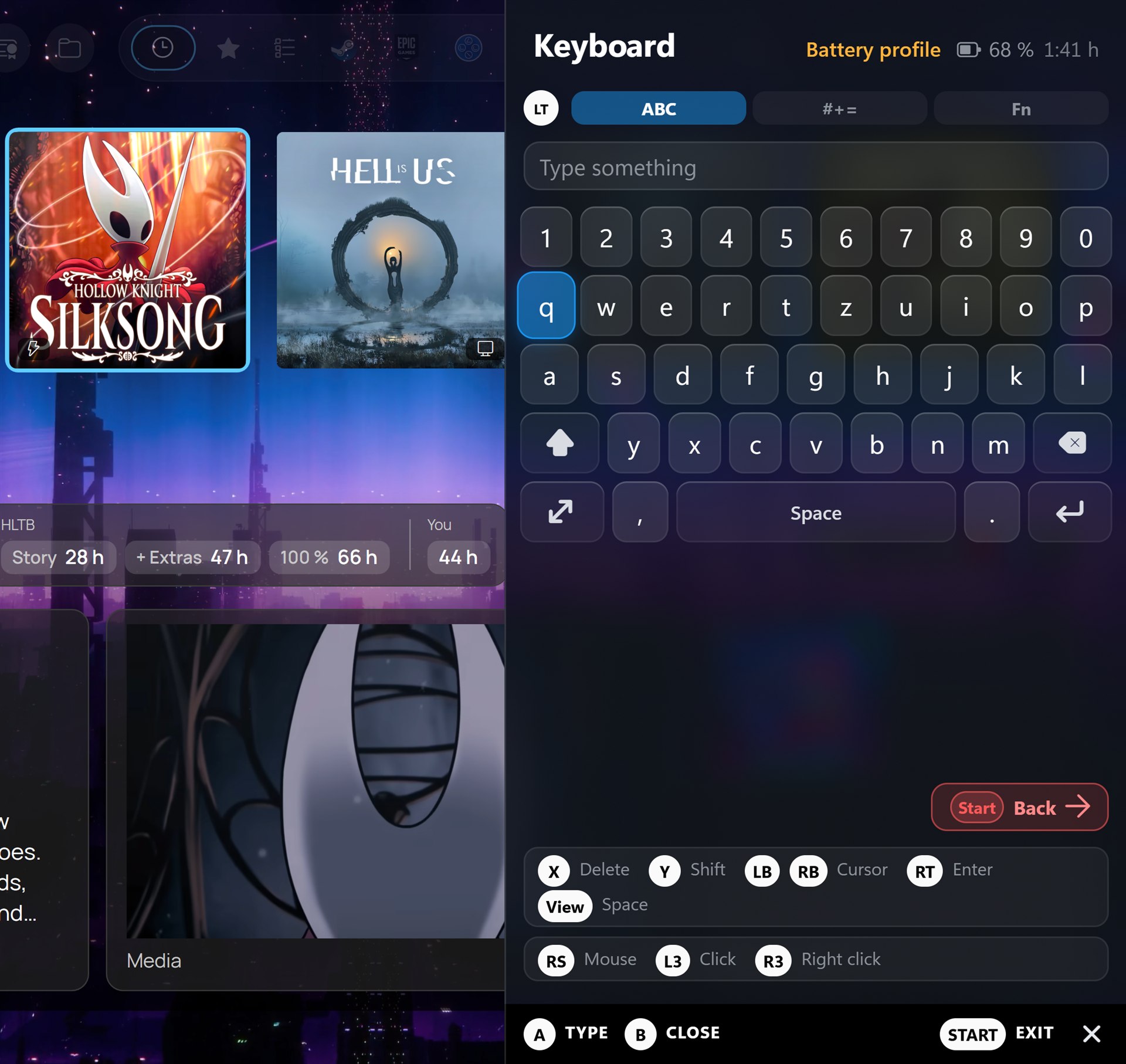
Keyboard in the QAM
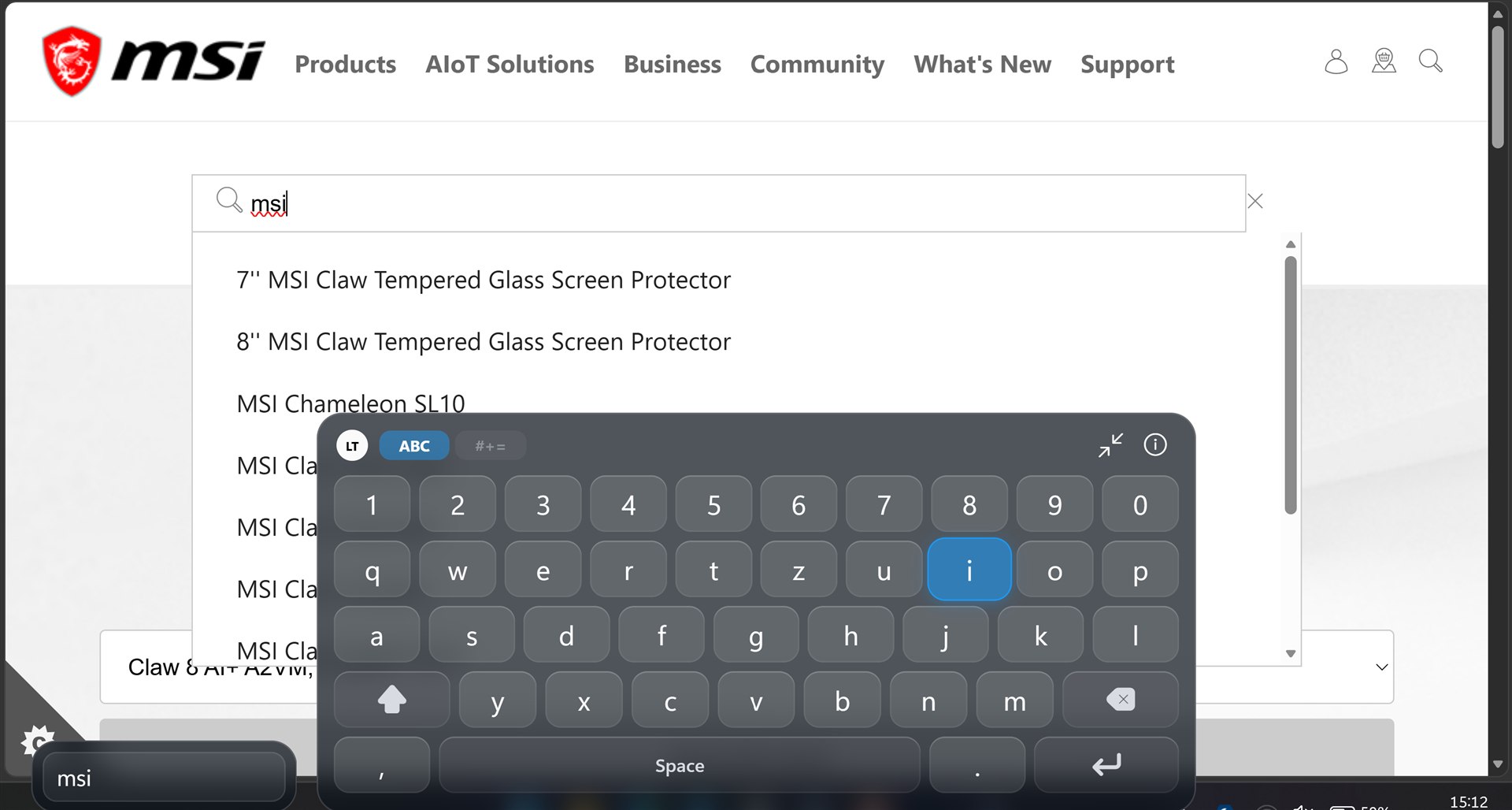
- Type straight into the game, without a touch keyboard
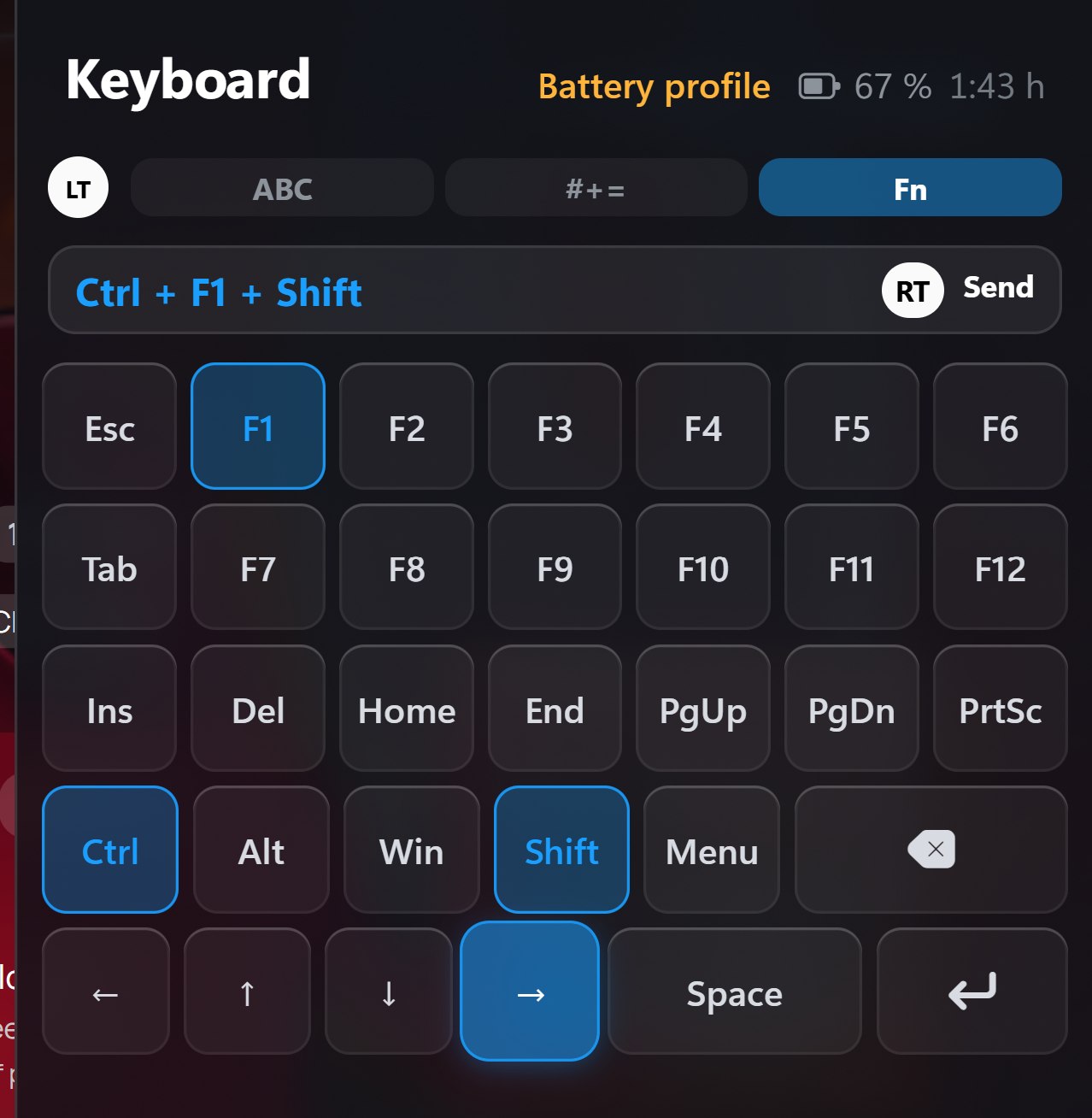
- Fn layer: F1–F12, Esc, Tab, Del, Home, PgUp, arrows and more - pick keys, send them as one shortcut with RT (Ctrl+Shift+Esc, Alt+F4, Win…)
- Big keyboard at the bottom of the screen, its button legend can be folded away
- Right stick as mouse, L3 / R3 to click (virtual controller)
- Own shortcut to open the keyboard; mouse mode switches to the controller while the QAM is open
 |
 |
|---|---|
| New native CTW keyboard in action with mouse hybrid mode | The QAM keyboard can also fire keyboard strokes |
 |
|
| Small and big keyboard with cursor control in virtual controller mode |
Library - CyanNova 1.4.0
- Your own music for the library
- Streaming a PC game starts at once; the PC's library takes over and the save follows
- New PS5-ish theme (Beta) with similar games, series and Steam news
- Square icons and IGDB game info, also for ROMs
- Notifications can be deleted
- Save sync on by default
|
|---|
| New PS5-ish theme |
CyanNova update files (not for download)
Files CyanNova uses to update itself. To install CyanNova, use the CyanNova 1.3.5 release.
CyanNova 1.3.6 - Formerly ClawTweaks Library
Note
We are working on a Microsoft Store release of CyanNova.
Install
- MSI Claw Handheld (A1M, A2VM, EX): run Setup from the ClawTweaks 1.0.3 release. (CyanNova is bundled as optional feature with ClawTweaks)
- Windows PC/other handhelds: scroll down and run
CyanNovaLauncher_1.3.6_Setup.exe. (MS Store Release coming soon)
ClawTweaks Library is now "CyanNova"
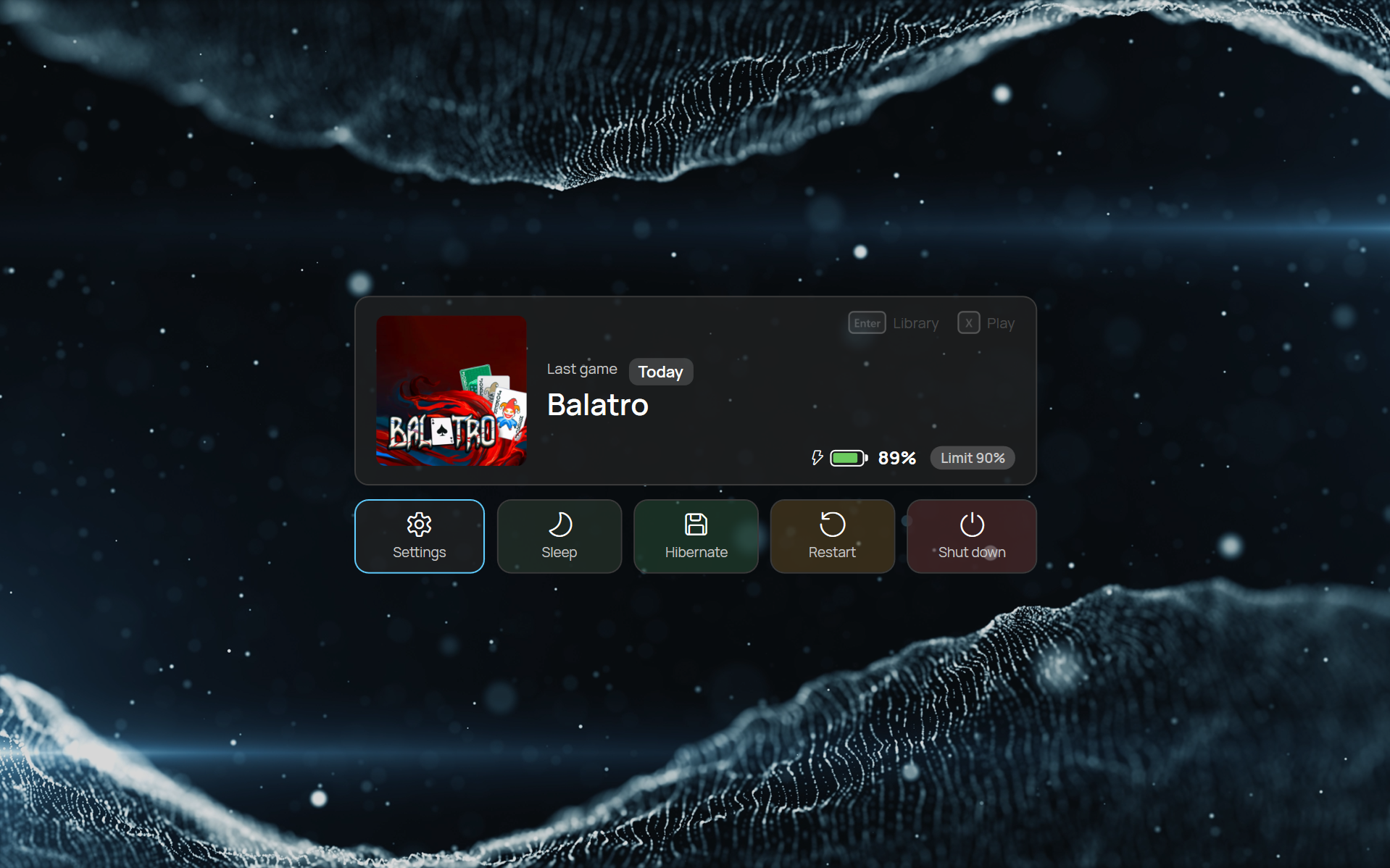
Lock screen
- Your last game, battery and charge limit at a glance
- Settings, sleep, hibernate, restart and shut down
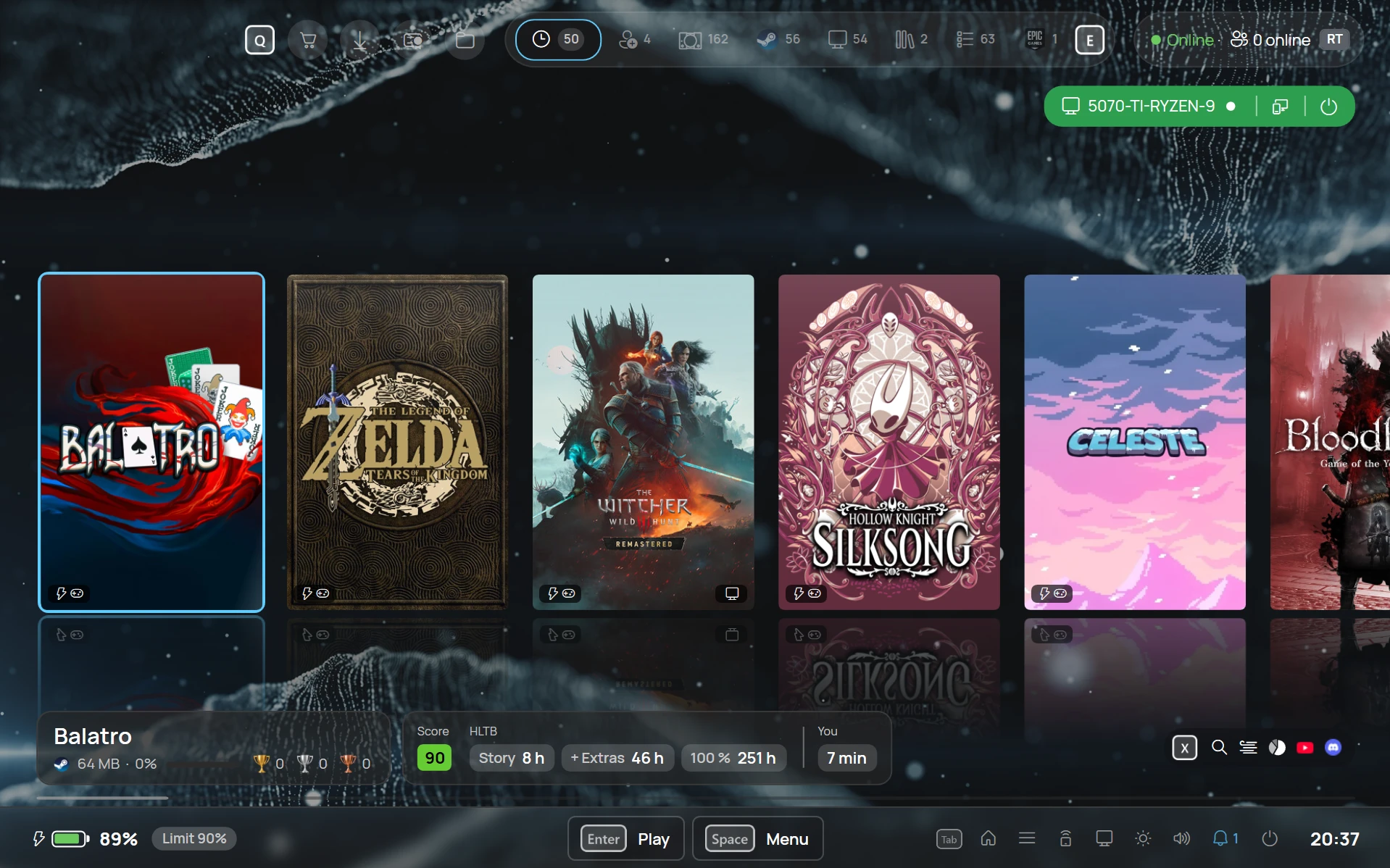
Live wallpaper
- Your own MP4 videos play muted and looped behind the library and on the lock screen
- Pick one from a gallery with still frames
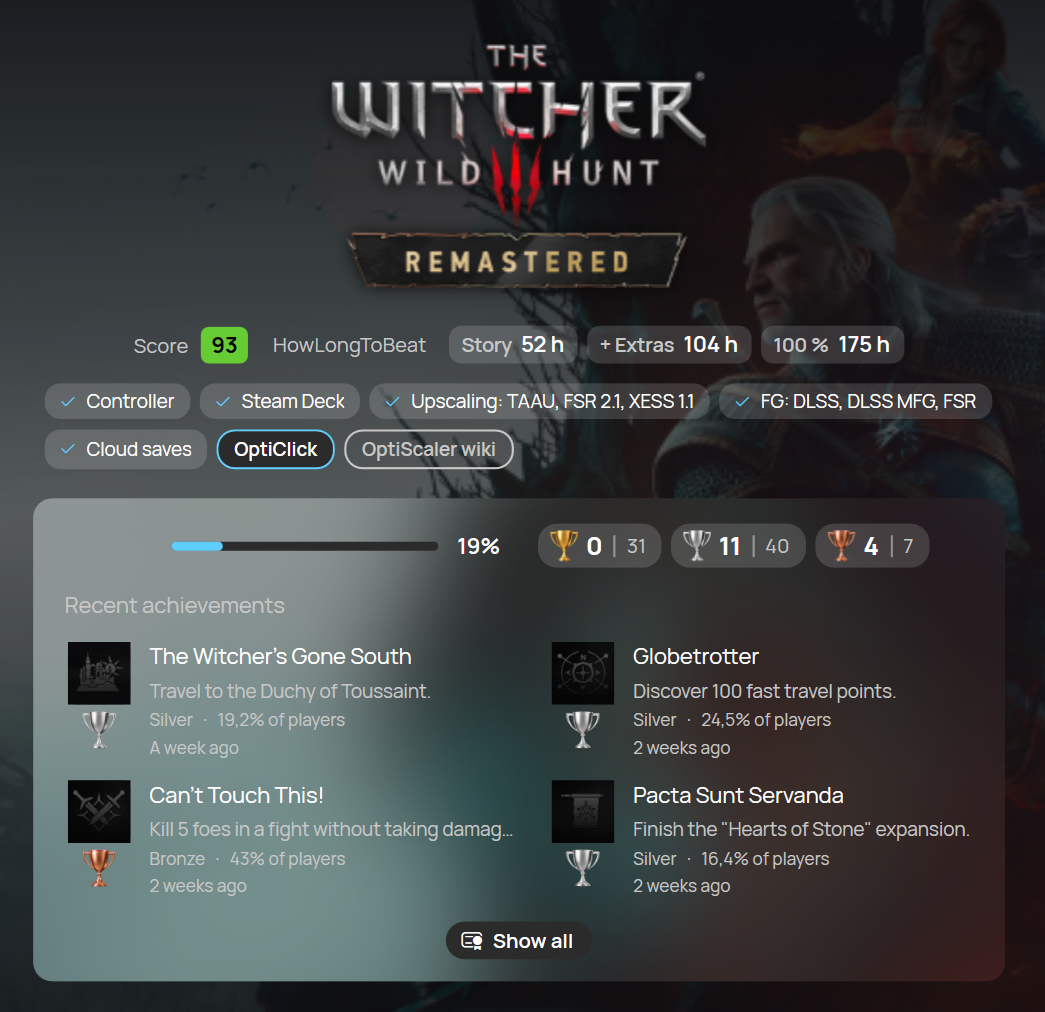
Achievements in gold, silver and bronze
- Ranked by rarity
- Recent achievements right on the game
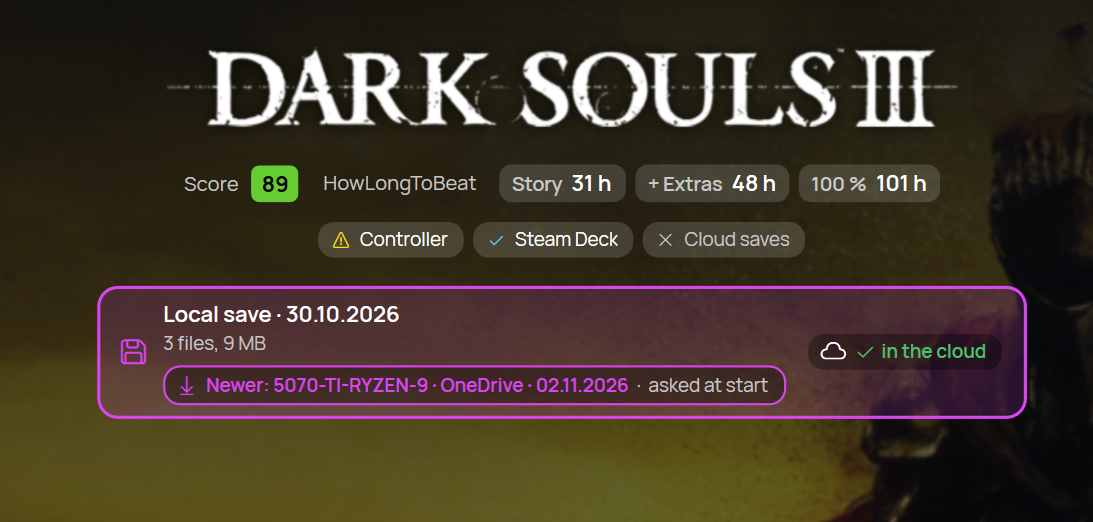
Local and cloud saves with Ludusavi
- For games without a built-in cloud sync, ROMs and PC ports
- Sync with your PC and get asked at game start when a newer save exists
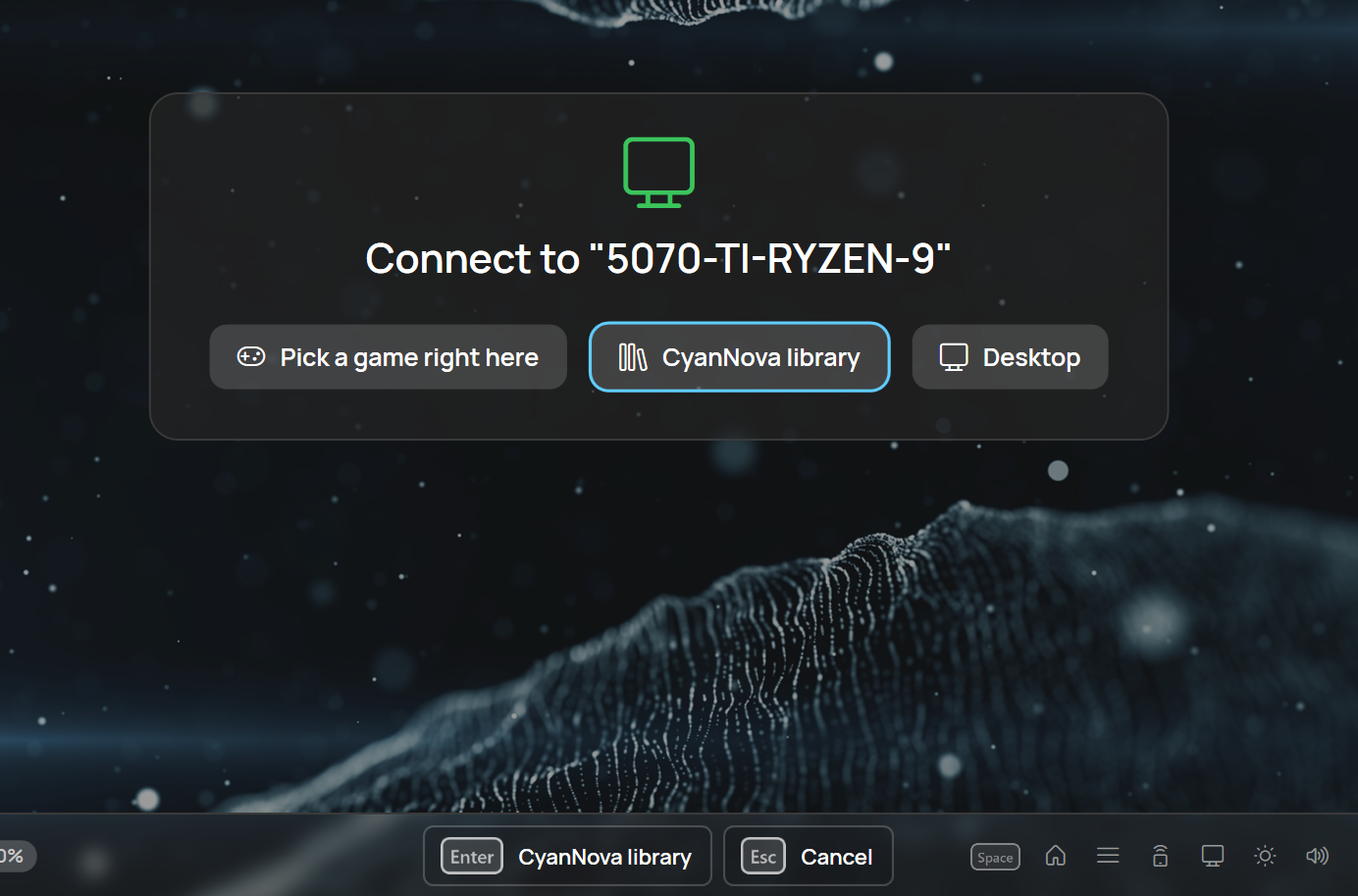
Connect to your PC
- Pick a game right here, open the CyanNova library or the desktop
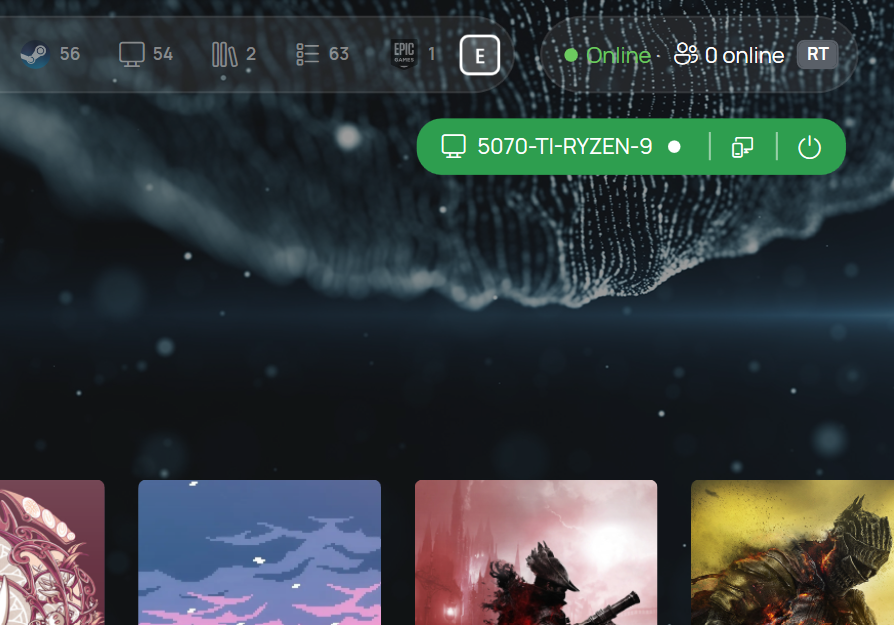
Start your PC from the library
- See its status and wake it from the top bar
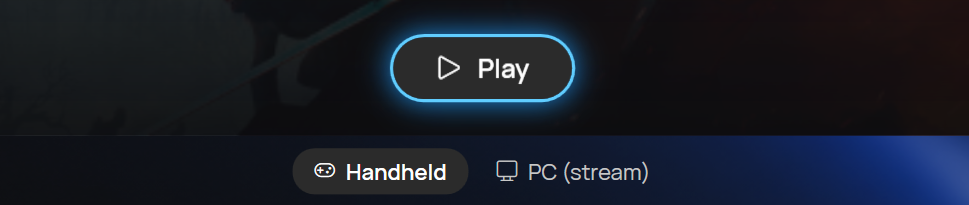
Handheld or PC
- CyanNova knows when a game is on your PC too
- Choose a local or a streaming session
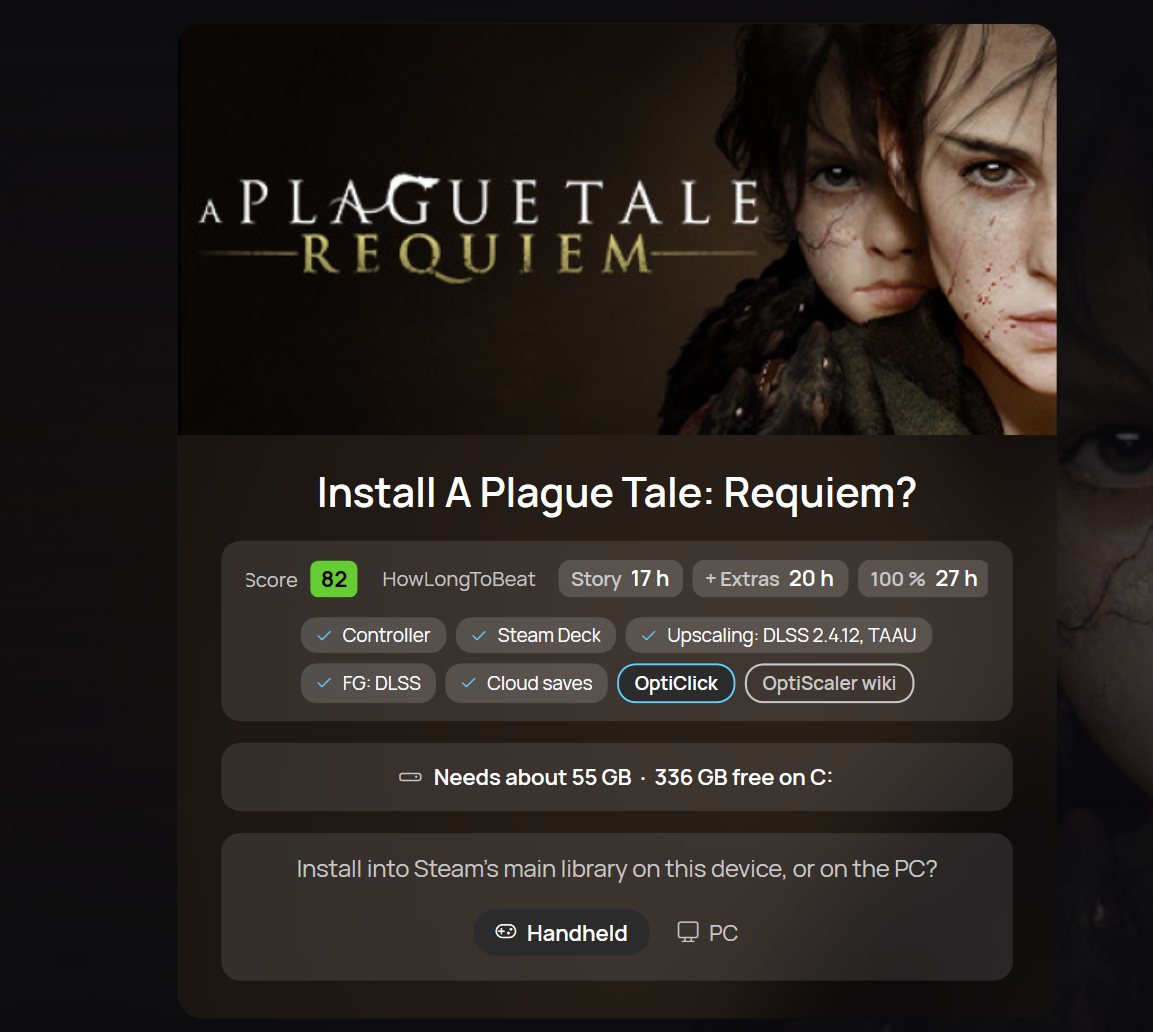
Install where you want
- Install a game on the handheld or on your PC
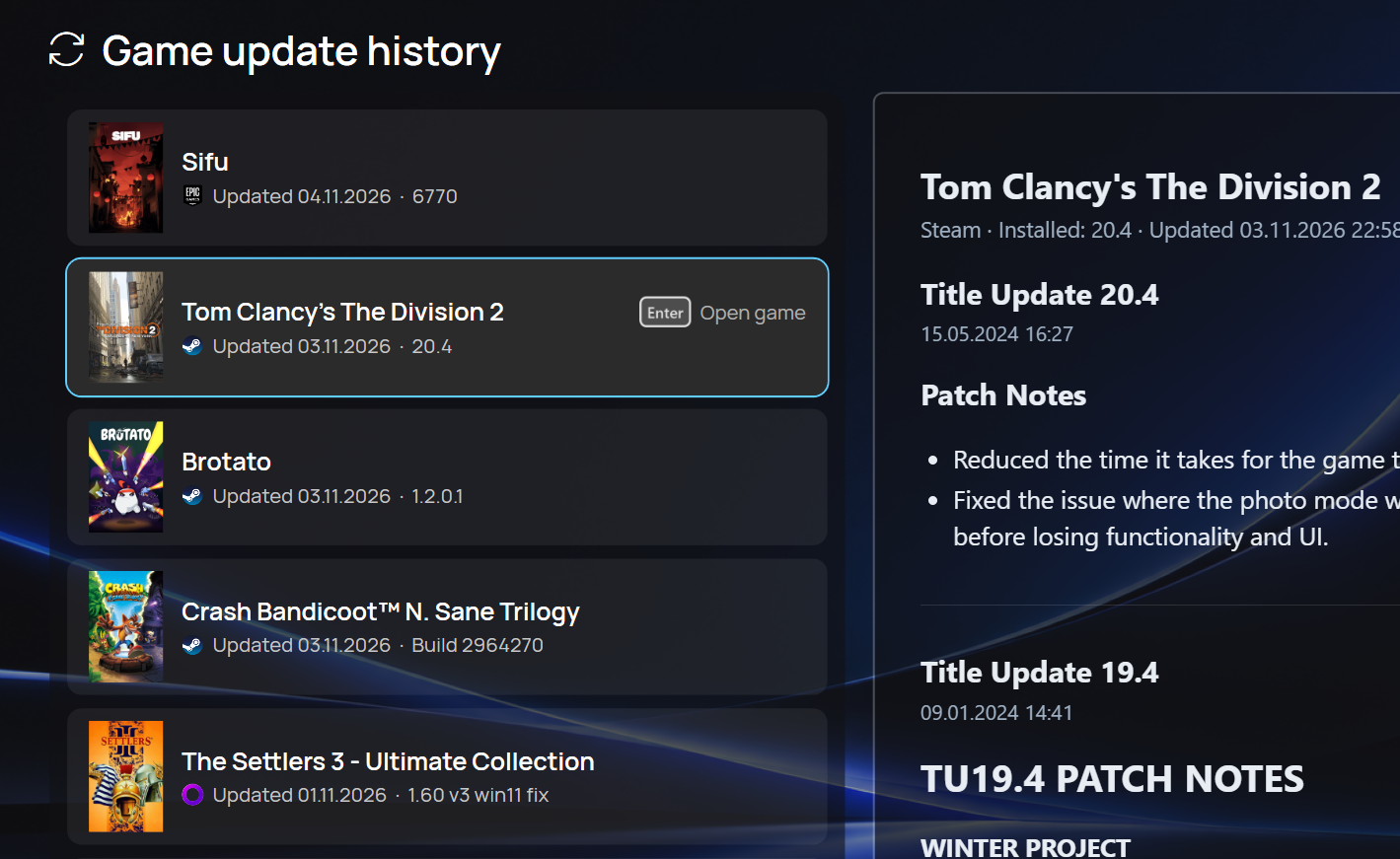
Game update history
- Recent game updates across stores, with patch notes