SmartcardEncryptedKeyFile v1.3.1

Installation
Copy the attached .plgx file into the KeePass installation folder or any sub-directory thereof.
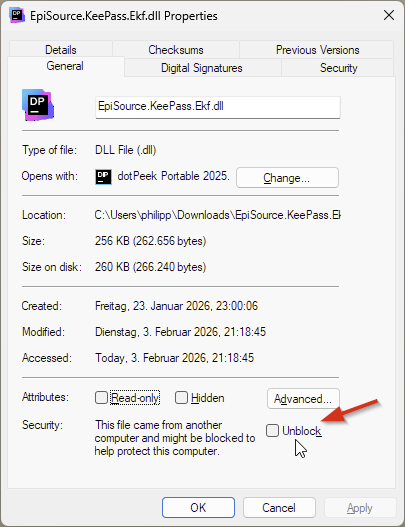
Note: The .dll file is typically not needed. It is relevant for specific configurations, only. See README. When using the .dll installation, take care to clear the downloaded-from-internet flag.
Requirements
- KeePass 2.60
- .Net Framework 4.8
- Windows
Release Notes
v1.3.1
- Fix NullReferenceException when token is inserted/removed while "Smartcard required" dialog is shown
Known Issues
- Smart Card operations / unlocking an encrypted key file fails (with Exception dialog) if YubiKey Authenticator is running in parallel (note: only when using windows builtin smartcard driver, issue does not occur if YubiKey minidriver is installed)
- Still Erratic behavior when tokens/cards are inserted or removed while "Smartcard required" dialog is shown or about to open
- Exporting the key when generating / modifying the encrypted key file fails on secure desktop (#8)
- Tools > Edit Encrypted Key File` entry has wrong state if databases with and without EKF are loaded
Other Releases
refer to Changelog for other releases