Repository navigation
7.1.0

Radial Timeline 7.1.0
Two structural features for how a manuscript is organized and seen: first-class Parts, and the Sequence subplot alignment.
Parts
Parts are now explicit markers you place yourself — the same workflow as chapters. Right-click a scene → Set part… to open a part at that scene, give it a title, or clear it; or set the scene's Part: field directly. Parts carry optional titles and epigraphs into the PDF layouts that print them, P placards mark part boundaries on the Narrative ring, and Act returns to being purely narrative structure — publishing divisions and story analysis no longer share one field. Thanks to @therisingtithes for the request (#30).
Sequence
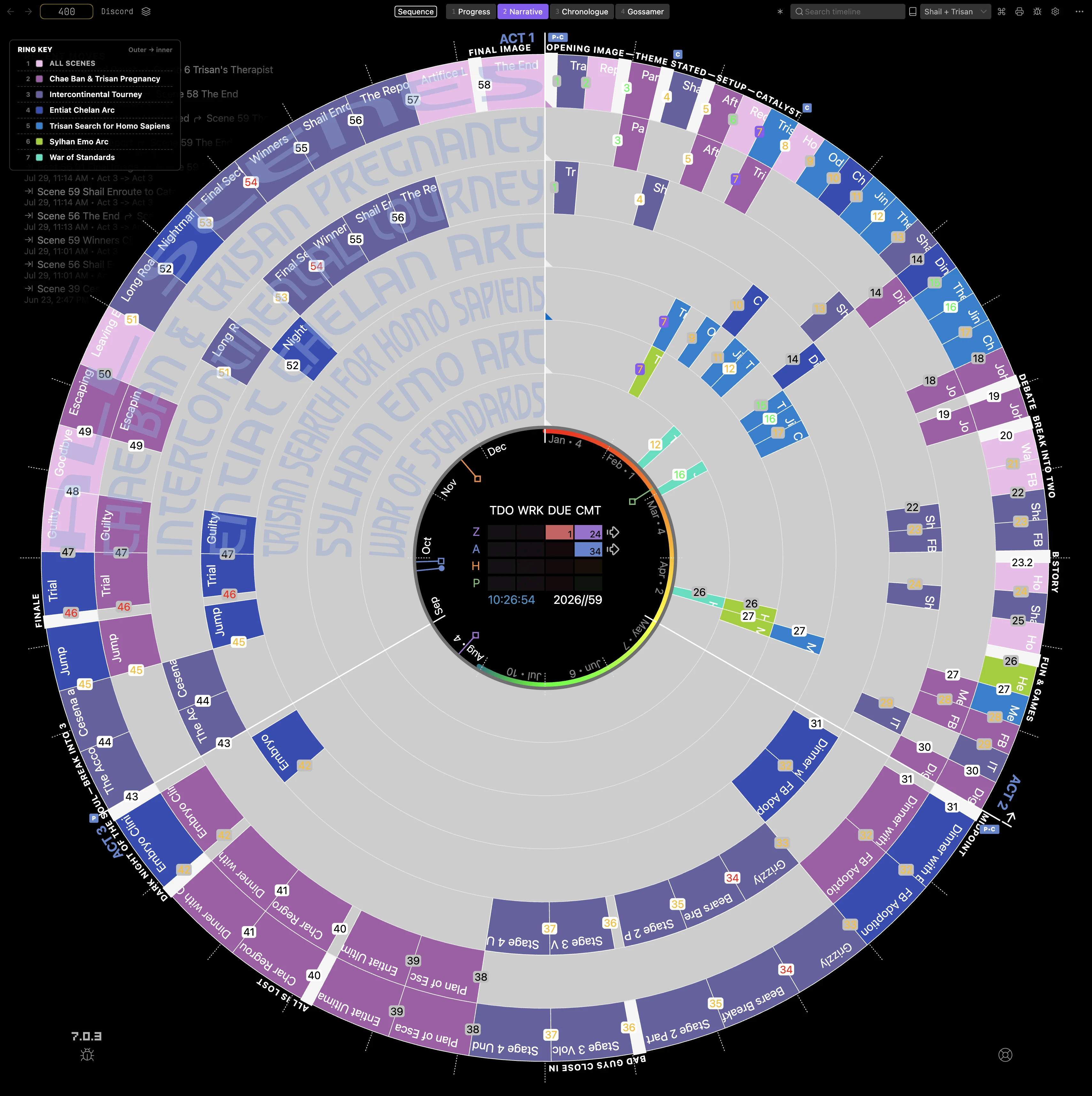
A new alignment chip leads the mode row in Narrative, Chronologue, and Gossamer modes:
- Fill (default) — subplot scenes spread evenly across each act, every ring using its full arc.
- Sequence — every subplot scene sits at its true position in the full manuscript, aligned with the outer ring. Empty cells show where a thread goes dormant, so you can see at a glance where each subplot lives, where it disappears, and how the threads interleave.
More Improvements
- Timeline Audit: scoped AI chronology scans — run the AI deep read on a selected scope of scenes instead of the whole book. Hand-pick the stretch that's confusing and let it read those scenes in narrative order to recover flashbacks, relative timing, and better date suggestions.
- Local model capabilities — declare what your local model can handle in Settings → AI, so AI features gate accurately against it.
Fixes
- Closed the dead band at the backdrop ring edge in Chronologue.
- Arcs spanning more than half the circle now draw the long way round instead of flipping.
- Scene titles clip to their own arc, and hover expansion respects Sequence alignment.
- Part placards redraw immediately when a Part is set, retitled, or cleared.
Contributors

therisingtithes