Skip to content

ericsargsyan/time_controller

Folders and files

NameName
Last commit message
Last commit date

Latest commit


History

21 Commits


Repository files navigation

Time Controller project is using

So before running server you should configure database yourself.

After installing PostgreSQL and PgAdmin open terminal and type

sudo -u postgres psql
postgres=# create database mydb;
postgres=# create user myuser with encrypted password 'mypass';
postgres=# grant all privileges on database mydb to myuser;

It requires you to create while installing the app.

After creating appropriate database open django settings and change database

DATABASES = {
    'default': {
        'ENGINE': 'django.db.backends.postgresql_psycopg2',
        'NAME': 'mydb',
        'USER': 'myuser',
        'PASSWORD': 'userpassword',
        'HOST': 'localhost',
        'PORT': 5432,
    }
}

Don't forget to install psycopg2 in your enviroment

pip install psycopg2-binary

time_controller

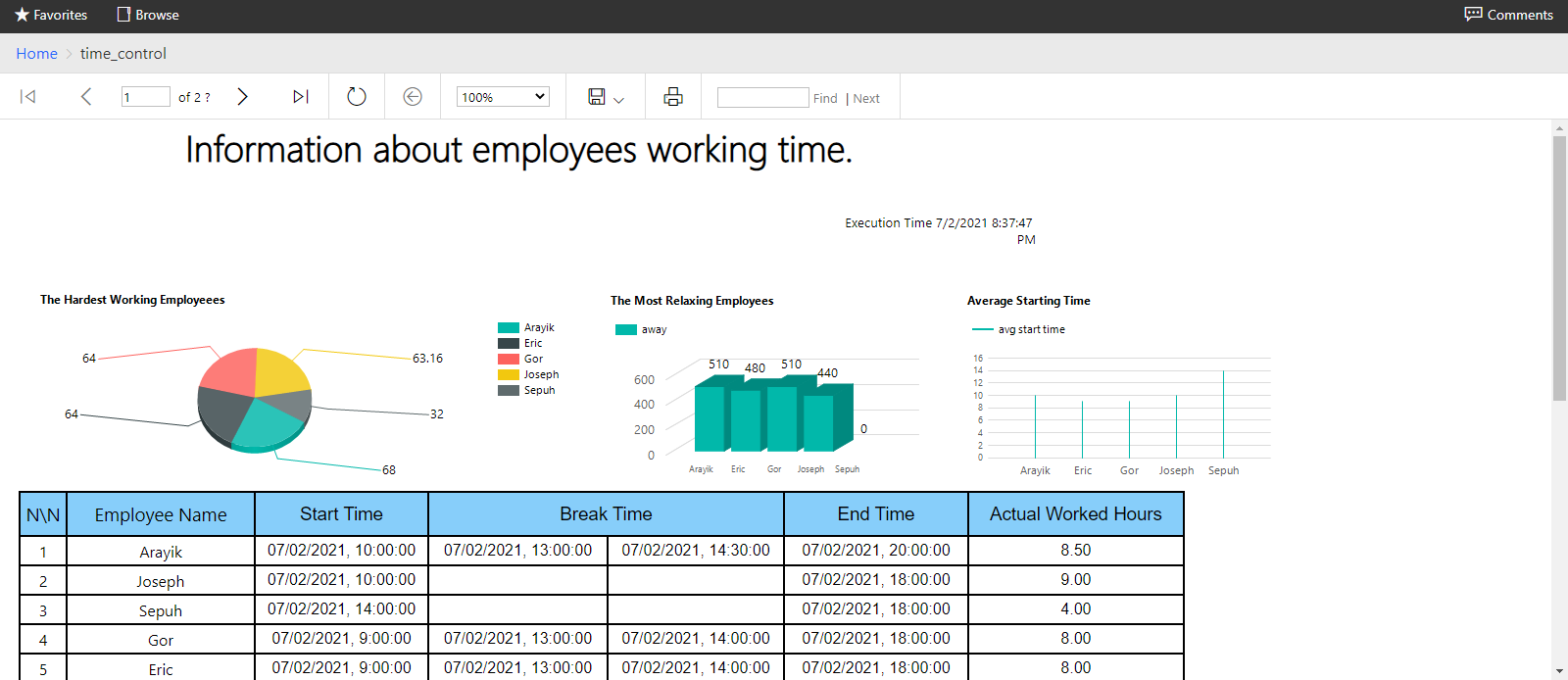
Report in BI Server!

Screenshot 2021-07-02 203816

About

A simple website for employers to monitor employees working time

Topics

Resources

Stars

Watchers

Forks

Releases

No releases published

Packages

No packages published