Worlds Page
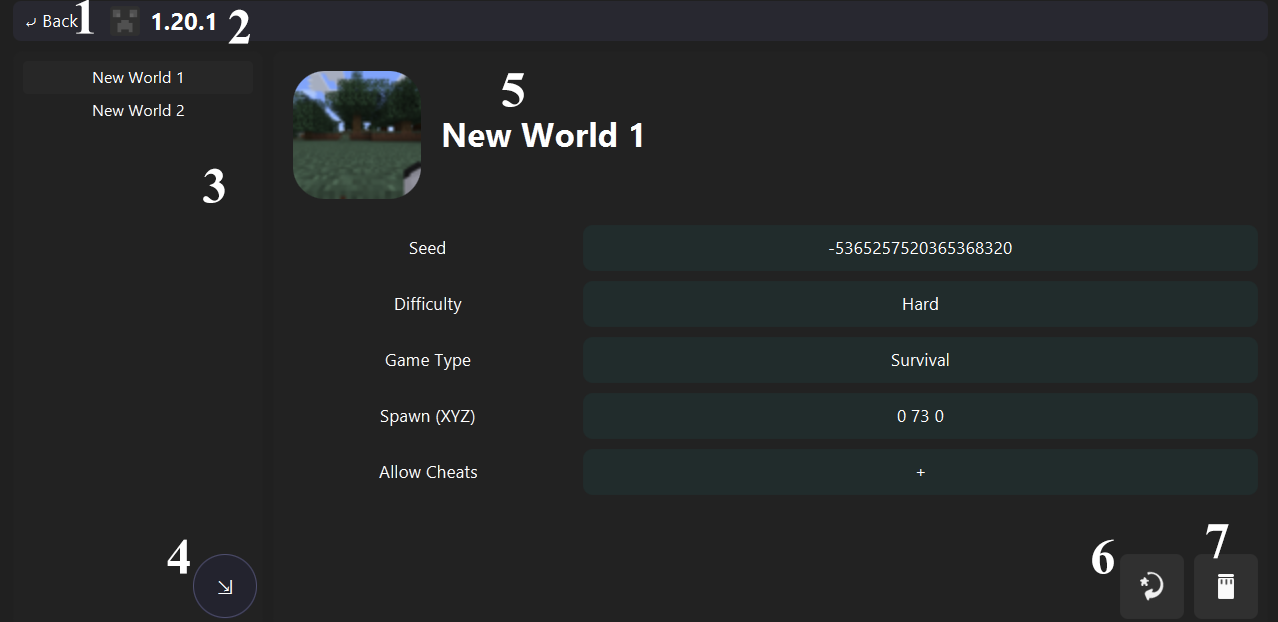
Navigate to the profile page.
- Profile icon.
- Profile name.
List of the local worlds.
Open a selection dialog, then import the selected world backup.
- Thumbnail.
- Level name.
Back up the selected world as a ZIP file.
Deletes the world with files.