AssetsCoffeeScript
CoffeeScript is a small and elegant language that compiles into JavaScript. It provides a nicer syntax for writing your JavaScript code.
Compiled assets in Play 2.0 must be defined in the app/assets directory. They are handled by the build process, and CoffeeScript sources are compiled into standard JavaScript files. The generated JavaScript files are distributed as standard resources into the same public/ folder as other unmanaged assets, meaning that there is no difference in the way you use them once compiled.
Note that managed resources are not copied directly into your application’s
publicfolder, but maintained in a separate folder intarget/scala-2.9.1/resources_managed.
For example a CoffeeScript source file app/assets/javascripts/main.coffee will be available as a standard JavaScript resource, at public/javascripts/main.js.
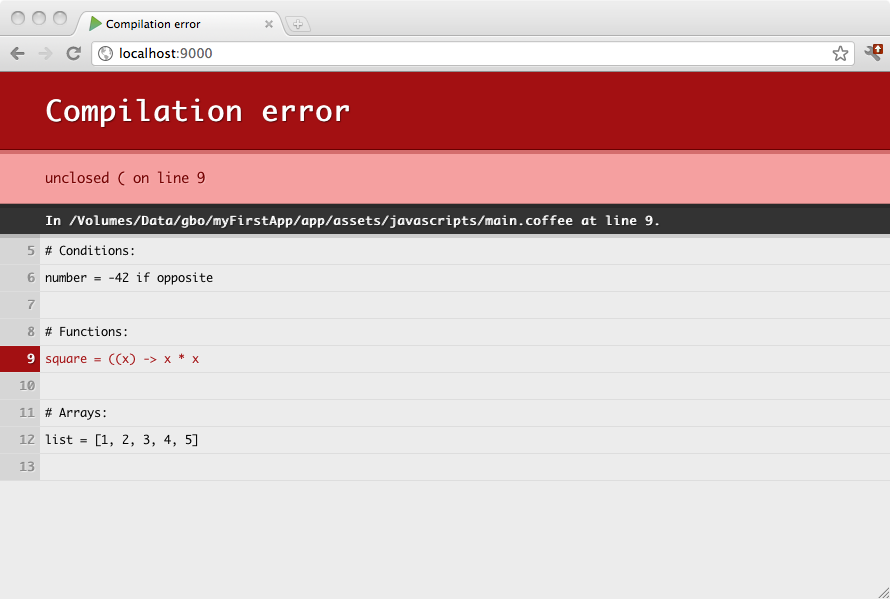
CoffeeScript sources are compiled automatically during a compile command, or when you refresh any page in your browser while you are running in development mode. Any compilation errors will be displayed in your browser:
Here is an example layout for using CoffeeScript in your projects:
app
 └ assets
    └ javascripts
       └ main.coffee
Two JavaScript files will be compiled: public/javascripts/main.js and public/javascripts/main.min.js. The first one is a readable file useful in development, and the second one a minified file that you can use in production. You can use either one or the other in your template:
<script src="@routes.Assets.at("javascripts/main.js")"><script src="@routes.Assets.at("javascripts/main.min.js")">CoffeeScript compilation can be configured in your project's Build.scala. The only option currently supported is the bare mode.
coffeeScriptOptions := Seq("bare")
By default, the Javascript code is generated inside a top-level function the top-level function safety wrapper, preventing from polluting the global scope. The bare option remove this function wrapper.