AssetsGoogleClosureCompiler
NOTE: Google Closure Compiler doesn't work on Windows, see https://play.lighthouseapp.com/projects/82401/tickets/274-closure-compiler-broken-in-windows.
The Closure Compiler is a tool for making JavaScript download and run faster. It is a true compiler for JavaScript - though instead of compiling from a source language to machine code, it compiles JavaScript to better JavaScript. It parses your JavaScript, analyzes it, removes dead code and rewrites and minimizes what’s left.
Any JavaScript file present in app/assets will be parsed by Google Closure compiler, checked for errors and dependencies and minified if activated in the build configuration.
JavaScript code is compiled during the compile command, as well as automatically when modified. Error are shown in the browser just like any other compilation error.
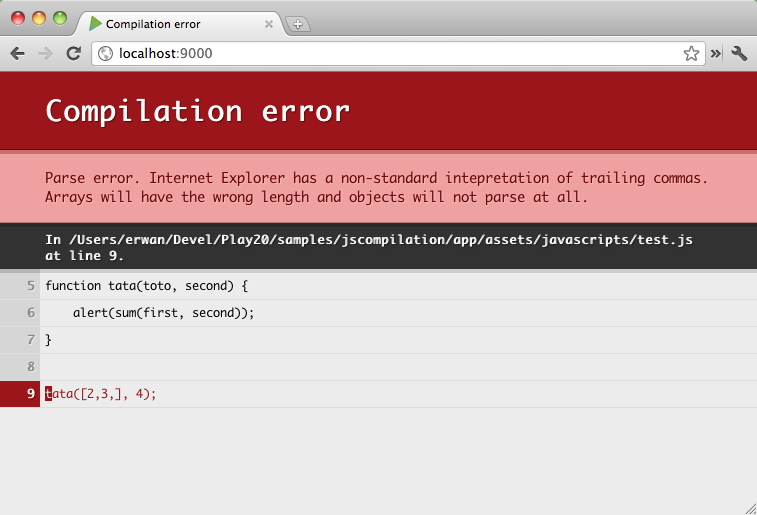
**NOTE: This does not work for non-minimized files. See the bug report here.
Play’s Closure Compiler integration can also resolve dependencies that you declare with a CommonJS style, similarly to RequireJS.
Consider the lib.js file:
// The lib

function sum(a, b) {
    return a + b;
}
exports.sum = sum;
And the test.js file:
// The test

require("lib");

function showSum(first, second) {
    alert(require("lib").sum(first, second));
}

showSum([2,3], 4);
After configuring your build to use an alternative ClosureCompiler without advanced settings but with CommonsJS support and pretty printing, the file served for test.min.js will be the following:
goog.provide("module$lib");
var module$lib = {};
function sum$$module$lib(a, b) {
  return a + b
}
module$lib.sum = sum$$module$lib;
if(module$lib.module$exports) {
  module$lib = module$lib.module$exports
}
;goog.provide("module$test");
var module$test = {};
goog.require("module$lib");
goog.require("module$lib");
module$lib;
function showSum$$module$test(first, second) {
  alert(module$lib.sum(first, second))
}
showSum$$module$test([2, 3], 4);
if(module$test.module$exports) {
  module$test = module$test.module$exports
}
;
A minified file is also generated, where .js is replaced by .min.js. In our example, it would be test.min.js. If you want to use the minified file instead of the regular file, you need to change the script source attribute in your HTML.
By default, any JavaScript file not prepended by an underscore will be compiled. This behavior can be changed in project/Build.scala by overriding the javascriptEntryPoints key. This key holds a PathFinder.
For example, to compile only .js file from the app/assets/javascripts/main directory:
val main = PlayProject(appName, appVersion, mainLang = SCALA).settings(
   javascriptEntryPoints <<= baseDirectory(base =>
      base / "app" / "assets" / "javascripts" / "main" ** "*.js"
   )
)
The default definition is:
javascriptEntryPoints <<= (sourceDirectory in Compile)(base =>
   ((base / "assets" ** "*.js") --- (base / "assets" ** "_*")).get
)