JavaDatabase
Play 2.0 provides a plugin for managing JDBC connection pools. You can configure as many databases you need.
To enable the database plugin, configure a connection pool in the conf/application.conf file. By convention the default JDBC data source must be called default:
# Default database configuration
db.default.driver=org.h2.Driver
db.default.url="jdbc:h2:mem:play"
To configure several data sources:
# Orders database
db.orders.driver=org.h2.Driver
db.orders.url="jdbc:h2:mem:orders"

# Customers database
db.customers.driver=org.h2.Driver
db.customers.url="jdbc:h2:mem:customers"
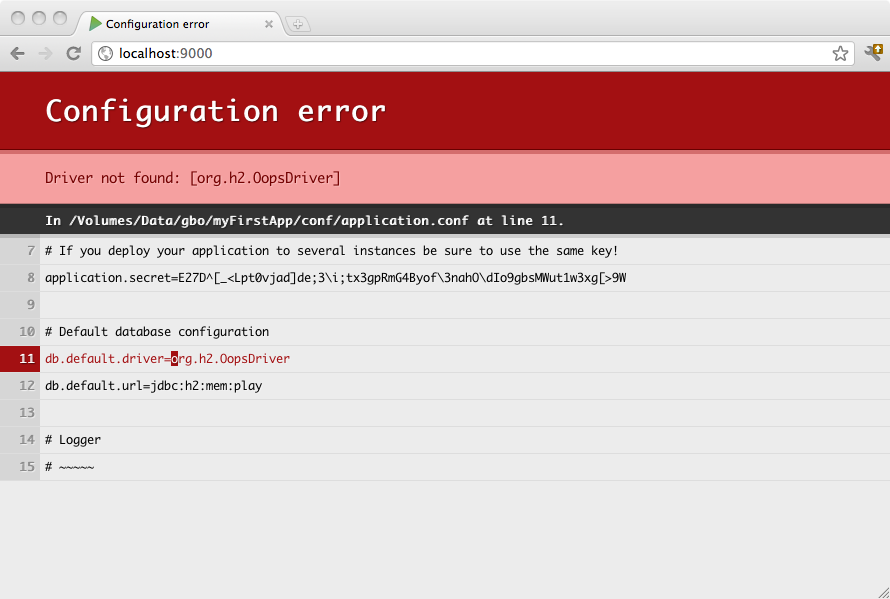
If something isn’t properly configured you will be notified directly in your browser:
The play.db package provides access to the configured data sources:
import play.db.*;

DataSource ds = DB.getDatasource();The same way you can retrieve a JDBC connection:
Connection connection = DB.getConnection();
Some libraries expect to retrieve the Datasource reference from JNDI. You can expose any Play managed datasource via JDNI by adding this configuration in conf/application.conf:
db.default.driver=org.h2.Driver
db.default.url="jdbc:h2:mem:play"
db.default.jndiName=DefaultDS