

-
|
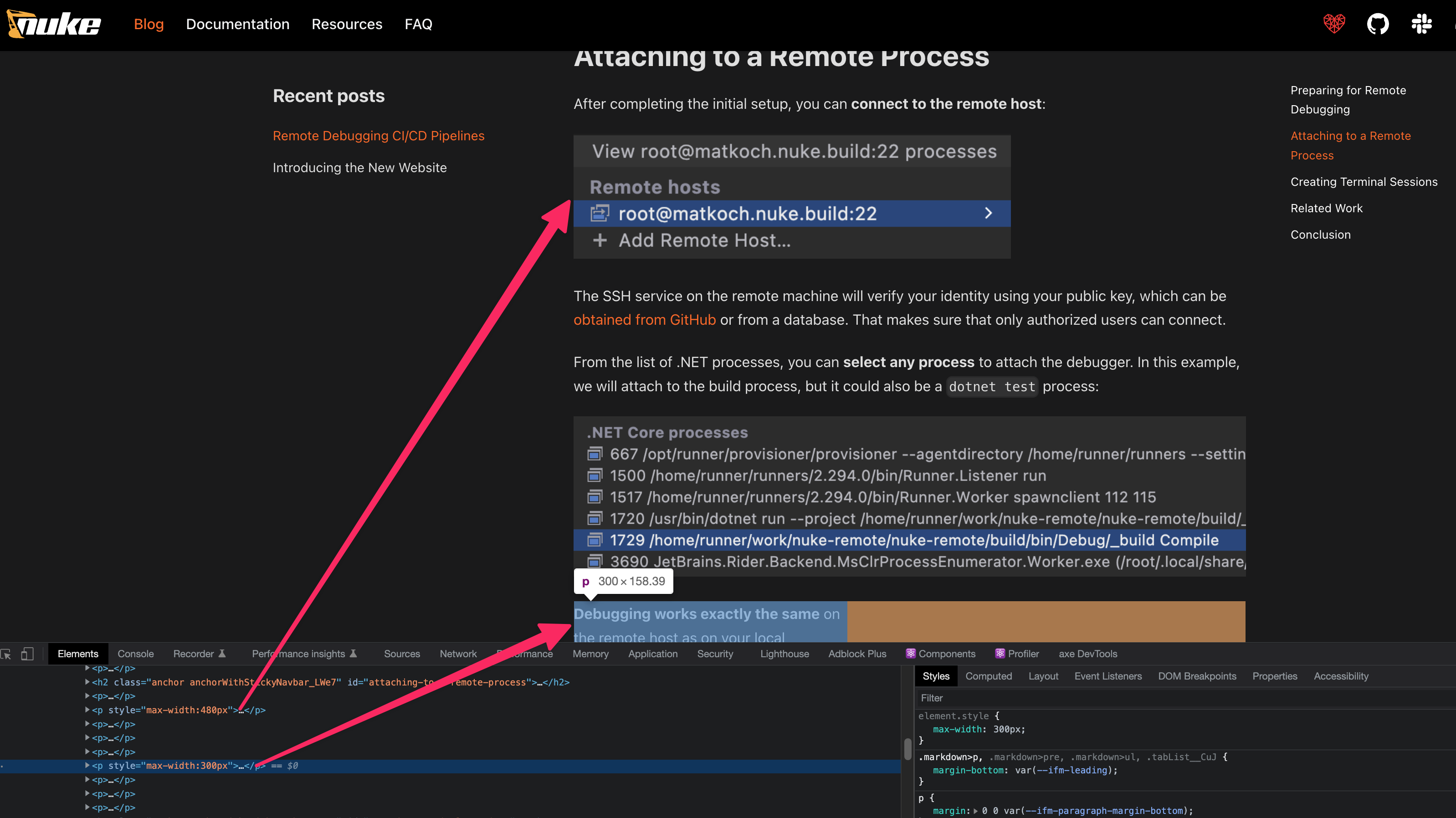
I run into some real oddities. I'm including an image in my markdown as follows: However, Correct
Incorrect (too big)
|


Beta Was this translation helpful? Give feedback.
Replies: 1 comment 1 reply

-
|
This is due to a React hydration problem:
I can't tell exactly why this hydration problem happens. It is possible that it is a bug in React, or that you have some elements in your DOM tree that produce a mismatch and this mess things up for React. I'd particularly look for React components rendered on that specific doc that have different outputs for server-side-rendering vs client-side-rendering. See also https://www.joshwcomeau.com/react/the-perils-of-rehydration/ Note: upgrading to React 18 will make this kind of errors clearer as we'll be able to print a console error message. After this React hydration problem, this is what you get:
As you can see, the wrong inline styles are applied to the wrong elements. Unfortunately, Docusaurus can't fix it for you. A possible workaround is to re-arrange a bit the DOM, create extra wrapper dom nodes around the content etc so that React hydration algorithm can understand better which vdom element match which existing HTML element |
Beta Was this translation helpful? Give feedback.

-
|
Oh man, I didn't even notice that one of the text paragraphs was resized. Although I did notice that numbers are swapped :) Anyway, interesting issue to read about! The suggested solution from the blog post helped, and it's not really any different to write Thanks a lot! :) |
Beta Was this translation helpful? Give feedback.


This is due to a React hydration problem:
I can't tell exactly why this hydration problem happens. It is possible that it is a bug in React, or that you have some elements in your DOM tree that produce a mismatch and this mess things up for React. I'd particularly look for React components rendered on that specific doc that have different outputs for server-side-rendering vs client-side-rendering.
See also https://www.j…