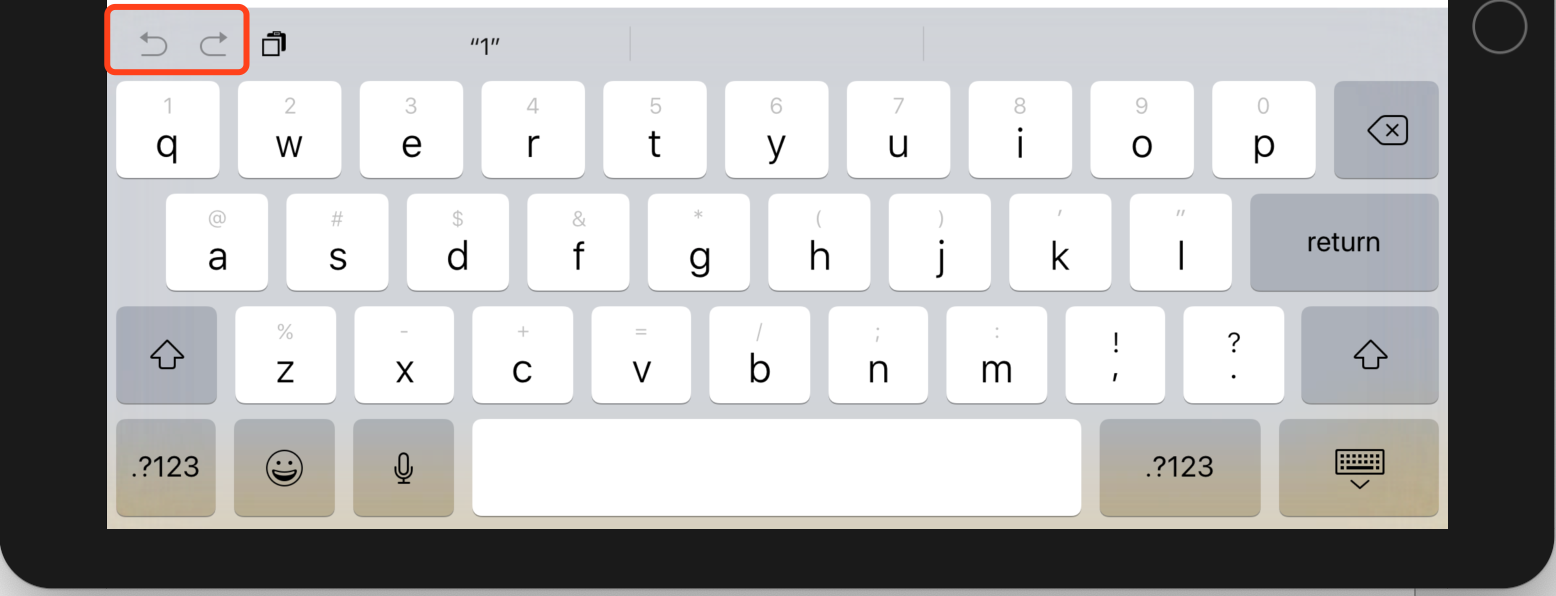
How can I hide or disable the shortcut (undo & redo) on IOS keyboard?
In my project, we need to hide or disable the shortcut(only undo & redo ) on IOS keyboard when the textInput focused and it should be a global behavior. After some research, I found that in the native project, we can use the below code to do it.
inputAssistantItem.leadingBarButtonGroups = [] inputAssistantItem.trailingBarButtonGroups = []
But our project is a react-native project, I don' know how to do it.

How can I hide or disable the shortcut (undo & redo) on IOS keyboard?
In my project, we need to hide or disable the shortcut(only undo & redo ) on IOS keyboard when the textInput focused and it should be a global behavior. After some research, I found that in the native project, we can use the below code to do it.
inputAssistantItem.leadingBarButtonGroups = [] inputAssistantItem.trailingBarButtonGroups = []But our project is a react-native project, I don' know how to do it.