Description
Relates to microsoft/react-native-windows#6303
RNTester after being redesigned sets the width of an example paged based on a globally cached width from Dimensions.
https://github.com/facebook/react-native/blob/master/packages/rn-tester/js/components/ExamplePage.js#L25
const ScreenWidth = Dimensions.get('window').width;
import {RNTesterThemeContext} from './RNTesterTheme';
const styles = StyleSheet.create({
...
examplesContainer: {
width: ScreenWidth,
flexGrow: 1,
},
...
});Setting the width explicitly isn't needed, but causes a couple of issues. The first is when the viewport is resized, invalidating the globally cached dimensions. Seen below on Windows:
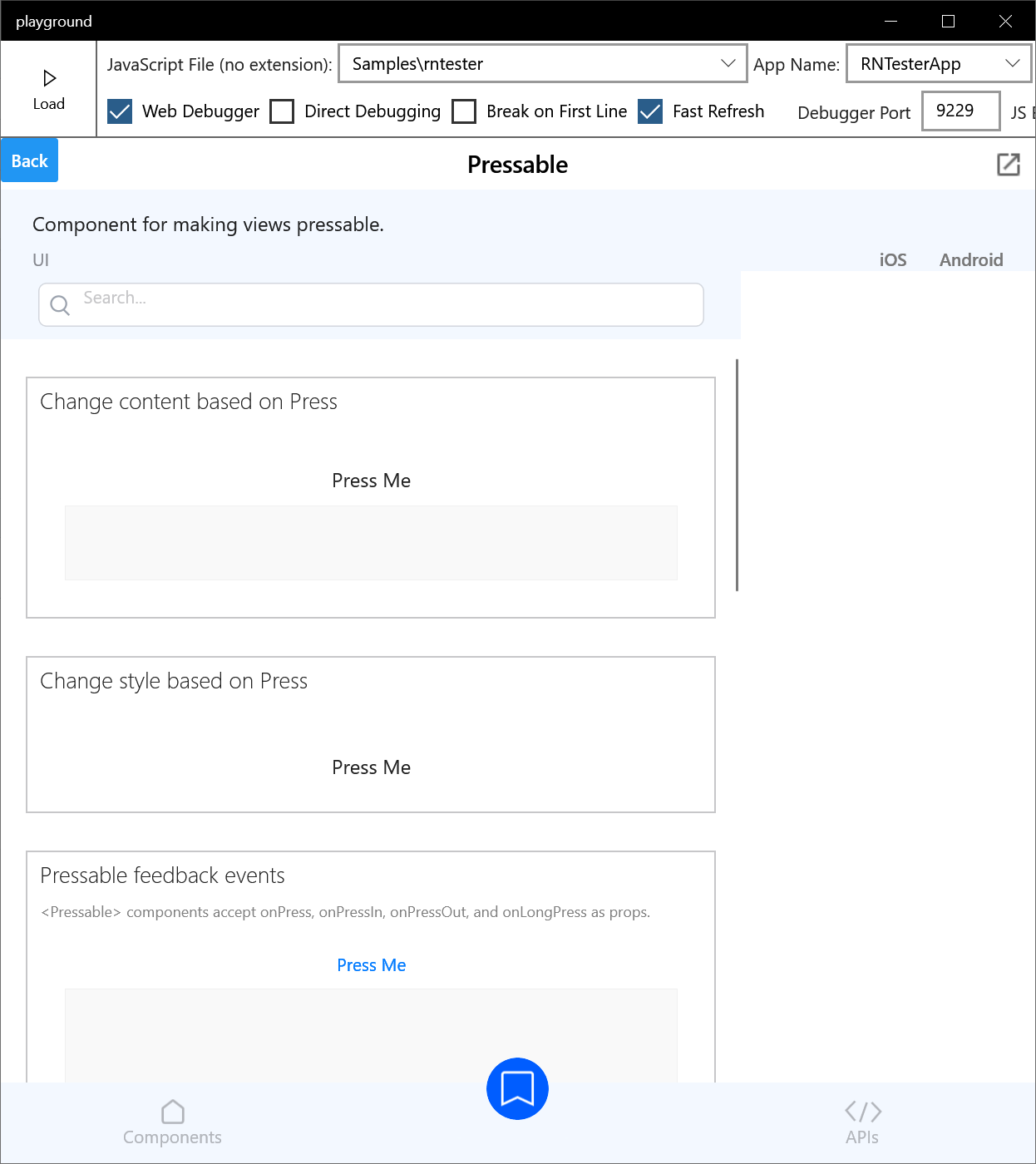
This same issue is likely to be seen if the app supports rotation, or windowing on phone/iPad. It causes some further issues on desktop platforms though, which may be multi-window, (where the Dimensions API is considered unsafe).
React Native version:
0.0.0-9b094ee77 (>= 0.64)
Steps To Reproduce
- Open RNTester app
- Open example
- Resize Viewport

Description
Relates to microsoft/react-native-windows#6303
RNTester after being redesigned sets the width of an example paged based on a globally cached width from Dimensions.
https://github.com/facebook/react-native/blob/master/packages/rn-tester/js/components/ExamplePage.js#L25
Setting the width explicitly isn't needed, but causes a couple of issues. The first is when the viewport is resized, invalidating the globally cached dimensions. Seen below on Windows:
This same issue is likely to be seen if the app supports rotation, or windowing on phone/iPad. It causes some further issues on desktop platforms though, which may be multi-window, (where the Dimensions API is considered unsafe).
React Native version:
0.0.0-9b094ee77 (>= 0.64)
Steps To Reproduce