Repository navigation
Releases: ferenozcelik/moss-text-editor-swiftui
Releases · ferenozcelik/moss-text-editor-swiftui
Release list
MossTextEditor 1.1.1

A bug fix release. Updating from 1.1.0 is recommended.
Fixed
- Pasted text ignored
maxLength, so pasting could go past the limit. It is now cut to fit, like typed text. - Pasting is now a step you can undo.
Full changelog: 1.1.0...1.1.1
MossTextEditor 1.1.0
Two new options for RichTextConfiguration. Nothing changes unless you set them, so updating from 1.0.x is safe.
What's new
maxLength: the most characters the user can type or paste. Typing stops at the limit and pasted text is cut to fit. Text that is already too long can still be shortened.maxHeight: withisScrollEnabled: false, the editor grows with its text up to this height, then scrolls inside. Handy for inputs that sit in a form or a chat.
RichTextConfiguration(
    isScrollEnabled: false,
    maxHeight: 300,
    maxLength: 5000
)
Full changelog: 1.0.1...1.1.0
MossTextEditor 1.0.1
A documentation and project housekeeping release. There are no changes to the library code, so updating from 1.0.0 is safe and optional.
What's changed
- Rewrote the README with screenshots, an options table and visual recipes, including a keyboard toolbar example
- Added a GitHub Actions test workflow and README badges
- Added a security policy
- Added a social preview image
Full changelog: 1.0.0...1.0.1
MossTextEditor 1.0.0
The first release of MossTextEditor, a rich text editor for SwiftUI.
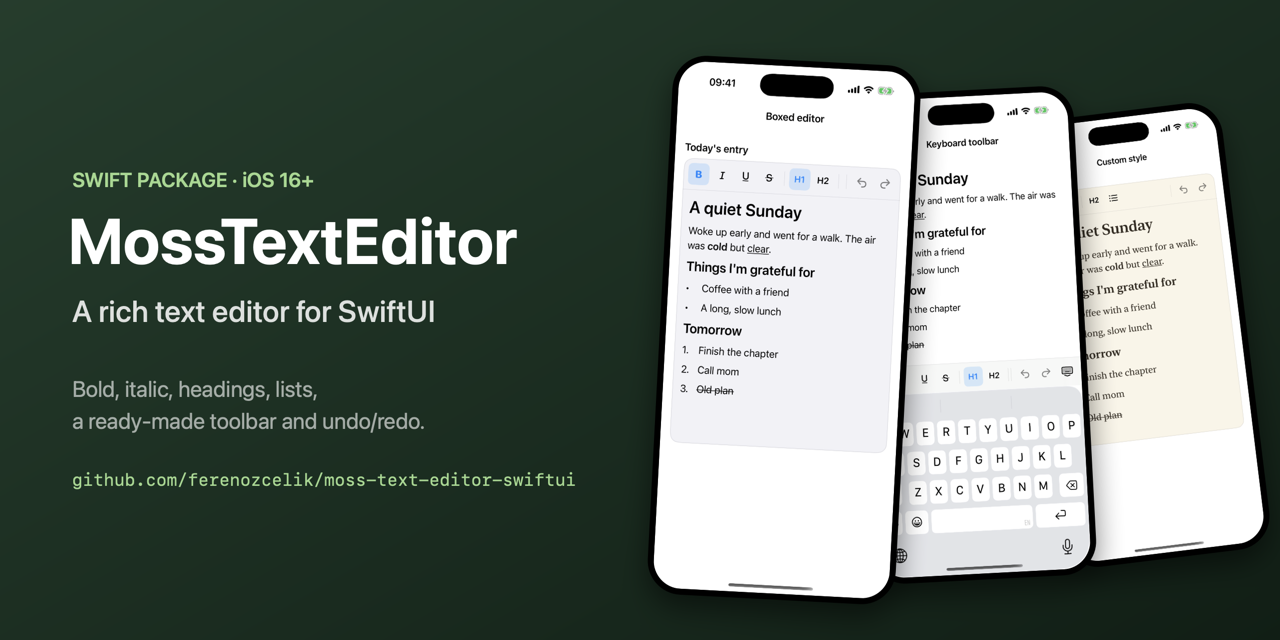
What's inside
- Bold, italic, underline and
strikethrough - Title and heading paragraphs
- Bulleted and numbered lists, with
-and1.shortcuts - A ready-made toolbar for above the keyboard or anywhere on screen
RichTextContextfor building your own controls- Undo and redo for typing, formatting and list edits
- Saving and loading as a keyed archive or RTF
- Placeholder, dark mode, custom fonts and colors
Installation
.package(url: "https://github.com/ferenozcelik/moss-text-editor-swiftui", from: "1.0.0")Requires iOS 16 or later. See the README to get started.