Releases: fooplugins/foopixel-fx
Release list
v1.1.2: Firework height

Adds a height option to the firework burst.
New
heightforfirework: how far the rocket climbs, in pixels, before it bursts. Use it to keep a firework close to a small button, or to send it up the whole screen. Without it, the rocket climbs a random 200–260px, as before.
PixelFX.burst(button, { style: "firework", height: 120 });<button data-pixel-burst="firework" data-pixel-burst-height="120">Upgrade</button>There are no other changes and nothing breaks. It includes the Trace fix from 1.1.1. The TypeScript types include the new option.
<script src="https://cdn.jsdelivr.net/gh/fooplugins/foopixel-fx@1.1.2/dist/foopixel-fx.min.js" defer></script>v1.1.1: Trace freeze fix
A bug fix release. Upgrading is recommended for everyone on 1.1.0 or 1.0.0.
Fixed
- Trace could freeze on its first frame. A browser can give an animation frame a timestamp slightly earlier than the event that started it. That made the first time step negative, and Trace then looked up its hopping pixel with a negative index and threw an error inside its animation loop. The element stayed frozen after that. It was most likely when lots of effects start at once, for example with
PixelFX.all().forEach((fx) => fx.setActive(true)). - The time step is now never negative, for hover effects and bursts alike, and Trace's lookup is safe for any value.
There are no API changes. Swap in the new files below, or load it from jsDelivr:
<script src="https://cdn.jsdelivr.net/gh/fooplugins/foopixel-fx@1.1.1/dist/foopixel-fx.min.js" defer></script>v1.1.0: Pixel bursts and neon colour schemes
Pixel bursts and neon colour schemes.
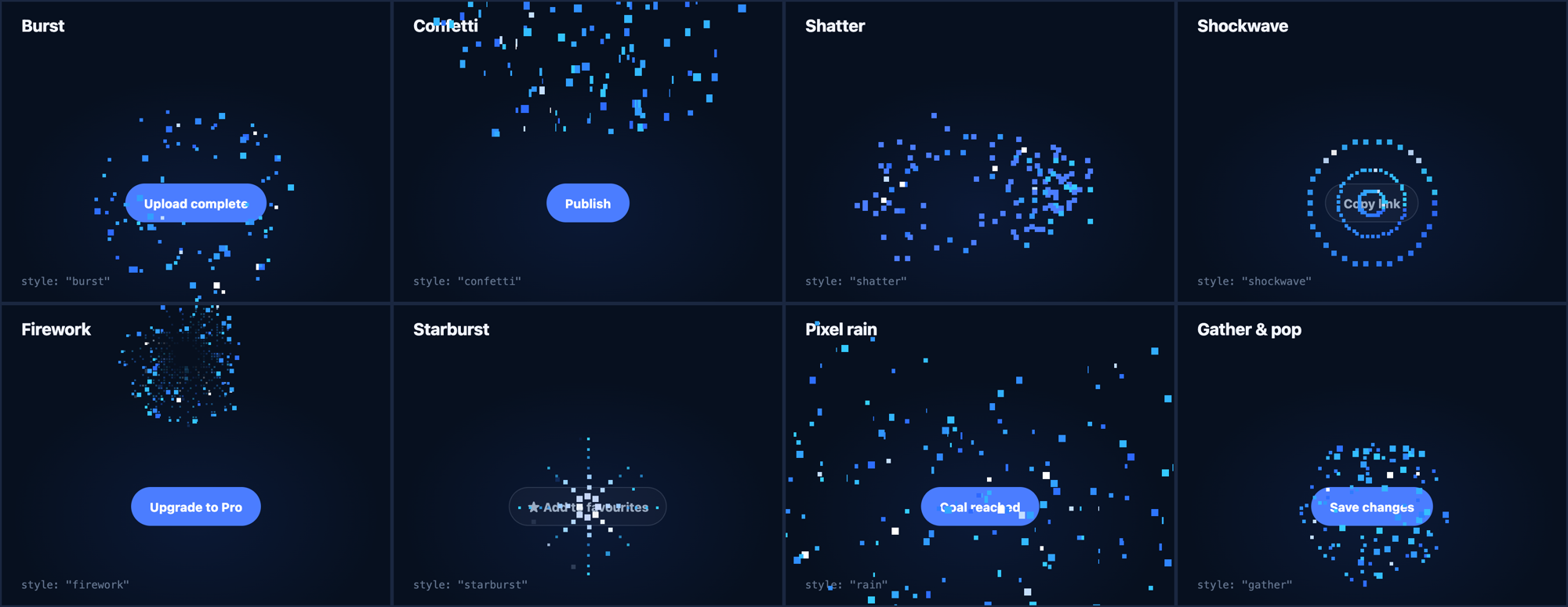
Pixel bursts
One-off pixel celebrations, like confetti, that you fire from a click or any other event. There are eight styles:
| Style | What it does |
|---|---|
burst |
Pixels fly out in every direction and arc down (the default) |
confetti |
A cannon of tumbling pixel confetti |
shatter |
The element breaks into its own pixels, then snaps back |
shockwave |
Three pixel rings roll outward like a sonar ping |
firework |
A pixel rocket climbs, then bursts into twinkling sparks |
starburst |
An 8-bit sparkle along eight directions |
rain |
Pixels rain down over the whole page |
gather |
Pixels are pulled in, hold for a beat, then pop |
PixelFX.burst(button, { style: "firework" });
PixelFX.burst({ x: e.clientX, y: e.clientY }, { amount: 1.5 });<button data-pixel-burst="confetti">Publish</button>Colour schemes
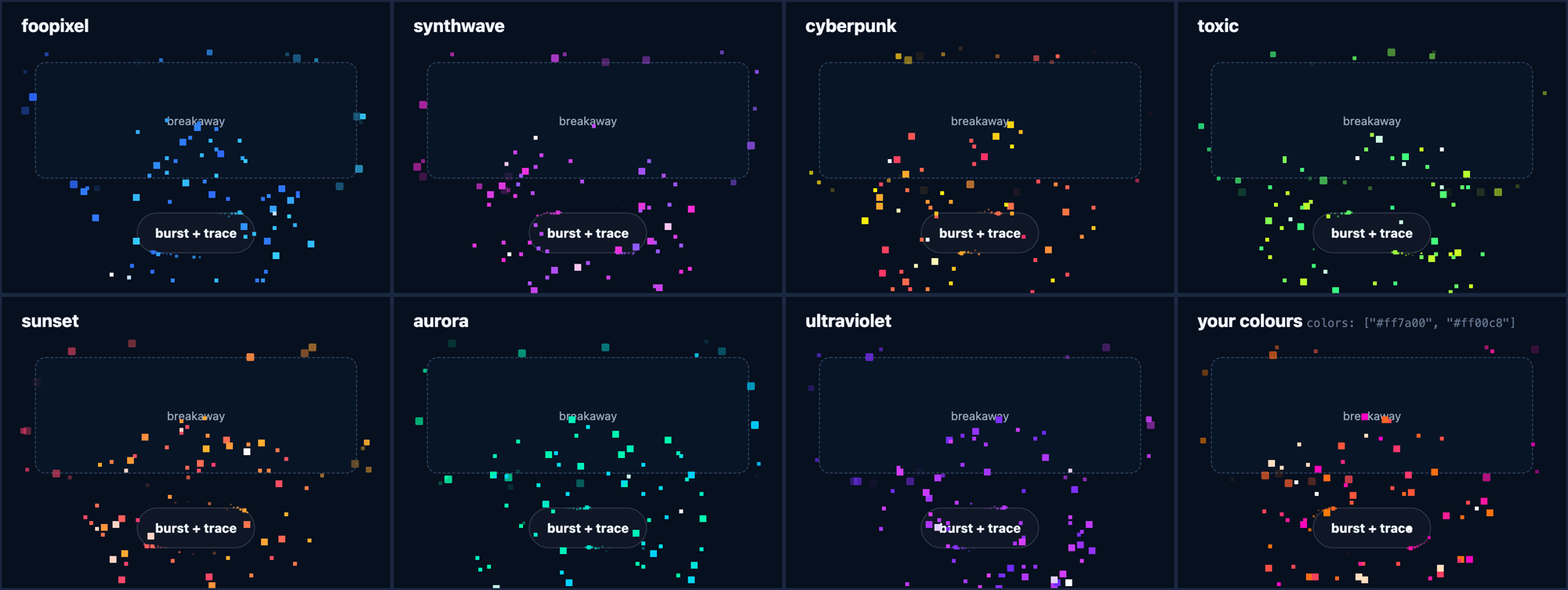
The FooPixel blue is joined by six neon schemes: synthwave, cyberpunk, toxic, sunset, aurora and ultraviolet. They work on both hover effects and bursts. You can switch the whole page, set a scheme on one element or one burst, or pass your own two colours.
PixelFX.configure({ scheme: "synthwave" });
PixelFX.burst(button, { scheme: "sunset" });
PixelFX.burst(button, { colors: ["#ff7a00", "#ff00c8"] });
Also in this release
- A new bursts demo,
demo/bursts.html, with sliders and a scheme picker. The hover demo has a scheme picker too. - New TypeScript types for bursts and schemes, and
PixelFX.bursts/PixelFX.schemeslists. - Bursts respect reduced motion, like the hover effects. They share one canvas that is removed once the last pixel is gone.
- The minified script is now about 10 KB gzipped.
The files below are the built library. Existing hover effect code works unchanged.