A multi-architecture implementation of RSA encryption in assembly language, supporting x86_64 and ARM64 processors.


- Overview
- System Requirements
- Architecture Support
- Running with Docker
- Program Features
- How to Use
- Examples
- Python Verification Code
- Documentation and Demonstration
Submitted by:
| Name | Role |
|---|---|
| Francis James Lagang | Student |
| Margaret Grace Docdoc | Student |
| Simone Montañez | Student |
Final Project for CS 3103, DCISM, University of San Carlos. December 2024.
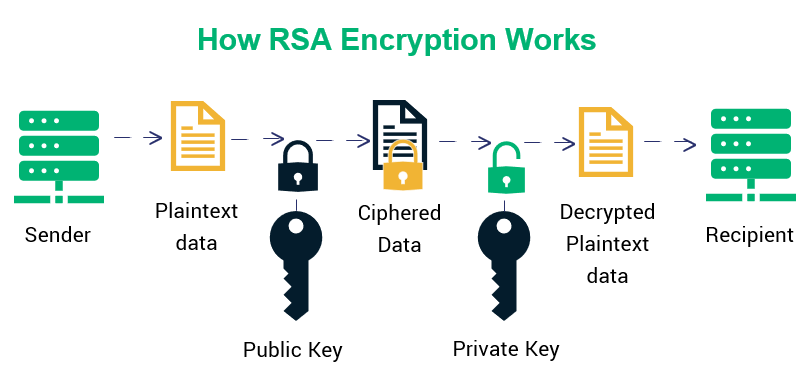
RSA is a public-key cryptosystem widely used for secure data transmission. It is based on the practical difficulty of factoring the product of two large prime numbers.
Note
This implementation is for educational purposes and demonstrates the basic principles of RSA encryption using small prime numbers.
In this implementation, we use:
| Component | Value | Description |
|---|---|---|
| p | 7 | First prime number |
| q | 13 | Second prime number |
| n | 91 | Modulus (p × q) |
| φ(n) | 72 | Euler's totient ((p-1) × (q-1)) |
| e | 5 | Public exponent |
| d | 29 | Private exponent |
-
Key Generation
Loadinggraph LR A["Choose p,q"] --> B["Calculate n = p×q"] B --> C["Calculate phi(n)"] C --> D["Choose e"] D --> E["Calculate d"]
-
Encryption
$$c = m^e \bmod n$$ Where:
- m is the message
- c is the ciphertext
-
Decryption
$$m = c^d \bmod n$$ Where:
- c is the ciphertext
- m is the original message
This implementation supports multiple architectures:
- macOS (x86_64)
- Linux (x86_64)
- ARM64 systems (Apple Silicon, etc.)
The repository includes three versions:
| File | Architecture | Purpose |
|---|---|---|
rsa-encrypt.asm |
x86_64 | macOS native |
rsa-encrypt-linux-x86_64.asm |
x86_64 | Linux/Docker |
rsa-encrypt-arm64.asm |
ARM64 | Docker ARM |
Important
All versions implement identical RSA encryption logic but use architecture-specific assembly instructions and system calls.
# Build the image
docker build -f Dockerfile.x86_64 -t rsa-encrypt-x86 .

# Run the container
docker run -it rsa-encrypt-x86# Build the image
docker build -t rsa-encrypt-arm .
# Run the container
docker run -it rsa-encrypt-armTip
The Docker containers work on any system with Docker installed, regardless of the OS.
- Two-digit number input (0-99)
- RSA parameter display
- Real-time encryption
- Instant decryption
- Input validation
Native macOS Build (x86_64)
# Assemble
nasm -f macho64 rsa-encrypt.asm

# Link
ld -o rsa-encrypt rsa-encrypt.o -macosx_version_min 10.12 -no_pie -L/Library/Developer/CommandLineTools/SDKs/MacOSX.sdk/usr/lib -lSystem

# Run
./rsa-encryptExample 1: Regular Case
RSA Parameters:
  p (first prime) = 7
  q (second prime) = 13
  n (modulus) = 91 (7 × 13)
  e (public exponent) = 5
  d (private exponent) = 29
  φ(n) = 72 = (7-1) × (13-1)
------------------------
Enter first digit (0-9): 5
Enter second digit (0-9): 3
Original number: 53
Encrypted number: 79
Decrypted number: 53
Example 2: Fixed Point Case
Original number: 21
Encrypted number: 21
Decrypted number: 21
[!NOTE]
This is a "fixed point" where the number encrypts to itself.
A Python script (rsa_verify.py) is included to verify the RSA encryption and decryption operations. This script shows the step-by-step calculations and verifies the results using Python's built-in functions.
python3 rsa_verify.pyThe script includes three test cases:
- Message = 11
- Shows standard RSA encryption/decryption
- Message = 53
- Demonstrates encryption with a larger number
- Message = 21
- Demonstrates a "fixed point" where the encrypted value equals the original message
- This occurs because 21^5 mod 91 = 21
Each test case shows:
- Step-by-step encryption process
- Final encrypted value
- Decryption verification
- Comparison between manual calculation and Python's built-in function
 The image above shows the assembly program's output for test cases:
- Input: 11 -> Encrypted: 72
- Input: 53 -> Encrypted: 79
- Input: 21 -> Encrypted: 21 (fixed point)
 The Python verification script confirms the assembly program's results, showing:
- Step-by-step encryption process
- Matching results between assembly and Python implementations
- Successful decryption back to original values
This video demonstrates:
- How to compile and run the assembly program
- Interactive input/output process
- Real-time encryption results
Caution
This is an educational implementation. Production RSA systems require:
- Much larger prime numbers (2048+ bits)
- Proper padding schemes
- Secure random number generation
- Additional security measures