Repository navigation
Releases: gabamnml/omakeyboard
Release list
OmaKeyboard 0.1.0

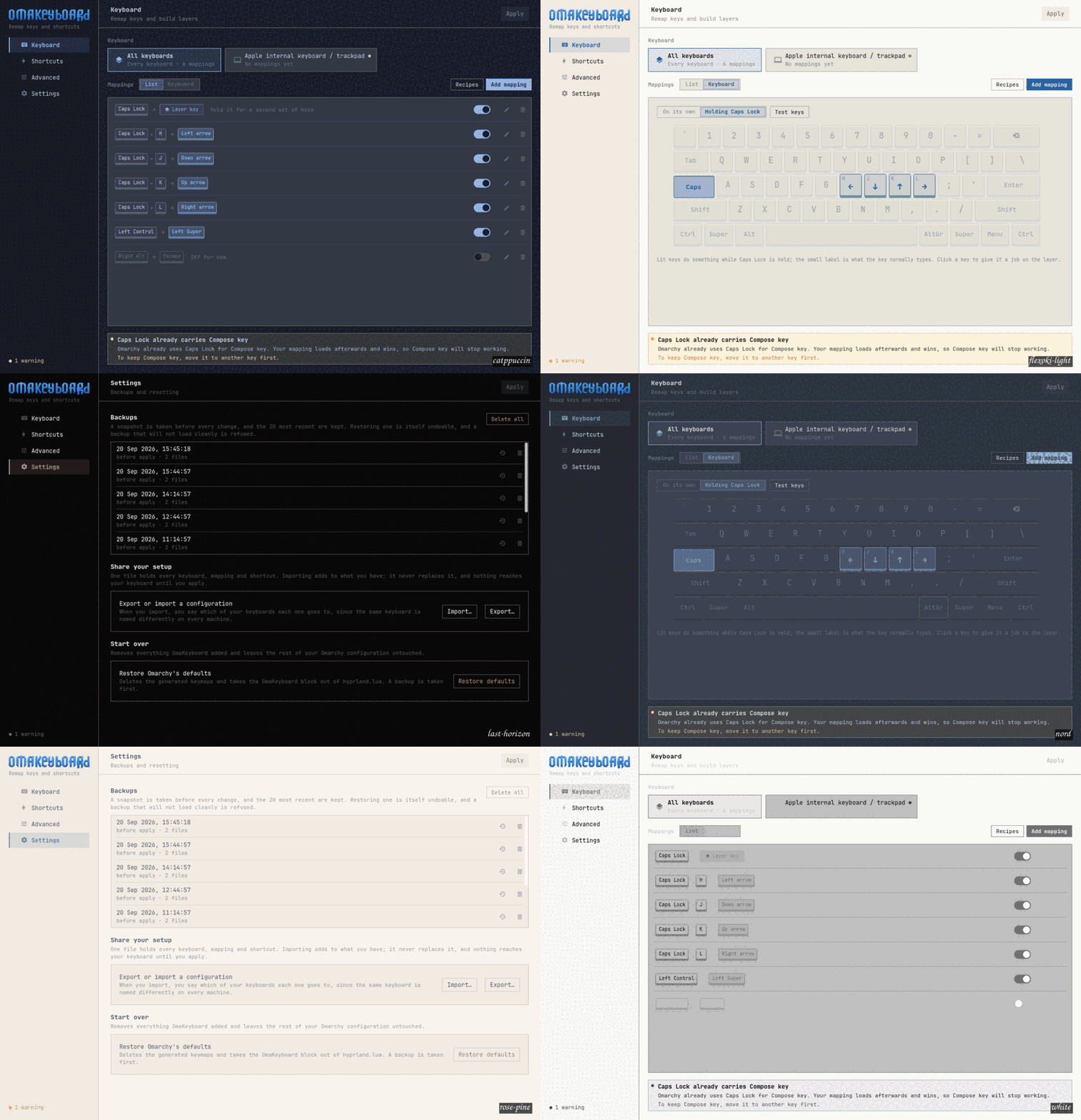
Keyboard remapping, layers and shortcuts for Omarchy, as a normal Qt Quick application. A Karabiner-Elements for Omarchy: pick a key, say what it should do, per keyboard.
Everything it does is native. Keymaps are compiled with libxkbcommon and loaded per device through Hyprland's kb_file; shortcuts are written as Lua into one marked block in hyprland.lua. There is no input daemon, no background service, and no third-party remapping engine.
In this first release
- Remap any key, per keyboard, with rules that reapply when an unplugged keyboard comes back.
- Two Fn-style layers. Hold a key and H J K L are arrows, with the keys' normal meaning intact. A key can do something different on each layer.
- The keyboard, drawn. See your mappings on the keys they belong to, switch to a layer to see what it does, and click a key to edit it. A key tester runs on the same drawing.
- Recipes: Caps Lock as Control or Escape, arrows under your right hand, Alt and Super swapped — and shortcuts on combinations nothing on your system is bound to yet.
- Conflict detection that knows your system, including Omarchy's own bindings and the
compose:capsdefault that collides with "Caps Lock as Control". - Safe applies. Validate, check conflicts, compile, snapshot, write atomically, test-load in a sandboxed Lua process, reload Hyprland, verify — and roll back if any of that fails. The dialog shows which step it reached.
- Undo for the last deletion, twenty rolling backups, and export/import to share a setup.
What it cannot do
Limits of XKB and Hyprland, not of the app, and it says so in Advanced: no tap-versus-hold, no chords, no macros, no per-application remaps. Nothing is installed to work around them.
Install
Requires Omarchy 4 or newer, which configures Hyprland in Lua.
sudo pacman -U omakeyboard-0.1.0-1-x86_64.pkg.tar.zstOr build it yourself:
git clone https://github.com/gabamnml/omakeyboard
cd omakeyboard
./bin/install
The attached package was built from this tag's source archive, not from a working tree.