Connecting to the VM using PyCharm Pro IDE
- Ensure you have the following:
- A VM account set up with Nick. He will supply important information such as the correct
host, andusernamerequired in a later step. - A
GitHubaccount -
PyCharm Prodownloaded on your computer - you can find it here
- A VM account set up with Nick. He will supply important information such as the correct
- If you set up an SSH key to pair to the VM, you should already have it saved somewhere in
/rootor/home - Use these online resources to configure a private ssh key on a Mac or Windows
- Personally, I keep mine saved in
/Users/hannahmacdonell/.ssh/id_rsa. You will need this file path later.
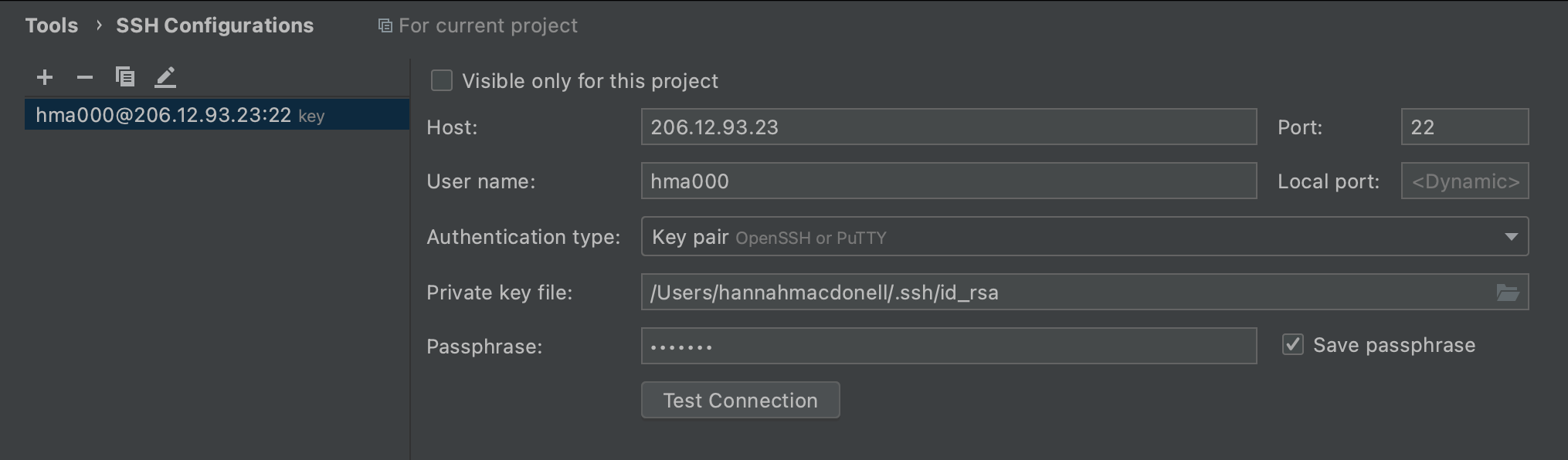
You can set up your VM connection through Preferences > Tools > SSH Configurations.
Press ^N or select the + sign to add an SSH configuration. The details included in the screenshot below are
unique to my account and system. You will need to alter the username, password, and Private key file file path.
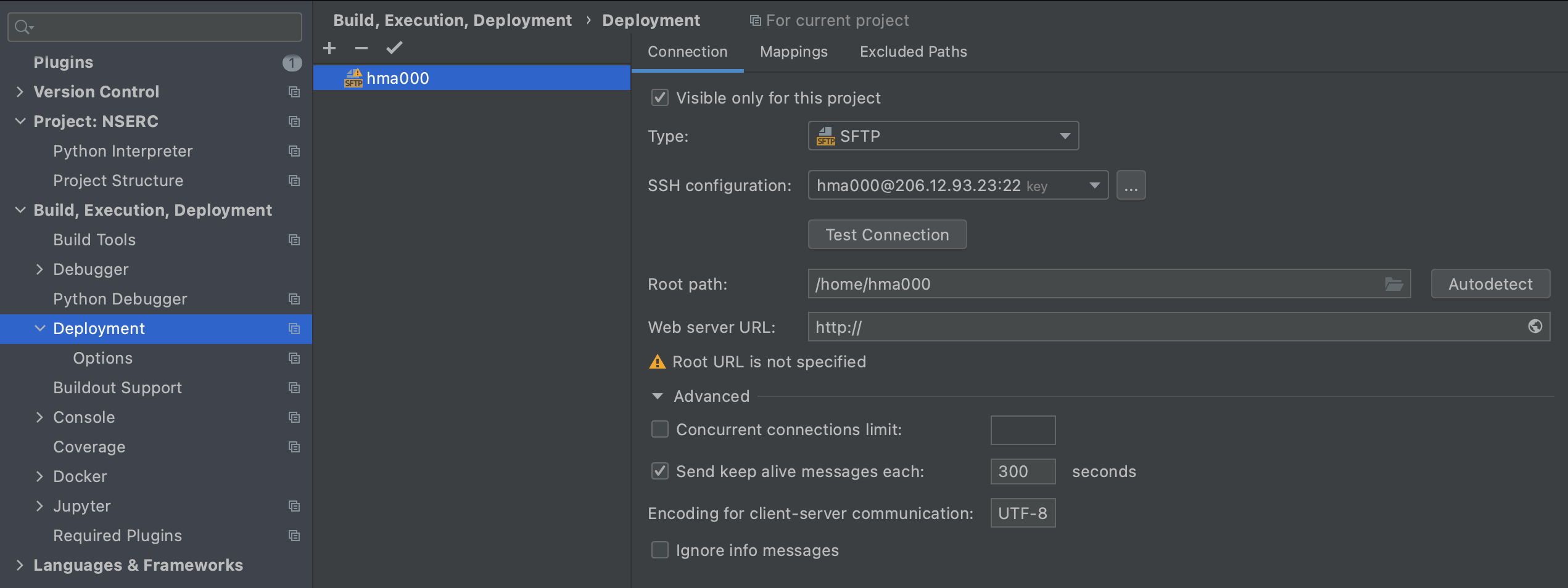
Preferences > Build, Execution and Deployment > Deployment you will either see the SSH configuration (as in the
image blow), or you can press ^N or select the + sign to add an SSH configuration. You will want to select the
yellow SFTP option. The SSH configuration you'd like to select should already be an option from the previous step.
Root Path should be /home/your-usr-name
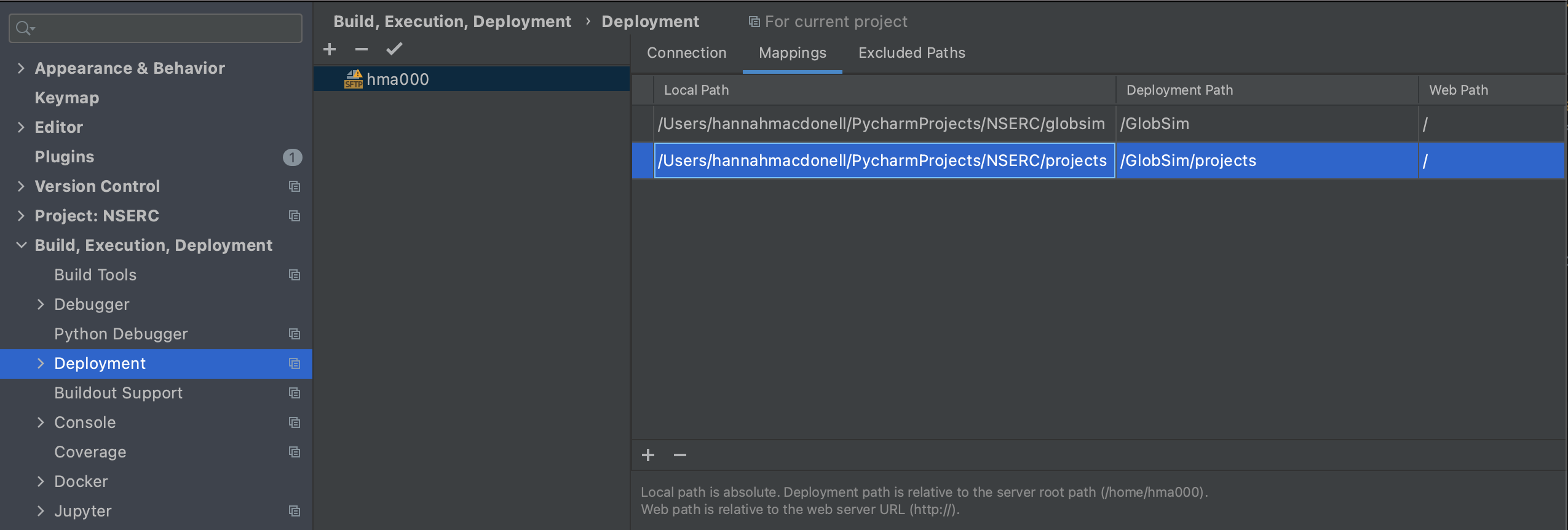
Preferences > Build, Execution and Deployment > Deployment > Mappings will allow you to configure filepath mappings
to when changes are made on your local machine, they are automatically uploaded to the VM. web path can be left
blank.
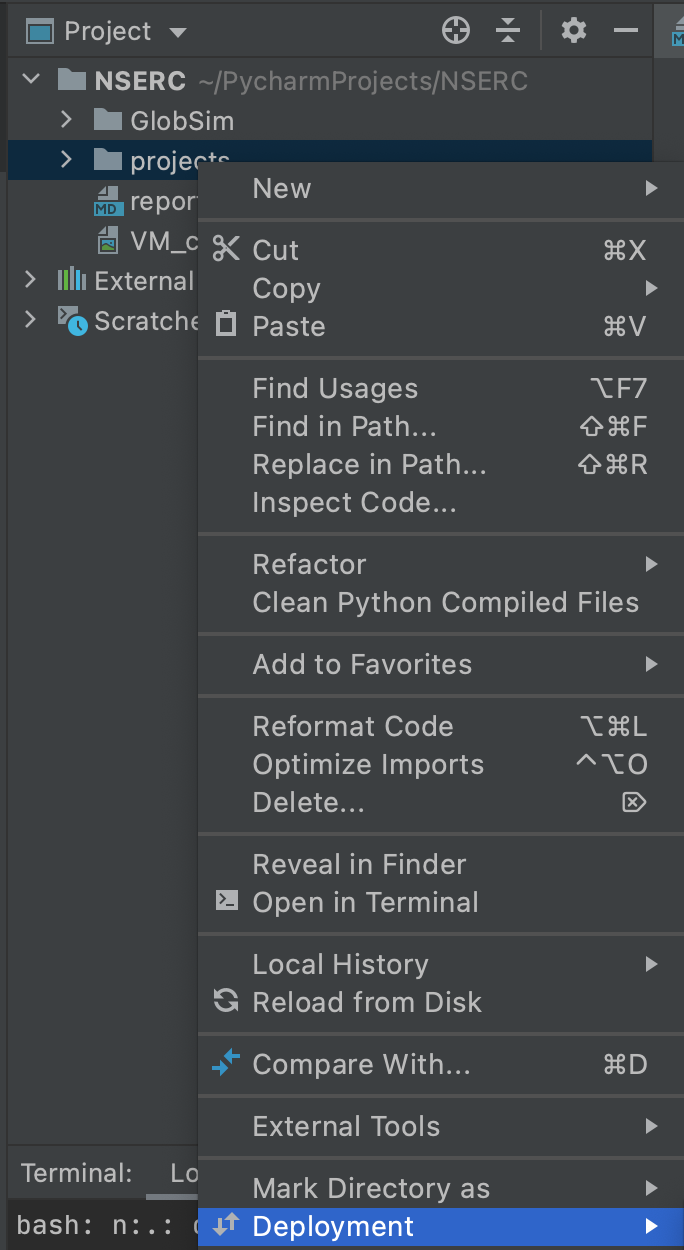
I find it useful to have a project files mapping (for downloads) and a to connect my globsim directories.
Connecting to GitHub:
- Go to
Preferences > Version Control > GitHuband press^Nor select the+sign to add your GitHub credentials.
Some tips:
- Ensure you're working on a feature branch - not on the master. You can refer to a branching etiquette guide here.
- Ensure your
credentials,ssh key fileandnetCDF file outputsfile paths are included in the.gitignorefile so they aren't uploaded to the GitHub repository (I have made this mistake and it sucks to fix)
Tip: To see files leading with a ".", press CTRL+SHIFT+'.'
- To connect to the VM, you can run the command
ssh YOUR-USR@206.12.93.23 -i FILE-PATH-TO-SSH - You can also connect automatically through PyCharm by selecting
Tools > Start SSH Session...from the toolbar. - Once you've either cloned the github repository from the VM, or uploaded your own local version, you will want to configure your environment by running
bash conda_globsim.shwith theconda_globsim.shandenvironment.ymlfiles.
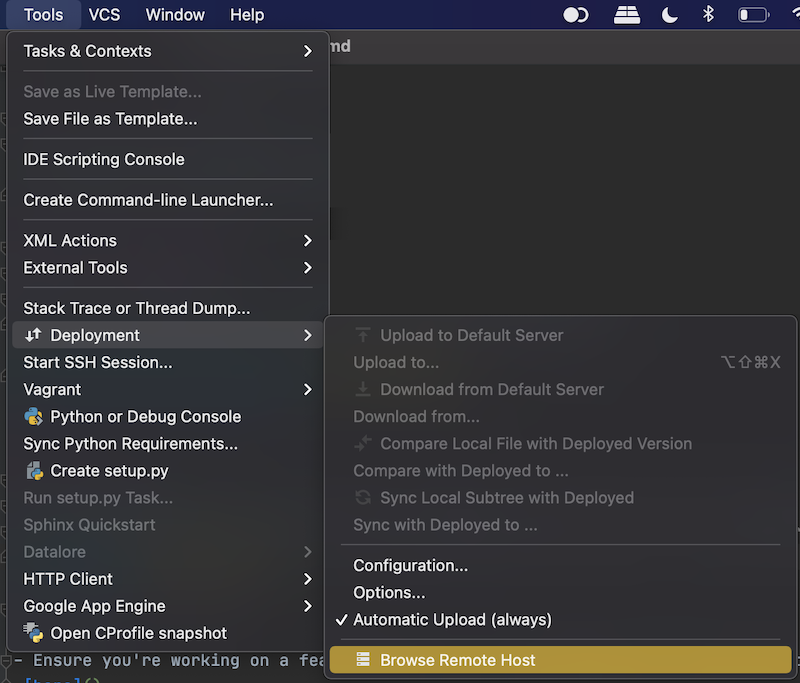
Go to the Toolbar and select Tools > Deployment > Browse Remote Host to see the virtual machine contents.