


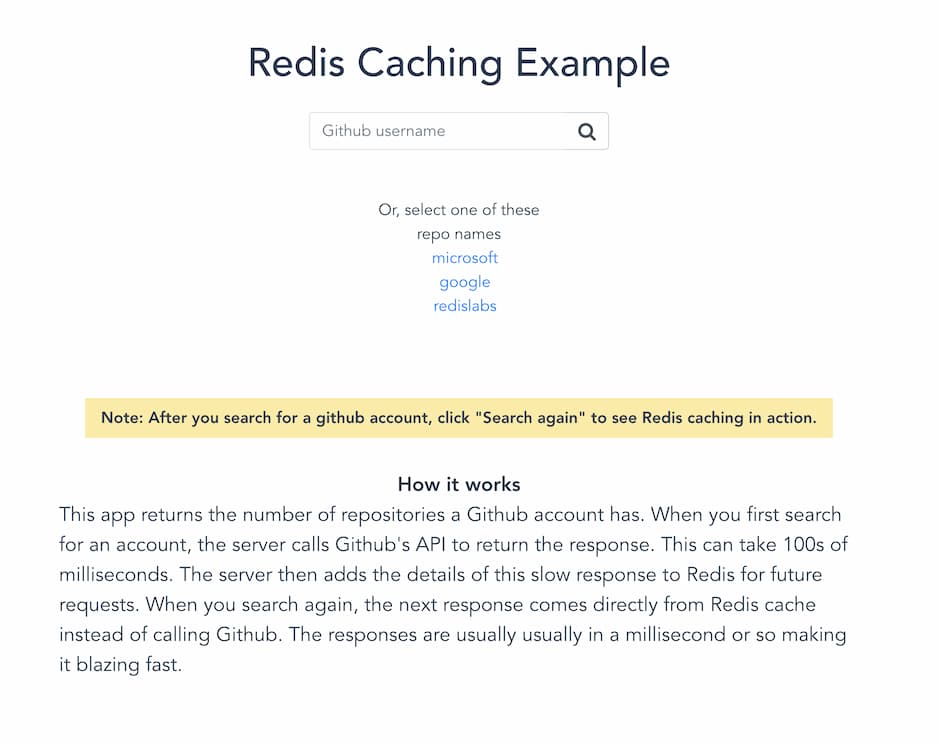
This app returns the number of repositories in a given GitHub account. When you first search for an account, the server calls GitHub's API to return the response. This can take 100s of milliseconds. The server then caches this response in Redis for future requests. When you search again, the next response comes directly from a Redis cache instead of calling GitHub. The responses usually take around a millisecond.


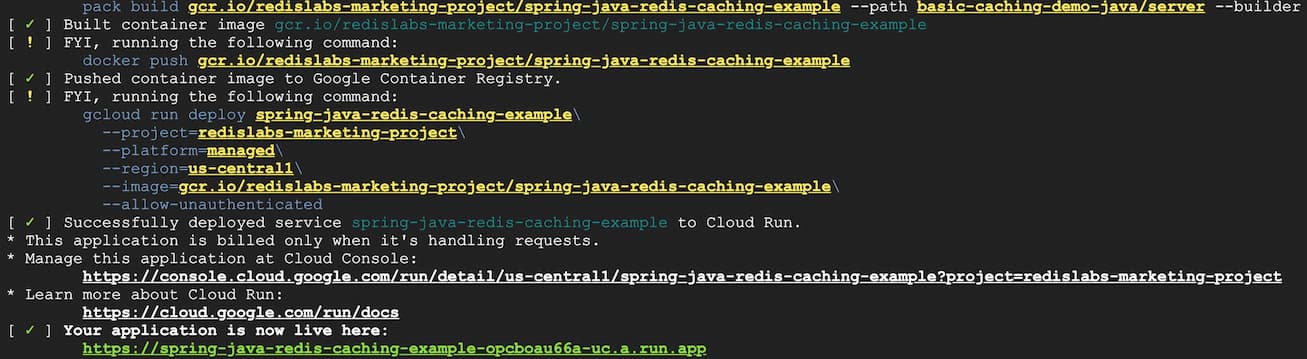
- Click the link under "Manage this application at Cloud Console".
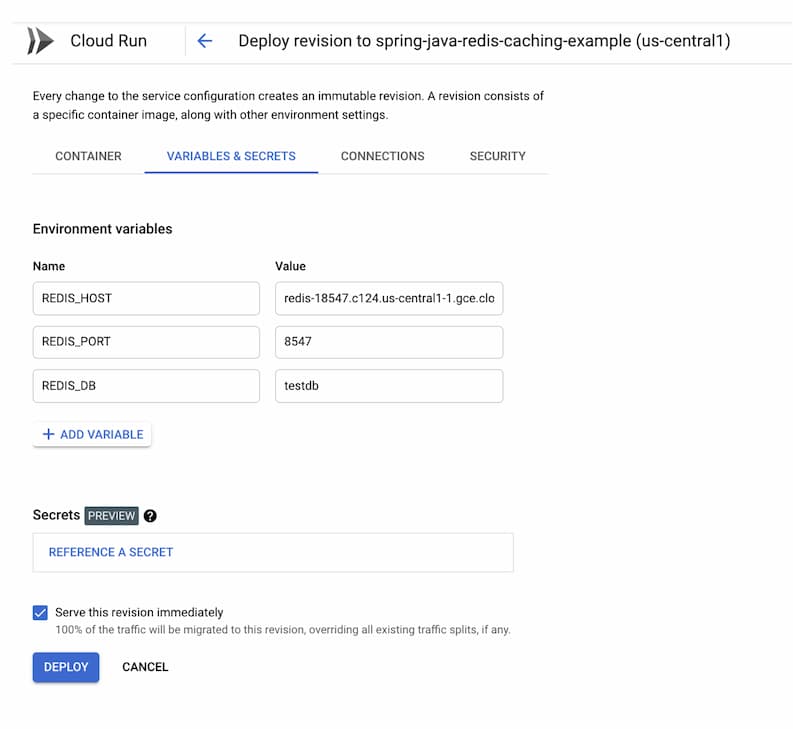
- Click "Edit and deploy new revision" button and then choose "Variables & Secrets" as shown below:
- Access the app
- New repos are added:
SETEX github_username timeout amount_of_repositories
Example: SETEX redis 3600 14
more information
- Get cache (Don't think about cache's timeout):
GET github_username
Example: GET redis
more information
- REDIS_URL: Redis server url
- REDIS_HOST: Redis server host
- REDIS_PORT: Redis server port
- REDIS_PASSWORD: Redis server password
-
Install JDK 17 or later (on mac:
brew install openjdk@17) -
From the root directory of the project, run the following commands (the bundled Gradle wrapper downloads the correct Gradle version automatically):
./gradlew server:build
./gradlew server:bootRun- Point your browser to
localhost:8080.
Static сontent runs automatically with the backend part. In case you need to run it separately, please see README in the client folder